Attraction Web Offer x Show a Problem
Tl;DR
Last year I completed all these pieces of the puzzle: PaaS + DecapCMS x Astro
Time to put those together with a quick WebApp/SaaS to free my time and enhance the output of people’s DIYs.
+++ Gitlab Pages
Intro
How about improving CX for DIYs websites?
The thing is: Does it needs to be a trade of between a Wordpress/Ghost/Wix or a code driven cool SSG?
Cant we go ECO and green and have websites that respect the environment?
The launch strategy: aka, focus strategy
| Element | Decision |
|---|---|
| One Avatar | |
| One Product | |
| One Channel |
The Tier of Service: DIY (1b - leverages on actual tech stack Ive put together - PaaS x (WP/Ghost or SSG+CMS))
The tech stack:
| Requirement | Specification | Clarification / Decision |
|---|---|---|
| Frontend Framework | ||
| Styling/UI Library | ||
| Backend/Database | ||
| Authentication |
The journey to a CMS managed cool Website
Discovering Github Pages
Discovering SSGs
Being amazed by Astro
Think I could tweak them
FrontMatterCMS was not enough
Try few CMS and fail
Build some flask/next webapps as CMS and fail
Tried Nuxt Content, was nice, BUT
Canvas Nuxt ContentCMS
DecapCMS finally did the trick
With the Twilight astro Theme first and the double terminal working in local mode:
npm run dev
npx decap-server #in terminal 2
Then with Portfolio where it worked with local + github oauth with changes commited and going to Ci/CD automatically
make hugo-dev #hugo server --bind="0.0.0.0" --baseURL="http://localhost" --port=1313 #localhost:1313And to some extent, with EntreAgujayPunto (hugo theme gallery), where the container setup….
#git clone https://github.com/JAlcocerT/EntreAgujayPunto.git #http://jalcocert-x300-1:8090/
npm install npm-run-all --save-dev
#npm run dev:full #decapcms local + hugo local dev
HUGO_BASEURL="http://jalcocert-x300-1" HUGO_PORT=1313 npm run dev:full

#hugo server --bind="0.0.0.0" --baseURL="http://192.168.1.100" --port=1313
#npm run cms
make dev-all
The last round was very recently, on this post.
The journey of the infra side
Because not everything is code.
Played with Ubuntu
Got a Pi
Liked containers
Got a VPS
Liked Docker
Tried VPSs
Consolidated docker configs
Understood Proxies for HTTPs
Tried few PaaS Tools
Tinkered with UptimeKuma
And with LightHouse CI
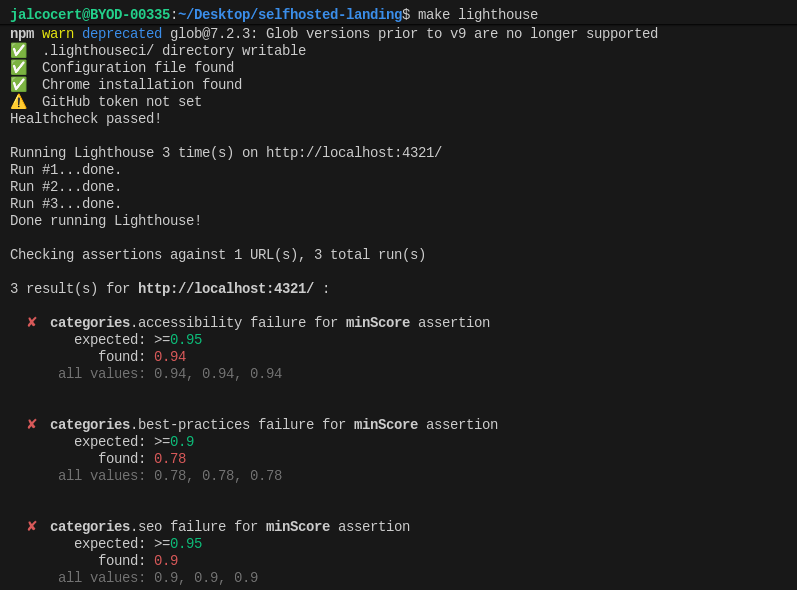
What the experience show me
a CMS x Astro, why?
From the experience: Dont do more than 3 websites to very close people if you they are not able to enable self-service.
Thats where selfhosted tools like: https://github.com/vriteio/vrite are supposed to shine.
Open-source developer content platform
I also got inspired by tools listed: https://www.awesome-homelab.com/category/writing
Particularly by https://www.awesome-homelab.com/item/novel-editor
I would recommend you to consider DecapCMS or….
The journey of putting this together
Fast forward to today: lets put a web/app with UI to bundle all this.
Creating a DIY x PaaS
Creating a DIY PaaS for Launching Websites… 🚀
git init && git add . && git commit -m "Initial commit: Starting N ebooks DIY" && gh repo create 1toN-ebooks --private --source=. --remote=origin --pushConclusions
Remember, you can always do your wordpress stuff.
mindmap
  root((PaaS))
    Web Containers
      WP
      Ghost
      LinkStack
    SSG + CMS
      HUGO
      Astro
    DIY Landing
    Real Estate
    ChatBots
FAQ
If you are building websites, get inspired:
Apache v2 | Grida — Ambitious 2D Graphics Editor for the Web
Interesting Features for any Web
Pop up at time or location of page
Maps ✅
Leaflet + OSM ✅
MapLibre ✅ - https://github.com/roblabs/maps-withastro/blob/main/src/MapLibre.astro
- An open source visual editor for the ‘MapLibre Style Specification’ - https://github.com/maplibre/maputnik
komoot embed OK
Adding interactive globe with the countries you have visited
- From astro bento portfolio (d3 & solid-js library) ✅
Still Want a WP?
Wanna Tinker with php and wordpress?
If you start fresh on a VPS and have Docker and WordPress set up, bringing your WordPress theme into that environment involves a few steps:
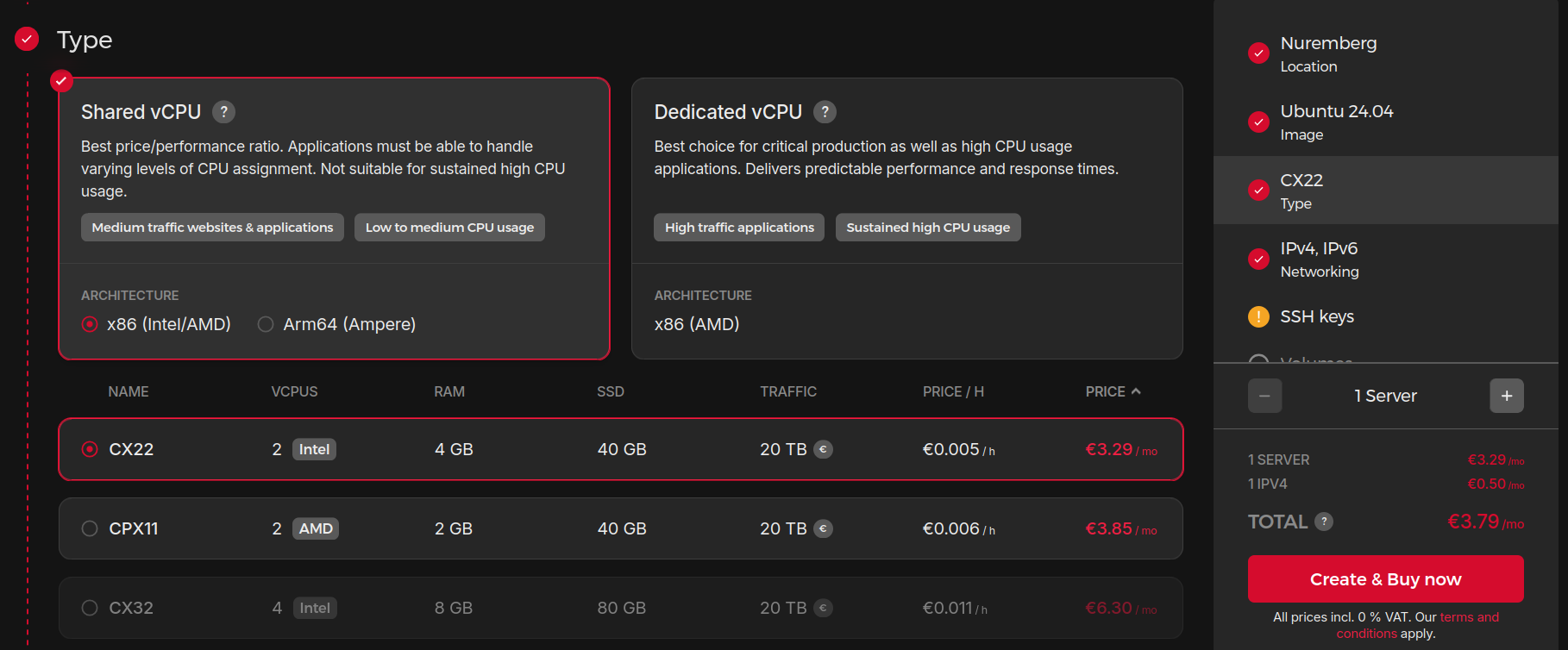
https://jalcocert.github.io/JAlcocerT/automating-ghost-and-wordpress/
https://jalcocert.github.io/JAlcocerT/no-code-websites/
Step 1: Prepare Your Docker WordPress Setup
Ensure your WordPress Docker container is running and accessible. Usually, you’ll have WordPress files mounted on a volume inside the container, often at /var/www/html/wp-content/themes/.
Step 2: Copy Your Theme to the VPS You can bring the theme files over to the VPS using:
SCP or SFTP: Upload your theme folder (which contains
style.css,functions.php, and all necessary theme files) into the WordPress themes directory on the VPS.
Example SCP command:scp -r /local/path/to/my-theme username@vps_ip:/path-to-docker-volume/wp-content/themes/Git Clone: If your theme is in a Git repository (e.g., GitHub), you can clone it directly inside the themes folder if you have access on the VPS:
cd /path-to-docker-volume/wp-content/themes/
git clone https://github.com/your_username/your-wordpress-theme.git- Docker Volume Mounting (for Development): When developing locally or on VPS, you can mount your local theme folder as a Docker volume in the container for live edits without copying each time.
Step 3: Activate the Theme in WordPress
Once your theme files are in the themes directory:
- Log in to your WordPress admin at
http://your-vps-ip/wp-admin. - Navigate to Appearance → Themes.
- Find your uploaded theme and click Activate.
Step 4: Optional—Upload Theme ZIP via Admin
As an alternative, through the WordPress Admin UI:
- Go to Appearance → Themes → Add New → Upload Theme.
- Upload a zip archive of your theme; WordPress will install and activate it.
| Method | Description | When to Use |
|---|---|---|
| SCP/SFTP Copy | Manually copy theme files | Direct file control, VPS access |
| Git Clone | Clone theme repo directly | Theme under Git version control |
| Docker Volume Mount | Mount theme folder as volume | Development/live sync |
| WordPress UI Upload | Upload via admin dashboard | Simple manual install |
This workflow lets you manage your themes conveniently on a fresh Docker WordPress VPS environment.
Yes, there are many open-source WordPress themes freely available on GitHub.
In fact, thousands of developers and organizations—including Automattic (the company behind WordPress.com)—host and maintain GPL-licensed WordPress themes there.
These can be used, studied, modified, or forked for your own projects.
Examples of Popular Open-Source WordPress Themes on GitHub
Some of the most widely used and high-quality open-source WordPress themes include:
- Roots / Sage — a Laravel Blade-based WordPress starter theme with Tailwind CSS and full block editor support; a favorite among professional developers (over 13k stars).[1]
- Automattic / themes — a collection of official free themes built by the WordPress.com team, released under GPL-2.0.[2]
- WordPress / community-themes — a repository of block-based themes demonstrating WordPress’s new Full Site Editing (FSE) capabilities, developed collaboratively by the community.[3]
- digitoimistodude / air-light — a lightweight (<20 kB) starter theme optimized for developers, using HTML5 and minimal dependencies.[6]
- them.es — open-source starter themes built with Bootstrap or Material Design that support full site editing, responsive design, localization, and build automation.[8]
- solstice23 / Argon and mirai-mamori / Sakurairo — popular modern community-maintained designs supporting internationalization and colorful UI.[1]
You can explore thousands more in the GitHub “wordpress-theme” topic, which currently includes over 4,000 public repositories across PHP, CSS, and JavaScript projects.[1]
Installing Themes from GitHub
You can manually download a theme ZIP file from GitHub and install it through WordPress → Appearance → Themes → Upload Theme.
Alternatively, use tools like WP Pusher or GitHub Updater to install and automatically update WordPress themes directly from public GitHub repositories.[5][9]
All of these themes respect GPL open-source licensing, meaning you can modify or even resell them under your own distribution as long as you retain the same license.
Building Webs with AI
See which are the top LLMs as per their ELO fights https://web.lmarena.ai/leaderboard
MIT | ✨ Magical shell history
How Ive improved my websites
FOSS
Fossengineer Docs and Theme Directory!
WIP
- Keep HUGO as SSG
- Create Doc like section as companion to the blog
- Create theme directory that works as per the config added at the homelab repo
BaJ
Beyond a journey…
Other Static CMS
What are Static Site Generators?
Apache v2 | Static Site Generator with Go backend and Svelte frontend
Build-Time Render Engine (aka Static Site Generator) with Go backend and Svelte frontend
Ships with a fully integrated Git-CMS that you can host for cheap/free right with your static site
Install plenti:
snap install plentiAs the author mentions: Plenti = Hugo + NetlifyCMS
This is a very cool proposal for landing pages see https://plenti.co/themes !
Keystone helps you build faster and scale further than any other CMS or App Framework. Describe your schema, and get a powerful GraphQL API & beautiful Management UI for your content and data.
MIT | The superpowered headless CMS for Node.js — built with GraphQL and React
What about GitLab Pages?
Hosting a static website can be simple, secure, and cost-effective.
GitLab Pages embodies these qualities by providing developers with a straightforward platform for hosting static sites directly from GitLab repositories.
GitLab Pages is an integrated feature within GitLab that allows users to publish static websites directly from repositories in their GitLab accounts.
It supports various static site generators like Jekyll, Hugo, and others, or simply HTML, CSS, and JavaScript, making it a versatile option for all types of static content.
GitLab: Open Source and Self-Hostable with Docker 🐰
One of the distinguishing features of GitLab is its open-source nature and the ability to self-host the platform using Docker.
You dont need to - but you can go deep the rabbit hole and have [full control of Gitlab]
This contrasts significantly with services like GitHub Pages, Firebase, and Cloudflare Pages, where you do not control the underlying infrastructure.
Key Comparisons:
- Open Source: GitLab is fully open source, which allows users to inspect, modify, and enhance the source code, providing a level of transparency and customization that is not available in proprietary platforms like Firebase or fully managed environments like GitHub Pages and Cloudflare Pages.
- Self-Hosting: With GitLab, you have the option to self-host your entire DevOps platform using Docker. This offers complete control over your data and the infrastructure, which is particularly important for organizations with strict data sovereignty or privacy requirements.
- Infrastructure Control: While platforms like GitHub Pages and Cloudflare Pages offer convenience and ease of use, they do not allow for infrastructure control. This means you rely entirely on their managed services, which can be a limitation if you need more control over performance optimizations, security settings, or compliance measures.
By choosing GitLab, you leverage the benefits of an open ecosystem and the flexibility to host your own instance, ensuring that you have full authority over your development and hosting environment.
Key Features of GitLab Pages
- Seamless Integration with GitLab: Directly connect your static site’s repository with GitLab Pages for continuous integration and deployment without leaving the GitLab ecosystem.
- Custom Domain Support: Easily connect your custom domain to your GitLab Pages site with the added benefit of free SSL certificates provided by Let’s Encrypt.
- Automatic HTTPS: Secure your site by default with HTTPS, enhancing security and trust for your visitors.
- CI/CD Pipeline: Leverage GitLab’s powerful CI/CD tools to automate the build and deployment process, ensuring that updates are pushed live with minimal manual intervention.
- Free and Unlimited: Yes, you read that right. GitLab Pages is completely free and offers unlimited bandwidth, so you can focus on building and sharing your projects without worrying about hidden costs.
Getting Started with GitLab Pages
Set Up Your Project:
- Ensure your static site project is hosted in a GitLab repository. If you’re using a static site generator, set up your project according to the specific requirements of that generator.
Configure GitLab CI/CD:
- Create a
.gitlab-ci.ymlfile in the root of your repository to define the build and deployment process. GitLab Pages integrates with GitLab CI/CD to build and deploy your site whenever you push changes.
- Create a
Enable GitLab Pages:
- In the project’s settings, navigate to the ‘Pages’ section to configure and enable GitLab Pages. This will automatically deploy your site to a GitLab subdomain, which you can then link to a custom domain if preferred.
Enhancing Your Static Site with GitLab Pages
GitLab Pages is not just for serving static content. You can enhance site interactivity and functionality using modern web development approaches:
- Client-Side JavaScript: Enrich your site with dynamic content and interactive elements using JavaScript frameworks like React or Vue.js.
- Third-Party APIs: Integrate APIs to bring dynamic data into your static site, such as e-commerce platforms, CMSes, or social media feeds.
- WebAssembly: Use WebAssembly for high-performance web applications directly in the browser, which can be hosted as part of your static GitLab Pages site.