Telco
Just in case you have to do big data around telecom.
Or because you ever wanted to access your router at 192.168. and that ended up changing your career.
Signals
The Friis Law
TCP vs UDP
Think of TCP and UDP as the two primary “shipping methods” for data on the internet.
They both live at the Transport Layer of the networking stack, but they have completely different philosophies on how to get a package from Point A to Point B.
This was useful for the Tello dron desktop connection and for the Zigbee setup
TCP (Transmission Control Protocol)
The “Certified Mail” approach. TCP is obsessed with accuracy and reliability. Before it sends any data, it performs a “three-way handshake” to make sure the receiver is ready.
- How it works: It numbers every packet. If a packet goes missing or arrives out of order, TCP stops everything and asks the sender to re-transmit it. It only hands the data to the application once it is 100% perfect.
- Best for: Web browsing (HTTP), Email, and File Transfers. You wouldn’t want a “mostly complete” bank statement.
- The Downside: It’s slower. All that checking and “handshaking” creates latency.
UDP (User Datagram Protocol)
The “Fire and Forget” approach.
UDP doesn’t care about handshakes or checking if you received the data.
It just pours packets onto the wire as fast as possible.
- How it works: It sends data without waiting for a confirmation. If a packet drops, it’s gone forever. The stream just keeps moving.
- Best for: Live streaming, Online gaming, VoIP (Discord/Zoom), and—as you mentioned—TR-471 speed tests.
- The Downside: It is “unreliable.” If your connection is bad, you get “glitches” or “artifacts” in a video call because UDP won’t stop to fix the missing data.
3. Are they competitors?
In a way, yes, but it’s more like tools in a toolbox.
You don’t use a hammer to do a screwdriver’s job.
However, there is a “new” competitor that is actually trying to replace both by combining their best features: QUIC.
The Rise of QUIC (The Real Competitor)
Developed by Google and now an internet standard (HTTP/3), QUIC technically runs on top of UDP, but it adds the reliability of TCP.
- TCP’s Flaw: If one packet is lost, the whole line stops (Head-of-Line Blocking).
- QUIC’s Solution: It uses UDP to move fast, but it handles its own error correction. If one “stream” of data drops a packet, the others keep moving.
| Feature | TCP | UDP | QUIC (The New Challenger) |
|---|---|---|---|
| Reliability | Guaranteed | None | Guaranteed |
| Speed | Slower (Handshakes) | Fastest | Very Fast |
| Use Case | Downloads/Web | Gaming/Speed Tests | Modern Web (YouTube/Netflix) |
| Analogy | A phone call | A megaphone | A high-speed drone delivery |
Each of these technologies chooses a protocol based on whether they prioritize reliability (not losing data) or efficiency (speed and low overhead).
- Web Browsers (Chrome, Safari, Firefox)
Browsers have traditionally been the kingdom of TCP, but they are currently in the middle of a massive transition.
- Classic Web (HTTP/1.1 and HTTP/2): These use TCP. When you load a bank statement or a news article, every pixel and character must be perfect. If a packet is lost, TCP re-sends it.
- Modern Web (HTTP/3): Most modern browsers now use QUIC (which runs on top of UDP). This is what happens when you use Google services, YouTube, or Facebook. It provides the reliability of TCP but starts connections much faster.
- Real-Time Video (WebRTC): If you use Google Meet or Zoom inside a browser, it uses UDP to keep the video from lagging.
- P2P (Peer-to-Peer / BitTorrent)
P2P is unique because it often uses both simultaneously to balance speed and management.
- For Finding Files (DHT): Uses UDP. It’s like shouting into a crowd to see who has a file; it doesn’t need a formal “handshake” for every person it asks.
- For Transferring Data: Traditionally uses TCP to ensure the file isn’t corrupted. However, modern BitTorrent uses a protocol called uTP (Micro Transport Protocol) which runs on UDP.
- Why UDP for P2P? It helps with “NAT Traversal” (getting through home firewalls) and prevents the P2P upload from “choking” your entire home internet connection.
- MQTT (Message Queuing Telemetry Transport)
MQTT is the “language of the Smart Home” (IoT).
It is designed for tiny sensors with very little battery power.
- Standard MQTT: Uses TCP. Because IoT devices (like a smart lock or a temperature sensor) often send very important commands, they need the guarantee that the message actually arrived.
- MQTT-SN (Sensor Networks): This version uses UDP. It is used for devices that are so small or have such bad connections (like Zigbee or long-range radio) that the “overhead” of a TCP handshake would drain the battery too fast.
| Technology | Primary Protocol | Why? |
|---|---|---|
| Web Browser | TCP / QUIC (UDP) | Needs 100% accuracy for text/images; uses QUIC for speed. |
| P2P (Torrent) | UDP (uTP) | To bypass firewalls and manage congestion without crashing the router. |
| MQTT (IoT) | TCP | Needs to ensure the “Turn off stove” command actually reached the device. |
It is helpful to remember that MQTT and Web Browsers (HTTP) are “Application Layer” protocols.
They are the passengers in the car.
Why this matters for your TR-471 question:
Old speed tests used TCP, but because TCP slows itself down when it sees any congestion, it often reported speeds lower than what the fiber line was actually capable of.
TR-471 switched to UDP because it wants to see the “raw” capacity of the engine without the “brakes” of TCP getting in the way.
Each of these technologies chooses a protocol based on whether they prioritize reliability (not losing data) or efficiency (speed and low overhead).
A Quick Note on Layers
It is helpful to remember that MQTT and Web Browsers (HTTP) are “Application Layer” protocols.
They are the passengers in the car.
TCP and UDP are the “Transport Layer” protocols—they are the car itself.
Wifi Standards
Some understanding of electro-magnetic waves comes very handy.
The BFF
The Broadband Forum (BBF) is the non-profit industry consortium that essentially writes the “rulebook” for how your home or business connects to the internet.
While organizations like 3GPP focus on mobile (5G/6G), the Broadband Forum focuses on the fixed-line side—fiber, copper, Wi-Fi, and the hardware inside your house.
- Who are they?
They are made up of over 150 companies, including:
- Service Providers: AT&T, BT, China Telecom, Vodafone, Verizon, etc.
- Equipment Vendors: Nokia, Huawei, Ericsson, Zyxel, Cisco.
- Software/Silicon Labs: Intel, Broadcom, and various open-source projects.
- What do they actually do?
The BBF creates the technical standards (the “TRs”) that ensure a router made by Company A works perfectly with an internet connection provided by Company B.
Without them, every ISP would have to build its own proprietary hardware, and you wouldn’t be able to buy your own router at a store.
- Their “Greatest Hits”
If you look at the sticker on the bottom of your router, it’s likely running Broadband Forum standards. Their most famous work includes:
| Standard | What it does |
|---|---|
| TR-069 | The global standard for remotely managing routers. It’s used on nearly 1 billion devices worldwide. |
| TR-369 (USP) | The “sequel” to TR-069. It’s designed for the smart home, allowing you to control IoT devices, Wi-Fi mesh, and apps through your router. |
| TR-471 | The speed test standard you mentioned earlier (UDP-based capacity testing). |
| TR-398 | The first industry standard for testing Wi-Fi performance (measuring how walls or distance actually affect your speed). |
- Why should you care?
The Broadband Forum is currently shifting the industry from “Connectivity” to “Experience.”
In the past, they just cared if the “pipe” was working.
Now, through standards like TR-471, they are forcing ISPs to care about Quality of Experience (QoE)—things like “bufferbloat” (lag when the network is busy) and consistent speeds for gaming and 4K streaming, rather than just a high number on a marketing brochure.
iPerf3
iperf3 is the industry-standard tool for exactly these types of tests.
While TR-471 is a high-level standard used by ISPs to certify line quality, iperf3 is the “hands-on” tool used by network engineers to actually run the tests and troubleshoot bottlenecks.
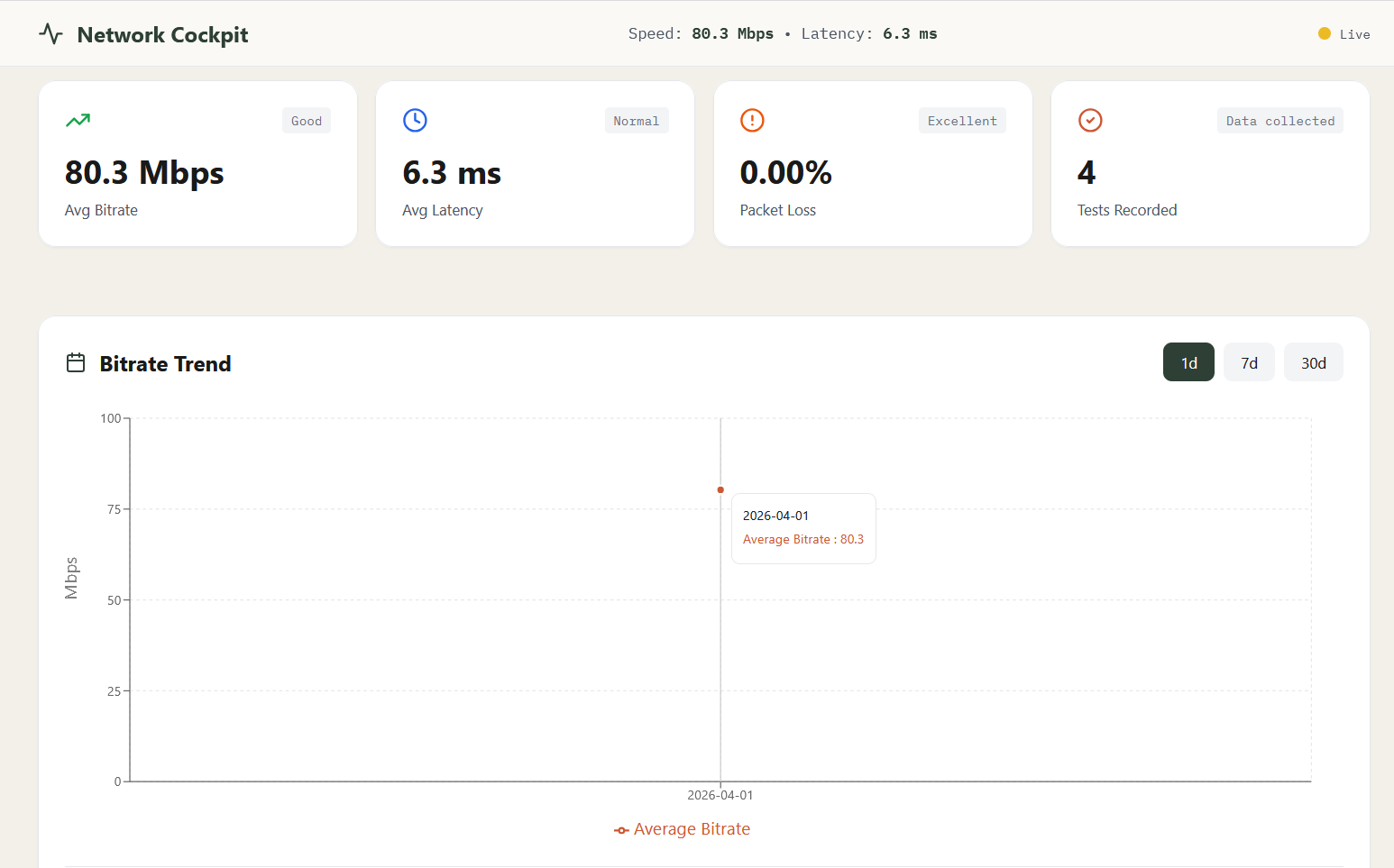
It handles both TCP and UDP, but they give you very different data points.
- iperf3: TCP vs. UDP
TCP Mode (Default)
When you run iperf3 -c [server_ip], it uses TCP.
- Goal: To find the Maximum Achievable Bandwidth.
- What it tells you: It shows you how fast you can transfer a file while ensuring 100% data integrity.
- The “TCP Behavior”: If iperf3 detects network congestion, it will automatically throttle itself. This is great for seeing “real-world” download speeds, but it won’t show you the absolute limit of the wire if there is even a tiny bit of packet loss.
UDP Mode (-u)
When you run iperf3 -c [server_ip] -u, it switches to UDP.
- Goal: To find the Network Capacity and Quality.
- What it tells you: Since UDP doesn’t “self-throttle,” iperf3 can push the network to its breaking point. It reports three critical metrics that TCP can’t:
- Packet Loss: Exactly what percentage of data was dropped.
- Jitter: The variation in delay (crucial for gaming and VoIP).
- Raw Throughput: The total amount of data the pipe can physically hold.
- iperf3 vs. TR-471
You can think of iperf3 as the engine and TR-471 as the certified testing track.
- iperf3 is a flexible tool. You have to tell it exactly how much bandwidth to push (using the
-bflag). If you have a 1Gbps line but only tell iperf3 to send 100Mbps, it will just show you that 100Mbps works fine. - TR-471 (and its implementation OB-UDPST) is an automated “Search” algorithm. It starts low and automatically ramps up the speed until it finds the exact “peak” where packet loss begins.
- Which one should you use?
| Use Case | Recommended Tool | Command Example |
|---|---|---|
| Testing Local Wi-Fi | iperf3 (TCP) | iperf3 -c [IP] |
| Testing VoIP/Gaming Quality | iperf3 (UDP) | iperf3 -c [IP] -u -b 10M |
| ISP Line Certification | TR-471 (OB-UDPST) | Usually built into router firmware |