SMTP and e-mail stuff
TL;DR
SMTP stuff is messy, a collection of thoughts that helped me understand tech email concepts better.
This post is an email 101 for me to test few ESPs and learn how to use email APIs.
Intro
I was happy enough with Google and Stripe integrated into cal.com
You probably need leads.
And have no F*** idea how SMTP actually works.
What you know is that cold email can get you Cash Flow.
Specially when combined with a proper APIFY based sales pipeline and automation tools for marketers.
So far I got proper and high level custom email integration via:
You can bring your domains to ProtonMail and send emails from them: https://account.proton.me/u/0/mail/identity-addresses
- Mailerlite: at the time of writing, they allow one custom domain free.
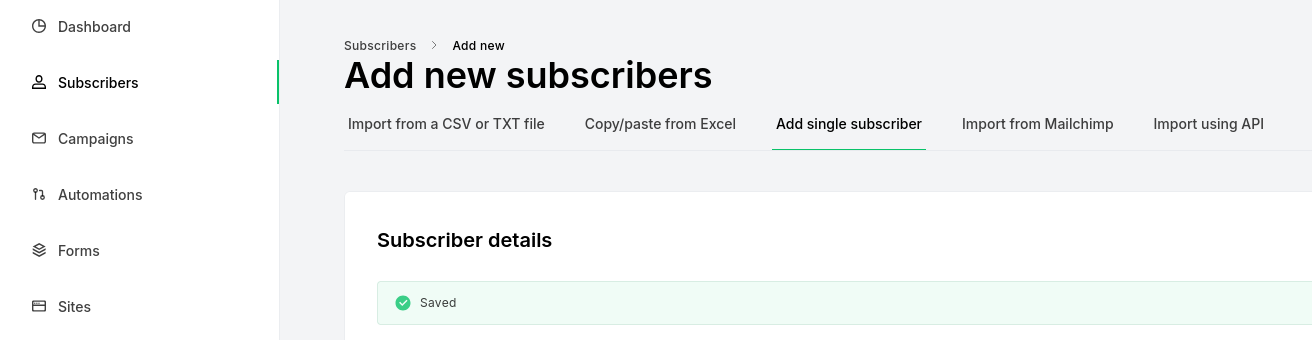
Via LogTo: also to redirect to your custom domain for auth login, they will send an email with the code to enter your webapp
And ok, thanks to Google Firebase Auth we get out of the box email validation…
But for something more custom…I have been lacking how actually email/SMTP work.
Before we get started, you might keep this close to you:
- https://temp-mail.org/
- https://mxroute.com/
- https://ethereal.email/
- See the web/app
millionverifierorNeverBounceto… verify/validate emails. Like Knockmail tries.
Same as auth is hard, until its not.
I want the same to happen with SMTP/emails.
But it did not work for me out of the box…
Email for me so far
I got to send (and receive) emails via one of my domains via gmail.
At least when it was google domains, when it migrated to squarespaces the setup stoped working.
Too goo to be true I guess.
SMTP
The Simple Mail Transfer Protocol (SMTP) is essentially the language and set of rules that computers use to send, receive, and relay email from one email server to another.
SMTP is like the entire mail system (the post office, the trucks, the delivery people) responsible for getting a physical letter from your mailbox to the recipient’s mailbox.
- You (the Sender): When you hit “Send” in your email client (like Gmail, Outlook, etc.), your email client talks to your outgoing mail server using SMTP.
- The Post Office (Your Outgoing Mail Server): This server receives your email, looks at the recipient’s address, and uses SMTP to contact the recipient’s mail server.
- The Truck/Route (The SMTP Connection): This is the actual communication link where the two servers “speak” to each other using the specific SMTP commands (like
HELO,MAIL FROM,RCPT TO,DATA). - The Recipient’s Post Office (The Incoming Mail Server): This server receives the email from your server, again via SMTP. It then stores the email in the recipient’s mailbox.
- Note: While SMTP handles the delivery to the destination server, another protocol, like POP3 or IMAP, is used by the recipient’s email client to actually fetch the email from that server.
⚙️ How It Works (The Core Mechanism)
- Connection: The sending server (the client) initiates a connection with the receiving server on a specific port (usually Port 25, 587, or 465).
- Handshake: The two servers greet each other and establish who they are using commands like
HELO(orEHLOfor Extended SMTP). - Address Exchange: The sending server tells the receiving server the sender’s address (
MAIL FROM) and the recipient’s address (RCPT TO). - Data Transfer: If the addresses are accepted, the sending server sends the actual email content (the body and headers) using the
DATAcommand. - Termination: The transaction is completed, and the connection is closed.
In short, SMTP is the reliable, standardized way that email is pushed across the internet from one server to another.
Email APIs
How to do email stuff…with code
Mailtrap competitors primarily include other email testing and delivery platforms that offer similar capabilities for email sandboxing, deliverability testing, spam checking, and transactional email sending. Some well-known Mailtrap competitors are:
- Mailgun: Offers advanced email sending APIs, email validation, and analytics for deliverability and engagement.
- SendGrid (by Twilio!): Provides scalable email sending, marketing campaign features, and email analytics.
- Postmark: Focuses on transactional email delivery with high deliverability rates.
- Litmus: Known for email previewing across many email clients and spam testing.
- MailerLite: Combined email marketing and delivery platform popular with small businesses.
- Use it via: https://dashboard.mailerlite.com/dashboard as an alternative to mailchimp
- Mailersend - transactional email alternative that competes with SendGrid and MailGun
- Email Sandbox: A testing-focused platform providing sandboxing for email templates and deliverability testing.
- GMass: Primarily a Gmail-based email marketing and campaign testing tool.
These alternatives vary in focus—from developer-centric testing, marketing automation features, transactional email delivery, or email validation services.
Some are more suited for broad marketing campaigns while others emphasize developer tools for testing and debugging emails during development cycles.
Mailtrap’s niche is developer-friendly email sandboxing and testing, while others may offer more end-user marketing or validation features.
Regarding ease of configuration among the competitors:
| Service | Ease of Configuration | Notes |
|---|---|---|
| Mailtrap | Very user-friendly, specifically designed for developers | Easy SMTP/API setup, great for email testing |
| SendGrid | Moderate, with good documentation and UI | Provides marketing features, can be more complex |
| Postmark | Simple and focused on transactional email | Straightforward setup, less marketing complexity. No free tier |
| Mailgun | Moderate to advanced, developer-centered | Powerful API but requires technical knowledge |
| Amazon SES | More technical, requires AWS knowledge | Powerful but steeper learning curve |
Without even sending or trying any single feature.
That was interesting :)
MailGun
I tested the free plan as per this
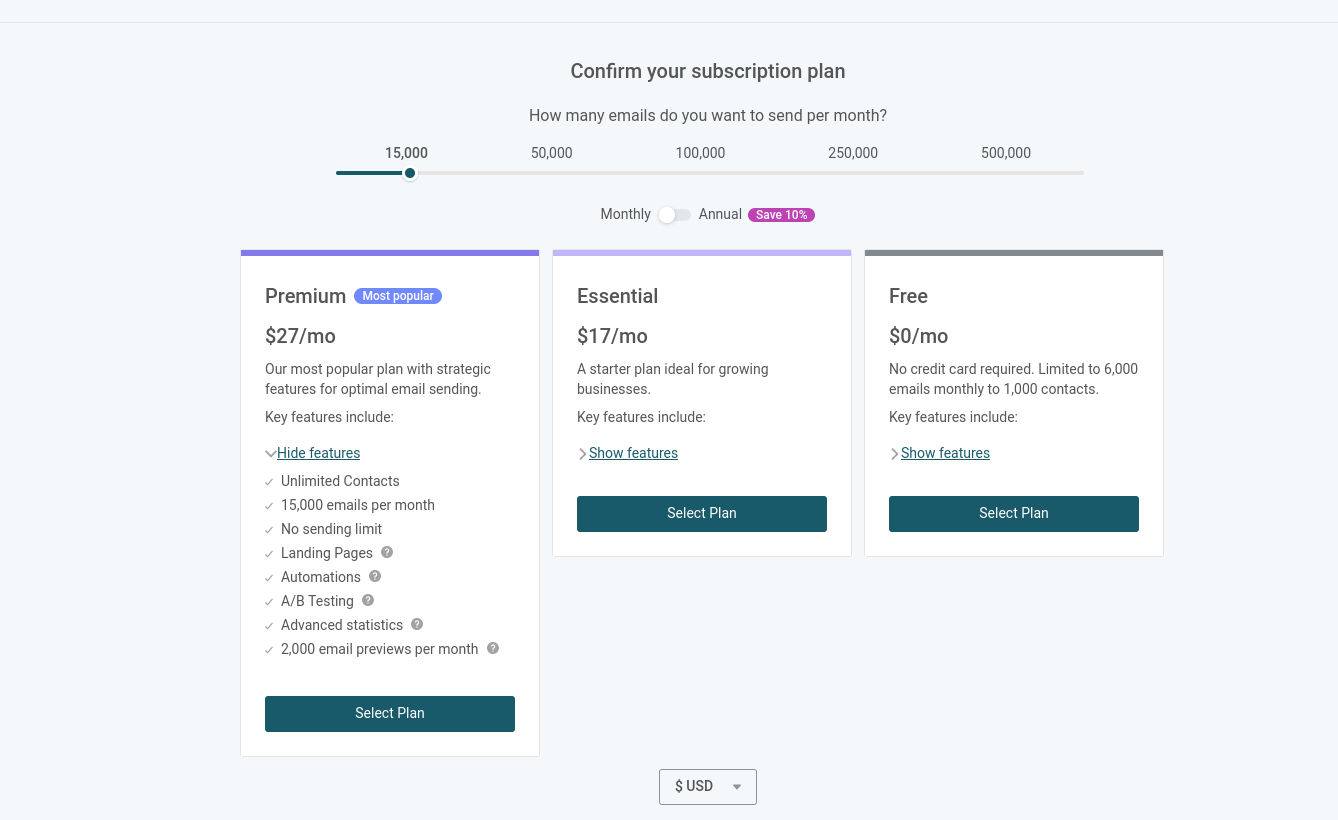
Once logged in, you will go to: https://app.mailgun.com/dashboard?tab=send
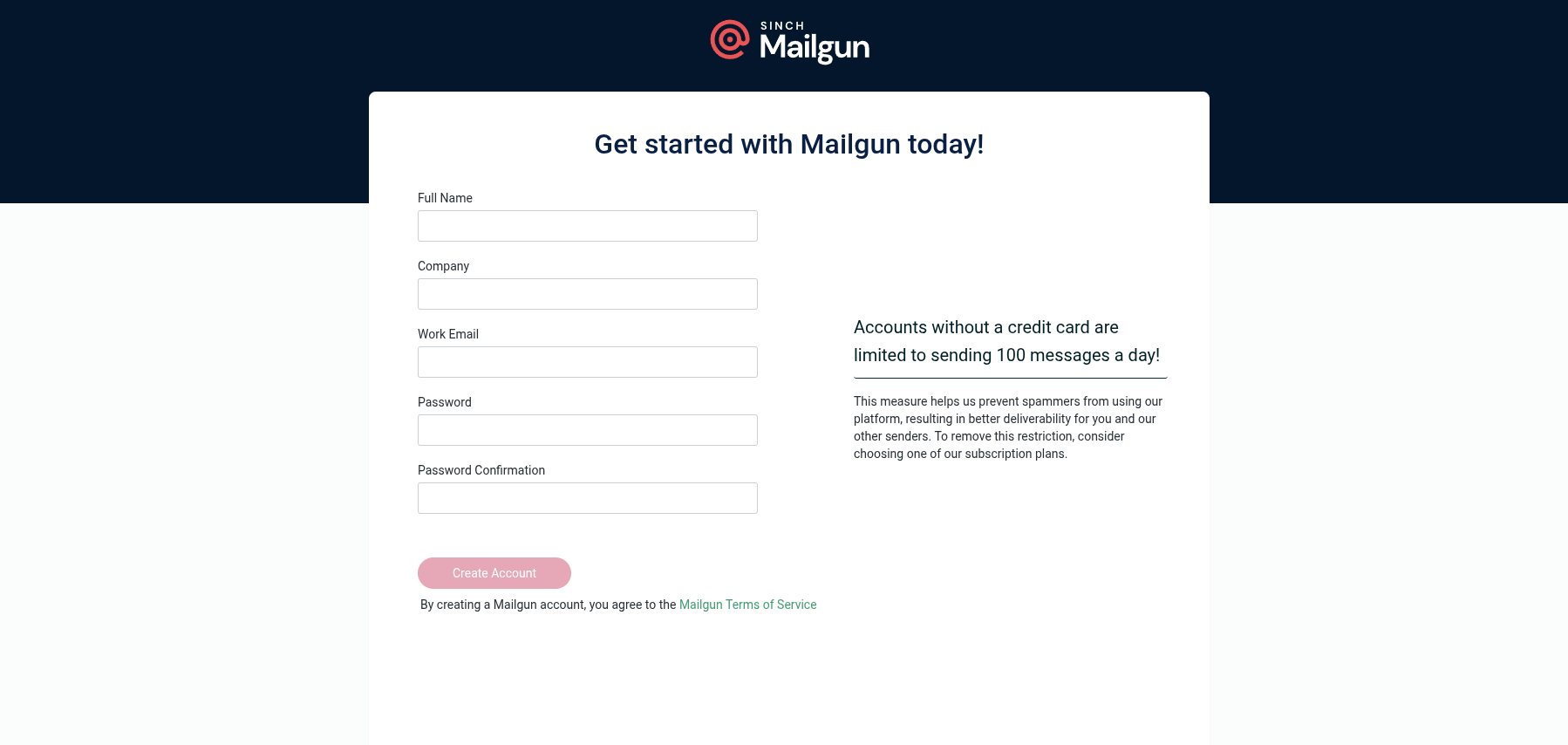
It can also help us to validate emails!
And also to send emails with your custom domain to whatever validated email we have.
- https://documentation.mailgun.com/docs/mailgun/user-manual/sending-messages/send-smtp
- https://www.mailgun.com/blog/email/which-smtp-port-understanding-ports-25-465-587/
I just had some authentication problems to make MailGun work with Listmonk.
Be aware of selecting proper port and security settings… 📌
Based on modern standards, the best choice depends on whether you are submitting mail from an email client/application (like Listmonk) to a mail server, or relaying mail between mail servers.
Since you are running Listmonk and it needs to send emails out (submission) through an external SMTP provider (like Mailgun, SendGrid, or your own server), here are the recommended ports:
🔑 Recommended SMTP Ports for Mail Submission
| Port | Description & Use Case | Security | Recommendation |
|---|---|---|---|
| 587 | The Default Secure Port (Recommended). This is the official and modern port for email submission from a client (like Listmonk) to a mail server. | Uses STARTTLS (opportunistic encryption) to secure the connection after initiating it. | Use this one first. It is the industry standard for secure email sending. |
| 465 | The Legacy Secure Port. It was once the official SMTPS port but was deprecated and then repurposed. Some providers still support or even recommend it. | Uses Implicit TLS/SSL (encryption starts immediately upon connection). | Use this only if Port 587 fails or if your provider specifically requires it. |
| 2525 | The Alternate Port. This port is not officially recognized but is often provided by email service providers (ESPs) as a fallback when standard ports are blocked by an ISP or hosting provider. | Supports TLS encryption, similar to Port 587. | Use this if both Port 587 and 465 are blocked by your network firewall. |
🚫 Port to AVOID
| Port | Use Case | Security |
|---|---|---|
| 25 | The Legacy Standard Port. This port is primarily for server-to-server relay (transferring mail between two different mail servers). | Often unsecured and is heavily targeted and blocked by residential ISPs and cloud providers to curb spam. |
Mailjet
It has a free tier:https://www.mailjet.com/pricing/
And once logged in, you go to: https://app.mailjet.com/integrations
Mailjet uses your API Key and Secret Key as the username and password for its SMTP service.
Configure Mailjet as SMPT server… 📌
- 🔑 Find Your Mailjet SMTP Credentials
The SMTP username and password are your unique API Key pair, which is located in your account settings.
- Log In: Log in to your Mailjet account dashboard.
- Navigate to API Keys: Look for a section like Account Settings or click on your avatar/name in the top right corner. Then navigate to Master API Key & Sub API key management or API Key Management.
- Find the Keys: You will see two keys listed:
- API Key (Public): This is your SMTP Username.
- Secret Key (Private): This is your SMTP Password.
⚠️ Important Security Note: The Secret Key is often displayed only once upon creation. If you haven’t saved it, you may need to reset or generate a new one, so be sure to copy both keys now and save them securely.
- ⚙️ Recommended Listmonk Configuration for Mailjet
Once you have your credentials, use the following settings in the SMTP section of Listmonk:
| Setting | Value | Notes |
|---|---|---|
| Host | in-v3.mailjet.com | This is Mailjet’s official SMTP server address. |
| Port | 587 | The standard, secure port using STARTTLS (recommended). |
| Auth protocol | LOGIN | The standard method for using your API keys. |
| Username | Your Mailjet API Key | The public key. |
| Password | Your Mailjet Secret Key | The private key. |
| TLS | STARTTLS | This is the proper encryption setting for Port 587. |
Alternative Port (for security or if 587 fails):
- Port: 465
- TLS: SSL/TLS (Implicit TLS)
After updating the settings, click Save and test your connection in Listmonk!
That is an excellent distinction to make, as Mailjet and MailerLite specialize in slightly different areas.
The short answer is: No, Mailjet and MailerLite are not direct equivalents.
🎯 MailerLite vs. Mailjet
- MailerLite (Closer to Listmonk’s Purpose)
| Focus | Email Marketing Platform (EMP) |
|---|---|
| Primary Use | Building and managing email campaigns (newsletters, promotional emails), contact lists, landing pages, sign-up forms, and visual email design. |
| Sending Method | All sending is done via their internal platform and dedicated infrastructure. |
| Relevance to Listmonk | MailerLite is feature-rich in areas where Listmonk is also strong (list management, content creation, segmentation). You would not typically use Listmonk with MailerLite, as they compete for the same function. |
- Mailjet (Closer to a Delivery Service)
| Focus | Email Service Provider (ESP) / SMTP Relay |
|---|---|
| Primary Use | Highly reliable email delivery for both marketing and transactional emails, focusing on deliverability, API/SMTP integration, and scalability. |
| Sending Method | Designed to be integrated into other applications (like Listmonk, websites, e-commerce stores) via SMTP or API. |
| Relevance to Listmonk | Mailjet is an ideal partner for Listmonk. Listmonk handles the campaign/list management, and Mailjet handles the actual high-volume sending and ensures high inbox placement. |
📈 Mailjet with Listmonk: Marketing and Transactional
The key benefit of using Mailjet is its ability to handle both types of email delivery via a single, reliable SMTP connection:
- Email Campaigns (Marketing)
- How it Works: Listmonk manages your subscribers, segments, and content. When you launch a newsletter, Listmonk sends the bulk emails through Mailjet’s SMTP Relay (using the credentials you just set up).
- Verdict: Yes, Mailjet reliably handles your Listmonk marketing campaigns.
- Transactional Emails
- What it Is: Emails triggered by user actions (e.g., password resets, order confirmations, subscription welcome emails from Listmonk).
- How it Works: Since Listmonk uses Mailjet’s SMTP service for all its outbound mail, any transactional emails Listmonk generates (like confirmation links) will also be routed through Mailjet.
- Verdict: Yes, Mailjet is explicitly designed to be a reliable provider for transactional emails via SMTP, which benefits all of Listmonk’s system emails.
In Summary:
You can think of it this way:
- Listmonk is your operating system for managing lists and campaigns.
- Mailjet is your high-performance engine that ensures your emails (marketing and transactional) actually reach the inbox.
You made a good choice by selecting a robust ESP like Mailjet to pair with Listmonk.
Not only you can automate your way with Mailjet and N8N:
- https://app.mailjet.com/integrations/n8n
- https://docs.n8n.io/integrations/builtin/app-nodes/n8n-nodes-base.mailjet/#templates-and-examples
Mailjet SMTP x ListMonk
But also, Mailjet worked with Listmonk. Even with Listmonk in localhost:9077 without bein Cloudflared
Going to spam when sent to gmail…but worked.
Even with the custom email from your domain!
- https://app.mailjet.com/account/sender/validate-domain?domain=6484989182
- Validate the emails from where you will be sending: https://app.mailjet.com/account/sender
It all comes down to some TXT DNS records to be setup.
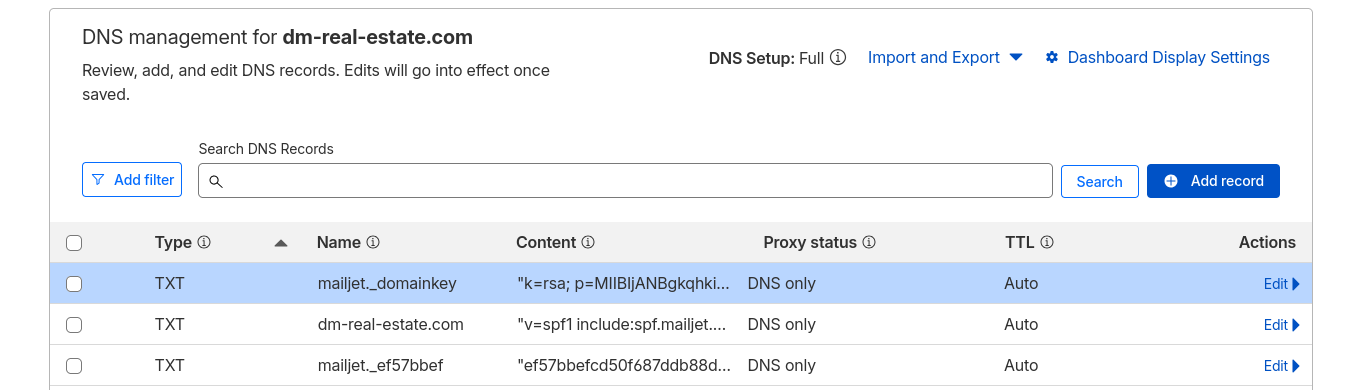
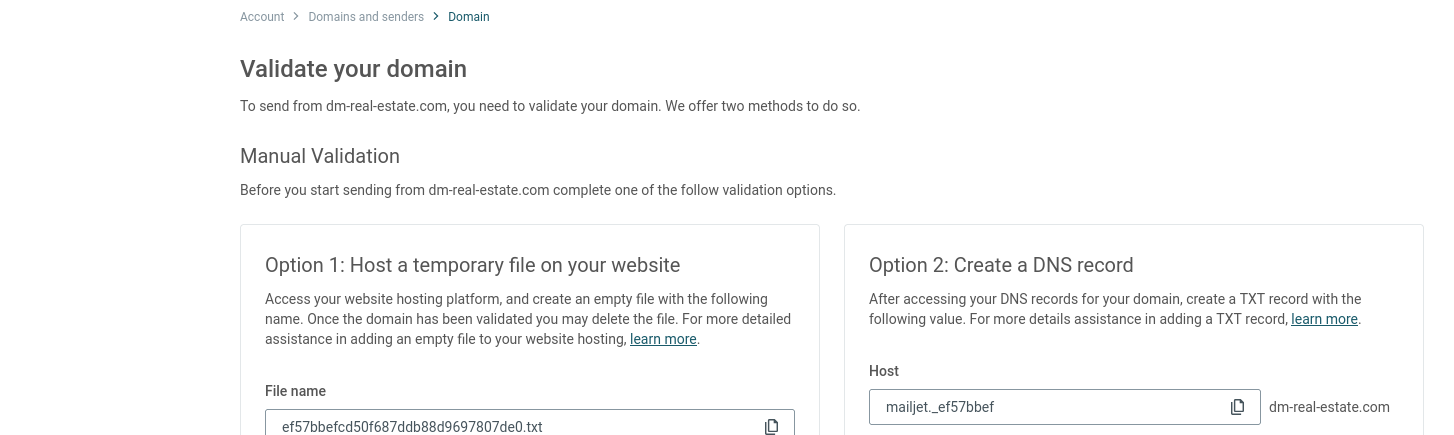
Apparently, these fields are also important: SPF and DKIM

Once ready, we see:
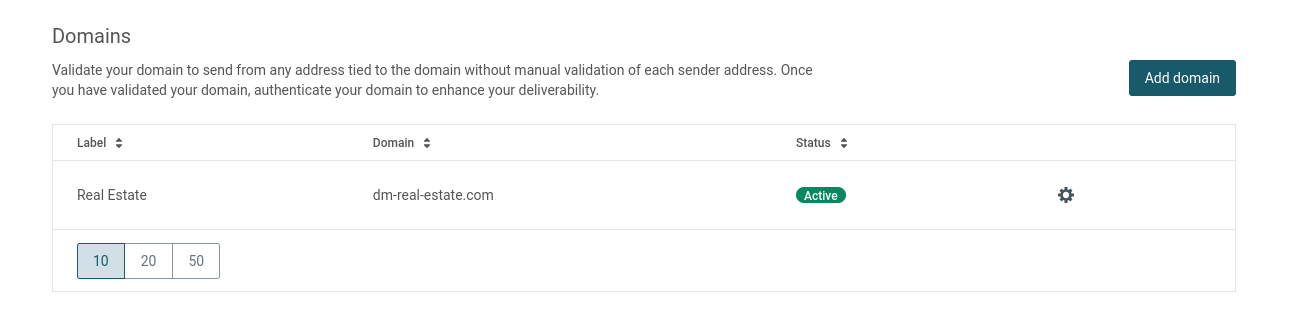
and also:
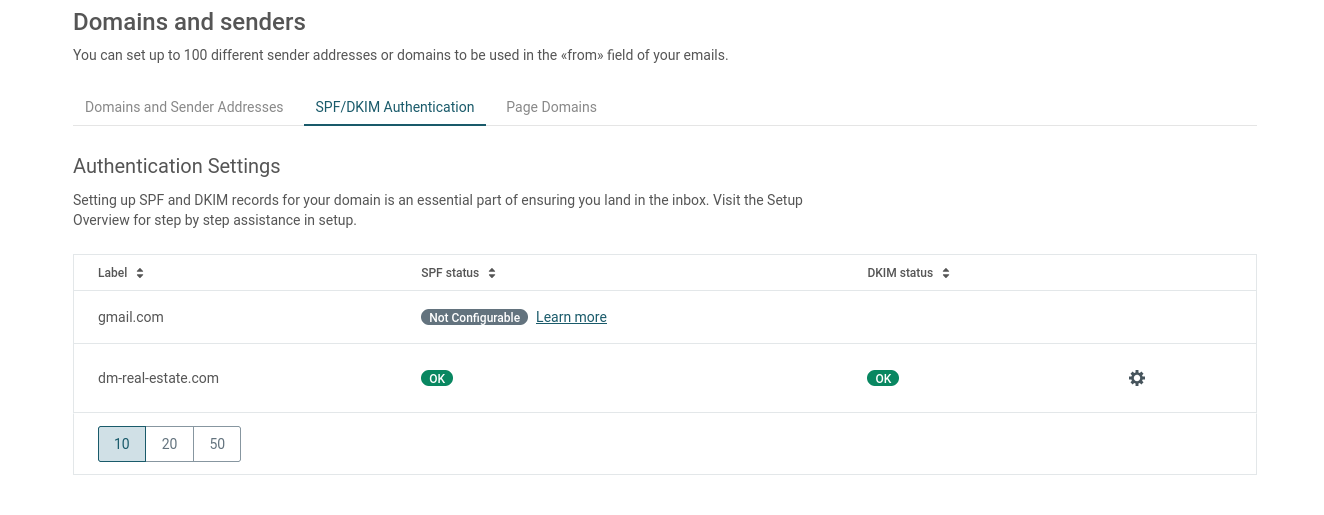
To proove that it worked, I configured as SMTP for Listmonk and:
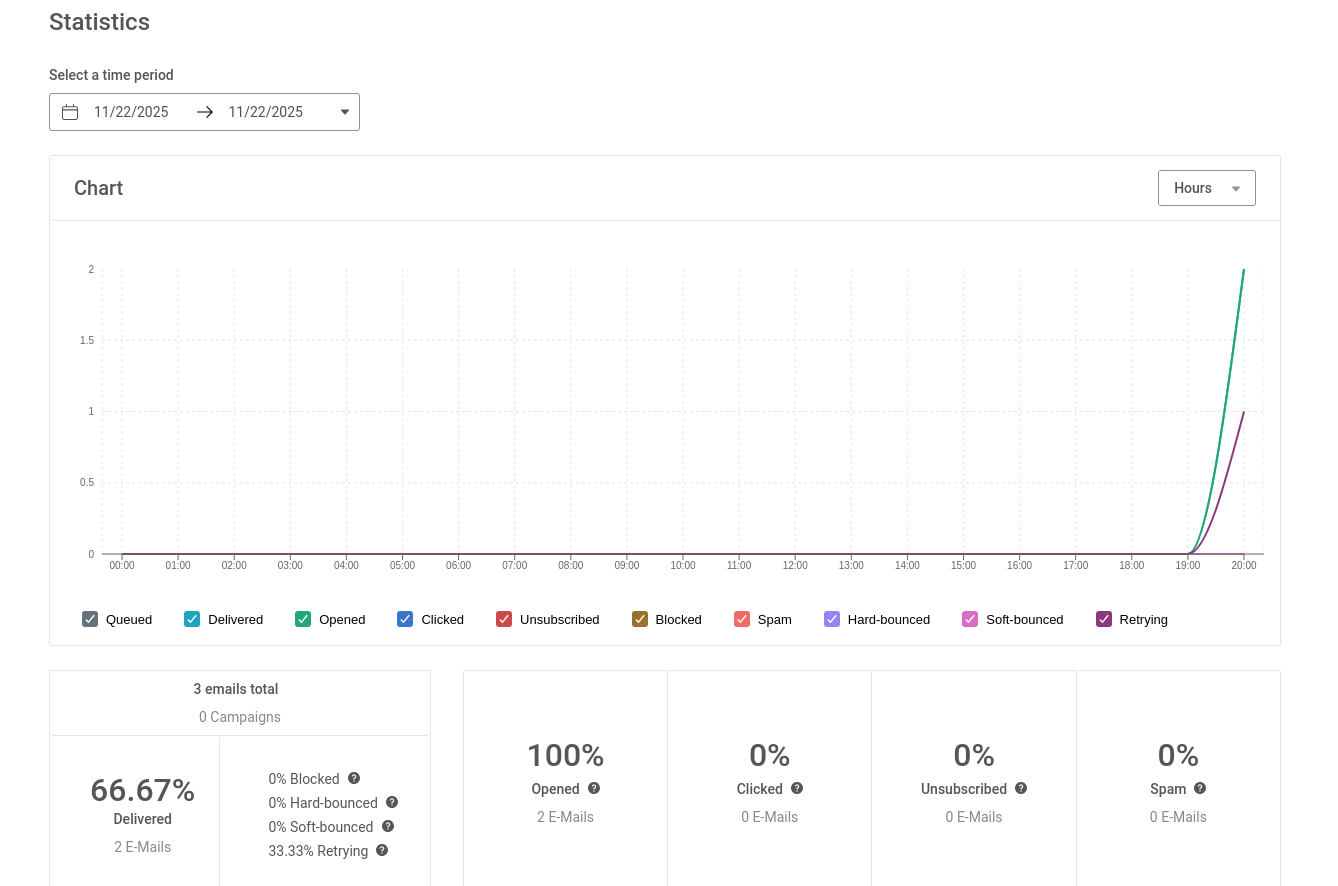
It works! Also people can unsubscribe if they want to :)

Resend
People use the Resend API for some contact forms. Like with NUXT ssg projects.
Go to: https://resend.com/signup
The best way to reach humans instead of spam folders. Deliver transactional and marketing emails at scale.
Once you have login: https://resend.com/emails
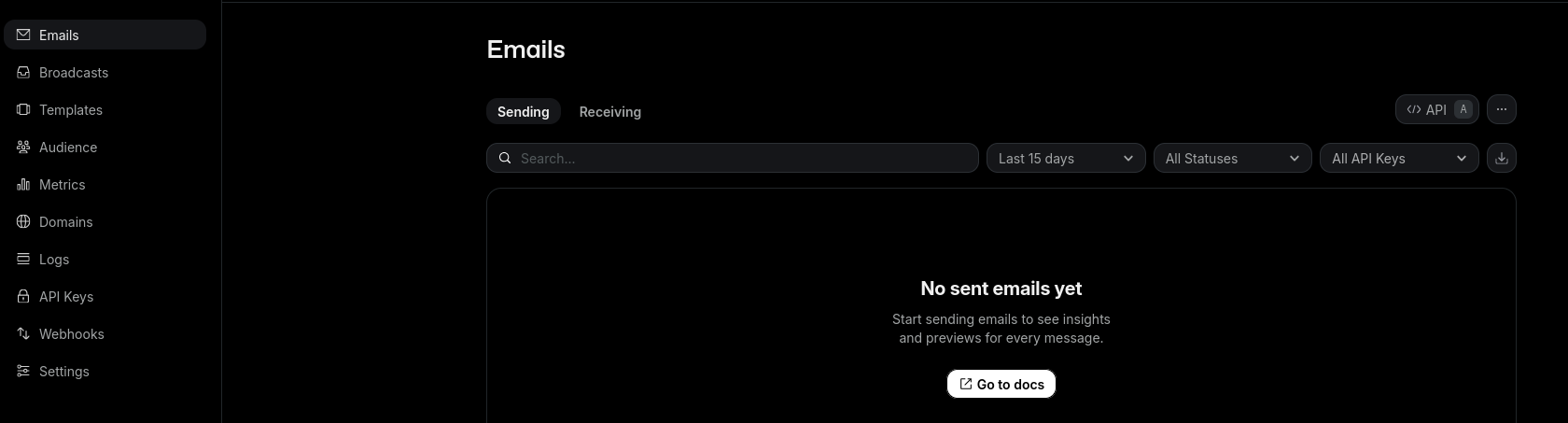
You can configure resend to work with your sub/domain by setting those DNS records.
The cool thing is that it has one click integration with cloudflare: https://resend.com/docs/knowledge-base/cloudflare
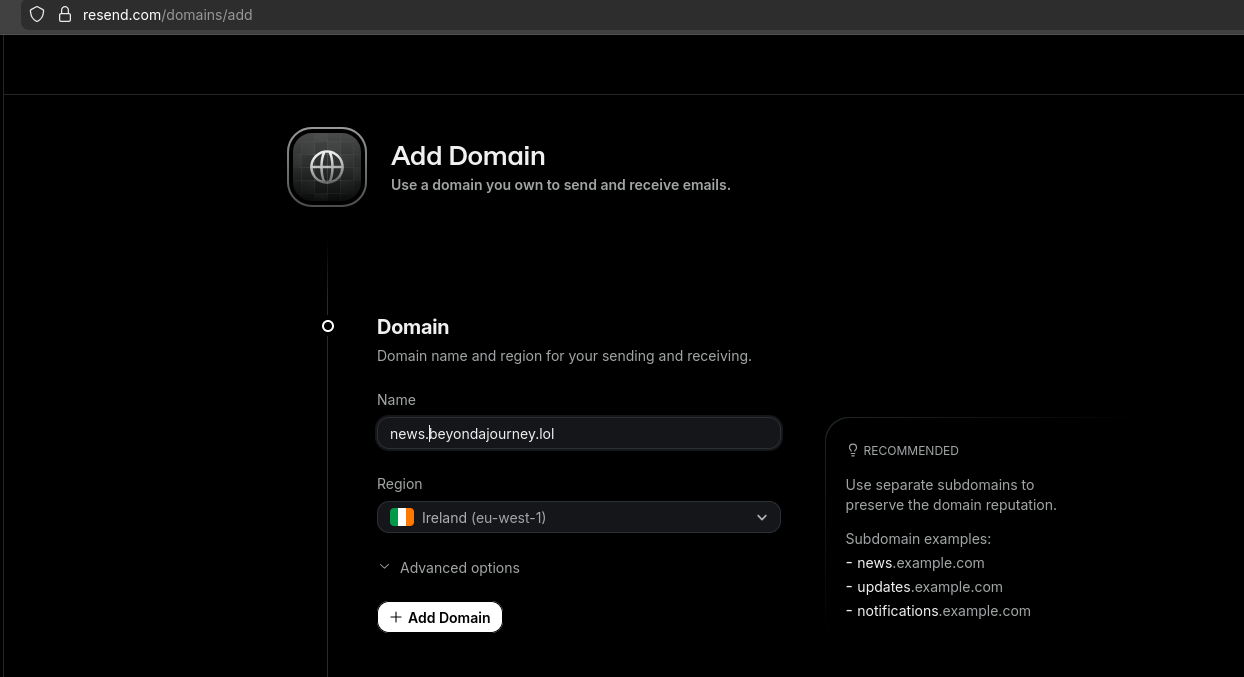
So you can skip writting those TXT records.


The docs are also great for others like Porkbun
Once resend has reached cloudflare, this is how it looks your custom domain configured:
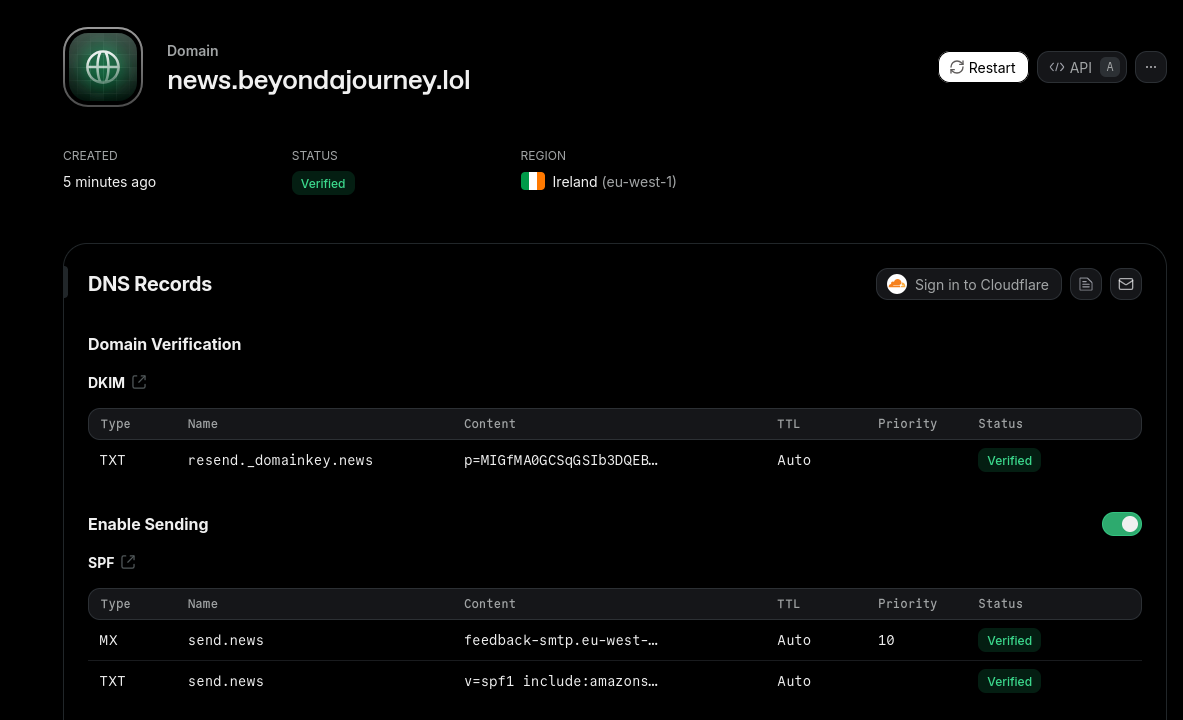
Resend has integrations https://resend.com/settings/integrations
With vercel or with Supabase - Integrate your Supabase account to send emails from Supabase Auth via SMTP.
Resend x NUXTjs
As seen on this post section, together with SSG Themes like this.
- I recently talked about NUXT SSG, focusing on this theme for motivation: https://github.com/HugoRCD/canvas
So go to https://resend.com/api-keys
And create your resend API key
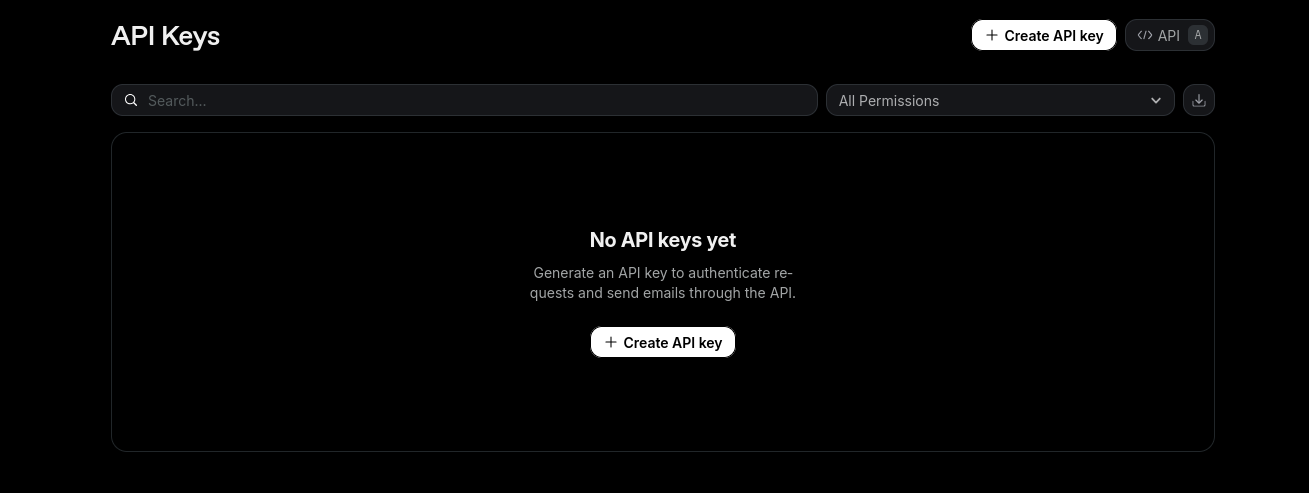
You can now test how it works:
But it wont arrive if you dont tweak the domain from where the theme sents.
See the reseng logs: https://resend.com/logs
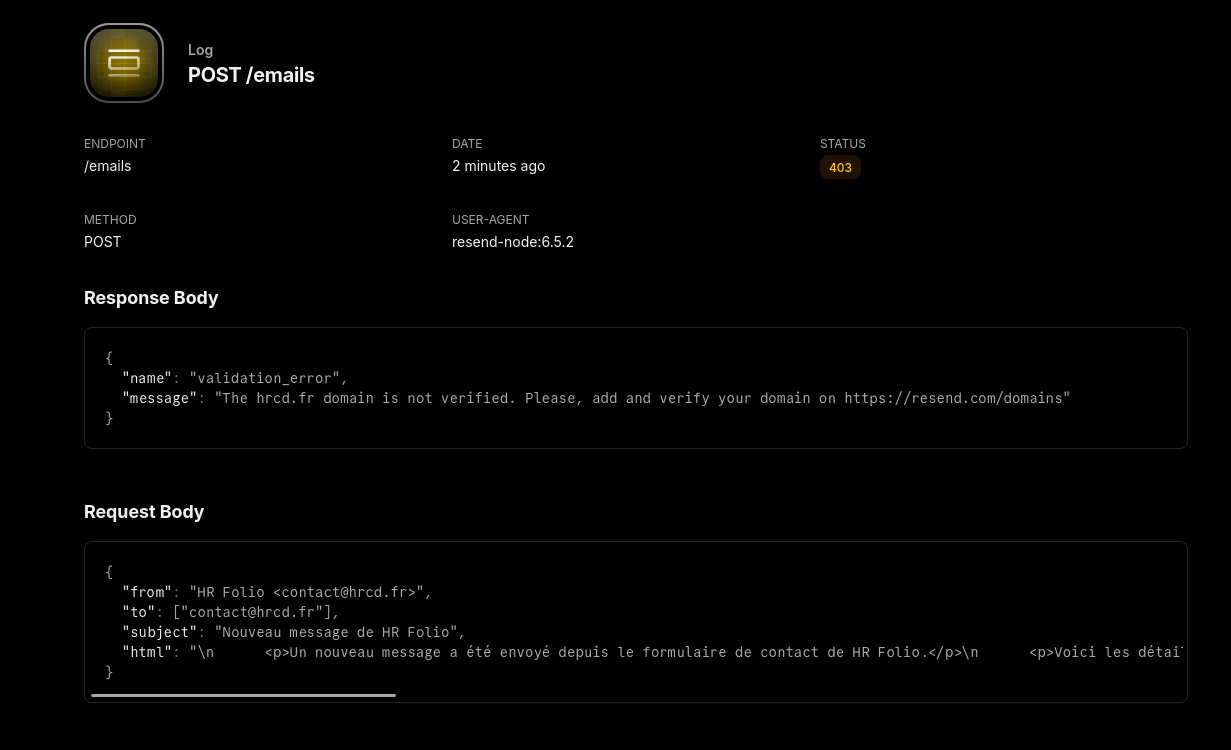
{
  "from": "HR Folio <contact@hrcd.fr>",
  "to": ["contact@hrcd.fr"],
  "subject": "Nouveau message de HR Folio",
  "html": "\n      <p>Un nouveau message a été envoyé depuis le formulaire de contact de HR Folio.</p>\n      <p>Voici les détails du message :</p>\n      <ul>\n        <li>Nom : jesus alcocer</li>\n        <li>Email : test@mail.com</li>\n        <li>Téléphone : undefined</li>\n        <li>Sujet : vamo a hace negocio</li>\n        <li>Message : te parece bien?</li>\n      </ul>\n      "
}
Once you’ve changed those from and to, for sth like lead@news.beyondajourney.lol and anything@arkiod.resend.app within the send.ts file
Then the Resend API logs will have the wonderful status 200: https://resend.com/logs
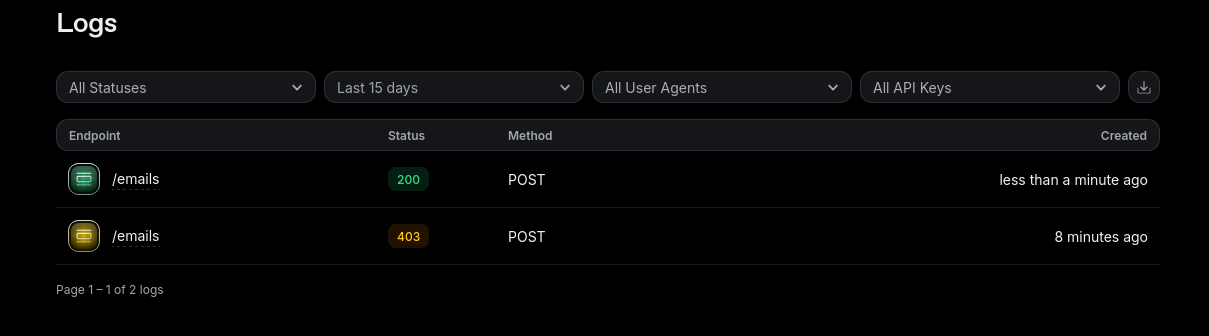
Resend will reach your inbox (but gmail doubts if its spam or not)
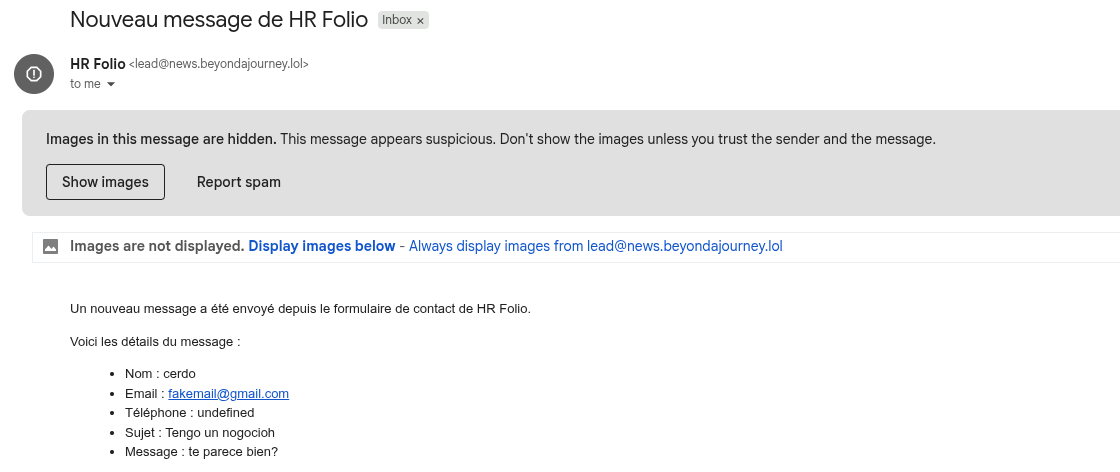
Also, the contact can write any email address, even fake ones.

MailTrap
Mailtrap offers a free tier: https://mailtrap.io/pricing/?tab=email-api
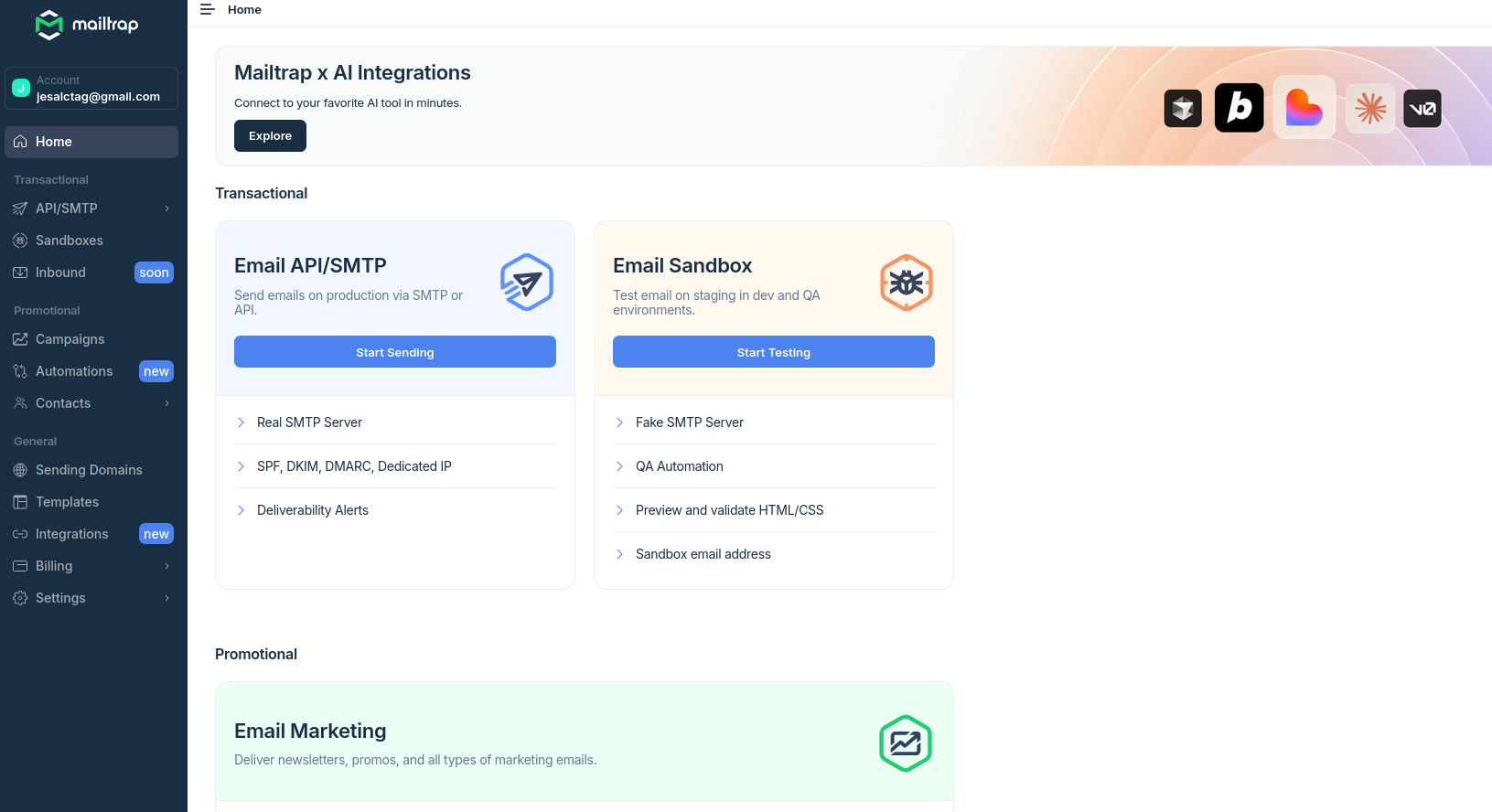
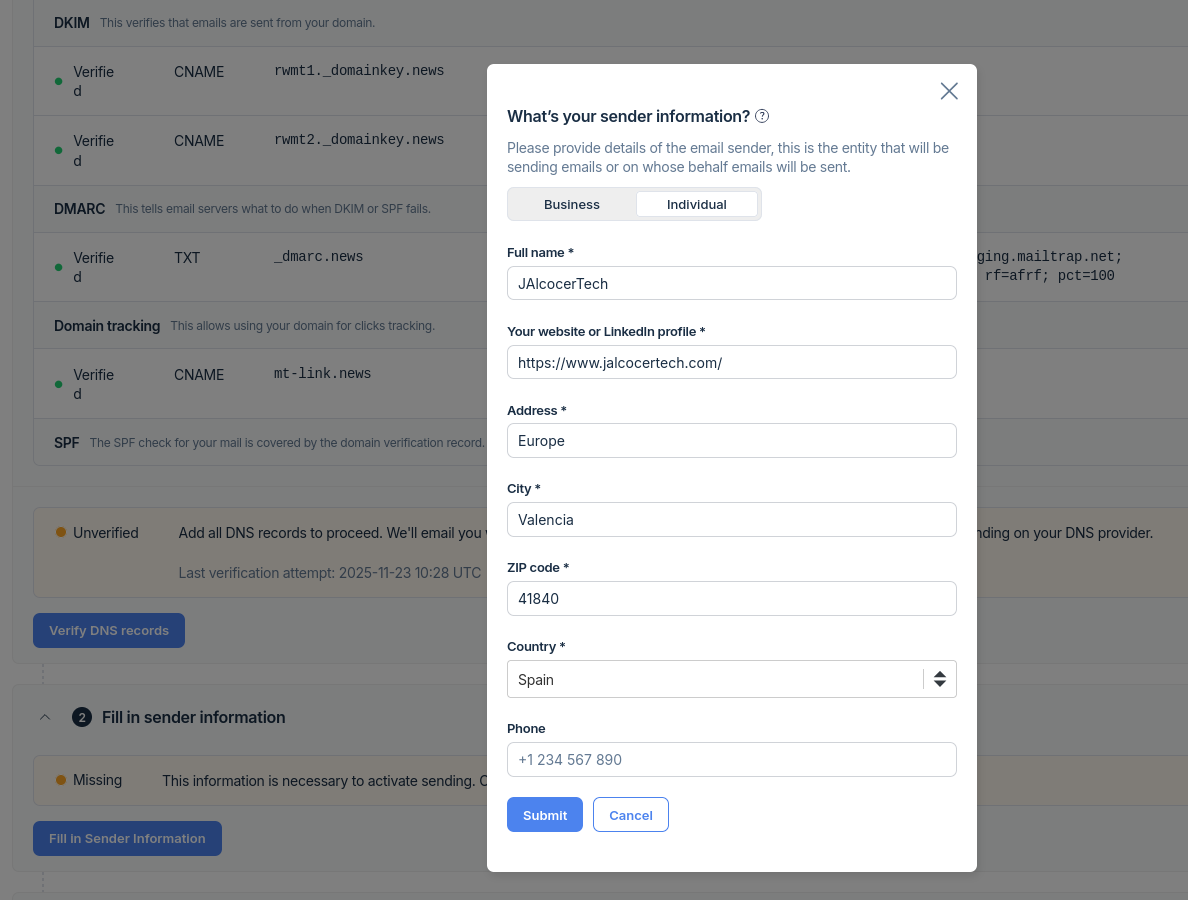
One logged one, configure your custom domain with mailtrap: https://mailtrap.io/sending/domains

No shortcuts here, we need to add manually to cloudflare the DNS records (few CNAMEs and a TXT).
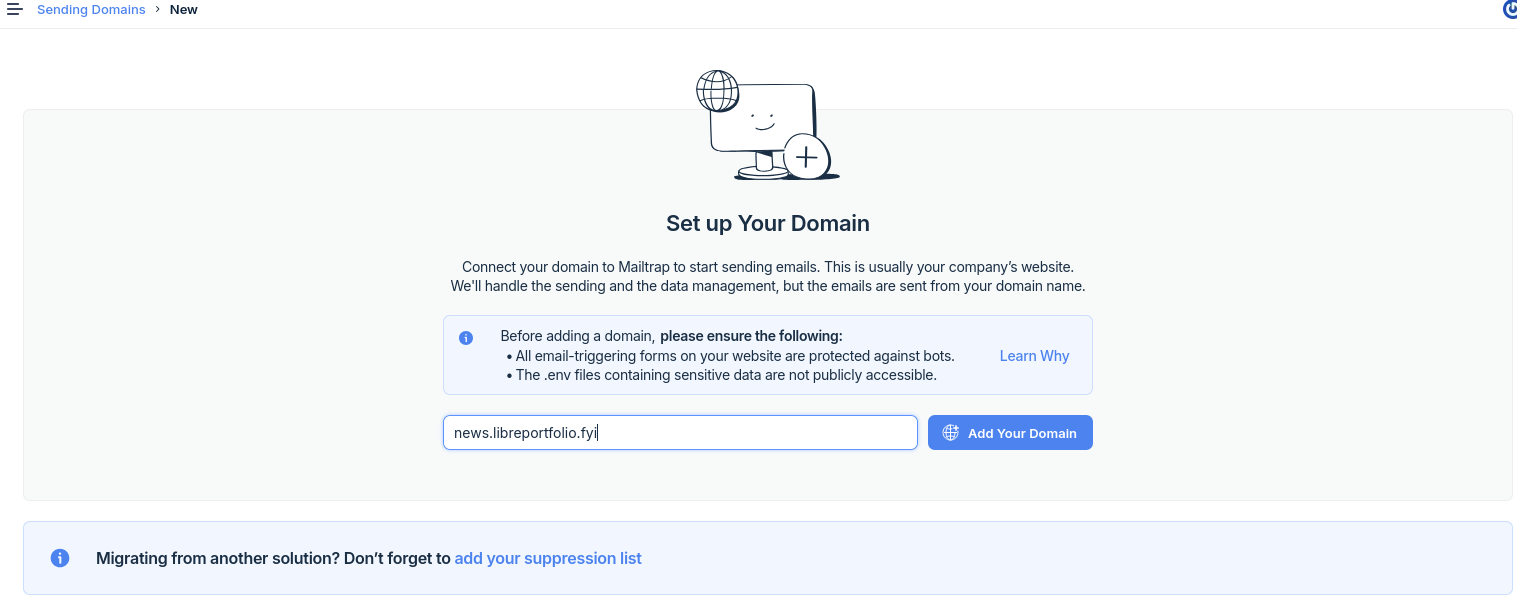
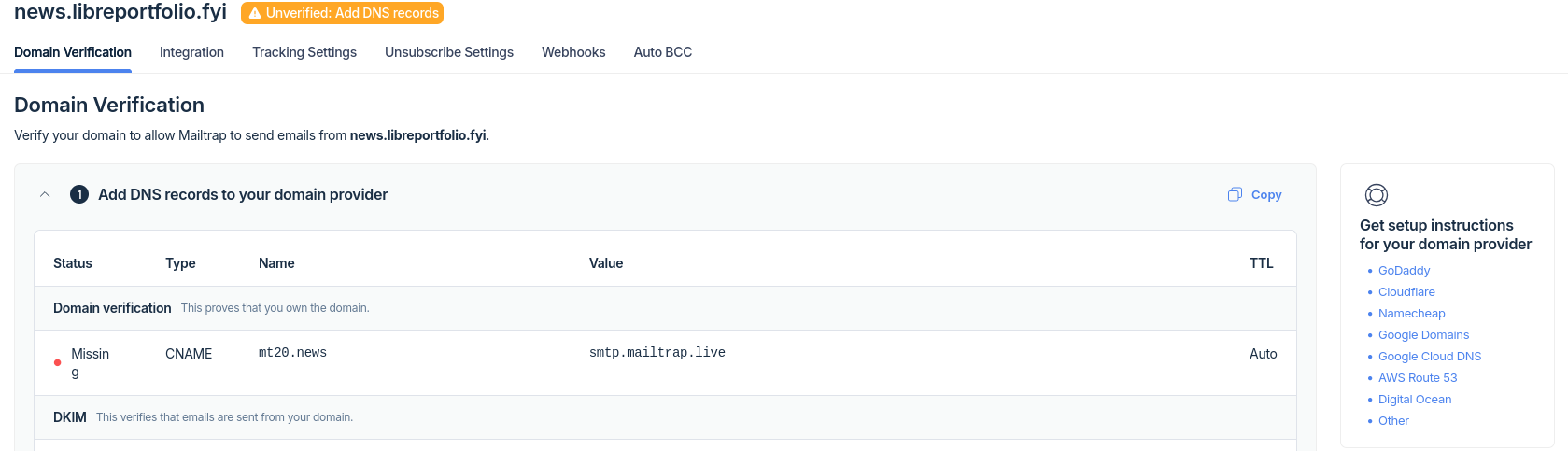
Remember to add them DNS only!
Once ready, you will see this:
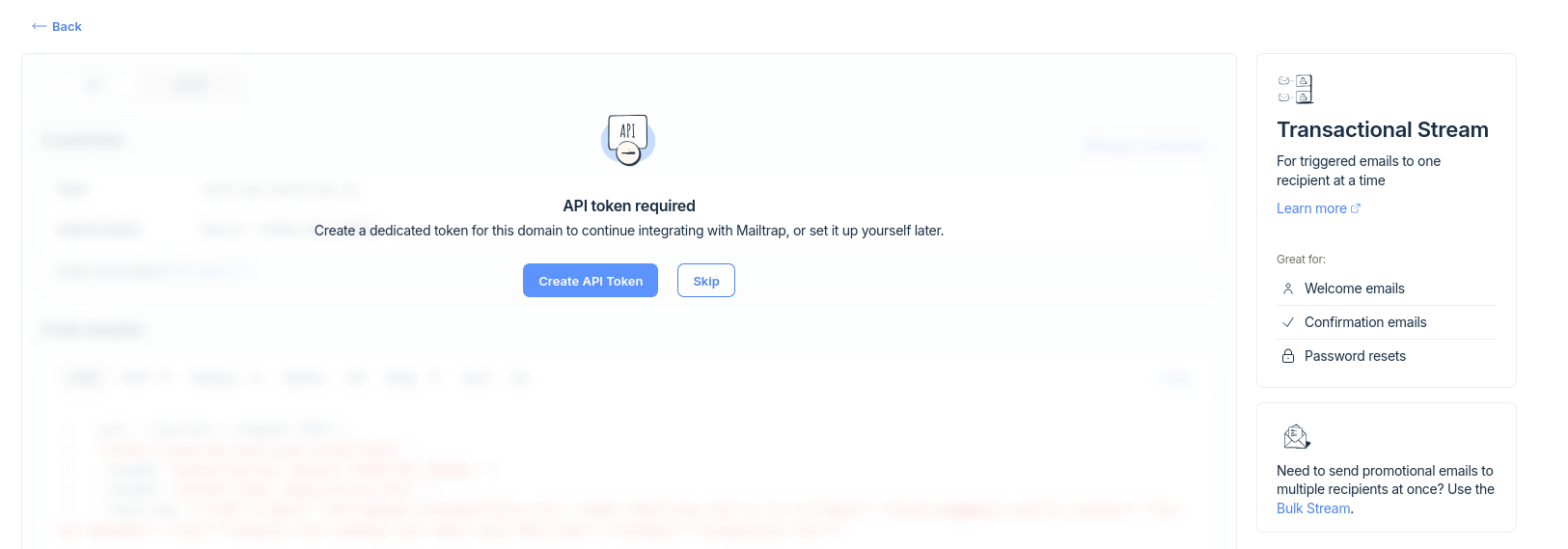
Mailtrap allows to send email programatically via API or SMTP: https://mailtrap.io/api-tokens
Create your token and query that MAILTRAP API post endpoint of the host send.api.mailtrap.io
That’s your mailtrap SMTP server address.
#source .env
#--header 'Authorization: Bearer <YOUR_API_TOKEN>' \

curl --location --request POST \
'https://send.api.mailtrap.io/api/send' \
--header "Authorization: Bearer $MAILTRAP_API_TOKEN" \
--header 'Content-Type: application/json' \
--data-raw '{"from":{"email":"noreply@news.libreportfolio.fyi","name":"Mailtrap Test"},"to":[{"email":"test@mail.com"}],"subject":"You are awesome!","text":"Congrats for sending a test email with Mailtrap!","category":"Integration Test"}'

# curl --location --request POST \
# 'https://send.api.mailtrap.io/api/send' \
# --header 'Authorization: Bearer whateverAPIfromMailtrap' \
# --header 'Content-Type: application/json' \
# --data-raw '{"from":{"email":"hello@news.libreportfolio.fyi","name":"Mailtrap Test"},"to":[{"email":"test@mail.com"}],"subject":"You are awesome!","text":"Congrats for sending test email with Mailtrap!","category":"Integration Test"}'
You will see that with MailTrap the email flows directly to your inbox and with the custom domain!

Mailtrap, also bring several integrations: https://mailtrap.io/integrations
Not only n8n and Supabase, but…
MCP as well:
This is for vscode: https://help.mailtrap.io/article/177-send-email-with-vs-code
{
  "mcp": {
    "servers": {
      "mailtrap": {
        "command": "npx",
        "args": ["-y", "mcp-mailtrap"],
        "env": {
          "MAILTRAP_API_TOKEN": "your_mailtrap_api_token",
          "DEFAULT_FROM_EMAIL": "your_sender@example.com"
        }
      }
    }
  }
}
But if you use windsurf, just consider… 🚀
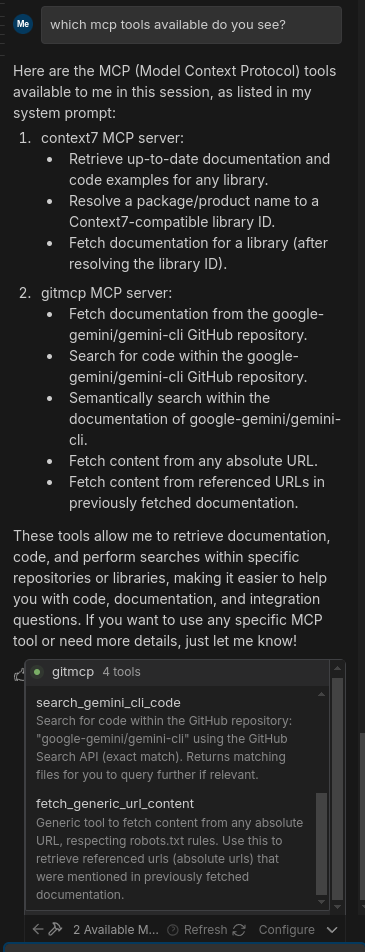
Go to Preferences -> Windsurf settings
{
  "mcpServers": {
    "gitmcp": {
      "disabled": true,
      "serverUrl": "https://gitmcp.io/google-gemini/gemini-cli"
    },

      "mailtrap": {
        "command": "npx",
        "args": ["-y", "mcp-mailtrap"],
        "env": {
          "MAILTRAP_API_TOKEN": "your_mailtrap_api_token",
          "DEFAULT_FROM_EMAIL": "your_sender@example.com"
        }
      }


  }
}
can you use the MCP mailtrap yo write an email to test@mail.com and wish it to have a great day? Do so that the category is Integration TestI can send that via the Mailtrap MCP tool for you. I’ll call the transactional email tool with your recipient, a simple subject, a short body, and category set to Integration Test.
I’ve sent the email via the Mailtrap MCP tool with:
To: test@mail.com
Subject: Wishing you a great day
Text:
Hi there, Just a quick note to wish you a great day! :) Best, Mailtrap + Cascade
Category: Integration Test
Mailtrap reports the status as Success with a generated message ID, so it should appear according to your Mailtrap sending setup.
Status summary: Email sent successfully with the requested category and content.
All thanks to the mailtrap/send-email MCP tool!

So I guess that not too long from now, Mailtrpa will allow for receiving email, as RESEND does currently.
MailTrap SMTP x PocketBase
Mailtrap can be used to send one-time codes or magic links for user verification purposes such as account creation or subscription confirmation.
Since Mailtrap provides SMTP email sending capabilities…
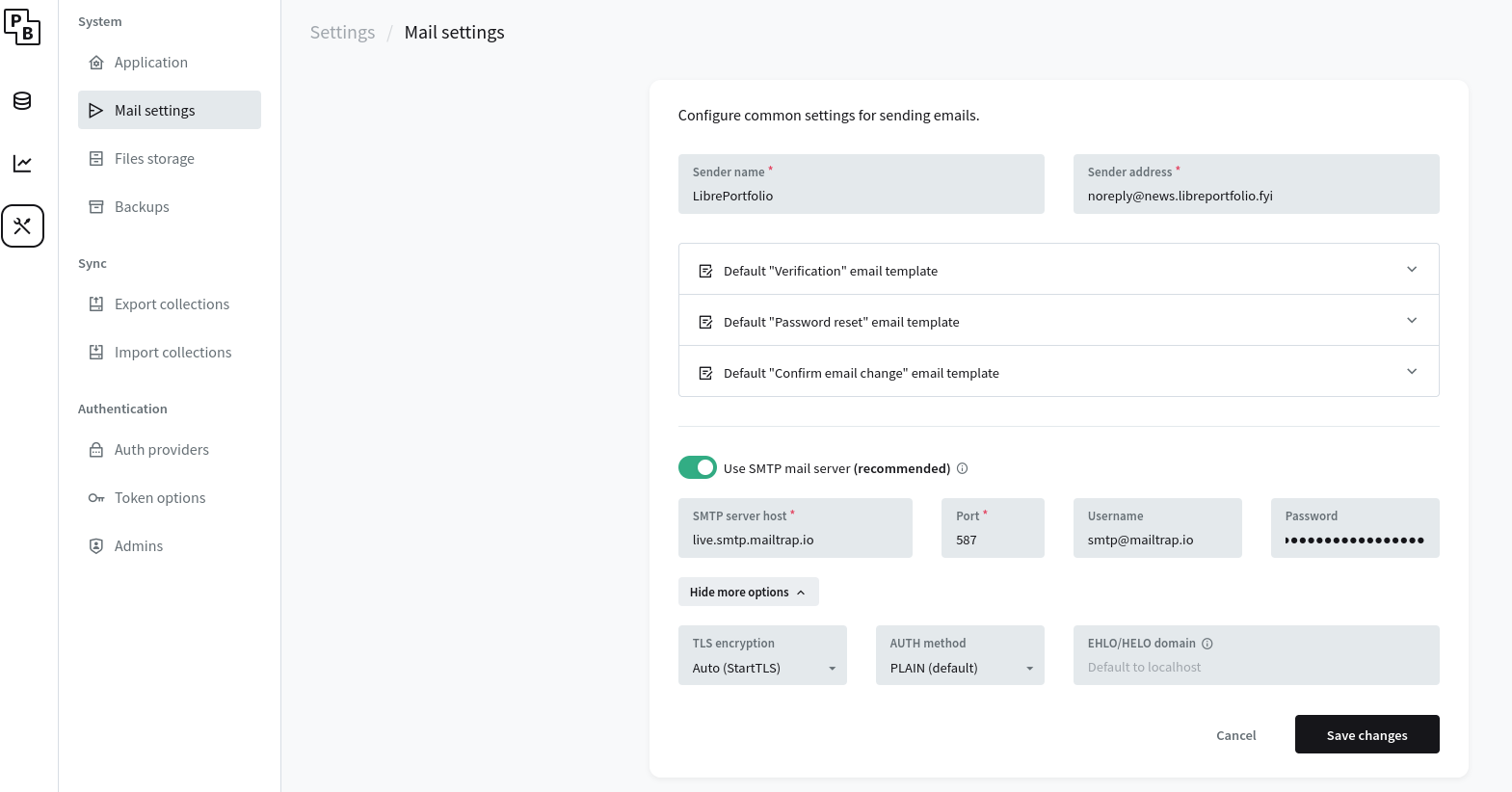
You can configure PocketBase or any backend service to use Mailtrap’s SMTP settings to send transactional emails including verification codes or magic links.
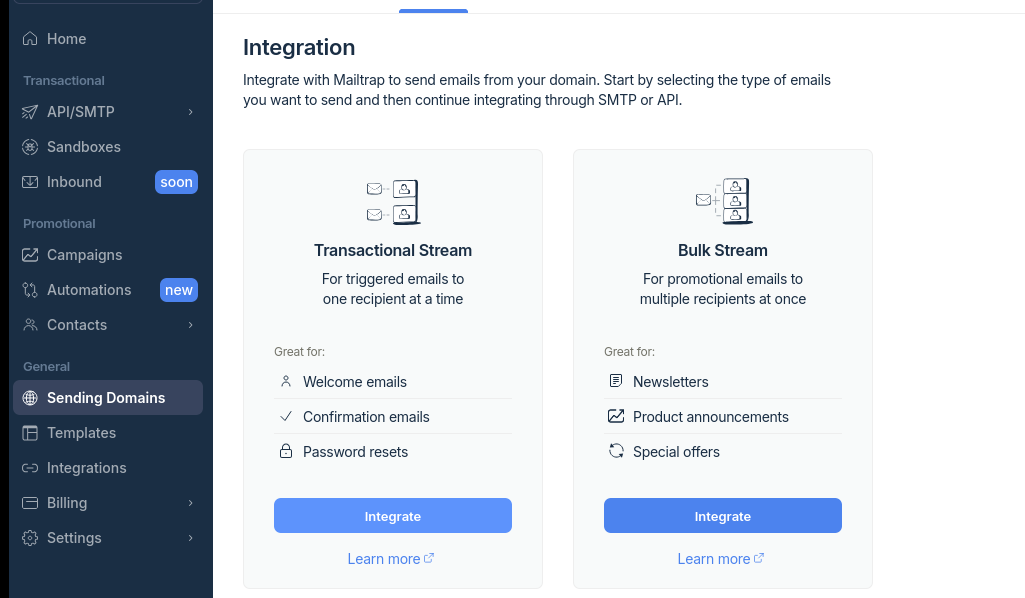
- Select one of your Mailtrap sending domains: https://mailtrap.io/sending/domains
- Go to integrations tab and select transactional (vs BULK for the newsletter or sth)
- Use the SMTP Tab
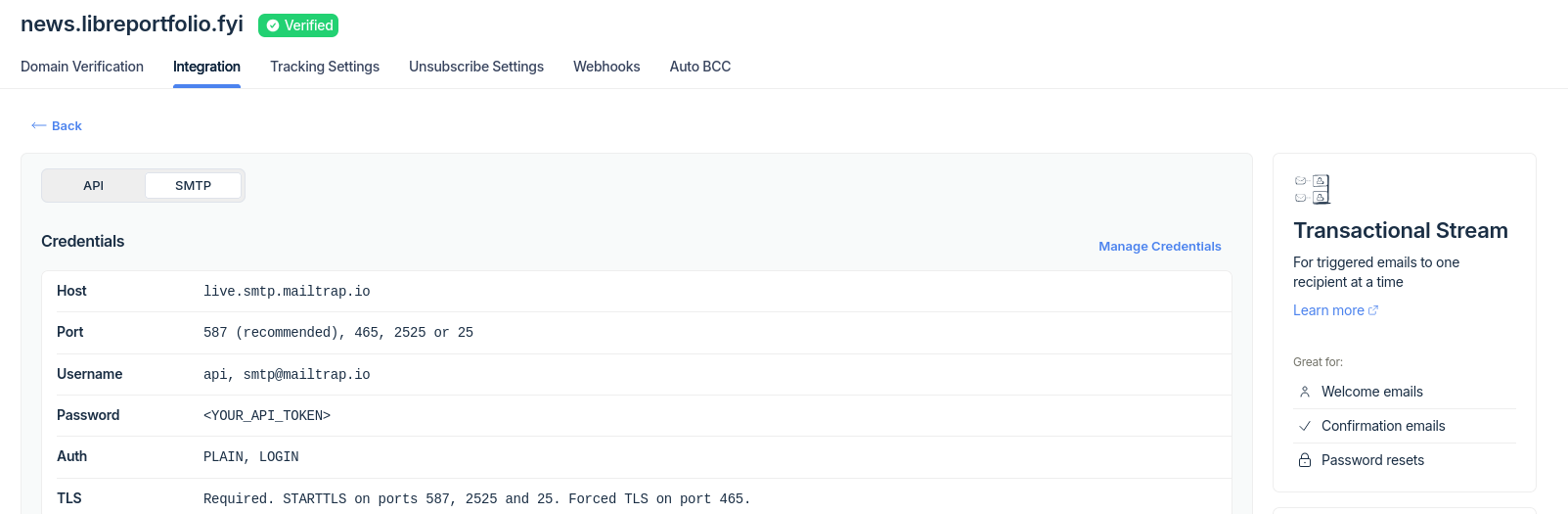
You can test Mailtrap SMTP via curl as well 🚀
Not just via Mailtrap API, but applying a curl to the mailtrap SMTP server
curl \
--ssl-reqd \
--url 'smtp://live.smtp.mailtrap.io:587' \
--user "api:$MAILTRAP_API_TOKEN" \
--mail-from hello@news.libreportfolio.fyi \
--mail-rcpt test@mail.com \
--upload-file - <<EOF
From: Magic Elves <hello@news.libreportfolio.fyi>
To: Mailtrap Sandbox <some@email.com>
Subject: You are awesome!
Content-Type: multipart/alternative; boundary="boundary-string"

--boundary-string
Content-Type: text/plain; charset="utf-8"
Content-Transfer-Encoding: quoted-transfer-encoding
Content-Disposition: inline

Congrats for sending test email with Mailtrap!

If you are viewing this email in your inbox – the integration works.
Now send your email using our SMTP server and integration of your choice!

Good luck! Hope it works.

--boundary-string
Content-Type: text/html; charset="utf-8"
Content-Transfer-Encoding: quoted-transfer-encoding
Content-Disposition: inline

<!doctype html>
<html>
  <head>
    <meta http-equiv="Content-Type" content="text/html; charset=UTF-8">
  </head>
  <body style="font-family: sans-serif;">
    <div style="display: block; margin: auto; max-width: 600px;" class="main">
      <h1 style="font-size: 18px; font-weight: bold; margin-top: 20px">Congrats for sending test email with Mailtrap!</h1>
      <p>If you are viewing this email in your inbox – the integration works.</p>
      <img alt="Inspect with Tabs" src="https://assets-examples.mailtrap.io/integration-examples/welcome.png" style="width: 100%;">
      <p>Now send your email using our SMTP server and integration of your choice!</p>
      <p>Good luck! Hope it works.</p>
    </div>
  </body>
</html>

--boundary-string--
EOF
Via SMTP with curl, they went to SPAM though
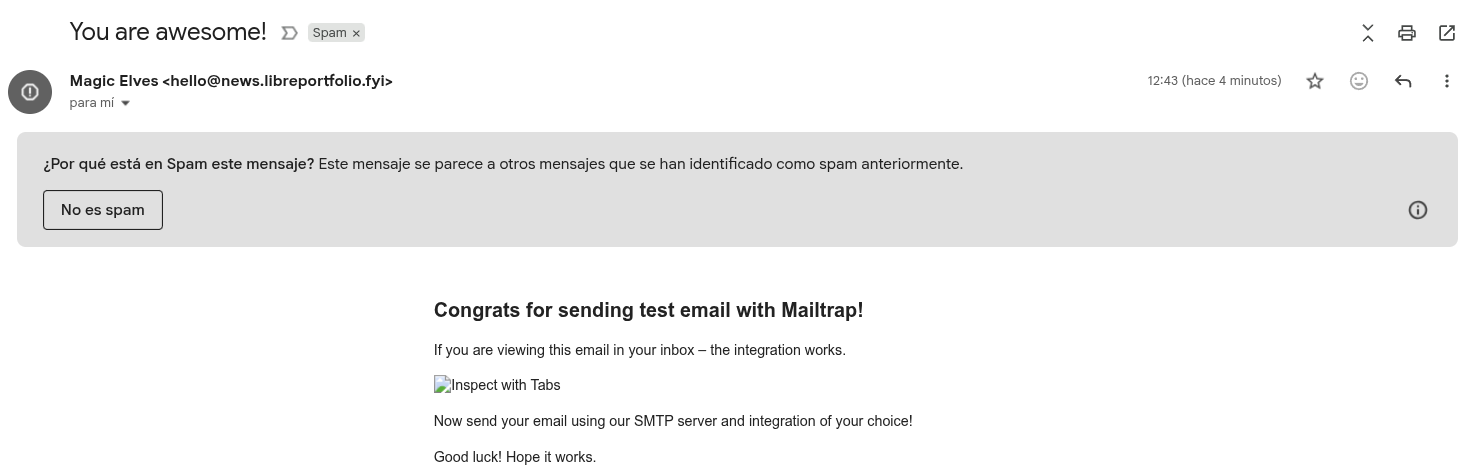
Go to your PB instance settings: https://pocketbase.jalcocertech.com/_/#/settings/mail
Then,send your first test email with pocketbase: using Mailtrap as ESP
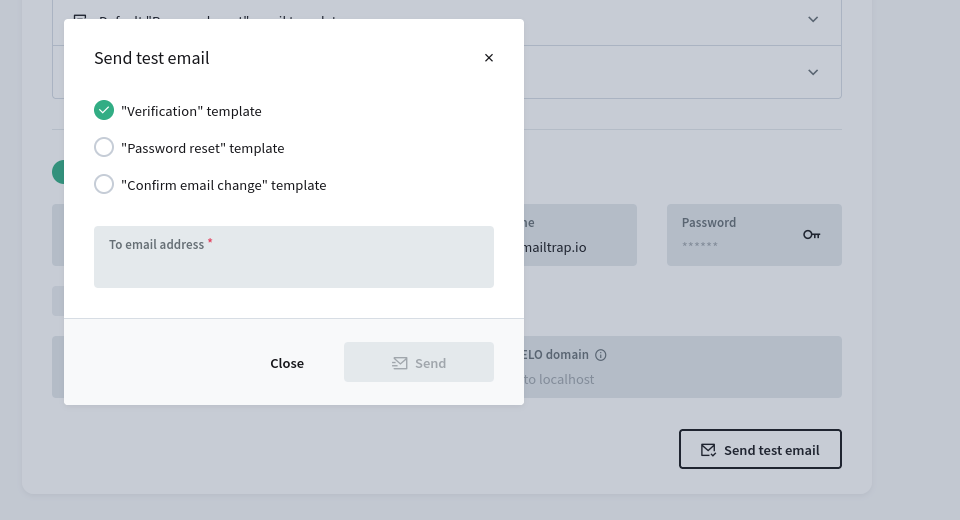
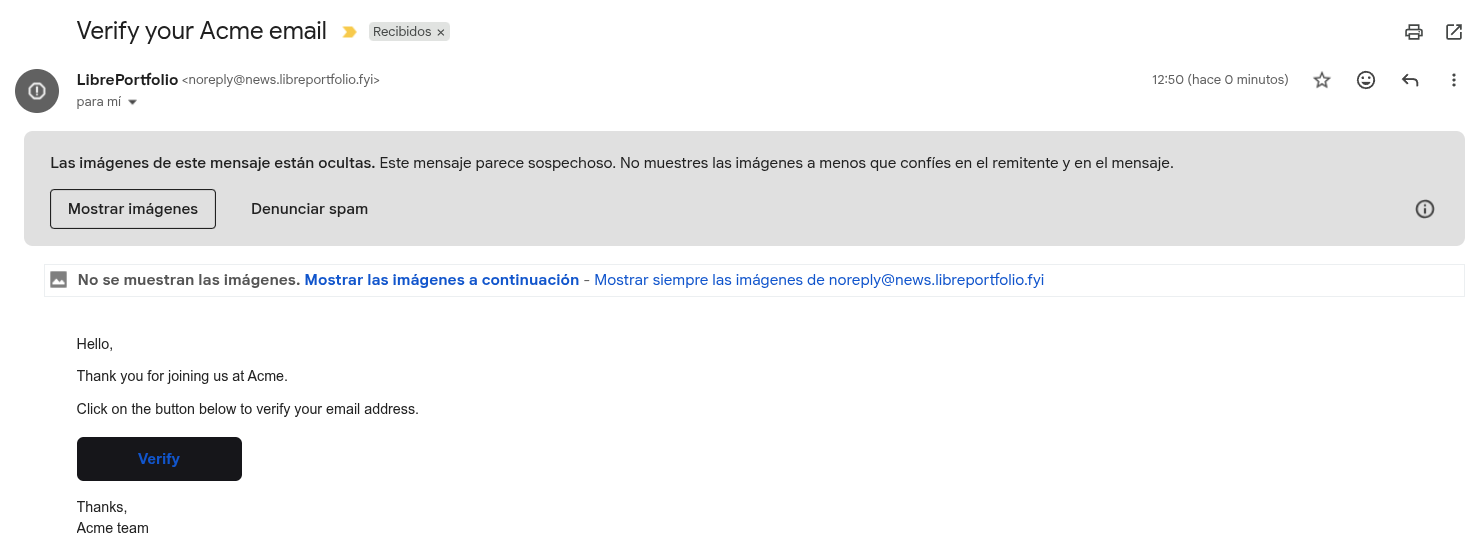
The Mailtrap SMTP x PB setup works as soon as we added our mailtrap API: you can send one dummy email validation

And realize that it points to http://localhost:8090/_/#/auth/confirm-verification/eyJhbGciOiJIUzI1NiIsInR5cCI6IkpXVCJ9.eyJjb2xsZWN0aW9uSWQiOiJfX3BiX3Rlc3RfY29sbGVjdGlvbl9pZF9fIiwiZW1haWwiOiJqZXNhbGN0YWdAZ21haWwuY29tIiwiZXhwIjoxNzY0NTAzNDIxLCJpZCI6Il9fcGJfdGVzdF9pZF9fIiwidHlwZSI6ImF1dGhSZWNvcmQifQ.ulHYpPcU1AFJyPKsS5k5xLHmUuEyrbilbzD5hS59cxM instead of your PB custom domain…
Fix it as per the POCKETBASE_URL environment variable!
And..the email arrives to your inbox!
Amazon SES
Amazon simple email service!
Amazon SES is a highly scalable and cost-effective email sending service, especially well-suited for businesses already using AWS infrastructure.
Get familiar with the pricing: https://aws.amazon.com/ses/pricing/
Particuarly: https://calculator.aws/#/createCalculator/SES
It offers robust deliverability, pay-as-you-go pricing, and detailed monitoring tools, but it requires technical expertise for setup and management.
Its API and SMTP interfaces provide flexibility but might present a learning curve for less technical users.
Conclusions
All these SMTP setups will help you with your social media, if you are a marketer into it.
Hopefully you are aware now of the differences between: regular mails vs transactional emails vs marketing emails.
Tested all of them on the free plan, w/o CC.
After testing these, I would order the solutions: Mailtrap > ReSend (which can receive emails as well) > MailJet for transactional purposes.
You can still keep your Mailerlite setup for newsletters/marketing and Proton/GMAIL for your regular mails.
If you just wanted a quick/live way to talk , instead of sending mails…just chat
But if you are a marketer, you probably care more about those leads / cold emails outreach.
The good thing was to get Mailjet + ListMonk working, so that transactional or marketing emails will just work.
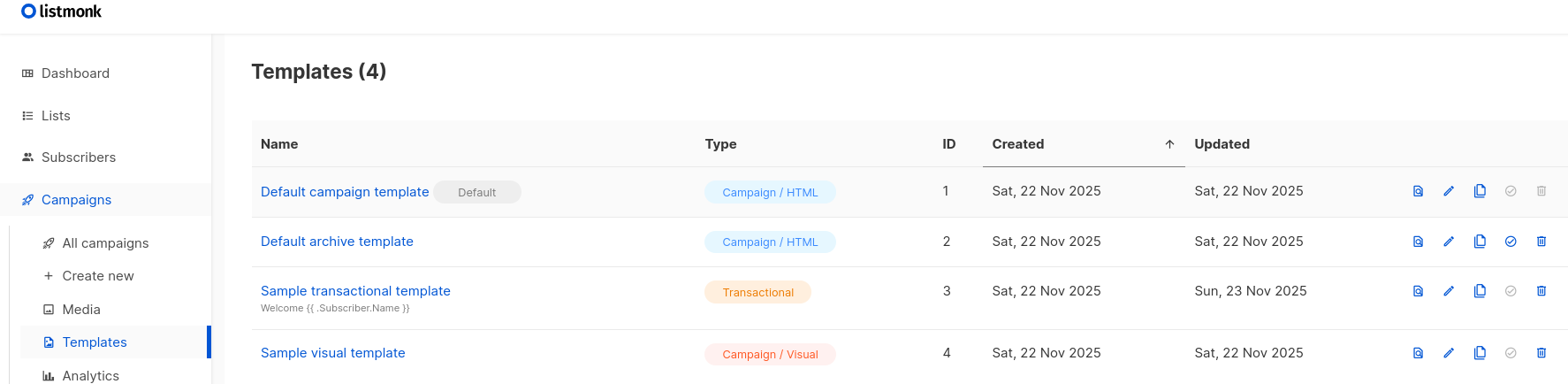
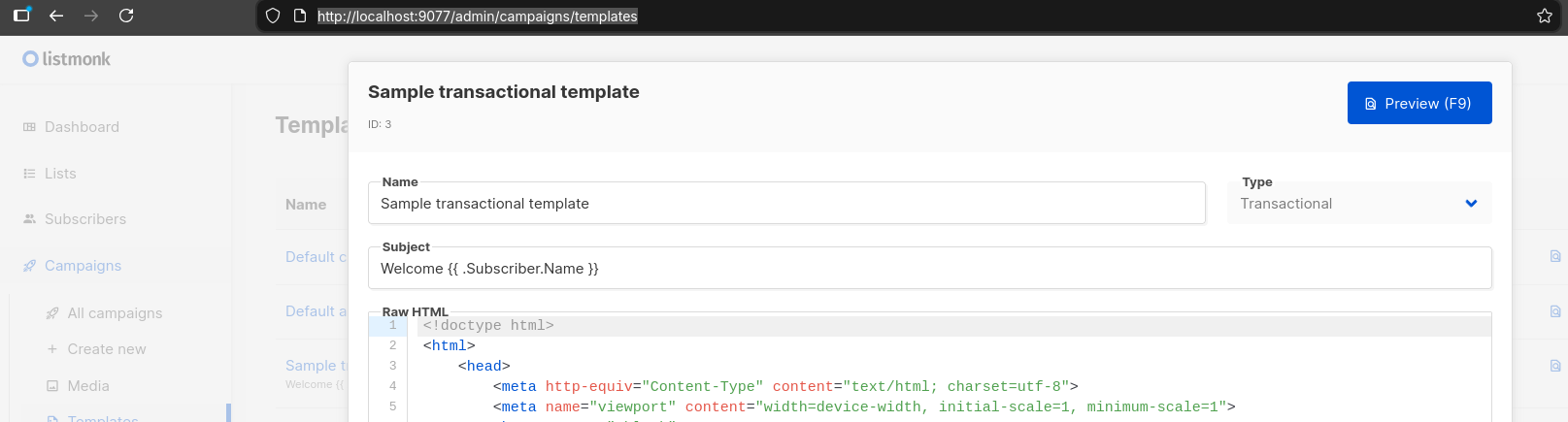
See the Python Listmonk scrips: http://localhost:9077/admin/campaigns/templates
You are free to also plug n8n, or feed ListMonk from leads from waiting lists or sales pipelines.
Django and Gmail
How could I forget that is also possible to make gmail as SMTP for your apps.
I havent tried it yet for now, but there is a great tutorial: https://codingforentrepreneurs.com/blog/sending-email-in-django-from-gmail
And associated video on yt from cfe.
Email for Marketing
I was writting about marketing tools some time back.
In the meantime, saw: https://github.com/aaPanel/BillionMail
agpl v3.0 | BillionMail gives you open-source MailServer, NewsLetter, Email Marketing — fully self-hosted, dev-friendly, and free from monthly fees.
We also have the good olds, like ListMonk
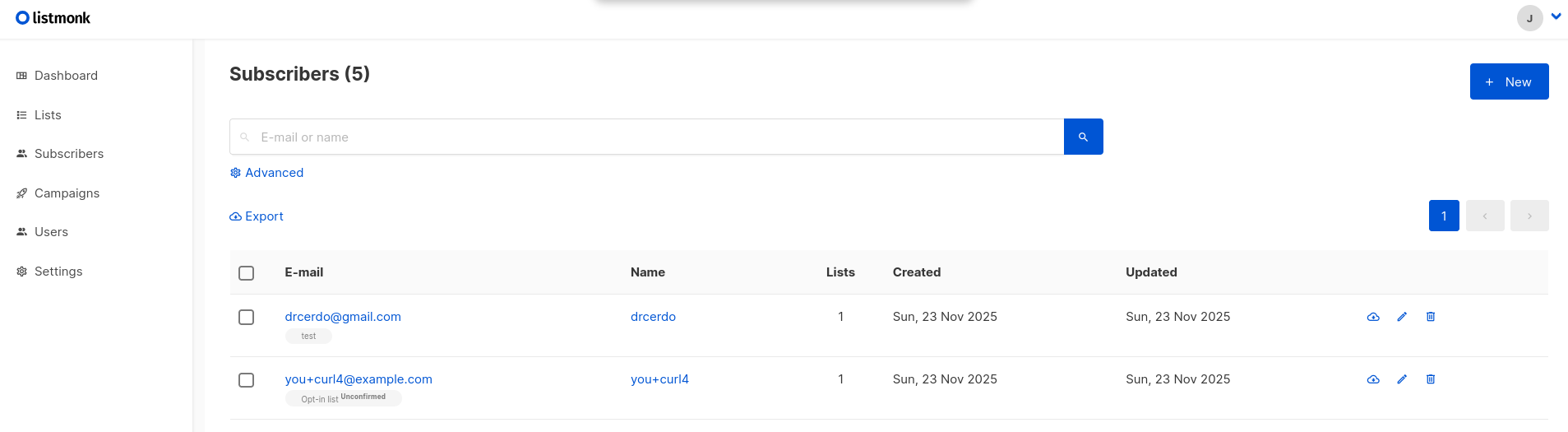
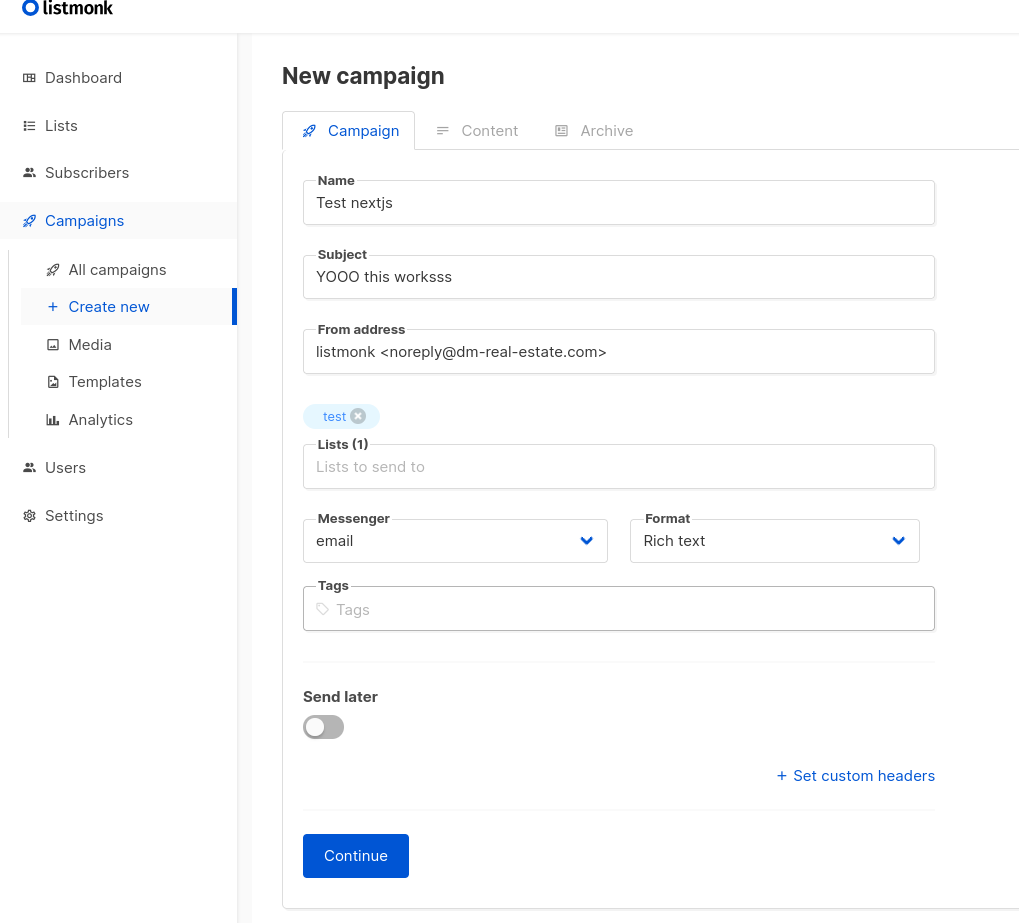
Which we can quickly integrate withing a NEXTjs app https://github.com/mihairaulea/listmonk-nodejs-api
After a long fight, I realized I needed a listmonk API user
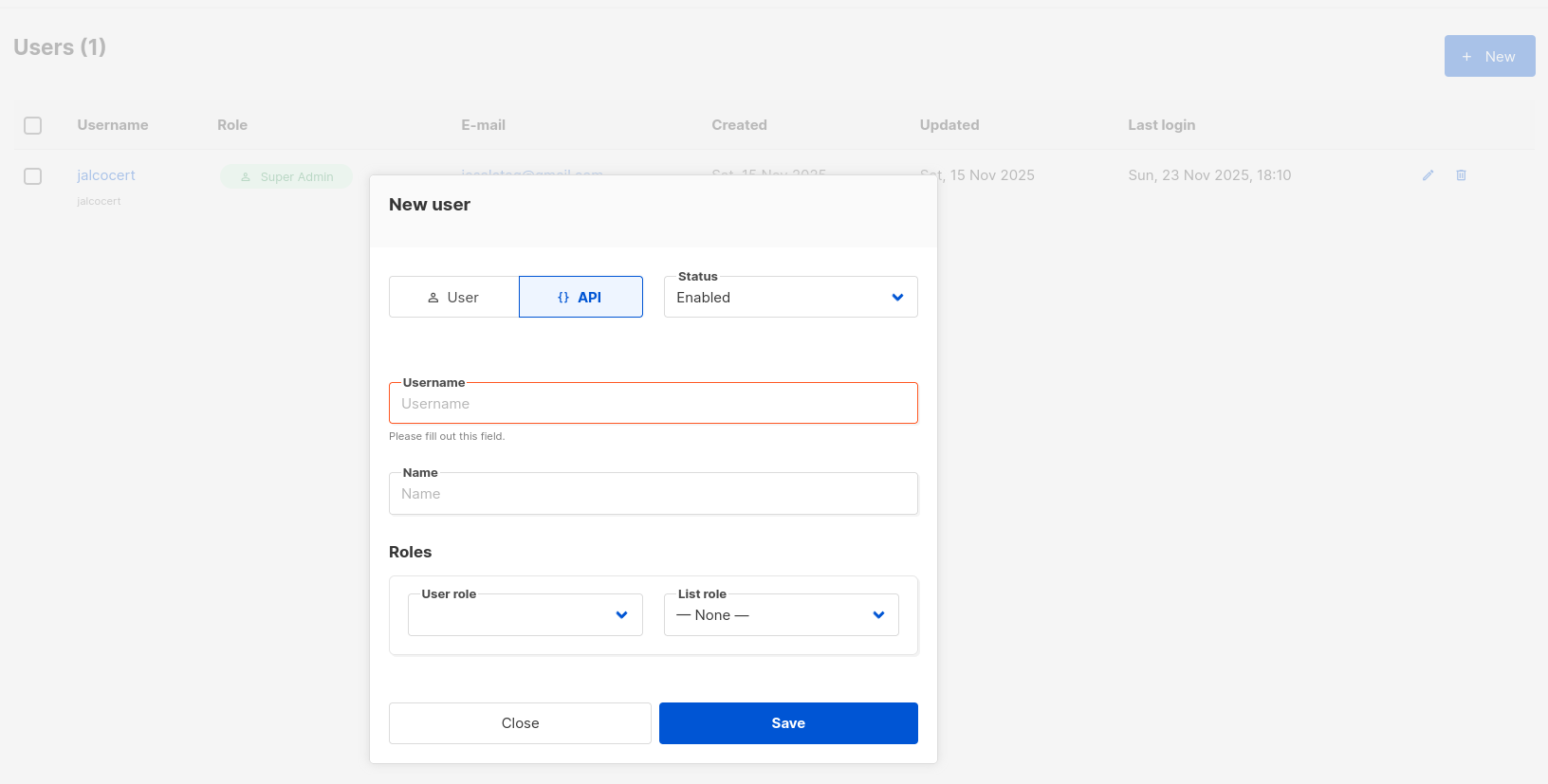
Then, you will be able to query:
curl -u 'api_user:ACCESS_TOKEN' \
  -s 'https://listmonk.jalcocertech.com/api/lists' | jq
And that this is the right way to add new users to a certain ListMonk public list:
curl -i \
  -H "Content-Type: application/json" \
  -d '{
    "email": "you+curl3@example.com",
    "list_uuids": ["7fbcb72b-cc0a-4a31-a196-bdc847d55ea5"],
    "status": "enabled"
  }' \
  https://listmonk.jalcocertech.com/api/public/subscription
or just:
# list lists
curl -u 'apiuser:ACCESS_TOKEN' \
  -s 'https://listmonk.jalcocertech.com/api/lists' | jq

# create subscriber
curl -u 'apiuser:ACCESS_TOKEN' \
  -H 'Content-Type: application/json' \
  -d '{
    "email": "yosua@some.domain",
    "name": "Jane Doe",
    "status": "enabled",
    "list_uuids": ["7fbcb72b-cc0a-4a31-a196-bdc847d55ea5"]
  }' \
  https://listmonk.jalcocertech.com/api/subscribers
Have added the sample app here
Proton Mail
You can use ProtonMail together with your domain.
This wont work from transactional nor marketing emails!

For Google this trick used to work for the same:
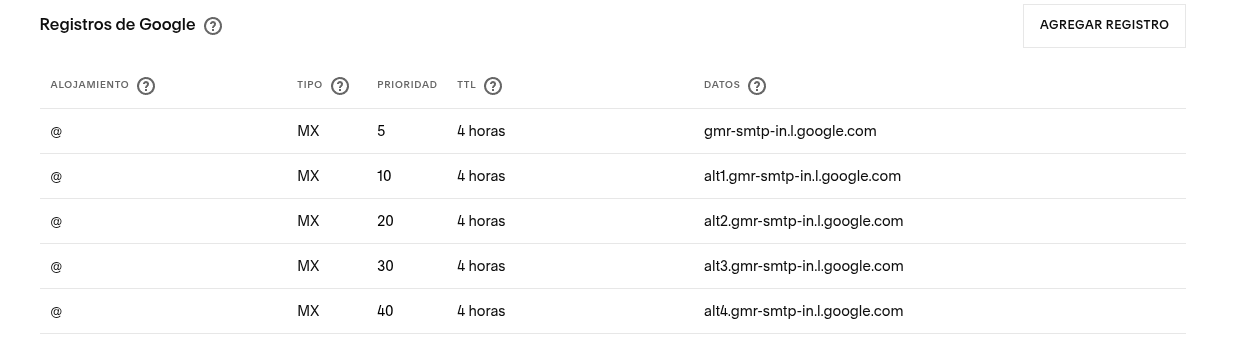
But since google domains migrated for squarespace, I stopped receiving emails from my domain.
So I just configured my domains at proton and thats it.
MailTrap x Marketing and Automation
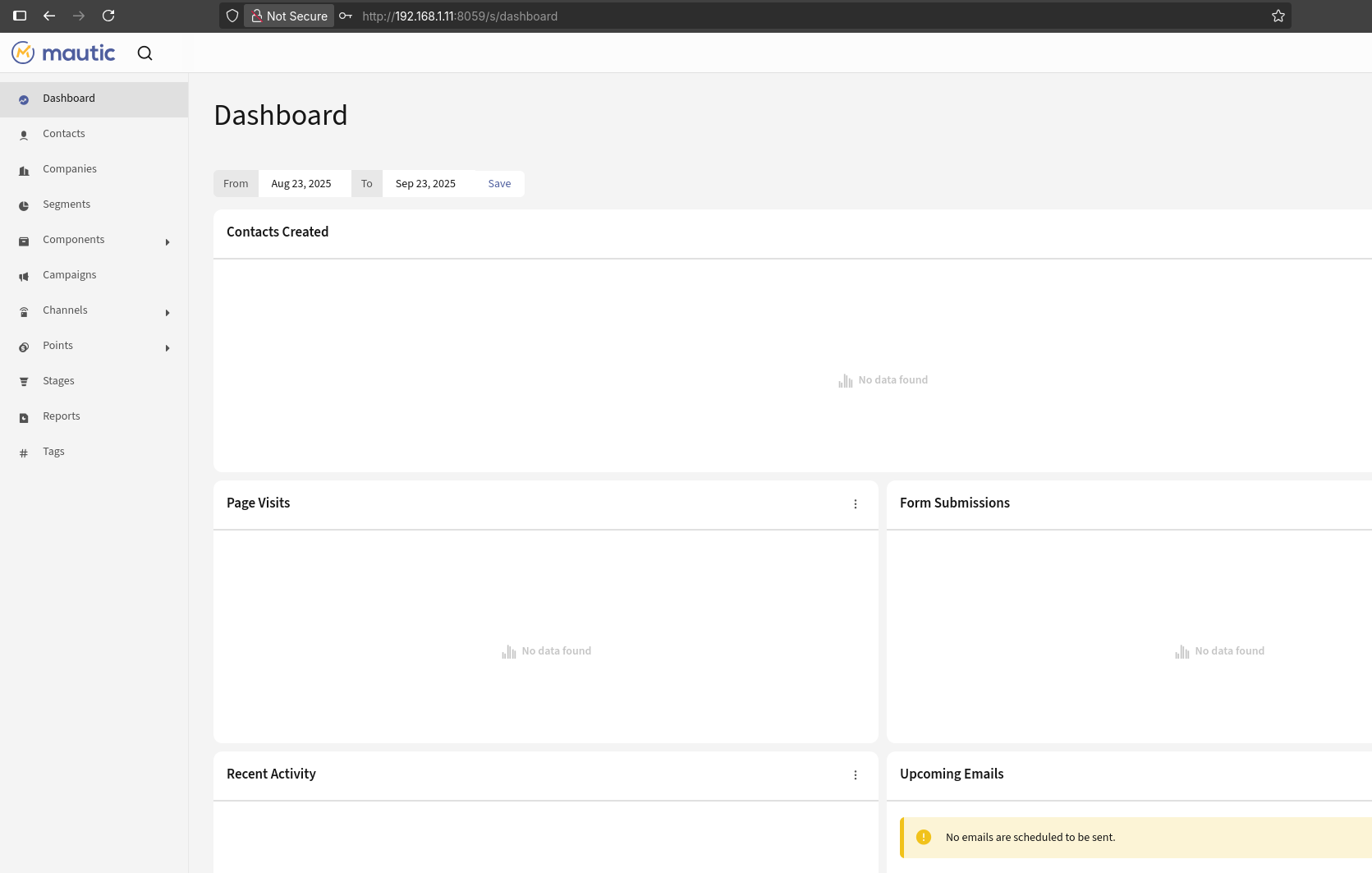
Mailtrap can be integrated with Mautic, Odoo, and n8n, primarily via its SMTP and API services.
For Mautic, Mailtrap can be set up as an SMTP server for sending emails, including transactional and marketing emails. Mautic supports SMTP configurations, allowing the use of Mailtrap’s SMTP credentials to route emails through Mailtrap. Community discussions also highlight SMTP as the common integration method since direct API support is not typical in native Mautic setups.[1][2][3]
For Odoo, Mailtrap can be used similarly by configuring Mailtrap as the SMTP server within Odoo’s email settings. While Odoo heavily relies on SMTP for outgoing mail, workflows can be enhanced using third-party tools like Pipedream or n8n to connect Odoo and Mailtrap APIs for more complex automation.[4][5]
For n8n, Mailtrap has a direct integration node available that allows sending emails, managing contacts, and automating workflows with Mailtrap’s API. This integration is straightforward via the n8n UI or by installing the Mailtrap node manually from the community nodes, making it effective for task automation involving emails.[6][7][8]
In summary, Mailtrap supports seamless SMTP integration for Mautic and Odoo, and has a native API integration for workflow automation with n8n, enabling flexible email handling across these platforms.
PB x ListMonk
If you have been capturing leads, say from some simple waiting list / newsletter or ebook preview…

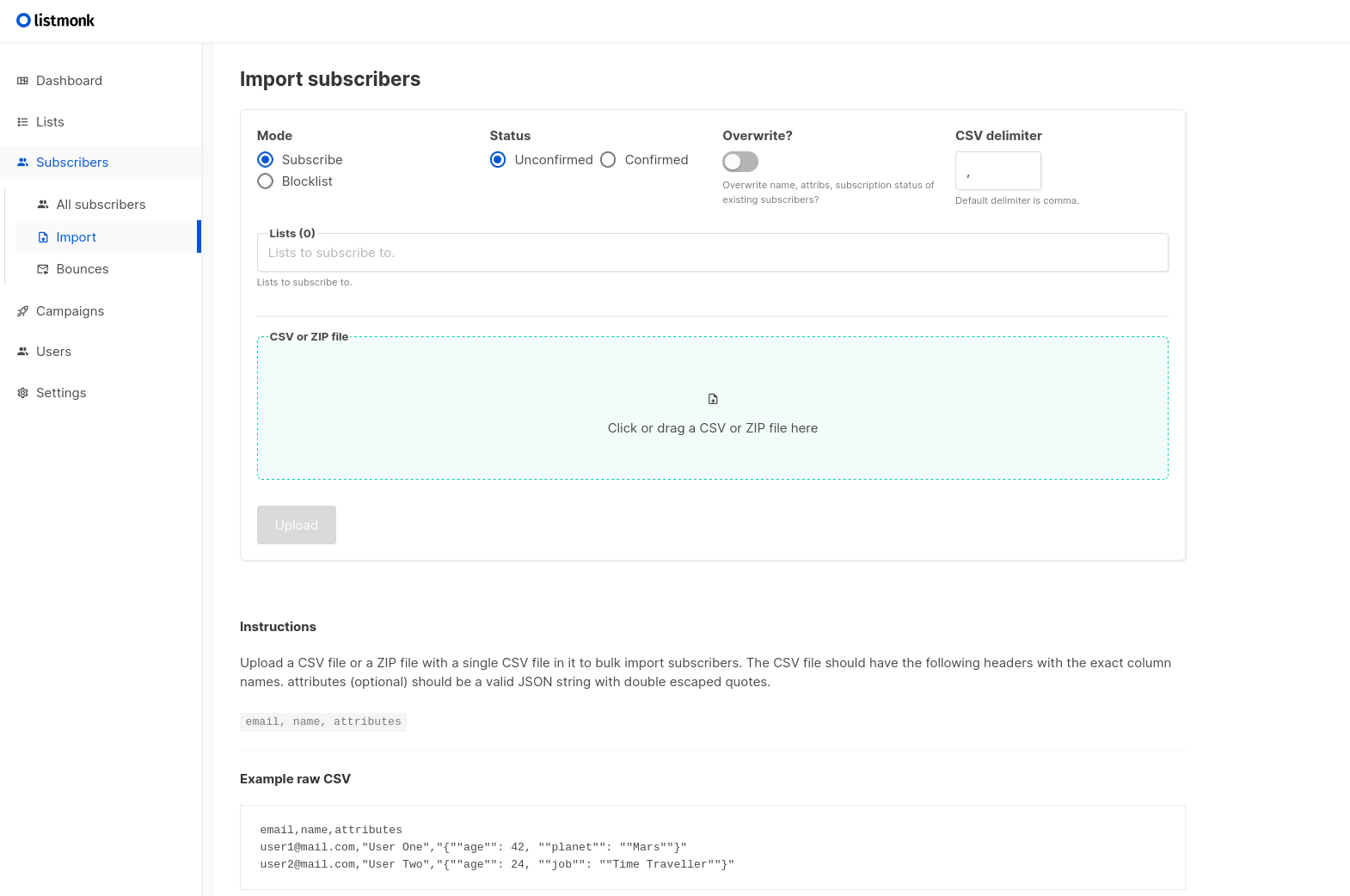
You can export them and import them into ListMonk.
A CSV just works and its a future proof format.
PostIZ vs GrowChief
GrowChief and Postiz are both open-source tools aimed at social media management.
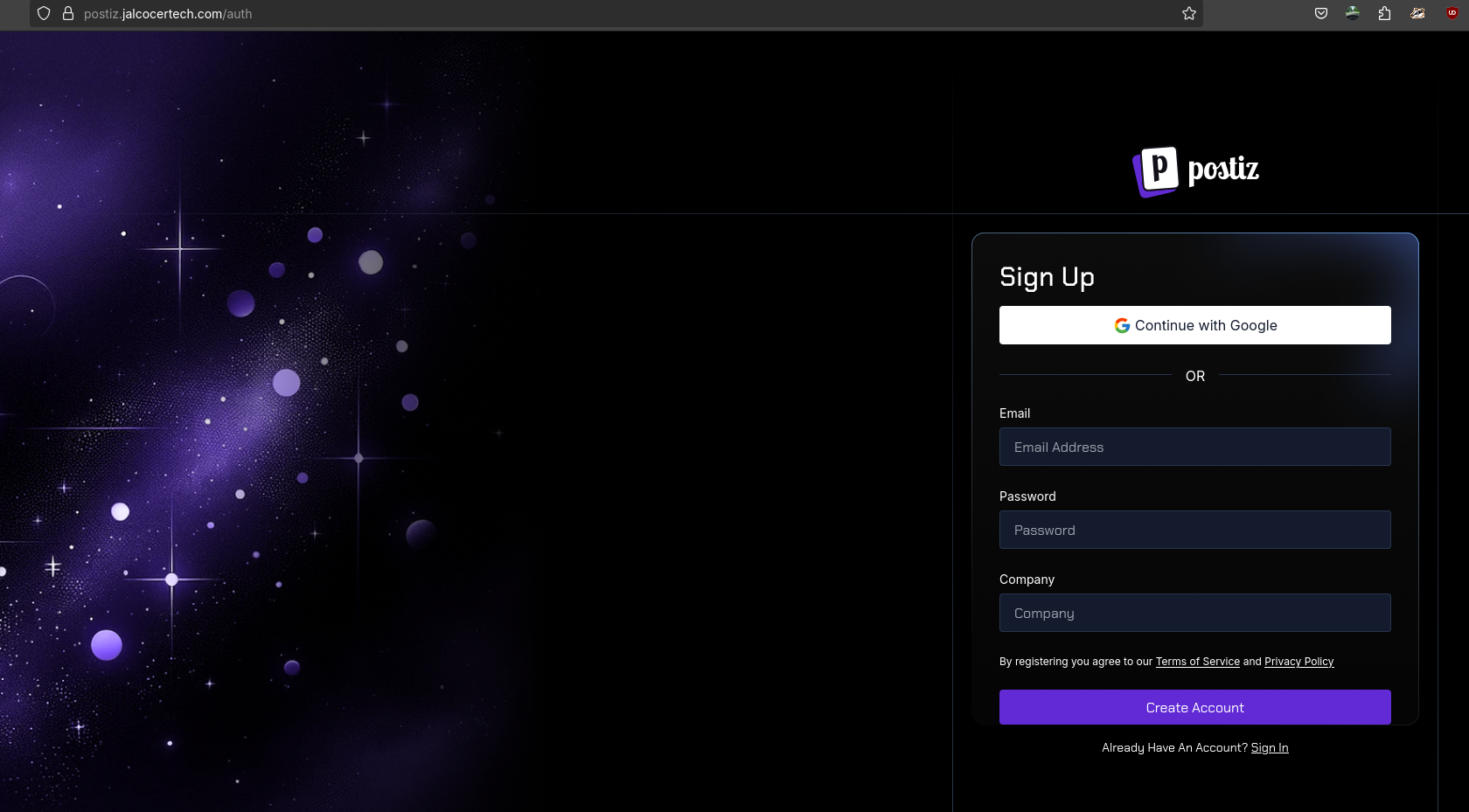
Growchief is an open-source (and SelfHostable) social media automation tool (aka social scraper).
GrowChief is primarily a social media outreach automation tool focused on automating actions like sending connection requests, follow-ups, liking, and profile visits on platforms like X (formerly Twitter) and LinkedIn.
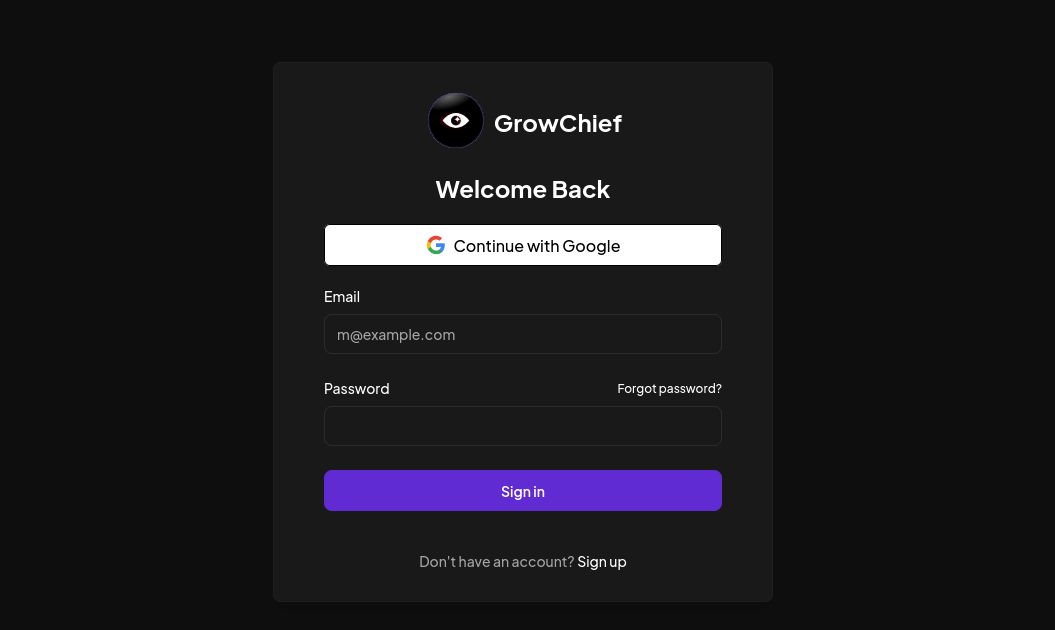
It allows you to create a workflow (step-by-step) for interacting with different accounts on social media, such as sending a connection request, following up with a message, and so on.
Perfect for API/n8n automations.
apg3.0 | The Ultimate all-in social media automation (outreach) tool 🤖
Selfhosting Email?
The first question should be whether we should or not.
But providing you want, there are few options: For open-source or closer to open-source alternatives to Mailtrap, these stand out
- MailHog: A lightweight, open-source email testing tool with a web interface, great for catching and viewing emails in dev environments.
- MailDev: Similar to MailHog, built with Node.js, easy to run locally for testing.
- Papercut and MailCatcher: Other open-source SMTP servers and email testing tools, mostly used for development and testing phases.
These open-source tools are typically easier to self-host and modify than proprietary solutions like Mailtrap but usually lack advanced monitoring or deliverability analytics.[4][5]
In summary:
- Amazon SES excels in scalability and cost for high-volume senders but requires technical setup.
- Mailtrap is among the easiest to configure for developers focusing on testing.
- MailHog and similar tools are the best open-source options for local email testing environments.
This should help balance ease of use, open-source preference, and scalability needs based on the specific use case.
Probably not recommended for 99.999% of us.
Maildrop is a self hostable and easy to use disposable email service that allows you to receive emails on a random email address on your domain.
Modoboa
MailHog: Very easy, open-source, self-hosted - Great for local dev/testing, less for production
https://github.com/docker-mailserver/docker-mailserver - MIT
Production-ready fullstack but simple mail server (SMTP, IMAP, LDAP, Antispam, Antivirus, etc.) running inside a container.
The Poste Project
I was using Cloudflare email routing, just to Create custom email addresses to use whenever you do not want to share your primary email address.
A combination of MX and TXT records need to be added to your DNS for Email Routing to be able to receive and route emails appropriately. Domain must be enabled for all subdomains to work.
But then found about Posteio.
Needed to disable email routing on that domain (to configure properly DNS)
Multiple Domains, anti-spam…
So no more MX domain from my domain to CF mail servers route1.mx.cloudflare.net
We will need NGINX to get https:
Thanks to
https://www.youtube.com/watch?v=3jfABU68jzw&t=673s - Poste.io with Docker compose
https://www.youtube.com/watch?v=t29v_M0mvlo - Setup DNS (SPF, DKIM y DMARC en Poste io)
MailInaBox - https://www.maketecheasier.com/create-email-server-linux-with-mail-in-a-box/
Self-hosted Stalwart mail server
The SimpleLogin back-end and web app
KnockMail
Does an email you logged into your new waiting/ebook list with Pocketbase even exists?
Unfortunately, This does not work anymore: https://github.com/umuterturk/email-verifier
- But there is also: https://github.com/4w4k3/KnockMail
KnockMail is a tool designed to verify the existence of email addresses.
But the project has…8 years w/o an update.
It addresses the problem of email validation, helping users confirm whether an email address is active or not.
This can be essential for businesses and developers to maintain clean email lists and improve communication efficiency.
Key Features
Creator: Developed by Alisson Moretto (4w4k3).
Installation and Running:
- Clone the repository:
git clone https://github.com/4w4k3/KnockMail.git - Navigate to the directory:
cd KnockMail - Install required packages:
pip install -r requeriments.txt - Run the application:
python knock.py(orpython2.7 knock.pyfor Python 2.7).
- Clone the repository:
Compatibility:
- Tested on various Linux distributions:
- Kali Linux (SANA & ROLLING)
- Ubuntu 14.04-16.04 LTS
- Debian 8.5
- Linux Mint 18.1
- Tested on various Linux distributions:
License: Licensed under the BSD-3-Clause.
Contributions: Open for feature suggestions and improvements.
Conclusion
KnockMail is a useful tool for email verification, enhancing communication reliability.