Flutter Apps for Desktop?
Tl;DR
Its possible now.
Intro
- WHY Im writting this post: bc after making this rust desktop app I wanted to have another look to flutter
- What Ive learnt with it: Ive ended up using obtanium for my first native android app with kotlin. Was not expecting to recap SHA256 signatures nor publish about it neither [about](https://gitlab.com/fossengineer1/dron/-/tree/feature/android-native/rust-desktop-learnings/posts?ref_type=heads the rust desktop)
Web applications use a different delivery model. Normally the browser does not retain an independently installed executable package and later compare a new bundle against its old author’s signature. It requests the current resources from an origin each time. Trust is concentrated in the origin: https://example.com ↓ DNS + hosting/deployment account + TLS certificate/private key HTTPS/TLS authenticates the server/domain and protects resources in transit. The browser’s same-origin policy then separates content belonging to different origins.
herefore web applications are not really “published without keys.” The keys and credentials are located elsewhere:
Domain registrar credentials DNS-provider credentials Hosting/cloud deployment credentials CI/CD credentials TLS private key or a managed certificate service Source repository credentials
Compromising those systems lets an attacker change what the trusted web origin serves. Every visitor can then receive the malicious code immediately, without installing an APK. Modern hosting often hides TLS key management behind services such as managed certificates, making the cryptography less visible to the developer. The trust requirement still exists.
Affine and Appflowy are having web and desktop apps.
not sure if those are done with flutter, but they are cool
Flutter is used in many places.
Actually even some smartTV apps from your favourite telecom provider might have been built with it.
At an ecommerce they were using Swift for the code base of iOS
Flet
Couple years ago I tried to do some Flet Apps with chatGPT, but the LLM knowledge was not there.
At least not to compensate for my lack of mobile app development (0).
How about now?
Is it there enought to create a desktop app to control the DJI Tello dron?
Well, the thing is that…
thing have changed
And models are so good that I was able not only to build a nice python cli wrapper to control the tello here:
git clone
uv run main.py
Oh…and in fact more than Python:
git clone dron-tello-flutter
cd dron-tello-flutter

flutter run -d linux
But also,
GPS BASED
ublox m8n
HGLRC M100 Mini How to Install and Setup a GPS on your FPV Drone (4K) - YouTube HGLRC M100 Mini GPS module - a small, cheap and accurate GPS module for all your FPV builds - YouTube
F9P?
Lora GPS?
Intro
Build multi-platform apps in Python powered by Flutter
Because some time ago (pre vibe-coding age) I tried flutter.
And it was not that easy.
Build multi-platform apps in Python powered by Flutter
Some flutter apps?
https://flathub.org/en/apps/de.wger.flutter Which I discovered thanks to https://apps.umbrel.com/app/wger
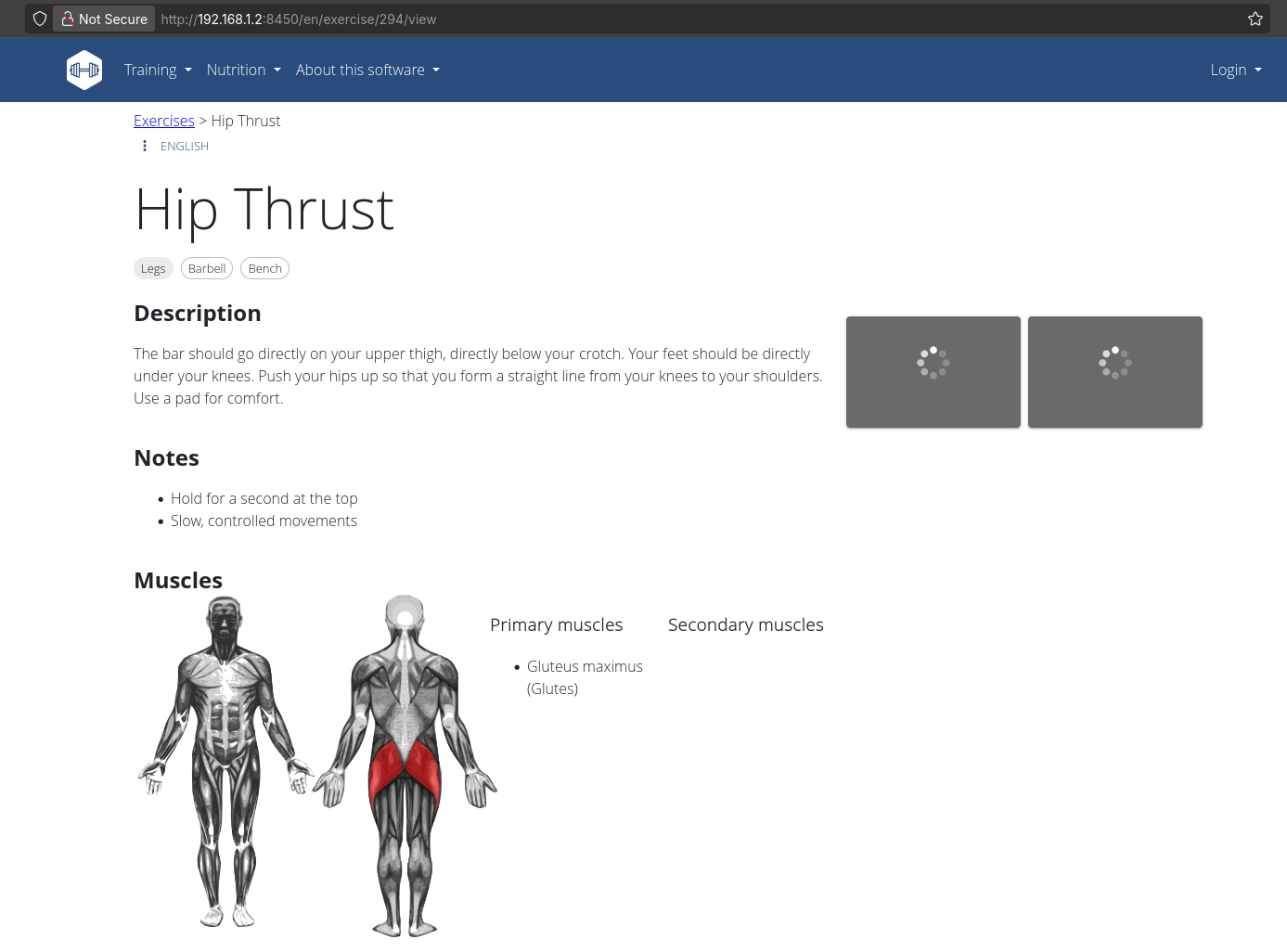
See https://play.google.com/store/apps/details?id=de.wger.flutter
You can connect to your wger server
Because some time ago (pre vibe-coding age) I tried flutter.
And it was not that easy.
FlutterFlow
The Python Flet Project
- The Site
- The Source Code at Github
- License: Apache 2.0 ❤️
To write Flutter from Python, you can use the Flet framework. Flet is a Python library that allows you to build Flutter apps without having to write any Dart code.
To use Flet, you first need to install it using pip:
pip install flet #https://pypi.org/project/flet/app = flet.App()Once you have created the flet.App object, you can start adding widgets to it.
To do this, you use the flet.App.add() method. For example, to add a button to your app, you would use the following code:
Yes, Flet can generate static pages.
In fact, this is one of its main strengths.
Flet uses a technology called Pyodide to compile your Python code into WebAssembly, which is a binary format that can be executed in any web browser. This means that you can deploy your Flet app to any static web hosting service, such as Firebase, GH Pages or CF Pages.
To generate a static page from your Flet app, simply run the following command:
flet publishThis will create a directory called build that contains all of the static files for your app. You can then deploy these files to any static web hosting service.
Flet as Static Site: https://flet.dev/docs/guides/python/publishing-static-website/
Flet Samples: https://github.com/ndonkoHenri/Flet-Samples
Flet Features
https://flet.dev/docs/guides/python/packaging-app-for-distribution/ https://flet.dev/docs/guides/python/packaging-desktop-app/
Flet as a PWA: https://flet.dev/docs/guides/python/deploying-web-app/progressive-web-apps
Tinkering with Flutter

Flutter x DJI Tello
I got a tello some time ago
This year decided to use uv as pkg manager to control it better…
#git clone https://github.com/JAlcocerT/dron && cd ./dron && uv run main.py
#ssh -T git@gitlab.com
git clone git@gitlab.com:fossengineer1/dron.git
And shortly after I caught myself around flutter: This was not quite there yet thought
git clone https://github.com/JAlcocerT/dron-tello-flutter
cd dron-tello-flutter
#ping 192.168.10.1
flutter run -d linux
Flutter x GoPro HUD
I was trying GoPros overlay for long
#git clone https://github.com/JAlcocerT/Py_RouteTrackerLater, I tried this approach:
#git clone https://github.com/JAlcocerT/optimum-path
#cd optimum-path/overlay
Even with go:
#git clone https://github.com/JAlcocerT/go-kartingJust that the Go desktop app worked nicely for me at Ubuntu
But somehow my friend could not run it on W11
I did not debug much tbh
But just wondering if flutter would make this easier
Conclusions
Who cares that Pyston is no longer maintained when we have Rust and Go
“Ente Photos”,“wger”,“FlutterFlow”
Ended up creating this kotlin native app from the rust desktop one.
Some local test at the PC were done, but to fully test it I used it and validated in my Pixel 9 Pro via obtanium.
You will need to create some secrets: you better back them up
In this case:
- .p12 = private key + public certificate. Secret.
- .pem created with keytool -exportcert = public certificate only. Not secret.
The .pem contains:
Public key
Name/organization/city/country fields
Validity dates
Certificate fingerprint
Check its first line:
head -1 tello-native-release-certificate.pemFor your exported certificate it should say:
—–BEGIN CERTIFICATE—–
A PEM can theoretically hold a private key, but then it would say BEGIN PRIVATE KEY or BEGIN ENCRYPTED PRIVATE KEY. Your exported .pem does not.
Also, that old .pem belongs to the abandoned C=41710 certificate and is not needed. The production private key is the validated .p12 backup.
Yes. To preserve the ability to sign updates, the irreplaceable pair is:
- tello-native-release-2026-10-03.p12
- Its password
The analogy:
Android signing Bitcoin ━━━━━━━━━━━━━━━━━━━━━━━━━━━━━━━━━━━━━━━━━ ━━━━━━━━━━━━━━━━━━━━━━━━━━━━━━━━━━━━━━━━━━ .p12 containing the private signing key Encrypted wallet file ───────────────────────────────────────── ────────────────────────────────────────── .p12 password Wallet decryption password ───────────────────────────────────────── ────────────────────────────────────────── Public certificate/fingerprint Public address ───────────────────────────────────────── ────────────────────────────────────────── Signing an APK update Signing a transaction ───────────────────────────────────────── ────────────────────────────────────────── Android verifies the signature Bitcoin network verifies the transaction
The difference from 12 seed words:
- Bitcoin seed words can regenerate the wallet’s private keys from nothing.
- Your .p12 password cannot regenerate the .p12.
- Lose the .p12, and the password alone is useless.
- Lose the password, and the encrypted .p12 is generally useless.
- Anyone obtaining both can publish APKs that appear to be authentic updates.
So your .p12 is closer to an encrypted Bitcoin wallet file—not the 12 words themselves.
Also record these non-secret details for convenience:
Alias: tello-native Package ID: tech.jalcocer.tello Certificate fingerprint: F0:AD:A1:BE:…:89:8E
The .pem and fingerprint are public and cannot sign anything.
The two irreplaceable items are:
- tello-native-release-2026-10-03.p12
- Its password (used as both keystore and key password)
Confirm the file SHA-256 is: b430d9d58a11cd3740476b69bdd5b0f373820dd7c12fca8c2ebb9b3758b6a543
Also record:
Alias: tello-native
Package ID: tech.jalcocer.telloKeep at least two encrypted copies in separate locations. You do not need to back up GitHub Secrets or Base64 data—they can be recreated from the .p12 and password.
Yes, SHA-256 hashes can be public. They cannot reconstruct the key or password.
Safe to publish:
- File checksum
- Certificate fingerprint
- Alias
- Package ID
Never publish:
- .p12 file
- Base64 representation
- Keystore/key password
The certificate fingerprint is already publicly visible inside every signed APK.
DJI Tello Android in Kotlin
https://github.com/JAlcocerT/tello-kotlin/releases/tag/android-v0.1.1
https://gitlab.com/fossengineer1/dron/-/commits/feature/android-native
FAQ
Flutter OSS Examples
Desktop Alternatives in Python
Targeting desktop apps instead of web:
| Framework | Description | Ideal For |
|---|---|---|
| Tkinter | Built-in, simple GUI | Beginners |
| PyQt / PySide | Complex, cross-platform | Professional apps |
| Kivy | Touch apps across devices | Mobile + desktop |
| wxPython | Native-look GUIs | OS-integrated apps |
| Flet | Flutter-like experience for desktop & web | Unified apps |
Desktop Apps Analytics
✨ Open Source, Privacy-First and Simple Analytics for Mobile, Desktop and Web Apps
Other F/OSS Libraries to create WebApps with Python
Some alternatives to FLET:
DASH
- Dash by Plotly is a Python framework for building analytical web applications. Dash apps are inherently server-side, with the frontend dynamically generated by Python code. Under the hood, Dash uses Flask as its default server
- Flask SocketIO allows bi-directional communication server-client
- Dash by Plotly is a Python framework for building analytical web applications. Dash apps are inherently server-side, with the frontend dynamically generated by Python code. Under the hood, Dash uses Flask as its default server
Streamlit
Shiny with python
Taipy
Apache v2 | Turns Data and AI algorithms into production-ready web applications in no time.
#https://github.com/Avaiga/demo-realtime-pollution
git clone https://github.com/JAlcocerT/demo-realtime-pollution #which i cloned
Great example: Taipy Demo of a Realtime Dashboard of Air Pollution around a Factory
What it is Gradio?
Build Machine Learning Applications Easily with Gradio in Python https://www.youtube.com/watch?v=3DGLznJorT8
https://github.com/NeuralNine/drawing-classifier
Gradio
Chainlit - Conversational AI in minutes
Reflex (ex-Pynecone) - https://reflex.dev/
- Can also create static sites: https://reflex.dev/docs/hosting/self-hosting/#exporting-a-static-build
Panel - https://github.com/holoviz/panel
Pynecone - ANOTHER ONE IN MY PRIVATE AT LENOVO!!!!!!!
NiceGUI - Desktop Apps with Python https://github.com/zauberzeug/nicegui https://www.bitdoze.com/nicegui-pages/ https://www.bitdoze.com/nicegui-get-started/
- Under the hood, NiceGUI uses JustPy, which in turn is built on top of Starlette (an asynchronous ASGI framework) and other web technologies.
- library to write simple graphical user interfaces in Python we discovered JustPy. Although we liked the approach, it is too “low-level HTML” for our daily usage. But it inspired us to use Vue and Quasar for the frontend.
- https://nicegui.io/#examples
- Allows WebSockets
REST API (HTTP): RESTful APIs are widely used for communication between clients and servers over HTTP. They are well-suited for request-response interactions and are easy to understand and implement. However, they may not be the best choice for real-time communication as they are based on the request-response model, which can introduce latency and overhead for real-time updates. REST APIs are suitable for scenarios where real-time updates are not critical or where the frequency of updates is low.
WebSockets: WebSockets provide full-duplex communication channels over a single TCP connection, enabling real-time, bidirectional communication between clients and servers. They offer low-latency, high-performance communication and are well-suited for applications requiring real-time updates, such as chat applications, live dashboards, and multiplayer games. WebSockets can be more complex to implement compared to REST APIs, but they offer significant benefits for real-time applications.
  > Real time apps!

  ---> https://www.youtube.com/watch?v=CzcfeL7ymbU
MicroServices - https://www.youtube.com/watch?v=lL_j7ilk7rc
We have built on top of FastAPI, which itself is based on the ASGI framework Starlette and the ASGI webserver Uvicorn because of their great performance and ease of use.
- JustPY
- JustPy is an object-oriented, component based, high-level Python Web Framework that requires no front-end programming. With a few lines of only Python code, you can create interactive websites without any JavaScript programming. JustPy can also be used to create graphic user interfaces for Python programs.
Python for Web Assembly
WebAssembly (often abbreviated as Wasm) is a binary instruction format for a stack-based virtual machine.
It’s designed as a portable compilation target for high-level languages like C, C++, Rust, and now, even Python, enabling deployment on the web for client and server applications. In simpler terms,
WebAssembly allows you to run code written in languages other than JavaScript on the web at near-native speed.
- PyScript
F/OSS Libraries to create Apps with Python
TKinter
DearPyGUI
PyQT - python desktop apps -» https://www.youtube.com/watch?v=DjutoyfCl2c
- Python Reflex - for WebApps
Run Python in HTML
- PyScript - Thanks to Pyodide, WASM and Moderm WEb Tech
What it is Pyodide?
Pyodide is a Python distribution for the browser and Node.js based on WebAssembly.
Pyodide is a port of CPython to WebAssembly/Emscripten.
Pyodide makes it possible to install and run Python packages in the browser with micropip.
Any pure Python package with a wheel available on PyPI is supported. Many packages with C extensions have also been ported for use with Pyodide.
https://pyodide.org/en/stable/index.html
APP BUILDING
Dart & flutter (google)
https://blog.back4app.com/flutter-vs-dart/
Sample Flutter Apps
If you are into stonks and related apps:
This application is available on the App Store, Google Play, GitHub and as a Web App (PWA).
Cashew is a full-fledged, feature-rich application designed to empower users in managing their finances effectively. Built using Flutter - with Drift’s SQL package, and Firebase - this app offers a seamless and intuitive user experience across various devices. Development started in September 2021.
About Desktop Apps
Does making desktop apps with Python makes sense?
Like this TKInter test that I made here for karting.
Or for some one who hasnt done one: could RUST be the way?
Or just go all in for flutter?
Flutter
Flutter - https://app.flutterflow.io/share/travel-app-bhdo3n
DART
https://www.youtube.com/watch?v=Ej_Pcr4uC2Q
Flutter
https://www.youtube.com/watch?v=pTJJsmejUOQ&t=5276s&pp=ygUUZmx1dHRlciBmcmVlY29kZWNhbXA%3D
Download flutter SDK and locate it
View -> Command palette -> run flutter doctor
Install flutter extension
avdmanager is missing from the Android SDK
main.dart -> run -> run without debugging
https://medevel.com/19-os-flutter-projects-samples/
Flutter Web and Firebase
In May this year, google announced that their platform firebase, will support among others flutter web as well.
DART
https://www.youtube.com/watch?v=Ej_Pcr4uC2Q
Flutter
https://www.youtube.com/watch?v=pTJJsmejUOQ&t=5276s&pp=ygUUZmx1dHRlciBmcmVlY29kZWNhbXA%3D
Download flutter SDK and locate it
View -> Command palette -> run flutter doctor
Install flutter extension
avdmanager is missing from the Android SDK
main.dart -> run -> run without debugging
https://medevel.com/19-os-flutter-projects-samples/
FAQ
My Fav Android Apps
- Nextcloud
- SatStat
- Sensor Server
- PhyPhox
- Immich
- F-Droid
- CAPod
- RacheChrono
Official Tello FPVMy Rust desktop version of the Tello- Syncthing see also Localsend
Audio recorder, ultrasonic, readdrops, fluffy chat, organic maps, nophonespam
2fas auth, bitwarden, signal, rvnc viewer, element, tailscale, mullvad vpn
Using Obtanium
#apt install openjdk-17-jre-headless
keytool -genkeypair \
  -keystore tello-native-release.p12 \
  -storetype PKCS12 \
  -alias tello-native \
  -keyalg RSA \
  -keysize 4096 \
  -validity 10000

# Generating 4,096 bit RSA key pair and self-signed certificate (SHA384withRSA) with a validity of 10,000 days
# 	for: CN=JAlcocerT, OU=JAlcocerTech, O=JAlcocerTech, L=Seville, ST=Spain, C=41710
Owner: CN=JAlcocerT, OU=JAlcocerTech, O=JAlcocerTech, L=Seville, ST=Spain, C=41710
/secure/off-repo/path/tello-native# keytool -exportcert -rfc \
  -keystore tello-native-release.p12 \
  -alias tello-native \
  -file tello-native-release-certificate.pem

##Enter keystore password:
#Certificate stored in file <tello-native-release-certificate.pem>
Then created the public repo:
#sudo apt install gh
gh auth login
gh repo create tello-kotlin --public --source=. --remote=origin --push
The standalone app is now live at JAlcocerT/tello-kotlin. Completed:
- Native Android project copied into its own repository
- Release workflow adjusted for the new root layout
- Unit tests and debug APK build passed
- Obtainium guide and learnings updated
- Commits pushed through 4f3cf52
Before creating a release, regenerate the key because C=41710 should be the country code C=ES.
Also, the current key is root-owned and readable by other users.
Run as your normal user:
mkdir -p /home/jalcocert/.local/share/tello-signing
chmod 700 /home/jalcocert/.local/share/tello-signing
cd /home/jalcocert/.local/share/tello-signing

keytool -genkeypair \
  -keystore tello-native-release.p12 \
  -storetype PKCS12 \
  -alias tello-native \
  -keyalg RSA \
  -keysize 4096 \
  -validity 10000 \
  -dname "CN=JAlcocerT, OU=JAlcocerTech, O=JAlcocerTech, L=Seville, ST=Seville, C=ES"

chmod 600 tello-native-release.p12
Then verify the fingerprint, back up the new key twice, and configure the four GitHub secrets.
Do not create android-v0.1.0 until that is finished.
The updated steps are in /home/jalcocert/Desktop/tello-kotlin/z-obtanium-guide.md.
That is the correct final signing key:
- Identity: C=ES
- Alias: tello-native
- RSA: 4096-bit
- Valid until: February 2054
- SHA-256:
F0:AD:A1:BE:30:83:D3:E3:7A:5C:3E:92:22:D5:97:88:54:E3:C3:C6:7A:91:A5:32:3E:42:C3:88:13:37:89:8E
Save that fingerprint in your password manager.
Do not export a .pem nor regenerate the key.
Then continue through Steps 3–5 to upload the four GitHub secrets and use Github actions for release
ANDROID_KEYSTORE_BASE64
ANDROID_KEYSTORE_PASSWORD
ANDROID_KEY_ALIAS
ANDROID_KEY_PASSWORD
cd ~/Desktop/tello-kotlin
base64 -w 0 "$HOME/.local/share/tello-signing/tello-native-release.p12" \
| gh secret set ANDROID_KEYSTORE_BASE64
read -rsp "Keystore password: " TELLO_PASSWORD
echo
printf '%s' "$TELLO_PASSWORD" | gh secret set ANDROID_KEYSTORE_PASSWORD
printf '%s' 'tello-native' | gh secret set ANDROID_KEY_ALIAS
printf '%s' "$TELLO_PASSWORD" | gh secret set ANDROID_KEY_PASSWORD
unset TELLO_PASSWORD
#gh secret listKotlin
Kotlin/Gradle Android builds run on the JVM.
JDK 17 is a build toolchain dependency. It does not change the native Kotlin application architecture. The Java setup step passed in both CI runs.
Instead, securely save:
- GitHub account access
- 2FA recovery codes
- .p12 signing file
- .p12 password
If a GitHub token is lost, it can be recreated. If the .p12 is lost, the existing Android app cannot be updated normally.
you can restart as repository owner—but repository ownership cannot override Android’s signature check. I’ll verify the current Android signing guidance so I can distinguish “publish a replacement” from “update the already-installed app” precisely.
• Searching the web
• Searched the web for https://developer.android.com/studio/publish/app-signing
───────────────────────────────────────────────────────────────────────────────────────────────────────
• Yes—you can start over, but it would not be a seamless update.
With a new key:
Same package ID: Android rejects installation over the existing app. Users must uninstall the old app first, then install the replacement.
New package ID: Android treats it as a completely separate app; it can coexist with the old one.
Owning the GitHub repository lets you publish anything, but it cannot override Android’s signature verification. Google confirms that without managed Play App Signing, losing the app-signing key means losing the ability to update that existing app. Android signing documentation
For this controller, restarting would be manageable because little app state is stored—but every user would need a manual reinstall and possibly reconfigure Obtainium.