Optimum Path for Karting x CustomTkinter
Tl;DR
Putting some racing stuff together and testing desktop apps via Python.
The launch strategy: aka, focus strategy
This is not full Ikigai as I dont get paid, but its the part of it that I just do because I want to.
Intro
There are many things free and open source in life.
A Desktop App to extract your go pro telemetry,
do some cool HUDs overlays
and get some sort of optimum path seems to NOT be one of those.
So Im going to dare and try to combine what Ive learnt on these projects:
And create my first desktop app.
We come from tinkering with GA and RL models.
But this is going to focus on putting together the HUD for gopros based on gps and accelerometer plus the gradient descent best lap estimation:
Options to create GoPro overlays
This worked https://github.com/time4tea/gopro-dashboard-overlay
Also the custom script I placed: you need to provide the location/s of the MP4/s to be analyzed
git clone https://github.com/JAlcocerT/Py_RouteTracker
time python3.10 ./Py_RouteTracker/overlay/racing_hud_v7.py
Can this be shipped as a desktop app?
If I will ever want to share this, I dont want to do it via webapp and have a constrain on my CPU power.
Creating
pip install customtkinter
cd 4-apexsim-desktop && python3.10 main.py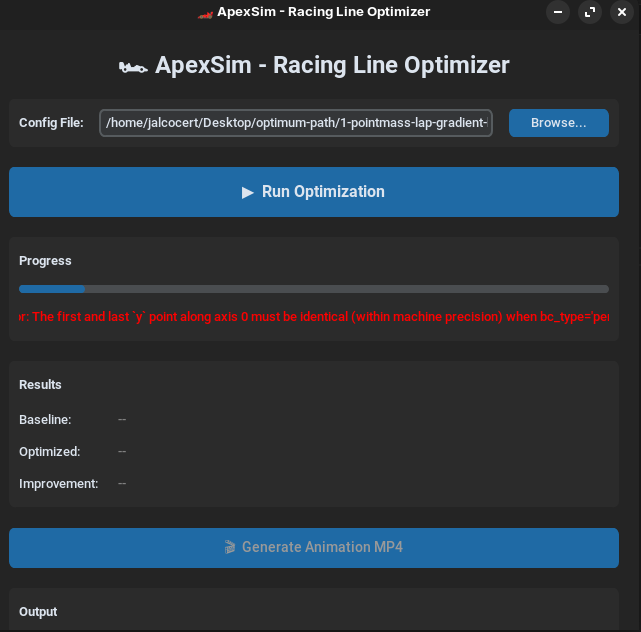
Conclusions
I manage to make this as simple as:
git clone https://github.com/JAlcocerT/optimum-path
cd 4-apexsim-desktop && python3.10 main.py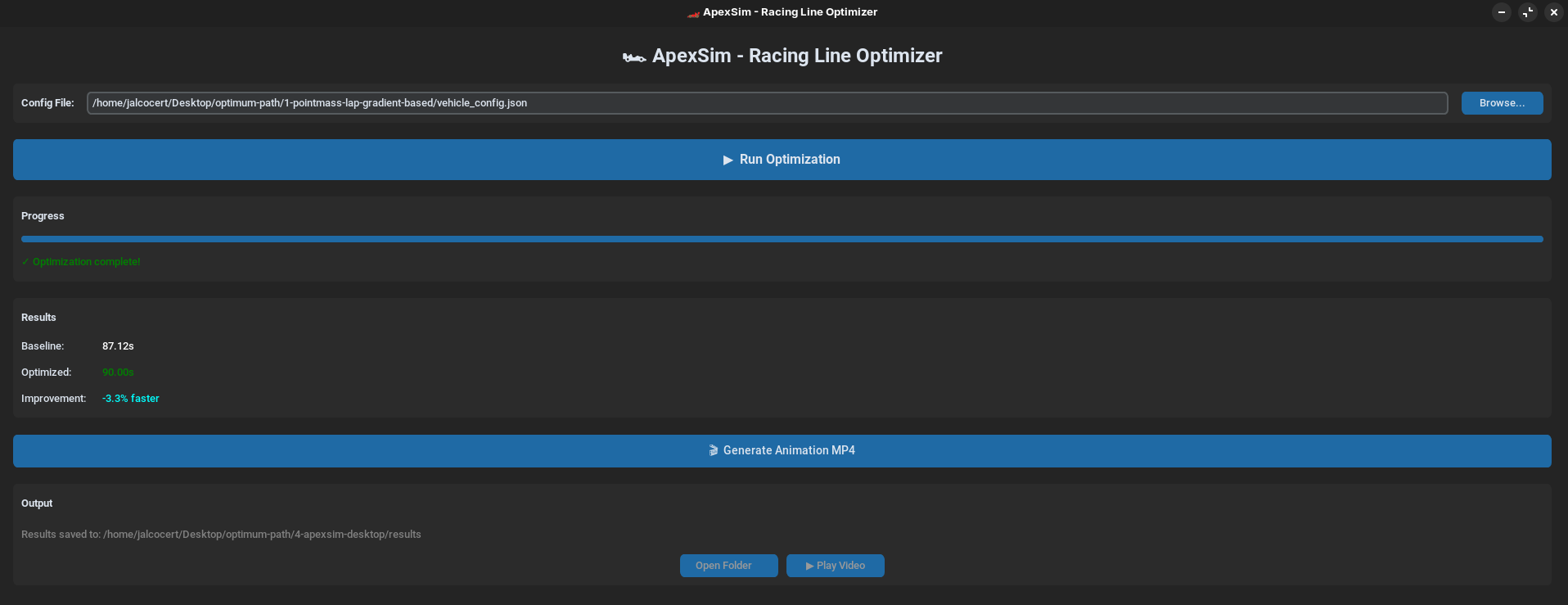
Want to build something similar?
The time spent in building can calm the stress by the upcoming F1 season:
Learnt with The ApexSim Concept
For the pure animation part, you can make assumptions and model a faster path for next sessions.
git clone https://github.com/JAlcocerT/optimum-pathYou can try different models and see what works best for you: see how min curvature wont be the fastest!
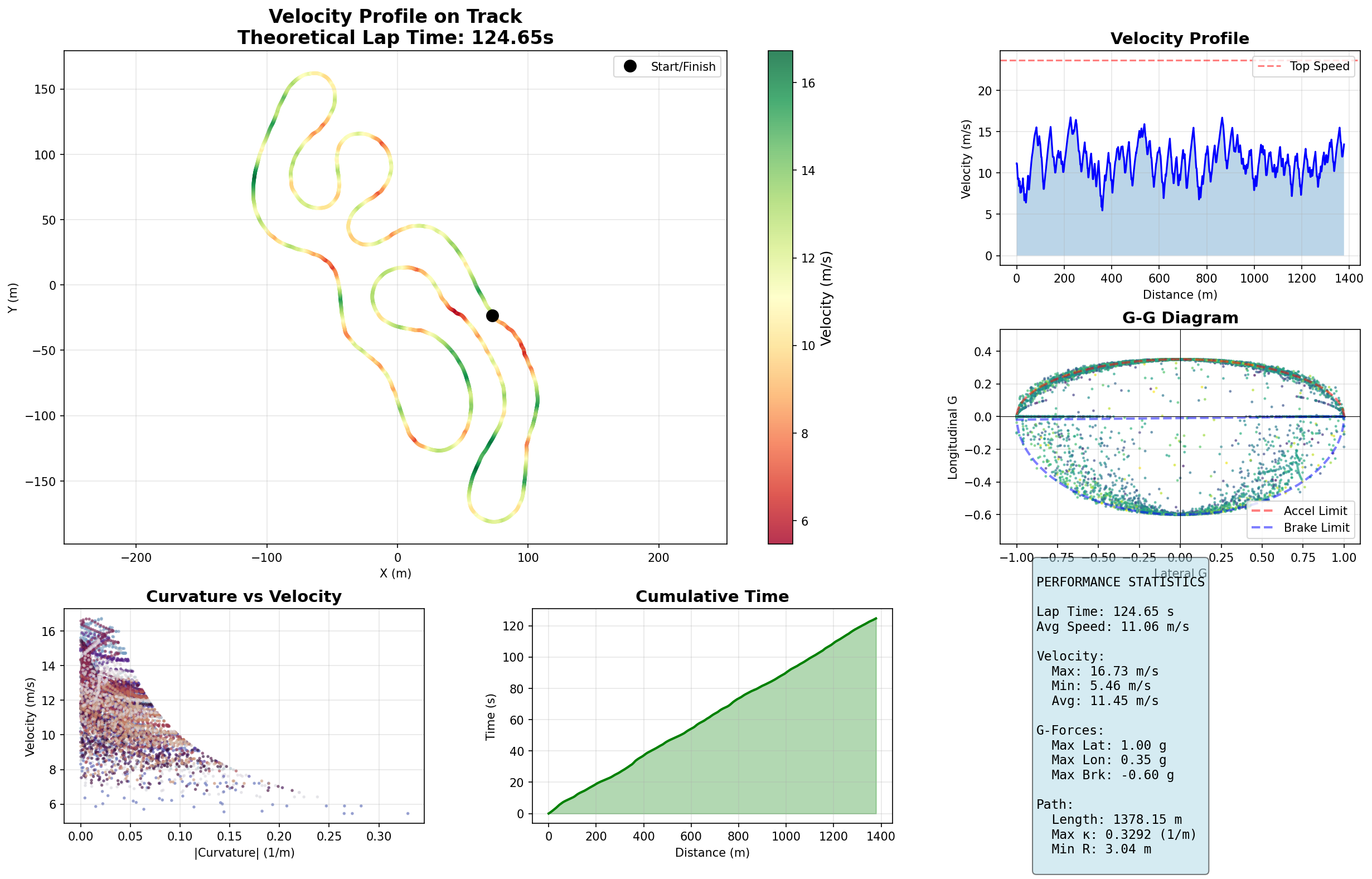
Gradient descent based can possibly surprise you:
Both, RL and GA are cool concepts, but tricky in practice to get something solid and realistic:
Take those to the next level and create your own ApexSim.
| Feature | GA Chromosome | RL Neural Network |
|---|---|---|
| Storage | A simple array of numbers. | A complex matrix of weights. |
| Logic | “At 100m, steer 30%.” | “If the corner is sharp, steer more.” |
| Hardware Use | Simple, fast math on your 5600G. | Heavy matrix multiplication (better with GPU, but 5600G is okay). |
| Result | An Optimal Line. | An Optimal Driver. |
- GA (Genetic Algorithm): The memory is the Chromosome.
- RL (Reinforcement Learning): The memory is the Neural Network. It is a set of “synapses” (weights).
How GA (Genetic Algorithms) and RL (Reinforcement Learning) store their “knowledge,” we can look at Gradient Descent as the engine that actually updates those RL matrices.
While a GA uses “survival of the fittest” (random mutation and crossover) to find the best chromosome, Gradient Descent uses calculus to find the fastest way “downhill” to the lowest error.
Imagine you are standing on a rugged mountain in a thick fog.
You want to reach the very bottom of the valley (the Minimum Error or Maximum Reward).
- The Gradient: You can’t see the valley, but you can feel the slope under your boots. The “Gradient” is simply the direction and steepness of that slope.
- The Descent: You take a step in the direction that goes down the most.
- The Learning Rate: This is your stride length.
- Step too big? You might overleap the valley and end up on the opposite peak.
- Step too small? It will take you a million years to reach the bottom.
| Feature | Genetic Algorithm (GA) | Gradient Descent (RL/NN) |
|---|---|---|
| Search Style | Random/Heuristic: It “guesses” by jumping around the map. | Deterministic/Mathematical: It follows the slope of the math. |
| Feedback | Only knows how good the result was (Fitness Score). | Knows which way to change every single weight to improve. |
| Efficiency | Great for “messy” problems where you can’t calculate a slope. | Extremely fast for “smooth” problems (like tuning a Neural Network). |
| The “Local Trap” | Good at jumping out of small pits to find the big valley. | Can get stuck in a small “pothole” (Local Minimum) and think it’s the bottom. |
In Your “Optimal Driver” Context
In RL, your Neural Network starts with random weights (a terrible driver).
- The driver takes a turn and crashes (High Error).
- Gradient Descent calculates: “If I change Weight A by +0.01 and Weight B by -0.05, the crash would have been slightly less severe.”
- It updates the Matrix of Weights using that math.
- Repeat this 10,000 times, and the “Slope” eventually leads the weights to the configuration of a Pro Driver.
$$w_{new} = w_{old} - \eta \cdot \nabla Q(w)$$
(Where $\eta$ is your stride length/learning rate and $\nabla Q$ is the direction of the slope.)
About Sodis Series
I got to know about: https://www.sodiwseries.com/es-es/tracks/
Prices 70/90 pln aka 20$ per 8 min
Versus 45eur aka 50$ 30 min
https://www.sodiwseries.com/es-es/tracks/karting-sevilla-699.html
Ten years ago i Tried this one.
Next Steps
- Package and distribute the app as freemium social signin required
- Gather feedback and improve
- Ship the desktop app (cross-platform) (Nuitka?)
OBS to MQTT: is this even possible?
ACELEROMETER BASED: https://racechrono.com/article/faq/which-obd-ii-adapter-should-i-buy
People build budget lap timers - https://www.youtube.com/watch?v=mdGOuhEq6g8
If you dont have a GoPro, you can still play with your smartphone and PhyPhox:
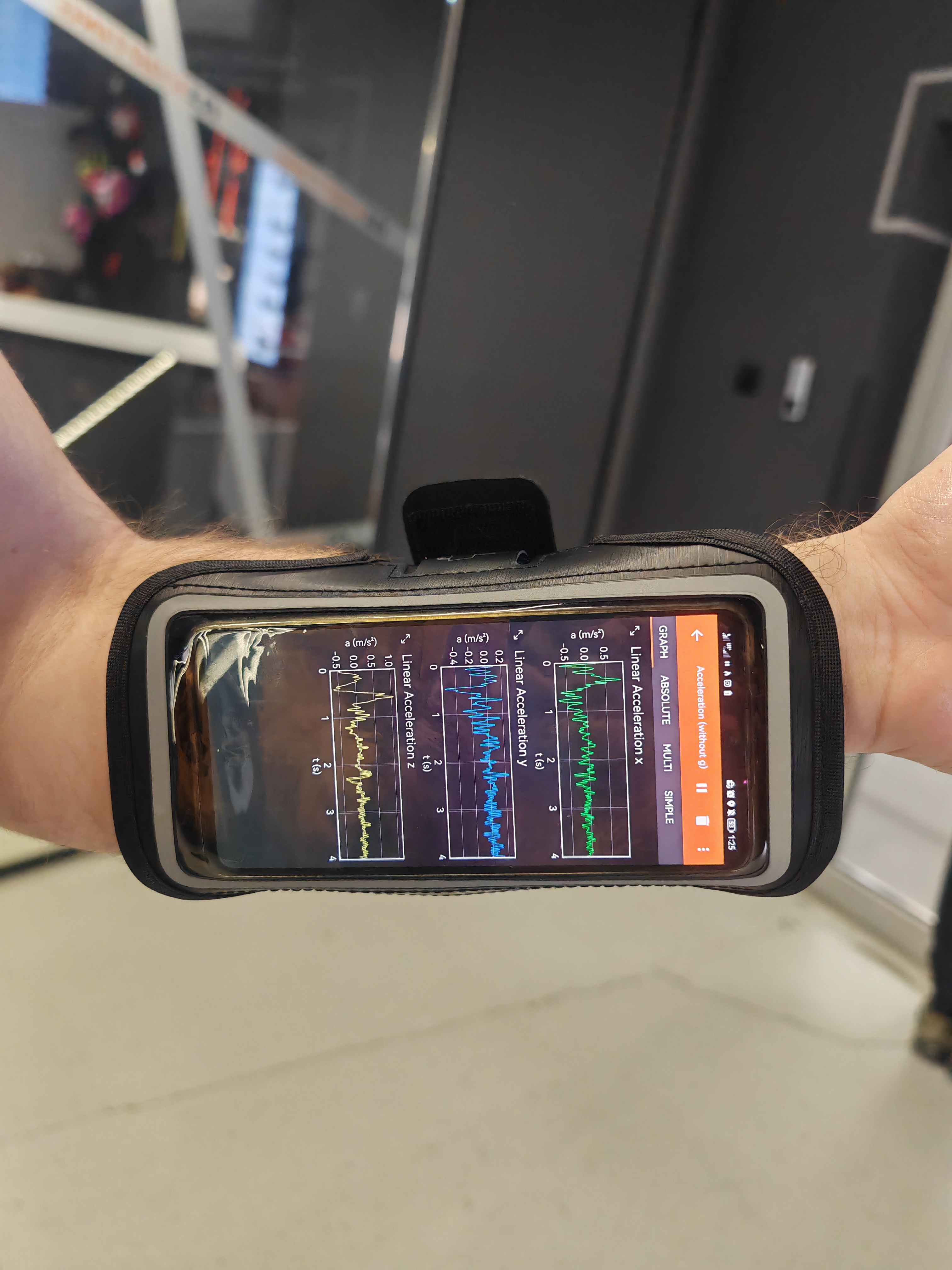
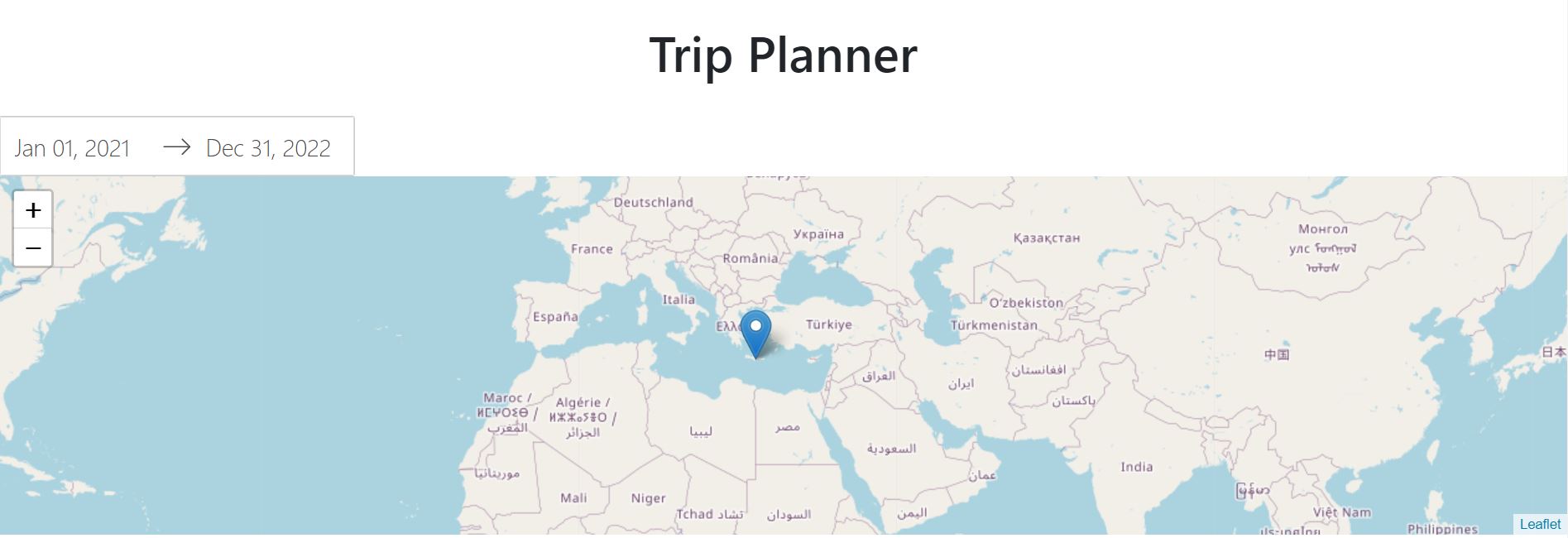
All this resonated with a PoC i built iotrack.iotechcrafts.com:
- A multi-language site: EN/ES
- In theory with a web3 domain (not sure what for)
- Some video as proof, possibility to ask for a demo and signin
- And some marketing:
- you are yoing with your friends and you always get the GP2 engine?
- Stop looking behind and focus on winning (get better)
- How it works?
- Pros are using telemtry to get better - and its costing them a buch of money
- But you are smarter than then. You use IoTrack.
- Get daster & receive feedback of your laps like a Pro
Outro
Serverless Data Platform (redis, vector DBs….)
Is your engine generating too much noise?
FAQ
When it comes to building desktop applications with Python, there are several frameworks available, each with its own strengths and weaknesses.
Here’s a breakdown of some of the most popular options: Key Python GUI Frameworks:
- Tkinter:
- This is Python’s standard GUI toolkit.
- It’s relatively easy to learn and is included with most Python installations, making it a good choice for beginners.
- However, its appearance can be somewhat dated.
- Good for simple applications.
- Ive tinkered with it here
 Python Web apps with DASH
 Youtube Video Edition
PyQt/PySide:
- These frameworks provide Python bindings for the Qt library, a powerful cross-platform GUI toolkit.
- They offer a wide range of widgets and customization options, allowing you to create sophisticated and visually appealing applications.
- PyQt has licensing considerations, while PySide is LGPL-licensed.
- Excellent for complex applications.
Kivy:
- Kivy is designed for creating cross-platform applications with a focus on touch-enabled interfaces.
- It’s suitable for developing applications that can run on desktop and mobile platforms.
- Good for multi-touch applications.
wxPython:
- wxPython provides Python bindings for the wxWidgets library, which allows you to create native-looking applications on various platforms.
- It offers a good balance of features and performance.
- Good for applications that need to have a native operating system look and feel.
Flet:
- Flet is a framework that enables you to build cross platform applications, including desktop applications. It is based on flutter, and allows for very quick UI development.
Key Considerations:
- Cross-platform compatibility: If you need your application to run on multiple operating systems, choose a framework that supports cross-platform development.
- Complexity: Consider the complexity of your application and choose a framework that matches your needs. Tkinter is suitable for simple applications, while PyQt/PySide and wxPython are better for more complex ones.
- Appearance: If you want your application to have a modern and visually appealing interface, PyQt/PySide or Kivy might be good choices.
- Licensing: Be aware of the licensing terms of the framework you choose, especially if you plan to distribute your application commercially.
Who will win F1 2026?
Nobody knows.
But people bet on that: see that people in Polymarket gave Mercedes a premium even before the winter tests.
https://polymarket.com/event/fed-decision-in-april
The primary smart contract address for Polymarket on the Ethereum network is:
0x0d08db747095e91780711724267a183e8522aa64
Additionally, Polymarket uses proxy wallet contracts and multisig safes for user accounts, which are deployed on the Polygon network.
For example, a Polymarket proxy wallet factory address on Polygon is:
0xaB45c5A4B0c941a2F231C04C3f49182e1A254052
These proxy wallet contracts hold users’ positions and USDC used within Polymarket’s ecosystem, facilitating a smooth user experience.