[SelfHosting] Image & Backup Tools
Tl;DR
Get your photos in place.
+++ Jellyfin and backups.
Intro
Some say: dont rent what you should own.
You might have heard about OpenLTablets or from my worst nightmare ever, fitnesse
The Acceptance Test Wiki
But today, I want to make a short recap on tools that I find so much valuable.
I grasp the surface on the No Code Ai Tools Post
And they are no code.
SelfHostable Image Tools
Mind your attention, stop auto engaging.
Keep the important things at life first.
After testing few of them, I would recommend:
Together with:
Because at some point, you will need more than just a quick share: or sth more than syncthing
PiGallery
PiGallery and snapdrop pairdrop are great companions
- https://libreselfhosted.com/project/fluxbb/
- https://awesome-docker-compose.com/apps/photo-server/pigallery-2
sudo docker compose -f ./z-homelab-setup/evolution/2601_docker-compose.yml up -d pigallery2If its too much space, you can always:
NC vs Immich
We have some fresh releases since the last time: and im adding to the x300 a drive :)
lsblk
sudo mkdir -p /mnt/data1tb
sudo blkid /dev/sdb1 #this gets the UUID
#sudo nano /etc/fstab #edit the file to make it mount persistently
echo "UUID=123abc-1234-abcd-dddd-abchfhfhfh /mnt/data1tb ext4 defaults 0 2" | sudo tee -a /etc/fstab

sudo mount -a
#df -h | grep sdb1
#df -h | grep ^/dev
sudo docker compose -f /home/jalcocert/Home-Lab/z-homelab-setup/evolution/2602_docker-compose.yml up -d nextcloud-app nextclouddb
#sudo docker ps -f "name=nextcloud"
nano /home/jalcocert/Home-Lab/z-homelab-setup/evolution/2602_docker-compose.yml
nano /home/jalcocert/Home-Lab/z-homelab-setup/evolution/.env- https://github.com/immich-app/immich/releases/tag/v2.5.0
- https://github.com/nextcloud/desktop/releases/tag/v4.0.6
./setup-env.sh #chmod +x ./evolution/setup-env.sh #there are the environment variables that are created randomly for the homelab container deployment
#docker compose -f 2602_docker-compose.yml config | grep -E "MYSQL_|NEXTCLOUD_" #check that these will be used
cd z-homelab-setup/evolution/
sudo docker compose -f 2602_docker-compose.yml up -d nextcloud-app nextclouddb #nextcloud:80
sudo docker compose -f ./z-homelab-setup/evolution/2602_docker-compose.yml config
#sudo docker compose -f 2602_docker-compose.yml logs -f nextcloud-app nextclouddbsudo mount /dev/sda1 /mnt/data1tb #one time
#cat /etc/fstab #here is where persistency happens
#sudo chown -R 1000:1000 /mnt/data1tb/nextcloud
#sudo mkdir -p /mnt/data1tb/nextcloud/db && sudo chown -R 1000:1000 /mnt/data1tb/nextcloud/db
sudo docker compose -f /home/jalcocert/Desktop/Home-Lab/z-homelab-setup/evolution/2602_docker-compose.yml up -d nextcloud-app nextclouddb #nextcloud:80
#docker compose -f 2602_docker-compose.yml logs nextcloud-app --tail 50
sudo docker compose -f /home/jalcocert/Desktop/Home-Lab/z-homelab-setup/evolution/2602_docker-compose.yml logs nextcloud-app nextclouddb
#docker ps --format "table {{.Names}}\t{{.Status}}\t{{.Ports}}" | grep nextcloud
#lazydocker
docker compose -f 2602_docker-compose.yml up -d --force-recreate nextclouddb
du -sh /mnt/data1tb/* #see the space takenGo to http://localhost:8099/settings/user
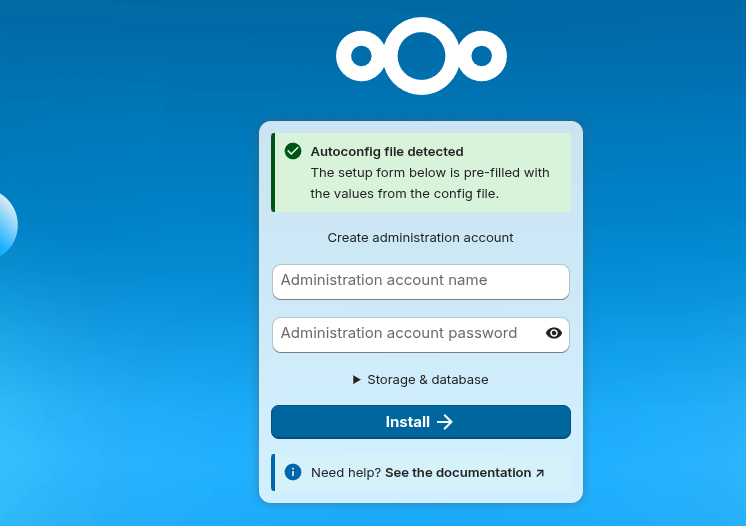
With that, you should have Nextcloud 32 image working, which bring all in Nextcloud Hub 25 Autumn 🚀
Verify that is all OK with your trusted domains:
#docker exec nextcloud php occ config:system:get trusted_domains
cd /mnt/data1tb/nextcloud/html/config
cat config.php | grep -A 10 trusted_domains
docker exec nextcloud php occ config:system:set trusted_domains 1 --value=your.new.domain.com
docker exec nextcloud php occ config:system:set trusted_domains 1 --value=192.168.1.12
docker exec nextcloud php occ config:system:get trusted_domains #see that now is added
Remember that it brings WebDav support: in fact, im skipping using nextcloud desktop in linux this time as I want to be able to format without thinking on data on my x13 laptop
#dav://your_nc_user@localhost:8099/remote.php/webdav
#dav://your_nc_user@192.168.1.12:8080/remote.php/webdav
#davs://your_nc_user@nextcloud.yourdomain.duckdns.org/remote.php/webdavIf you are tired of having these behind home / VPN access only…
You can make sure to harden the installation and expose via CF tunnel: adding WAF protecction along the way
#ssh jalcocert@192.168.1.2
#lsblk -f | grep /mnt/data2tb && df -h /mnt/data2tb
Videos from the action cam like the oa5 pro are too big?
du -h --max-depth=1 2>/dev/null | sort -hr | head -n 6
#sudo apt update && sudo apt install ffmpeg
ls *.MP4 | sed "s/^/file '/; s/$/'/" > file_list.txt #add .mp4 of current folder to a list
ffmpeg -f concat -safe 0 -i file_list.txt -c copy output_video.mp4 #original audio
#Get-ChildItem -Filter "*.MP4" | ForEach-Object { "file '$($_.Name)'" } | Set-Content file_list.txt
#ffmpeg -f concat -safe 0 -i file_list.txt -c copy output.mp4 #simple join
Why dont you just upload them to YT?
Remember about backups!
#sudo rsync -rlptvP --no-owner --no-group /home/jalcocert/Docker/nextcloud/html/data /mnt/data2tb/nc/
root@jalcocert-x300:/home/jalcocert/Docker/nextcloud/html/data/....

#same for immich
And about security if you open those to the internet!
To stop nicely:
#docker compose -f 2602_docker-compose.yml stop
docker stop nextcloud nextclouddb #docker compose stop nextclouddb nextcloud-app

sudo umount /mnt/data1tb
#mount | grep /mnt/data1tb
lsblk -o NAME,SIZE,MODEL,TYPE,FSTYPE,MOUNTPOINT | grep -v loop #see that its not mounted
CF WAF vs Zero Trust Access
- The “Allow List” (Recommended)
This blocks every country in the world except yours.
- Location: Security > WAF > Custom Rules
- Rule Name: “Allow Home Country Only”
- Field:
Country - Operator:
does not equal - Value:
Spain(or your country) - Action:
Block
Via UI: not (ip.src.country in {"ES" "PL"}) as per this md.
But that would work all the domain and sub-domains.
So you can be more specific with: (http.host eq "nc.jalcocertech.com" and not ip.src.country in {"ES" "PL"})
curl -X PUT \
	"https://api.cloudflare.com/client/v4/zones/abcdef123456/rulesets/phases/http_request_firewall_custom/entrypoint" \
	-H "Authorization: Bearer $CF_AUTH_TOKEN" \
	-d '{
    "rules": [
        {
            "description": "allow countries",
            "expression": "(ip.src.country ne \"PL\") or (ip.src.country ne \"ES\")",
            "action": "block"
        }
    ]
}'
Others
How does these solutions replaces Google Photos?
You can use it together with F/OSS photo services like: https://awweso.me/photo-and-video-galleries/
Piwigo
Don’t Let Apple & Google Harvest Your Photos, Use Immich to Self-Host Your Own Cloud!
Self Hosted Photo Backups - Photoprism & Photosync - Let’s ditch iCloud…
Conclusions
Just do something!
Jellyfin is waiting for you and you can run your 4k videos in any small computer nowadays.
Make sure to activate the GPU properly instead of leaving the CPU do the work.
I got the x300 to be ~idle of less than 5% and ~+20C of ambient temperature with that trick.
How to backup data?
3-2-1!
Concerned about container backups?
mkdir -p /media/jalcocertech/68478e63-dcfa-4361-9625-9ac1275c085c/Z_backup_cont/portainer
sudo cp -r /mnt/portainer_backup/var/lib/docker/volumes/portainer_data/_data/* /media/jalcocertech/68478e63-dcfa-4361-9625-9ac1275c085c/Z_backup_cont/portainer/
#also with rsync :)
Other F/OSS Backup solutions
Kopia: An Automatic Backup Solution for Your Self-Hosted App Data or Documents: https://www.youtube.com/watch?v=a6GfQy9wZfA
How to Detect Duplicates files in the system
Do I have some duplicates on the nextcloud folder /mnt/data1tb/nextcloud/html?
flatpak install czkawka
flatpak override --filesystem=/mnt/data1tb com.github.qarmin.czkawka
flatpak run com.github.qarmin.czkawka
Superseeded by Krokiet: https://github.com/qarmin/czkawka/releases/tag/10.0.0
#https://github.com/qarmin/czkawka/releases/download/10.0.0/linux_krokiet_x86_64
wget -O krokiet https://github.com/qarmin/czkawka/releases/download/10.0.0/linux_krokiet_x86_64 && chmod +x krokiet
./krokiet # Krokiet is just an alternative GUI frontend for Czkawka (using Slint instead of GTK).
More Media
I set again Jellyfin and company at: 192.168.1.2:8096
#git clone https://github.com/JAlcocerT/Home-Lab
#cd ~/Home-Lab/jellyfin
#sudo docker compose up -d

##cd ~/Home-Lab
#git pull
#sudo docker compose -f ./z-homelab-setup/evolution/2601_docker-compose.yml up -d jellyfin

docker ps -a | grep -i jellyfin
#udo docker stats jellyfin #~135mb idle
If you see very high CPU consumption due to Jellyfin doing nothing, try:
- Subtitles Burn-in
- Click your User Icon (top right) > Settings.
- Go to Subtitles.
- Set Subtitle playback mode to None.
- Click Save.
I just required to move my OA5 videos to:
#ls -d CAM1-04-14 CAM1-04-16 CAM1-04-17 CAM2
mv CAM1-04-14 CAM1-04-16 CAM1-04-17 CAM2 /home/jalcocert/Desktop/YoutubeVideos/- Jellyfin Dashboard Settings
Go to Dashboard > Playback and set: https://jellyfin.org/docs/general/post-install/transcoding/hardware-acceleration/amd
lsblk -d | grep nvme && lspci | grep -i vga
#03:00.0 VGA compatible controller: Advanced Micro Devices, Inc. [AMD/ATI] Cezanne [Radeon Vega Series / Radeon Vega Mobile Series] (rev c9)
#cat /sys/class/drm/card0/device/gpu_busy_percent

#sudo apt install radeontop
sudo radeontop- Hardware acceleration:
Video Acceleration API (VAAPI) - VA-API Device:
/dev/dri/renderD128 - Hardware decoding: Enable H.264, HEVC, VC1, VP9.
- Hardware encoding: Enabled.
When using jellyfin with the x300 with the VA-API enabled, the cpu does almost nothing.
docker stats
#lazydocker
Yet you see the consumption go from ~13W to ~20W!
Adding also metube, so that you can upload your action camera videos in 4k to youtube and if needed download the back:
#sudo docker compose -f ./z-homelab-setup/evolution/2601_docker-compose.yml up -d qbittorrent
docker logs qbittorrent
#sudo docker compose -f ./z-homelab-setup/evolution/2601_docker-compose.yml up -d prowlarr
sudo docker compose -f ./z-homelab-setup/evolution/2601_docker-compose.yml up -d metube

#choco install ytdownloader
sudo snap install ytdownloader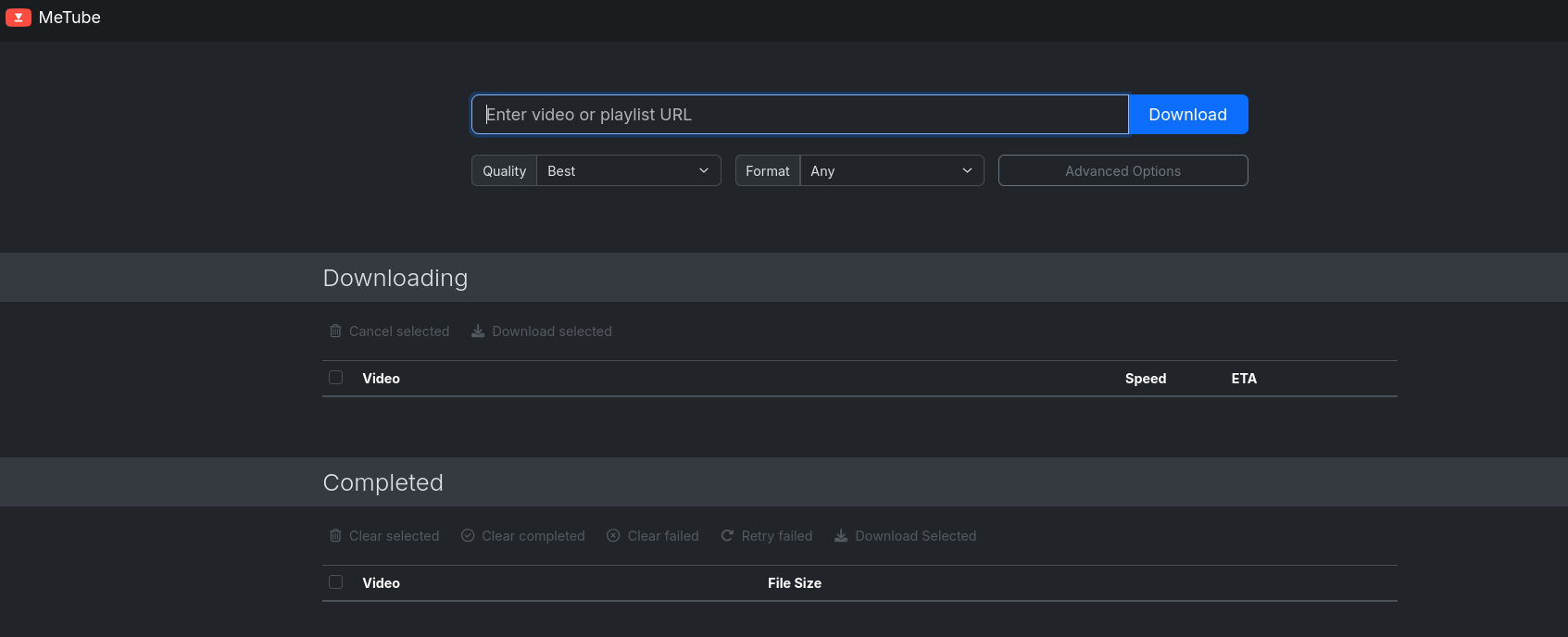
These dont take much space:
docker ps -s --format "table {{.Names}}\t{{.Image}}\t{{.Size}}"
#docker system df -v
But some of your folders might be huge: like… if you used UmbrelOS via container to sync the full BTC chain with ~837GB and 929k blocks as of today
#sudo du -h --max-depth=2 /mnt/data1tb/umbrel/app-data/bitcoin | sort -hr
du -sh .
#sudo apt install ncdu -y
sudo ncdu .
sudo ncdu /mnt/data2tb/testftp
# Using ncdu
ncdu --exclude /mnt/data2tb/Z_BackUP_HD-SDD /mnt/data2tb
# Using standard du (if ncdu is not installed)
sudo du -h --max-depth=1 /mnt/data2tb --exclude="/mnt/data2tb/PATH_TO_EXCLUDE" | sort -hrSee:
iostat -xz 1 5
#sudo iotop -o #show processes using the disk
Even more, after connecting these 2: 192.168.1.2:6011

Try searching for: 1337x, The Pirate Bay, LimeTorrents, or EZTV.
This can be a good test of your internet speed: Im getting ~60mb/s

Just go to 192.168.1.2:8081…
If you are creating your own (AI) music…
Since both Navidrome and Gonic share the Subsonic API (and the newer OpenSubsonic standard), any Subsonic-compatible client will work with them.
#sudo chown -R 1000:1000 /home/jalcocert/Home-Lab/navidrome/data
sudo docker compose -f ./z-homelab-setup/evolution/2602_docker-compose.yml up -d navidrome
sudo docker compose -f ./z-homelab-setup/evolution/2602_docker-compose.yml logs -f navidrome##sudo apt install appimagelauncher
#https://github.com/jeffvli/feishin
#https://github.com/jeffvli/feishin/releases
wget -P ~/Applications https://github.com/jeffvli/feishin/releases/download/v1.4.2/Feishin-linux-x86_64.AppImage
#sonixd
#winget install sonixd
#wget -P ~/Applications https://github.com/jeffvli/sonixd/releases/download/v0.15.5/Sonixd-0.15.5-linux-x86_64.AppImage
#See also Euphonica: https://github.com/htkhiem/euphonica
#flatpak install https://dl.flathub.org/repo/appstream/io.github.htkhiem.Euphonica.flatpakrefYou can play from navidrome itself, or with Feishin Desktop, or…UltraSonic on Android, amperify on iOS.
For desktop: Aonsoku
See also https://github.com/betsha1830/navispot to Export Spotify playlists to Navidrome.
Server Maintainance
Im thinking to use one instance of PGsql with all the services for now and just change the db name used.
For now, im doing some clean up:
docker images --format "table {{.Repository}}\t{{.Tag}}\t{{.Size}}" | (read -r; printf "%s\n" "$REPLY"; sort -hk 3 -r)
#sudo docker system df
docker stop node portainer mermaidjs-openai-editor listmonk_app listmonk_db traefik sftpgo-sftpgo-1 kreuzberg botpress-botpress-1 n8ncesar n8ncesar-db-1 n8ntest n8ntest-db-1 n8n-n8n-1 freshrss docker-flowise-1 moirealestate-flaskcms n8n-db-1 node portainer
#docker rm node portainer mermaidjs-openai-editor listmonk_app listmonk_db traefik sftpgo-sftpgo-1 kreuzberg botpress-botpress-1 n8ncesar n8ncesar-db-1 n8ntest n8ntest-db-1 n8n-n8n-1 freshrss docker-flowise-1 moirealestate-flaskcms n8n-db-1
sudo docker image prune -aHave somebody spam in my commento instance?
docker exec -it commento_db-foss psql -U commento -d commento
#SELECT * FROM comments;
#SELECT creationdate, markdown FROM comments ORDER BY creationdate DESC LIMIT 2;
How is the uptime looking?
#sudo docker compose -f ./z-homelab-setup/evolution/2601_docker-compose.yml up -d uptimekuma

docker ps -a | grep -i uptimekuma
#sudo docker stats uptimekuma
uv run scripts/bulk_add_monitors.py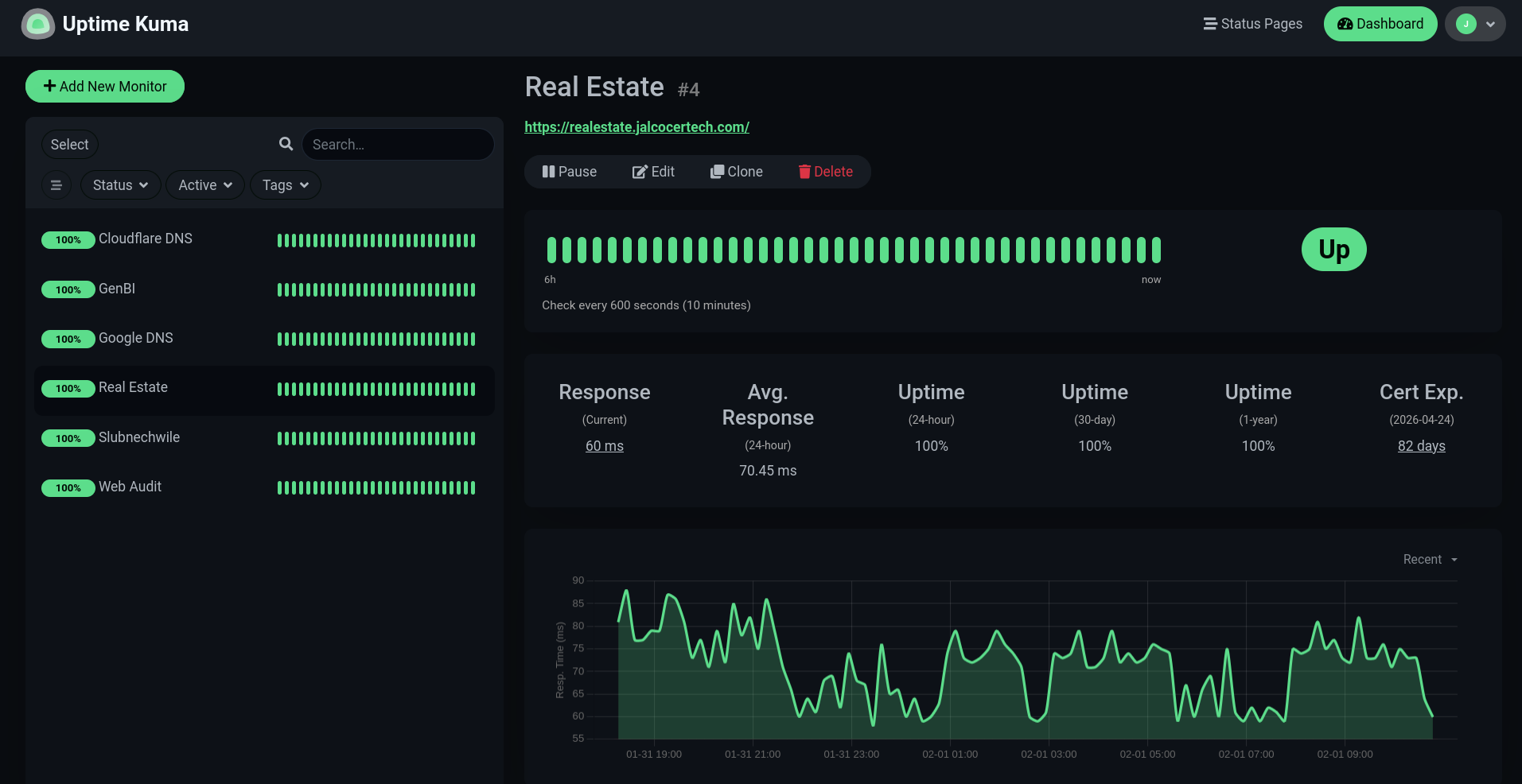
Any…unconnected disk?
lsblk
#lsblk -f
sudo mount -t exfat /dev/nvme0n1p1 /mnt/data2tb
#echo 'UUID=a123-567b /mnt/data2tb exfat defaults,uid=1000,gid=1000,umask=000 0 0' | sudo tee -a /etc/fstab
sudo apt update && sudo apt install ncdu -y
sudo ncdu /mnt/data2tbFAQ
Setup Containers
New to all this?
 Consulting Services
 DIY via ebooks
A Quick Container setup guide
Or just get ready for SelfHosting:
How to Back Up my Server?
Duplicati to other location (HD / Mega, One drive, s3…)
You can also try with Python Venvs or Conda: