We/Books so that you DIY
Tl;DR
By the end of this year, I will have created a web/ook platform to share the learnings along the years.
As I dont expect people to have the patience to get any value by reading from these 300+ posts - Im destilling that into 20/30 pages ebooks.
The aim is to enhance the DIY offer, for people that are not ready for the DWY one.
+++ Custom chatbot QnA for registered users over the web/ooks
Intro
This post is going to be evolving along 2026.
So consider it a WIP until the year has ended - or AI took over civilization :)
Its Kind of new, because I created the repo on this post, based on the 2025 path :)
The content of the n ebooks will be modified across the year as I distill it from this blog/docs
I saw this post coming up next and inmediately thought that I should put at some point an IoT related ebook after this.
Specially after the learnings of the Obfuscator project, where I merged the source code of serving an ebook via FastAPI to the one of rendering the PDF via R.
The idea is to use this to consolidate Docs - web/ooks, case studies and slidev ptts.
Creating the N ebooks repo… 🚀
I thought I would create it here, but no:
git init && git add . && git commit -m "Initial commit: Starting N ebooks DIY" && gh repo create 1ton-ebooks --private --source=. --remote=origin --pushWith this brd, these clarifications and these development plan
Last year I tinkered around tiers of services / offers and created:
- https://diy.jalcocertech.com/ created here
- https://consulting.jalcocertech.com created here with that trol slider
- Now: I got a better one that consolidates my blog/notes as a result of this post you are reading :)
And the ebooks are supposed to help me with the DIY tier.
Expect ,n’ to be: these content driven ebooks from the repo
- Webpage creator: Because you can own your brand. You can DIY btw
- Homelabs/Servers: I started this ebook because everything has potential failures
- IoT: This is the one I want to put together as I write this post :)
- D&A…
This time, adding more languages for the ebooks is on the table. Locale i18n!
And no download option, for now you have to come to me for reading.
In the end of the day, its been already 170+ posts in the last 12 months (totally unexpected).
So a distilled version with less noise, less chaos and more ordered for others to get value from.
I need more of: din din din though
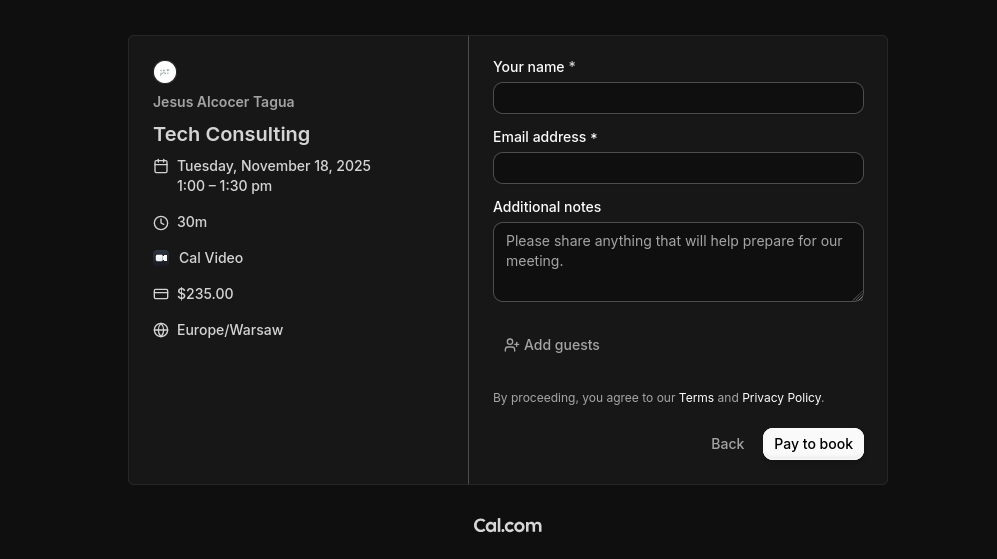
Thinking about this…ive been writing for a while (quite intensively last year) and this have become some kind of a habit and…a ~ lead nurture in a way.
With this post (and year), my goal is to recap and distilled all this experience into 20/30max pages ebooks that anyone can benefit from.
And yes, this is going to help shapping a lead magnet for my next product.
The launch strategy: aka, focus strategy
| Element | Decision |
|---|---|
| One Avatar | Tinkerers |
| One Product | Free ebooks with valuable information to build |
| One Channel | Web only, no ads, organic |
The Tier of Service: DIY (1a - leverages on my knowledge & experience, not in actual tools Ive built, neither my time)
And been very honest: I do this to consolidate order my knowledge.
Dont really care if you will engage or not.
The customer segmentation: B2C, for anyone…like YOU
The tech stack: its mentioned on the repo, here.
The journey to create N books
I was putting some effort/thoughts to this before getting the idea for this post:
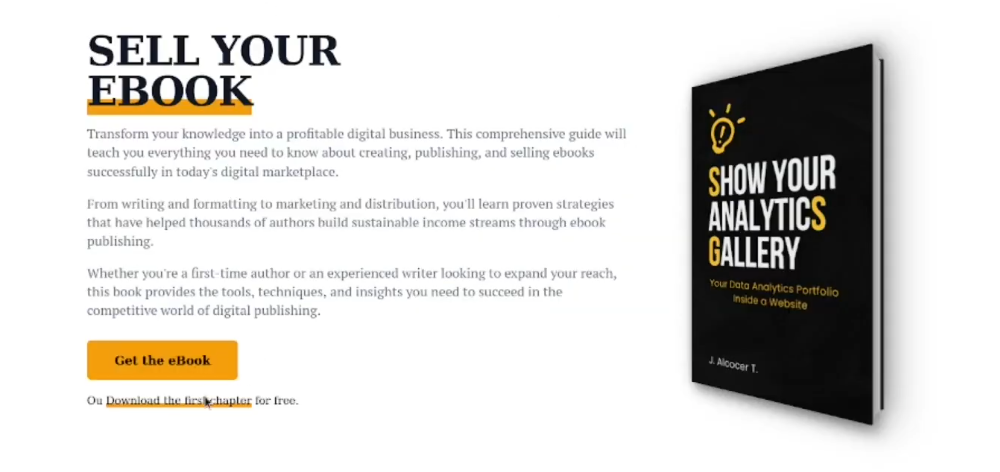
After having a custom learning journey and putting together this:
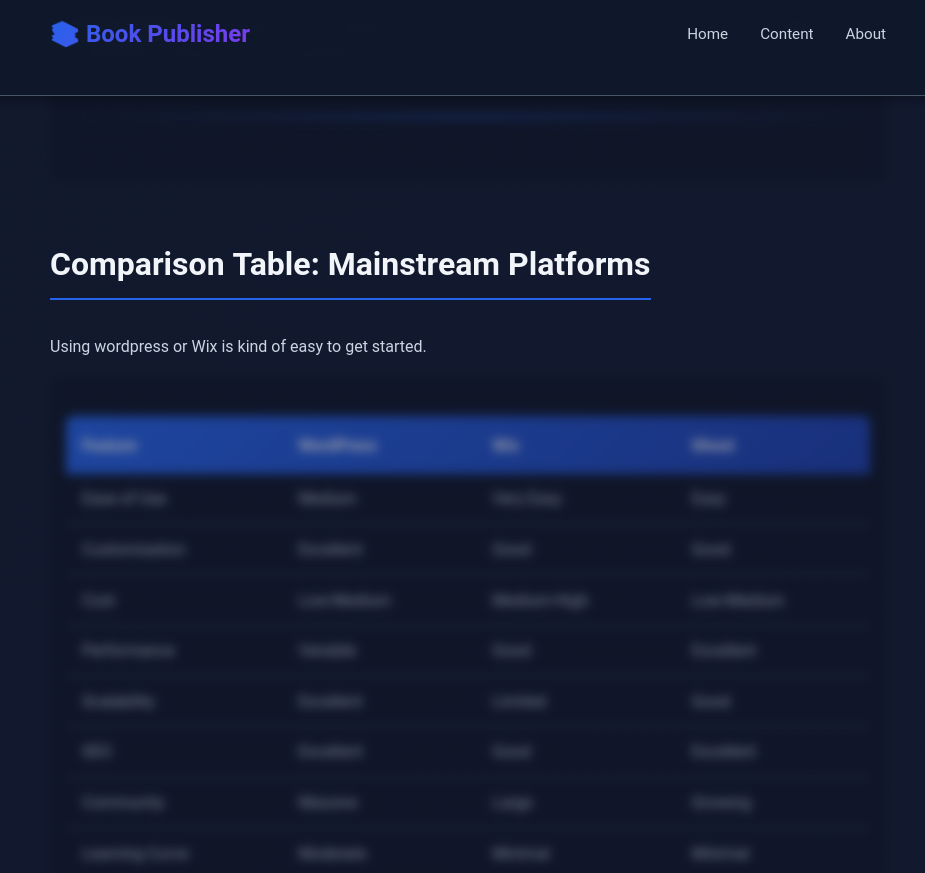 DIY Website eBook
 DIY Web eBook x Obfuscation
- https://jalcocert.github.io/JAlcocerT/whats-boostrap/#too-much-info--ebooks_ideas
- https://jalcocert.github.io/JAlcocerT/things-as-a-code/#ebooks-as-a-code
- https://jalcocert.github.io/JAlcocerT/kindle-clippings-knowledge-base/
Consumed a lot of books
Ive used the kindle a lot.
Peaking at 2023 with 20+ read books in that year.
Like Range: a book about…learning
Or never split the difference: about negotiations.
Created a lot of notes
That I almost ever looked back again.
Not to say how much I actioned upon them.
Wrote 300+ posts
Totally open posts, which anyone can fork and copy paste - GL/HF.
My learning journey, as chaotic as it gets.
Time to distill knowledge
When I have actually learnt and created some drafts/PoCs with it, noticed the need of several summaries/recaps.
I created those via posts at first: https://jalcocert.github.io/JAlcocerT/blog/
Then, as docs: https://jalcocert.github.io/JAlcocerT/docs/
How I Build my ebooks
Last year, I decided it was time to order everything, so tinkered with ebook creation in few posts and repos.
If you do on this repo:
#git clone https://github.com/JAlcocerT/JAlcocerT
find . -type f -iname "*.pdf"
You will find interesting things on this repo - Yes, some drafts!
They were create with the learnings from this post, bc code is everything.
Is just that…you have to…do it.
(Surprise)
Sucks, I know.
Went HandsOn Obfuscation
I created the first draft of an ebook on how to create your cool website via DIY - diy.jalcocertech.com
That project was done here.
But I tried more than once, with the DIY Landing Boilerplate!
Noted down couple of Themes
Like: https://github.com/JAlcocerT/astro-theme-typography or https://github.com/radishzzz/astro-theme-retypeset
As seen in the journaling section for the artists post.
And when i tinkered with wysiwyg editors here
Decap x Typography x N ebooks
What if launching ebooks was all about writing via DecapCMS?
Because the landing part is so much clear.
But the CMS part has let me down in few occasions.
Like recently for eayp.
So from now: no more integrations with existing CMS :)
Having said all this…Lets create sth
Building N ebooks for a web/ook
For now, this is all going to be content from…surprise, surprise: this blog!
I need to structure the offering though.
And the result of this post: ebooks.jalcocertech.com

is helping me a lot to define what me free tier / diy is.
And hey, is much better looking than the diy one (and simpler to maintain)
No obfuscation though, but deployed statically to
https://dash.cloudflare.com/login
Most likely, will be around: 1 free, give email for the rest, boilerplate x1 time paid and available at boilerplate.jalcocertech.com
Create WebApps like a PRO with this boilerplate for Agents 📌
#git init && git add . && git commit -m "Initial commit: Starting BoilerPlate" && gh repo create Astro-Vercel-SDK-AI-Chatbot --private --source=. --remote=origin --pushflowchart LR
%% --- Styles ---
classDef free fill:#E8F5E9,stroke:#2E7D32,stroke-width:2px,color:#1B5E20;
classDef low fill:#FFF9C4,stroke:#FBC02D,stroke-width:2px,color:#F57F17;
classDef mid fill:#FFE0B2,stroke:#F57C00,stroke-width:2px,color:#E65100;
classDef high fill:#FFCDD2,stroke:#C62828,stroke-width:2px,color:#B71C1C;
%% --- Nodes ---
L1("Free Content
(Blog/YT $0)"):::free
L2("DIY
(Templates / Platform) $"):::low
L3("Done With You
(Consulting) $$"):::mid
L4("Done For You
(Services) $$$"):::high
%% --- Connections ---
L1 --> L2
L2 --> L3
L3 --> L4The DIY Web ebook
AI is much better at code than it is to drag-n-drop.
We got proof of that from ppts and diagrams
So if you know which tools to ask for, you get much better results.
But hey, if you want to still spend a weekend to get a crappy looking wordpress - feel free to do so.
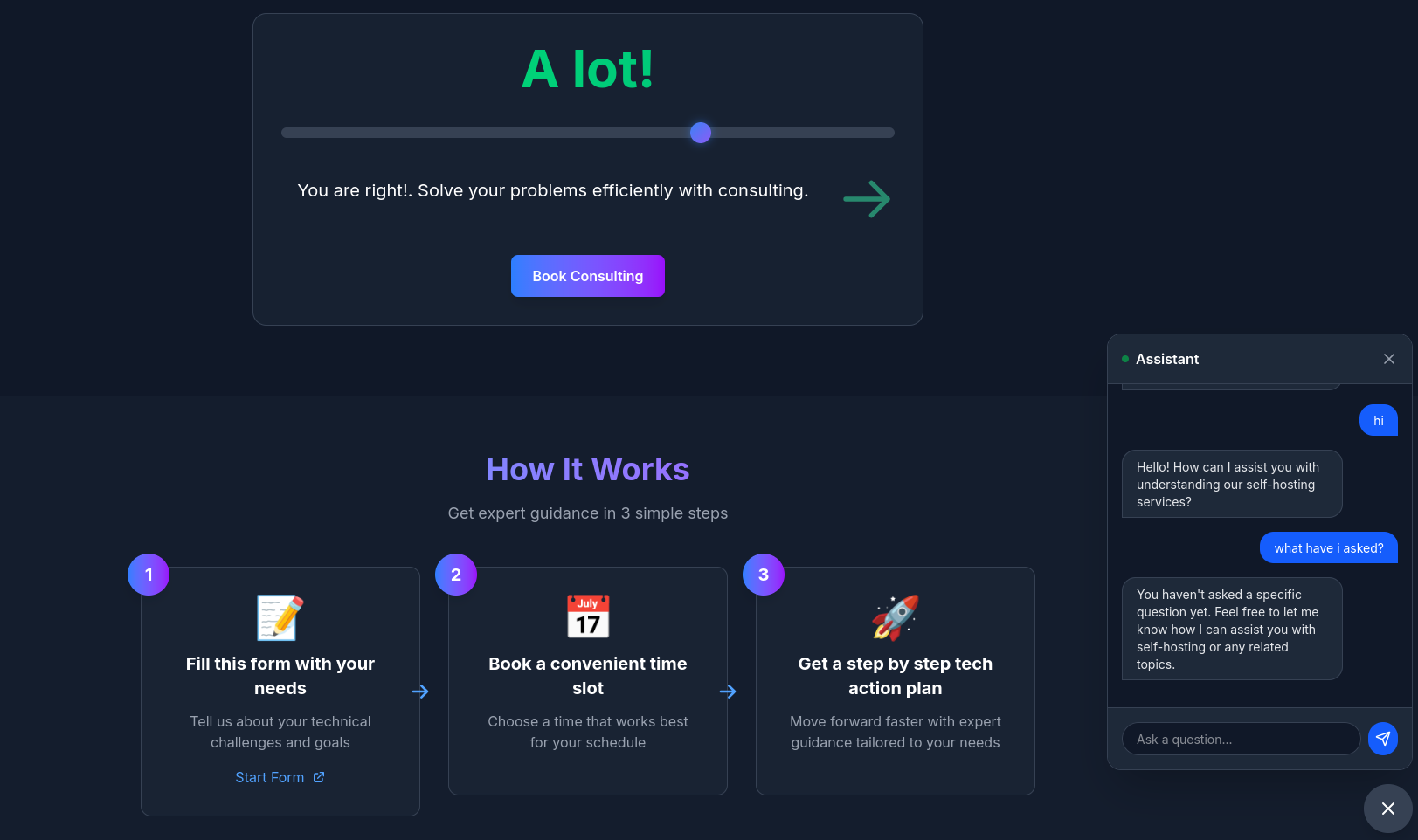 SelfHosted Landing RepoDIY webs via webook
Whats included and What’s coming next?
Servers: As in…get a homelab configured and working.
BiP: See… Z_ebooks/BiP-ebook.md to get an idea.
Conclusions
Im aware that 2026 might not be the year of info-products to bloom.
Specially if you havent worked your brand yet, neither want to pay ads.
But I wanted to put this together to have a better structured ,passive’ service offering.
Passive meaning: ive put the effort to help the N people that want my help, yet are not aware of opportunity costs.
So, this is it for now.
From blogs, to docs, to knowledge in ebooks / webooks - Done ✅
git clone https://github.com/JAlcocerT/1ton-ebooks.git
#make help
#make docker build && make docker-up
make docker-prod-up
With that sweet 1tonebooksprod:3000, aka http://192.168.1.2:3099 configuration on my server.
A better structured ,passive’ service offering.
These are deployed at: the boilerplate will have a one time fee btw
- https://ebooks.jalcocertech.com - If you have some idea and dont know how to start creating it, this is for you
- https://boilerplate.jalcocertech.com - If you are creating and want to do it faster, this is for you
This has been possible thanks to perplexity and notebookllm, together with a huge txt file of kindle notes I have: collected initially at
What could it be next from here?
A Chatbot for Registered ones to do QnA
The problem when you havent started building is that you dont know what you need.
That’s why I have created a custom chatbot for registered users to do QnA over the content of the ebooks.
Something like…what the claude code docs are having.
Also the BAML docs: https://docs.boundaryml.com/home
Ill consider those examples as a reference in the future
AI Chatbots as an Alternatives to:
KB Ive added so far
- The D&A ebooks: the tech centered, and the business centered
- The web one - Going from the diy version stored here, to the new one here.

flowchart LR
    %% --- Styles ---
    classDef bronze fill:#EFEBE9,stroke:#8D6E63,stroke-width:3px,color:#3E2723;
    classDef silver fill:#ECEFF1,stroke:#78909C,stroke-width:3px,color:#263238;
    classDef gold fill:#FFFDE7,stroke:#FBC02D,stroke-width:3px,color:#F57F17;

    %% Tool Styles
    classDef storage fill:#cfd8dc,stroke:#37474F,stroke-width:2px,color:#37474F;
    classDef format fill:#b2dfdb,stroke:#00695c,stroke-width:2px,color:#004D40;
    classDef quality fill:#ffecb3,stroke:#ff6f00,stroke-width:2px,stroke-dasharray: 5 5,color:#BF360C;
    classDef code fill:#e1bee7,stroke:#4a148c,stroke-width:1px,stroke-dasharray: 2 2,color:#4a148c;

    %% ================= Physical Foundation =================
    subgraph PhysicalLayer [The Physical Foundation]
        S3[("S3 / Minio
(Object Storage)")]:::storage
    end

    %% ================= Table Format & Catalog Layer =================
    %% This layer sits conceptually *between* physical files and the logical layers
    subgraph ManagementLayer [Table Management & Catalog]
        Iceberg("Apache Iceberg
(Table Format / ACID)"):::format
        Nessie("Nessie
(Data Git / Catalog)"):::format
        Iceberg -.->|Managed by| Nessie
        S3 --- Iceberg
    end


    %% ================= Logical Medallion Flow =================
    subgraph Lakehouse [Logical Data Flow]
        direction TB

        Source[Raw Data Sources]

        %% --- Ingestion Pipeline ---
        subgraph Ingest [ETL: Ingestion]
            Pydantic1[("Pydantic
(Schema define)")]:::code
        end

        %% --- Bronze Layer ---
        Bronze[("BRONZE Layer
(Raw Iceberg Tables)")]:::bronze

        %% --- Processing Pipeline 1 ---
        subgraph Process1 [ETL: Cleaning]
            GX1[("Great Expectations
(Quality Gate: Null checks, types)")]:::quality
        end

        %% --- Silver Layer ---
        Silver[("SILVER Layer
(Enriched Iceberg Tables)")]:::silver

        %% --- Processing Pipeline 2 ---
        subgraph Process2 [ETL: Aggregation]
            GX2[("Great Expectations
(Quality Gate: Business Rules)")]:::quality
        end

        %% --- Gold Layer ---
        Gold[("GOLD Layer
(Aggregated Iceberg Tables)")]:::gold

        %% --- The Connections ---
        Source --> Pydantic1 --> Bronze
        Bronze --> GX1 --> Silver
        Silver --> GX2 --> Gold
    end

    %% Mapping Logical to Physical/Management
    %% The logical layers ARE Iceberg tables sitting on S3
    Bronze -.-> Iceberg
    Silver -.-> Iceberg
    Gold -.-> Iceberg
If you’d need, you can always reach out:
People Shipping ebooks
- Fantastic landing page with a form, a way to get a goodie once you put an email, a product recommendation as per a form results and success stories (with video and photos)
https://czasnatwojruch.pl/
Outro
Creating a portfolio as a development, design or tech professional is a journey punctuated by complex choices.
One of the most prevalent of these dilemmas lies in the delicate balance between striving for perfection and the need to launch quickly.
Explore with me the nuances of these contradictory perspectives.
The aspiration to perfection: an unattainable ideal?
The traditional vision of artistic creation encourages us to pursue perfection from the outset.
Every line of code, every element of design should converge towards absolute excellence.
However, this dream of perfection can sometimes become a burden, a brake on progress.
The relentless quest for perfection can paralyze the creative process, turning creation into an endless pursuit.
The Perfectionism Trap: when the best becomes the enemy of the good
Perfectionism can turn into a subtle trap. Waiting for every detail to be impeccable can delay your portfolio indefinitely.
This prolonged stalling can have implications for professional credibility, as the market often demands a fast, dynamic online presence.
The bold proposal to launch quickly: iterate rather than perfect
The idea of launching quickly, even if the portfolio doesn’t reach an immediate level of perfection, offers an alternative perspective.
It’s about recognizing that each iteration can be an improvement on the previous one.
This approach encourages a constant iteration mentality, where each version becomes a learning opportunity.
Speed as a means of learning: create by doing
Launching quickly thus becomes a means of learning.
Speed doesn’t mean compromising on quality, but rather accepting that perfection may initially be unattainable.
It’s an invitation to learn by doing, to use each version of the portfolio as a testing ground.
The crucial importance of time: time efficiency and judicious management
Time plays a crucial role in this debate. Time efficiency, underlined by the perspective of speed, becomes an essential skill.
Judicious time management is the key to maintaining momentum without compromising quality.
Consciously choosing where to invest one’s time becomes a strategic act.
Total control vs. flexibility: navigating between the two extremes
Total control of the creative process offers a sense of autonomy and empowerment.
However, it is vital not to confuse control with rigidity.
Being open to market developments and new trends is just as essential as personal control.
It’s a delicate balance between autonomy and adaptability.
The delicate balance: a continuous journey of discovery and adaptation
Ultimately, portfolio creation is an ongoing journey. It’s navigating this paradox with intention.
It’s finding a balance between the quest for excellence and the need to move quickly, knowing that each iteration is a progression towards an improved version of yourself.
To create a portfolio is to embrace the paradox, to consciously choose between perfection and speed, and to accept that the path to excellence is a journey rather than a destination.
From SaaS to LifeTime Products
Some of the first people on doing SaaS are coming back to the product way of selling (pay once, own forever).
Im talking about: https://once.com/writebook
Info products and one time payment artifacts are a thing today.
https://github.com/mrwyndham/pocketbase-stripehttps://www.fastpocket.dev/pricing
Also
With life time access
Pay me to save you time, kind of a mix of ~DIY/DWY/DFY in a package
But leaning towards enhanced DIY with my expertise kind of thing
Doing > Watching
You might be tempted to fall into the learning trap.
Learning, batches, small dopamine spikes and…no real output.
To get those you can go to https://www.classcentral.com/ or datacamp without a particular aim.
And learning bc the sake of it - its fantastic on its own.
But if you want to build something - just learn what you need to accomplish it.
This is why Im launching my first lifetime product - A boiler plate for creators to ship asap.
Not going to lie: ive got inspired by https://supersaas.dev/ and https://shipfa.st/?ref=indiepage and https://readmake.com/
Interesting Resources
Read the Best 100 Books Over and Over Again
Many claim to read, but very few understand
FAQ
There are Similar python projects like https://github.com/denizsafak/abogen
Abogen is a powerful text-to-speech conversion tool that makes it easy to turn ePub, PDF, text or markdown files into high-quality audio with matching subtitles in seconds. Use it for audiobooks, voiceovers for Instagram, YouTube, TikTok, or any project that needs natural-sounding text-to-speech, using Kokoro-82M.