[JAlcocerTech] Services Recap
Tl;DR
The last piece to combince me that this is enough.
Intro
After the post-wedding thoughts, it was time to make this clear.
Specially that im leveraging outreach
The services
The flow, from the ones who prefer to trade time for knowledge:
flowchart LR
    %% --- Styles ---
    classDef free fill:#E8F5E9,stroke:#2E7D32,stroke-width:2px,color:#1B5E20;
    classDef low fill:#FFF9C4,stroke:#FBC02D,stroke-width:2px,color:#FBC02D;
    classDef mid fill:#FFE0B2,stroke:#F57C00,stroke-width:2px,color:#F57C00;
    classDef high fill:#FFCDD2,stroke:#C62828,stroke-width:2px,color:#C62828;
    classDef bridge fill:#E3F2FD,stroke:#1565C0,stroke-width:3px,color:#0D47A1;

    %% --- Nodes ---
    L0("Free Content
( DIY = $0)"):::free
    L1("Web Audits 🛡️
(Reveals Problem )"):::free
    L11("Tech Blog/Youtube"):::free
    L12("ebooks"):::free
    L13("mbsd framework OSS"):::free
    L14("OSS guides"):::free

    L3("Done With You
(Trade $$ for knowledge)"):::mid
    L4("Done For You
(Trade $$$ for outcomes)"):::high
    L44("GenBI
Shopify PoC"):::bridge
    L45("Real Estate
Funnel Bot"):::bridge
    L46("Energy Solutions
HVAC insulation"):::bridge
    L47("IoT Solutions
Crops"):::bridge
    L48("Weddings
Photo QR"):::bridge

    %% --- Connections ---
    L0 --> L1
    L1 --> L3
    L12 -->|JAlcocerTech| L3
    L13 -->|MultiBodySystemsDynamicscom| L3
    L14 -->|FOSS Engineer| L3
    L0 --> L11
    L0 --> L12
    L0 --> L13
    L0 --> L14
    L3 --> L4
    L4 -->|Productized Service| L44
    L4 -->|Productized Service| L45
    L4 -->|Productized Service| L46
    L4 -->|Productized Service| L47
    L4 -->|Productized Service| L48
http://realestate-astro-dev:4321 for moi -> as landing http://realestate-landing-prod:4321
You bet that I needed to put something together to find clients for all those products.
The free ones
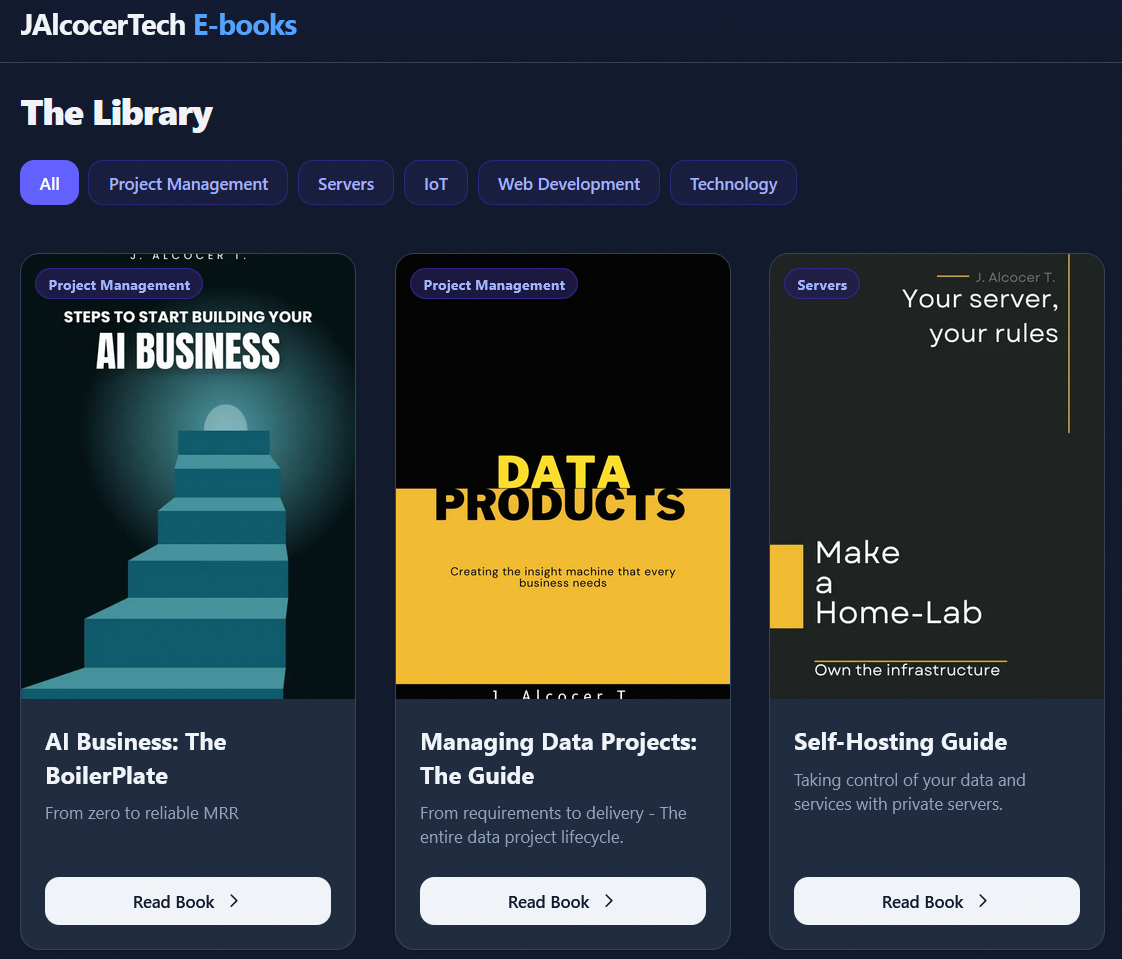
Ive consolidating the diy.jalcocertech into the ebook one.
Particularly at: https://ebooks.jalcocertech.com/books/web-diy/
Bringing the images I had in there:
JAlcocerTech Ebooks
While creating some more images via OpenAI to improve explainability:
Ive also improved the main www.jalcocertech ,done on the branch main-site-cloudflare-hub.
FOSSEngineer x HomeLab
There has been several improvements in the foss workflow:
This blog
I added agent skills to this public repository to help me improve my writting: zettel-blog-notes and blog-post-editor
It incorporates the concept of zettelkasten: one post, one topic.
A word that i got to know thanks to the files.md project
https://app.files.md/
Now I have
http://localhost:1314/notes/and skills for this :)
JAlcocerTech WebAudits
Ive done few web audits, to people I just met - With email report
Santi, this one goes for you to.
I mean, the new skill that i got:
#make docker-build
#make docker-prod-up
make docker-prod-refresh #make docker-refresh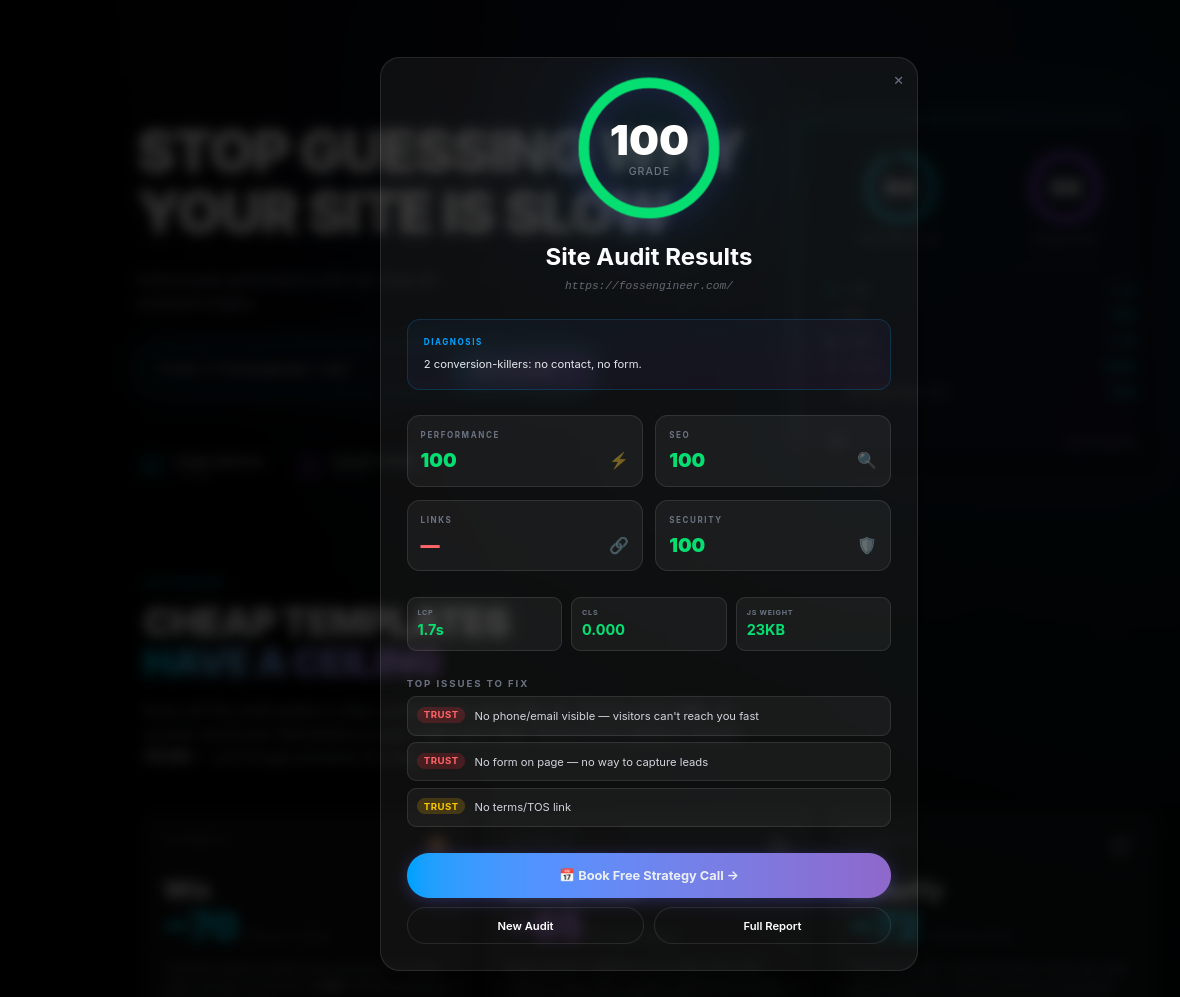
For me stays the lead contact ofc:
make pb-latest-leads
#docker exec auditmagnet-app bash -lc 'cd /app && AUDIT_REPORT_ROOT=/tmp/auditmagnet-webaudit-container ./seo-audit.sh https://webaudit.jalcocertech.com'
docker exec auditmagnet-prod bash -lc 'cd /app && AUDIT_REPORT_ROOT=/tmp/auditmagnet-selftest SKIP_LINKS=false LINK_CHECK_METHOD=lychee-docker ./audit-master.sh │ https://webaudit.jalcocertech.com'
See, for example: https://cabesota.com/
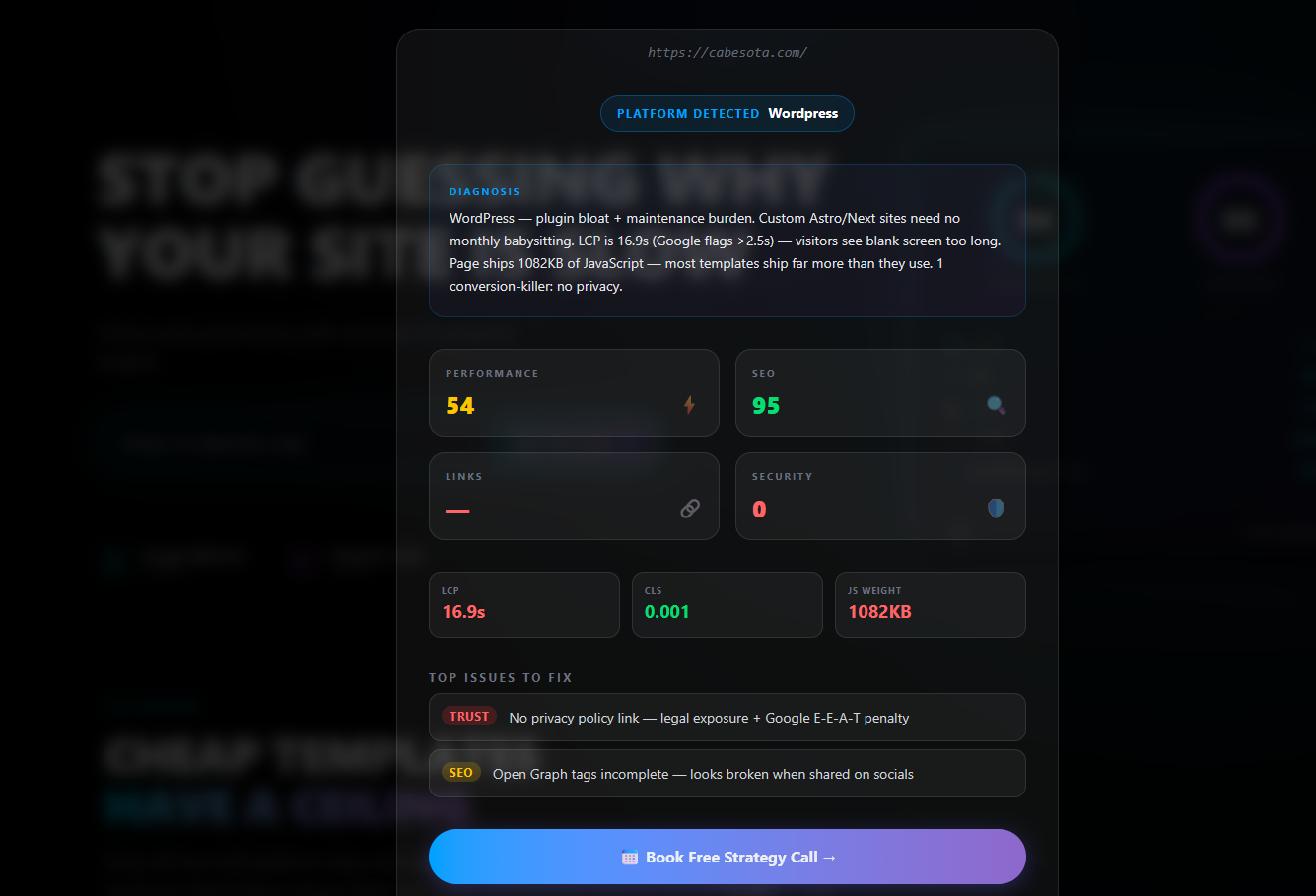
The proof that you can make (a lot of) money with a shitty landing:
See the example audit
https://genkinfy.com/#faq
make audit-full-fast URL=https://genkinfy.com/
SKIP_LINKS=false LINK_CHECK_METHOD=${LINK_CHECK_METHOD:-lychee-docker} ./audit-master.sh "https://genkinfy.com/"
╔════════════════════════════════════════════════════════════╗
║                Master Audit - Full Site Analysis           ║
╚════════════════════════════════════════════════════════════╝

Target: `https://genkinfy.com/`
Orchestration:
 - Lighthouse: ACTIVE
 - Link Check: ACTIVE
 - SEO Crawl:  ACTIVE
 - Security:   ACTIVE

Launching audit phases in parallel...
 → Lighthouse PID=419907
 → LinkCheck PID=419908
 → SEO PID=419909
 → Security PID=419910
 → Latency PID=419911
All phases finished in 32s

━━━━━━━━━━━━━━━━━━━━━━━━━━━━━━━━━━━━━━━━━━━━━━━━━━━━━━━━━━
                FINAL AUDIT RESULTS
━━━━━━━━━━━━━━━━━━━━━━━━━━━━━━━━━━━━━━━━━━━━━━━━━━━━━━━━━━

Performance:              31/100
SEO (Technical):          95/100
Link Integrity:           70/100
Security Headers:         0/100
──────────────────────────────────────────────────────────
OVERALL SITE GRADE:       45/100 ⭐

Master report saved to: ./master-reports/master-20260604-192953.jsonLINK_CHECK_TIMEOUT_SECONDS=0 make audit-full URL=https://fossengineer.com
LINK_CHECK_TIMEOUT_SECONDS=0 ./linkcheck-audit.sh https://fossengineer.com dockerFor social previews, use:
- https://www.opengraph.xyz/url/https%3A%2F%2Febooks.jalcocertech.com
https://cards-dev.twitter.com/validator(after deploy)
I also added some smoke tests to the product:
#cd ./poc_webs_magnets
make pb-smoke
make prod-smoke
make header-check
#make pb-latest-leads
Ofc, also skills:
/auditmagnet-stack
/dog-food
If you wonder, you can also use uptime kuma or kener http://192.168.1.2:3001/dashboard/6 as presented:
Codex CLI WebAudit to Report
The new web audit is deployed normally at:
But hey, if all the goodies are happening within a internal CLI and there is a .json that consolidates it all…
cant that be passed to a one time codex prompt with a skill that generates a nice one pager branded report?
using a skill?
Dont really see why not.
#git clone https://github.com/JAlcocerT/poc #/tree/main/web-audits
cd ./poc/web-audits
Productized Services
From the consulting landing, which has received improvements: Committed on landing-improvements branch
GenBI - Shopify QnA
Initially this is coming from:
Now, I have:
RevOps / GTM
This was supposed to be a collaboration.
But its just the last time im partnering for such thing.
leadarchitect.orgThe BEST - DFY
The top of the list.
My attention caring about your problems:

With some tools:
Engineering services
Couldnt resist to cold email to the founder of diode as it resonates with me
Stay tuned
Because this resonated a lot with
IoT, Crops and Energy
You name it.
it all started here:
And continued:
Im already pushing some of these as static web/apps:
npx wrangler pages project listThe final boss consolidates it all:
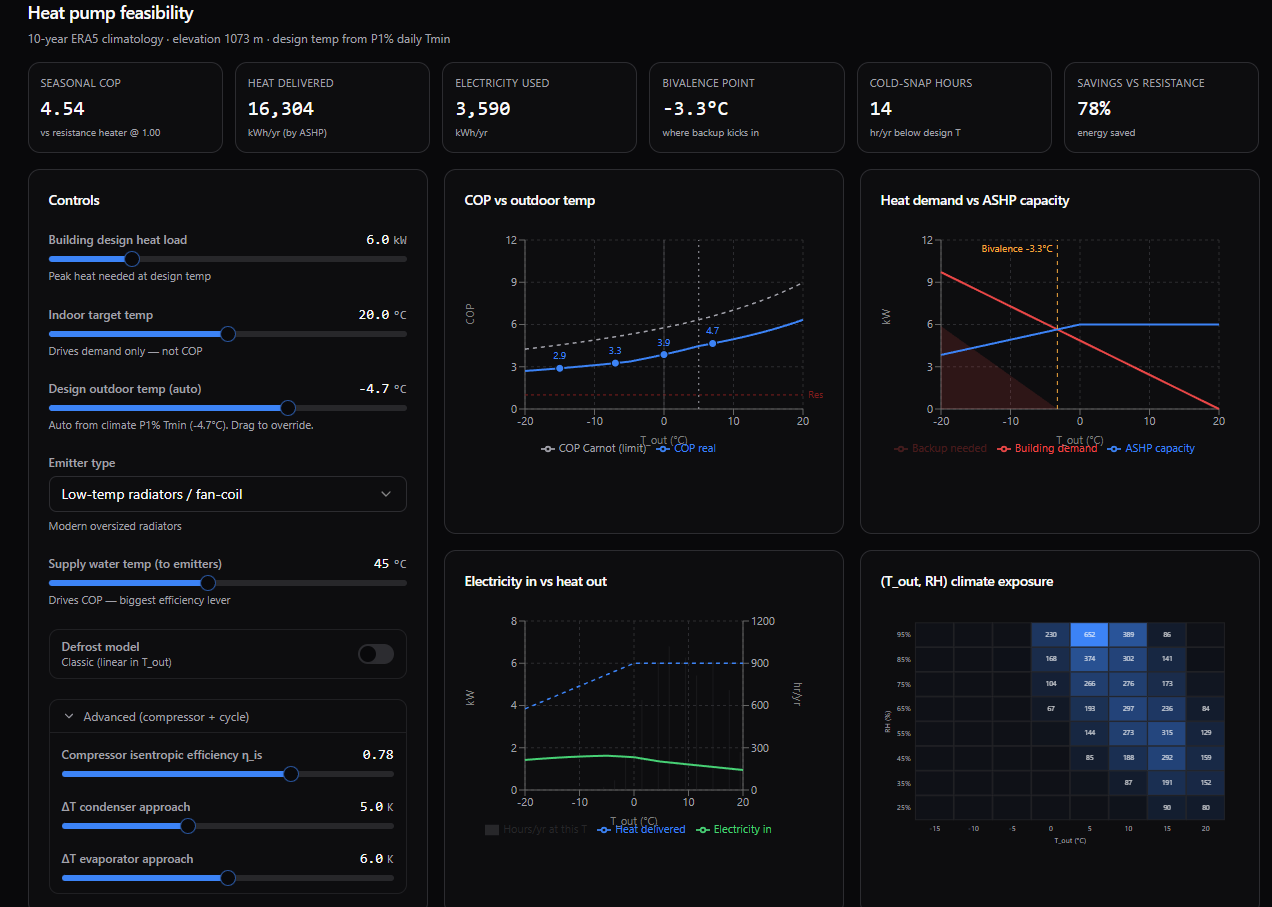
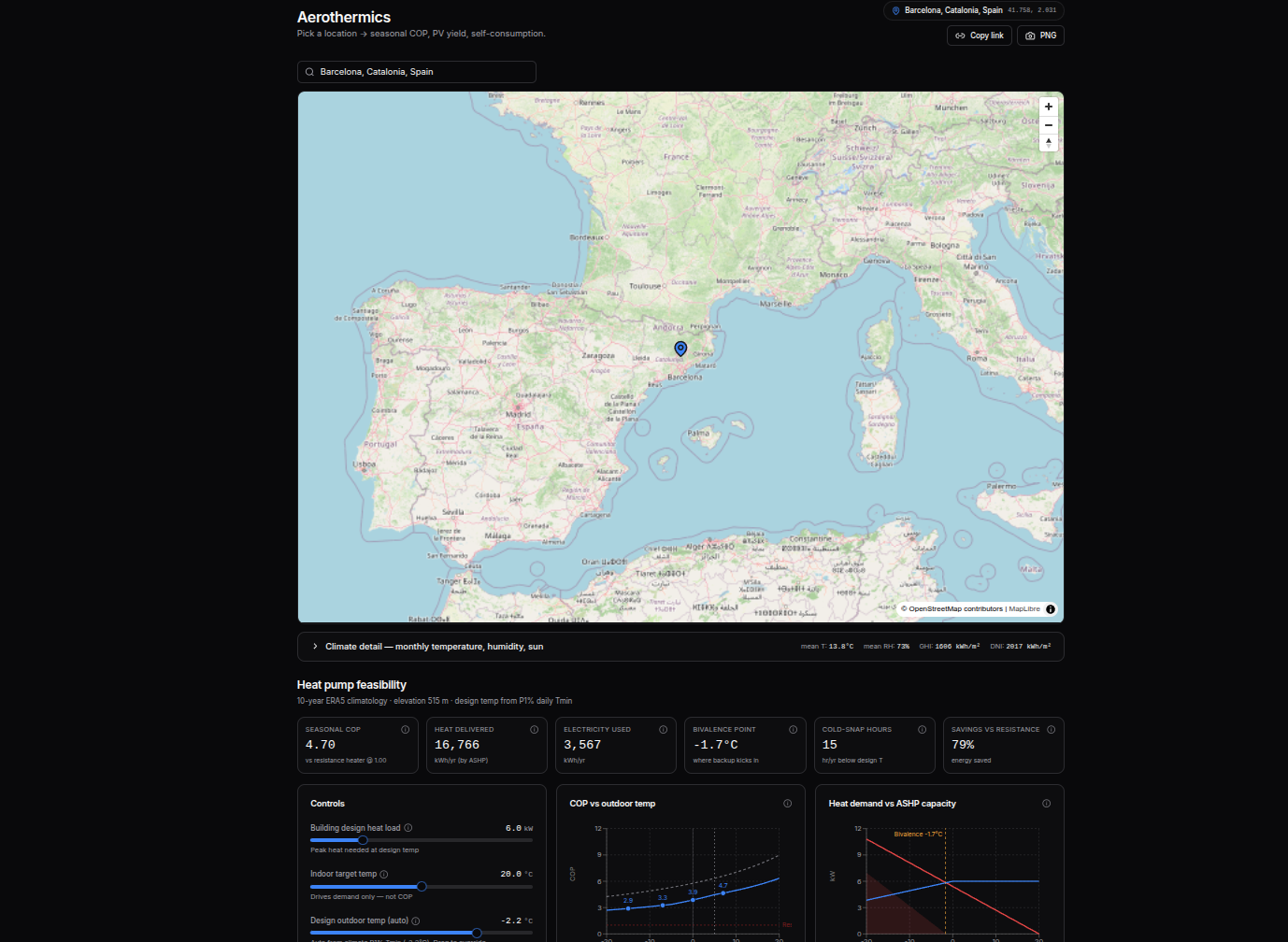
cd ./poc/aerothermics
make dev

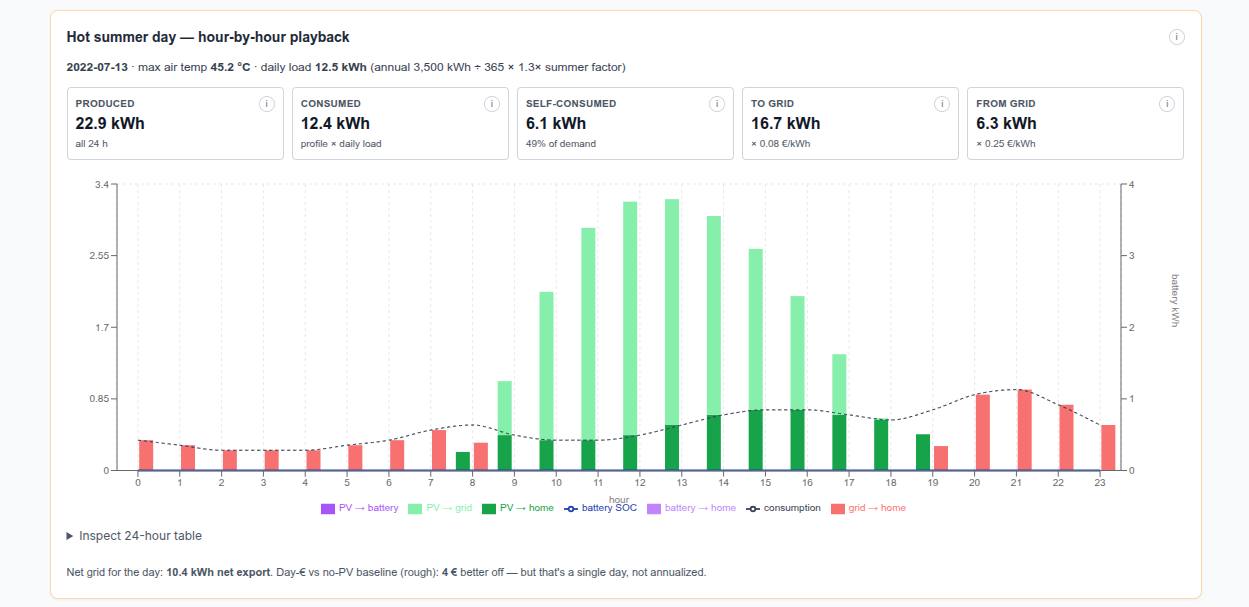
cd ./poc/go-solar
make ship
Yep, heavily inspired by my latest UI/X with trip planner: trip-planner-9lt.pages.dev
https://jalcocert.github.io/JAlcocerT/thermodynamics/
 Flask Intro
 Data Chat Repo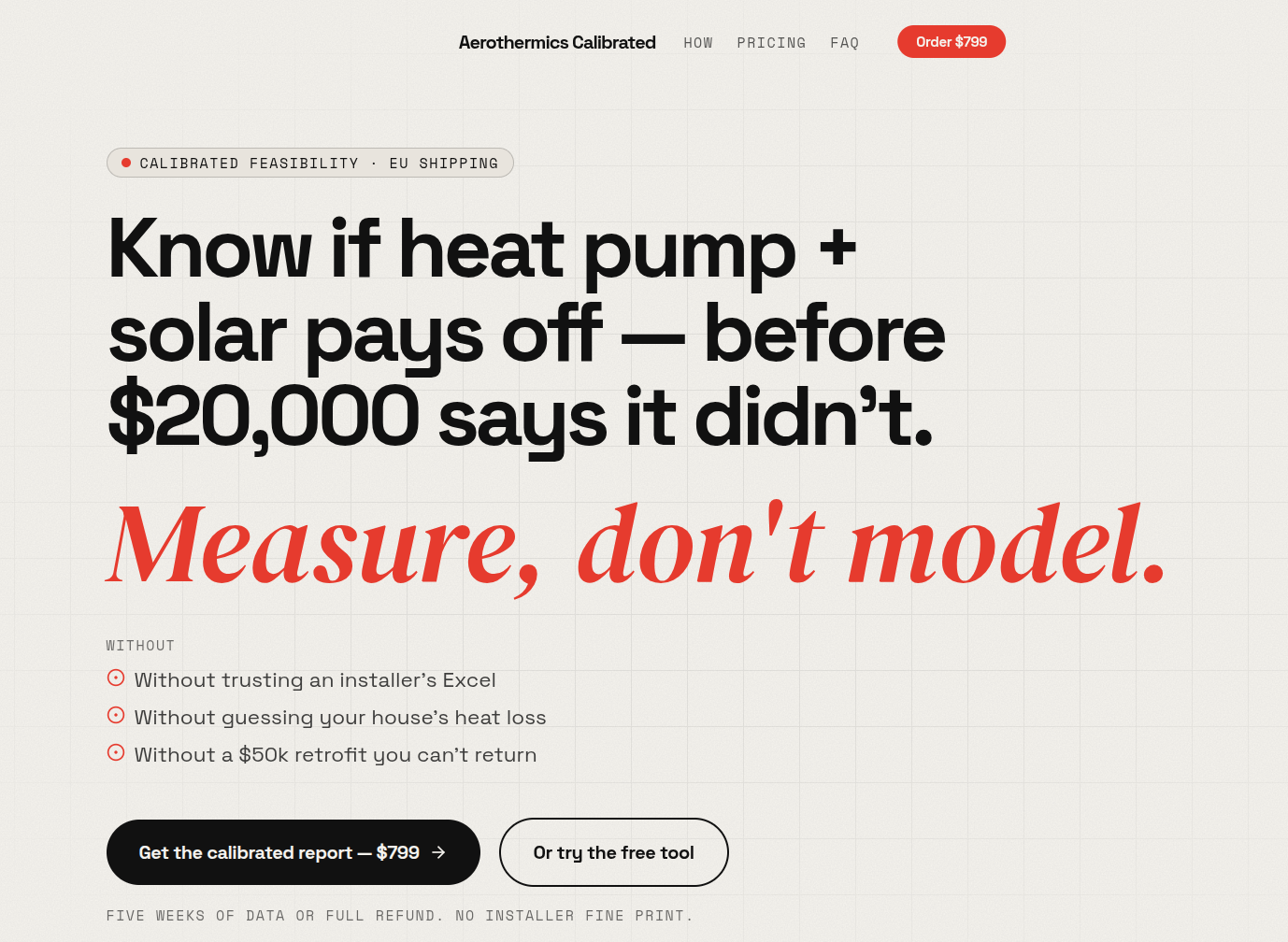
make mqtt-listen MQTT_HOST=192.168.1.2 MQTT_TOPIC='pico/#'
#  make arduino-compile
# make serial-fix PORT=/dev/ttyACM0
# make flash # make flash PORT=/dev/ttyACM0
make mqtt-listen MQTT_HOST=192.168.1.2 MQTT_TOPIC='esp32/#'
make sqlite-start MQTT_HOST=192.168.1.2
make dev-clean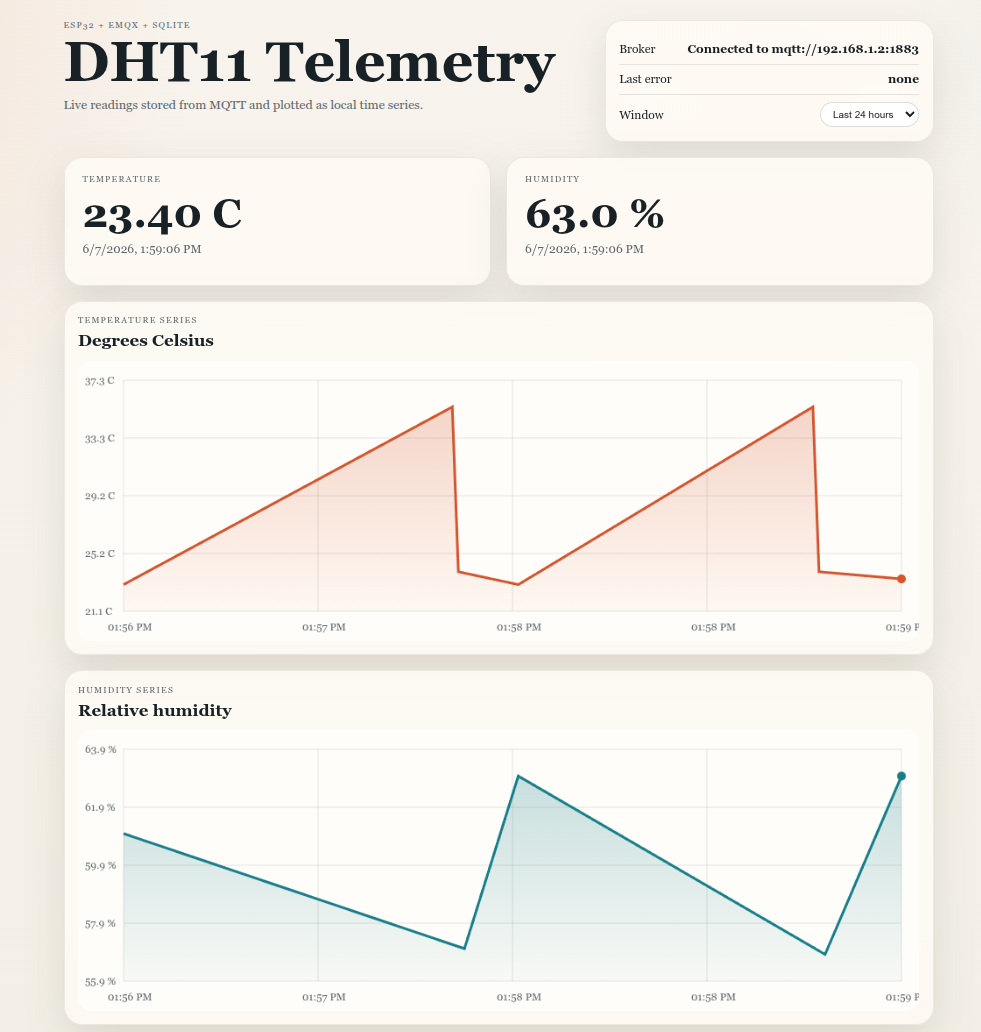
It ended up working on my x300 at http://192.168.1.2:3025/:
MQTT_HOST=192.168.1.2 make docker-up
make docker-sqlite-last10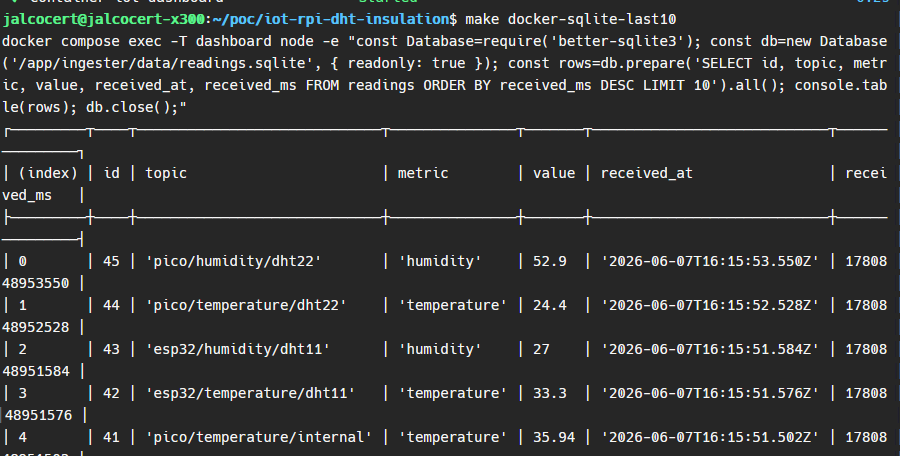
The deepsleep mode of the esp32 has been great so far for this project!
This is coming soon:
Conclusions
I cancelled https://app.fireflies.ai/notebook/all
for a custom setup aroundhttps://recorder.google.com and openAI key for S2T.
Oh, also got the dron exam ready :)
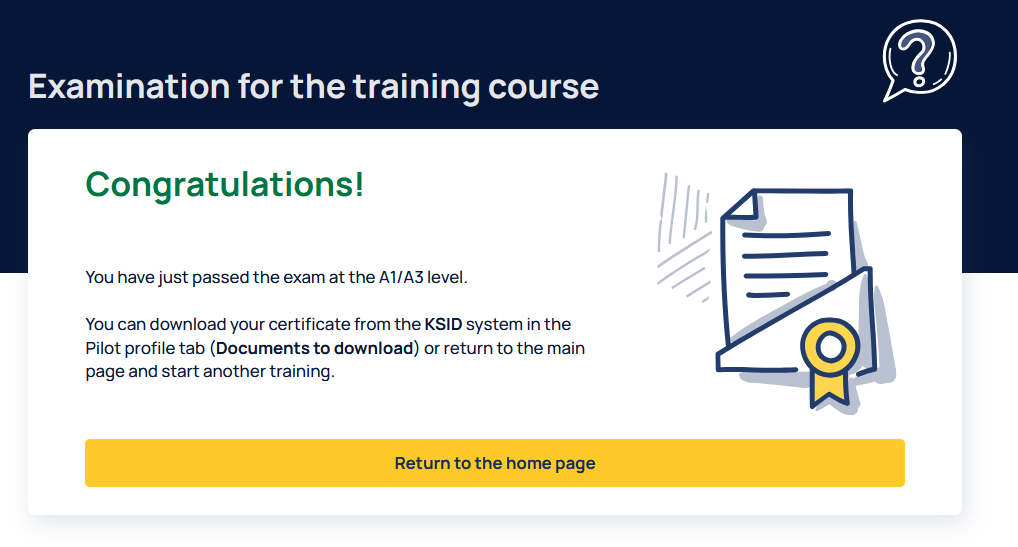
These might be interesting for you: https://uav.pansa.pl/pilot-profile
https://www.pansa.pl/dronetowerhttps://uav.pansa.pl/dashboardhttps://ulc.gov.pl/drony/informacje-ogolne/czesto-zadawane-pytania-faqhttps://ulc.gov.pl/prawo/krajowe/ustawa-prawo-lotniczehttps://e2.aviationreporting.eu/reportinghttps://ulc.gov.pl/andhttps://elearning.uav.pansa.pl/https://www.easa.europa.eu/en/domains/civil-drones/naahttps://drony.ulc.gov.pl/https://drony.gov.pl/- https://dronemap.pansa.pl/ and
checkin.pansa.plwhich is now https://drony.gov.pl/drone-tower
The oa5 weights 146g, so I can potentially build sth of ~100g to carry it - aiming for Open Category and not be over the 249g :)
Want some goodies?
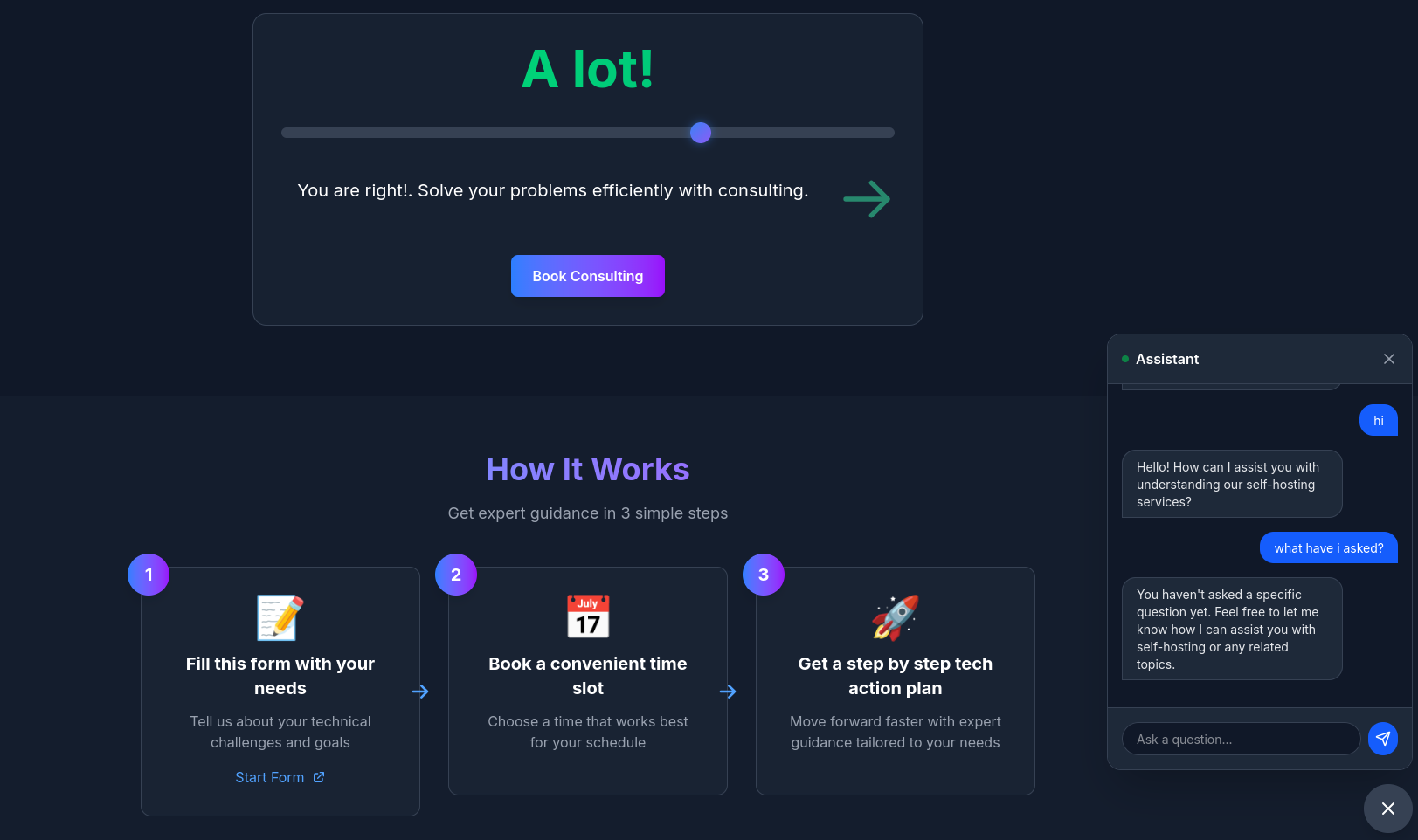 Consulting Services
 The power to DIY - via ebooks
My OutReach Setup
Coming from the email outbound setup 101 post section
I published the script here:
python3 /home/jalcocert/Home-Lab/z-dns-scripts/google_workspace_dns_check.py getslubnechwile.com
#python3 /home/jalcocert/Home-Lab/z-dns-scripts/google_workspace_dns_check.py getleadarchitect.com
I checked the DNS for getslubnechwile.com.
What’s already in place:
- NS points to Porkbun nameservers: fortaleza, maceio, curitiba, salvador.
- MX is set to 1 smtp.google.com., which matches Google Workspace’s current MX target.
- SPF is present as v=spf1 include:_spf.google.com ~all, which is the Google Workspace-only SPF value. (support.google.com (https://support.google.com/a/answer/140034?hl=en))
What is not in place yet:
- I did not find a DKIM TXT record at google._domainkey.getslubnechwile.com or default._domainkey.getslubnechwile.com.
- I did not find a DMARC TXT record at _dmarc.getslubnechwile.com.
- Google’s DKIM setup expects a TXT record under a selector._domainkey host, and DMARC expects a TXT record under _dmarc.example.com. (support.google.com (https://support.google.com/a/answer/174124?hl=en))
Verdict:
- Partially ready, not fully ready yet.
- DNS is good for Google Workspace mail routing and SPF, but you still need DKIM and DMARC before I’d call it complete.
- Google also recommends having SPF and DKIM working before enabling DMARC, and waiting up to 48 hours after SPF/DKIM changes before turning DMARC on. (support.google.com (https://support.google.com/a/answer/2466580?hl=en))
One extra note:
- There is also a Google verification TXT record present: google-site-verification=…, which is useful for Google services but is separate from Workspace mail auth.
If you want, I can give you the exact missing DKIM and DMARC records to add in Porkbun.
http://192.168.1.2:3034/explore/repos
http://192.168.1.2:3034/jalcocert/leads-slubnechwile/src/commit/c2605d3ded7244d008b17c6ecc310ff36f50ca86/zzz-hormozi-actionplan-leadarchitect.md
julita@getleadarchitect.com for https://leadarchitect.org/
Email outbound checks - Setup recap 📌
Get a domain
Get a workspace
https://workspace.google.com/
https://admin.google.com/- from here you can manage the mail user image!
Dont forget to add the DNS and check with https://mxtoolbox.com/ or with https://toolbox.googleapps.com/apps/checkmx/
http://192.168.1.2:3034/hermesagent/email-outbound-check
# source venv/bin/activate
# pip install -r requirements.txt
python email_check.py julita@getleadarchitect.com
python email_check.py any@other-domain.com --json
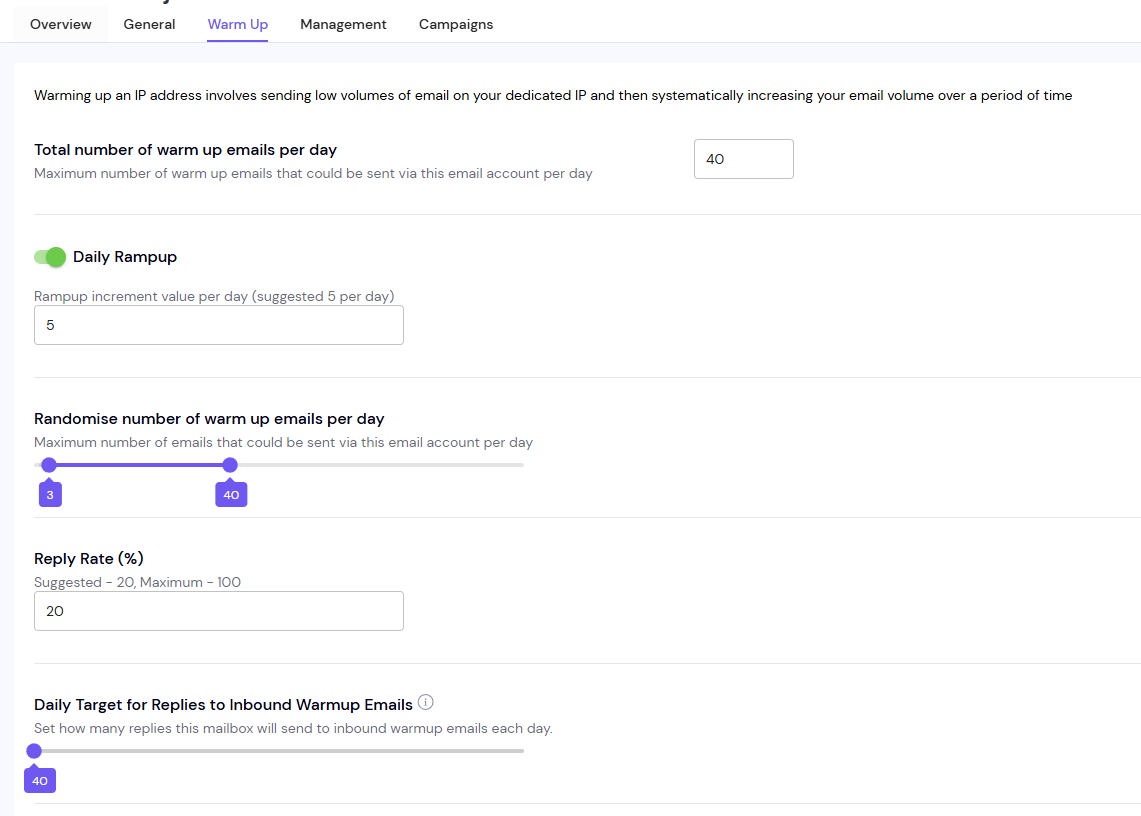
Email outbound x SmartLead 📌
https://app.smartlead.ai/sign-up
https://app.smartlead.ai/app/email-campaigns-v2
https://app.smartlead.ai/app/email-accounts/emails -> https://www.youtube.com/watch?v=jUOF5FaFbZs
will appear at https://admin.google.com/u/0/ac/owl/list?tab=configuredApps
look via the given .apps.googleusercontent.com
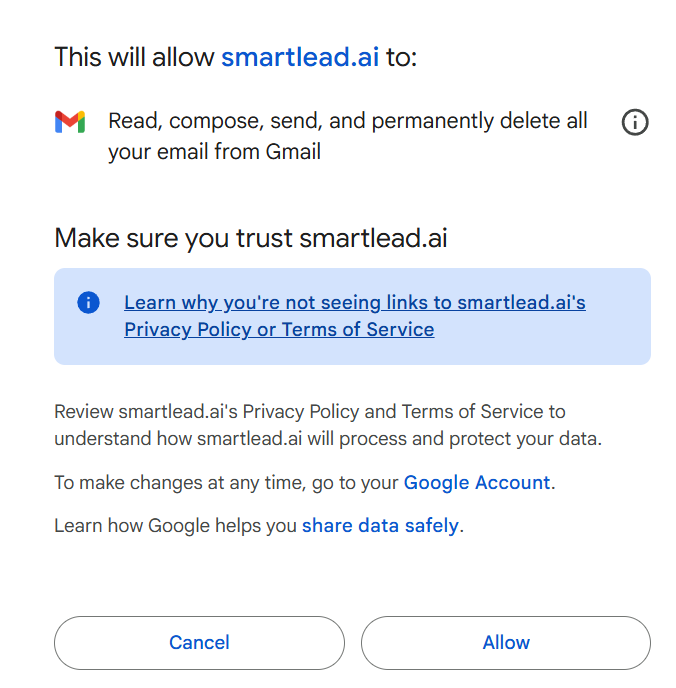
https://app.smartlead.ai/app/email-accounts/emails
https://app.smartlead.ai/app/email-account/19740710/warmup?email=julita.j@getleadarchitect.com
FAQ
Whats your current agentic setup?
Im using right now herdr > tmux to better orchestrate agents sessions and dont go crazy with deliveries waiting for my input.
#curl -fsSL https://herdr.dev/install.sh | sh
herdr #go out with ctrl + b then q
Ive tried https://chat.z.ai/, Kimi, GLM, Qwen 3.6 Plus and deepseek v4 which are well positioned at https://arena.ai/leaderboard/agent via https://opencode.ai/go
choco install opencode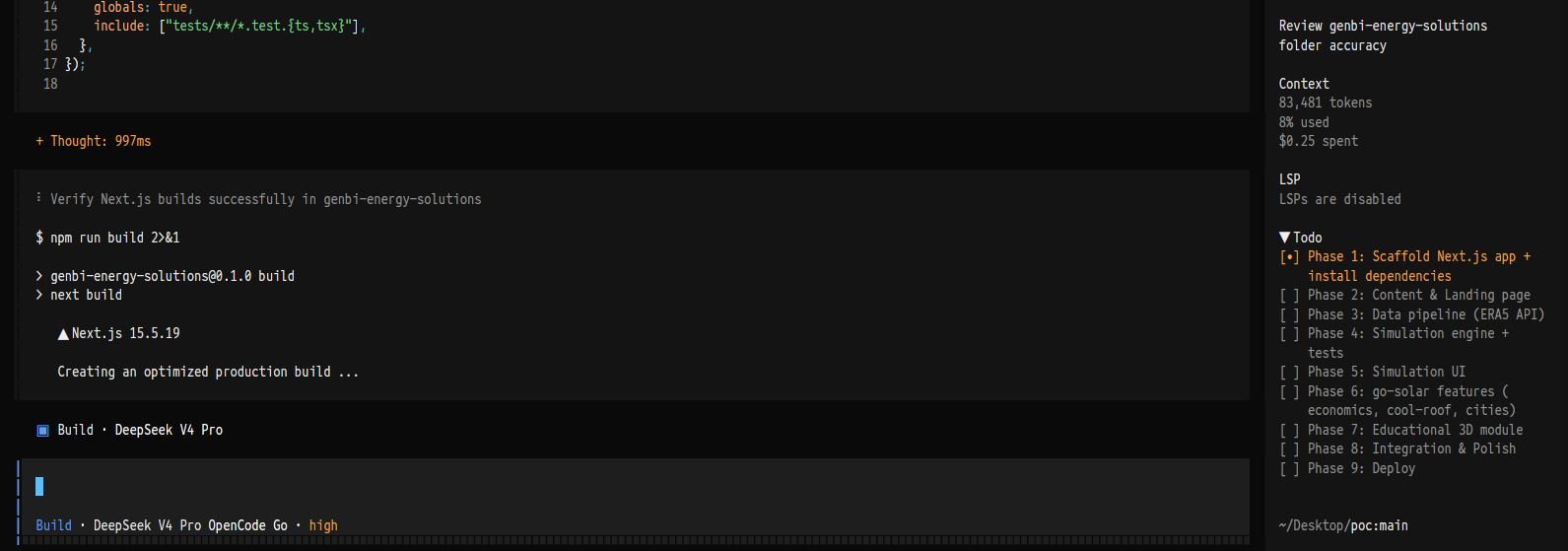
https://opencode.ai/workspace/wrk_01KTF9F2H7HR7DDPCB6CY0RDD6/go
Open Physics
Across the physics series, I have been building tinkering with this OSS stack:
Geometry / CAD / Rendering
- CadQuery - Python-first parametric CAD; your preferred agentic CAD bridge.
- OpenSCAD - simple code-based CSG CAD, good for lightweight STL-style parts.
- FreeCAD - GUI CAD, FEM workbench, STEP/IGES workflows.
- Blender - mesh-based rendering, animation, visual realism, Python scripting.
- Build123d - mentioned as a more Pythonic CadQuery-like alternative.
- Three.js - WebGL visualization / web rendering.
- Matter.js - 2D physics engine for web demos.
MBSD / Mechanics / Symbolic Math
- SymPy - deriving equations symbolically.
- NumPy / SciPy - numerical math, transforms, FFT, simulation support.
- Your own MBSD Python framework - JAlcocerT/mbsd.
- Your own related repos: Slider-Crank, mechanism, Bike_dynamic_simulator, Py_Double_Pendulum, ThreeBodies.
FEM / Structural / Multiphysics:
- FreeCAD FEM
- CalculiX
- Elmer FEM
- Code_Aster
- Salome-Meca
- FEniCS / FEniCSx
- Firedrake
- SfePy
- CALFEM for Python
- Akantu
- Gmsh
- Netgen
- PyVista
- ParaView
CFD / Fluids:
- OpenFOAM
- FreeCAD CfdOF
- Elmer FEM
- pySPH
- ParaView
- OpenModelica
Thermal / Thermodynamics:
- Modelica
- OpenModelica
- OMPython
- PyMarl
- HeatraPy
- PySpice was also mentioned in the broader thermal/electronics tooling context.
Electronics / Electromagnetism / IoT:
- KiCad
- Atopile
- PySpice
- OpenModelica
- Schemdraw
- Velxio
- Arduino IDE
- ESPHome
- EMQX
- MQTT
- Prometheus
- Grafana
- TimescaleDB
- Elasticsearch / Logstash as downstream telemetry/data options.
Content / Visualization
- Remotion - videos as code for physics/engineering explanations.
- Matplotlib - plots, GIFs, validation visuals.
- D3.js - mentioned as promising for data/visualization.
If I had to reduce your physics OSS stack to the “core pipeline,” it is:
SymPy / NumPy / SciPy → MBSD Python framework → CadQuery / OpenSCAD / FreeCAD → Gmsh / CalculiX / Elmer / OpenFOAM → PyVista / ParaView / Blender / Three.js / Remotion → MQTT / EMQX / Grafana for real-world sensor feedback
The strongest recurring pattern in your posts is: physics as code → geometry as code → simulation as code → visualization as code → sensors to ground the model.
DNS is a thing
YOu could expect that from the recent selfhosted post around DNS
While you wait for Google’s internal cache to catch up, it’s the perfect time to look at what you actually just built.
Think of your email domain like a digital house.
Without these 5 checks, your house has no locked doors, no mailbox, and anyone can pretend to be you.
Here is exactly why each of those 5 checks matters for your domain getslubnechwile.com:
- NS (Name Servers) — The Map
What it does: Tells the entire internet exactly where your domain’s DNS records are stored (in your case, Porkbun).
Why it matters: If your Name Servers are broken or misconfigured, your website won’t load, and your email servers can’t be found. It is the absolute foundation. If NS is down, nothing else works.
- MX (Mail Exchange) — The Mailbox
- What it does: Specifies the exact destination server that handles incoming emails for your domain (
SMTP.GOOGLE.COM). - Why it matters: Without an MX record, if someone sends an email to
you@getslubnechwile.com, the internet looks at your domain, sees no mailbox, and bounces the email back to the sender with a “User Not Found” error. MX is mandatory to receive email.
- SPF (Sender Policy Framework) — The Guest List
- What it does: A public list in your DNS that explicitly names the servers allowed to send emails on your behalf (e.g., Google Workspace).
- Why it matters: When you send an email to a client, their email provider (like Yahoo) checks your SPF record. If the email came from Google, and your SPF says “Google is allowed,” it passes. If a scammer in another country tries to send an email pretending to be you, their server won’t be on your SPF guest list, and their email will be flagged as suspicious.
- DKIM (DomainKeys Identified Mail) — The Wax Seal
- What it does: Automatically attaches an invisible, cryptographic digital signature to the header of every single email you send.
- Why it matters: While SPF checks where the email came from, DKIM checks if the email was tampered with mid-transit. The receiving server uses the public key you just put in your DNS to verify the signature. If the signature matches, it guarantees that no hacker intercepted your email and changed the content (like altering an invoice or a link).
- DMARC (Domain-based Message Authentication) — The Security Guard
- What it does: Ties SPF and DKIM together. It tells receiving servers exactly what to do if an email fails the SPF or DKIM tests.
- Why it matters: Gmail and Yahoo recently made DMARC mandatory to prevent spam.
- With your current policy (
p=none), it tells servers: “If an email fails SPF/DKIM, let it through but log it so I can see who is trying to spoof me.” - In the future, you can upgrade this to
p=quarantine(send failures to spam) orp=reject(block them entirely), giving you total control over who can use your domain name.
Summary: The Ultimate Filter
When you send an email from Google Workspace now, the receiving server checks:
- SPF: Is this IP authorized? (Yes)
- DKIM: Is the digital signature valid and unaltered? (Yes)
- DMARC: Do the SPF and DKIM domains match the domain in the “From” header? (Yes)
Because your script shows a clean sweep of OK, your domain now has a stellar reputation with global spam filters. Your emails are highly likely to go straight to the inbox!
Seeing MX: OK, SPF: OK, and NS: OK means the absolute hardest part is over: your domain getslubnechwile.com is now successfully linked to Google Workspace, and you can actively send and receive emails.
The two remaining items (DKIM: missing and DMARC: missing) are security layers.
Without them, your emails have a much higher chance of hitting the spam folder, especially when sending to other Gmail or Yahoo accounts.
Here is exactly how to knock out those last two checks:
python3 /home/jalcocert/Home-Lab/z-dns-scripts/google_workspace_dns_check.py getslubnechwile.com --selector google
#Domain: getslubnechwile.com
#Verdict: ready
[OK] NS
- NS records: fortaleza.ns.porkbun.com., maceio.ns.porkbun.com., curitiba.ns.porkbun.com., salvador.ns.porkbun.com.
[OK] MX
- MX records: 1 smtp.google.com.
[OK] SPF
- SPF record: v=spf1 include:_spf.google.com ~all
[OK] DKIM
- google._domainkey.getslubnechwile.com: v=DKIM1; k=rsa; p=MIIBIjANBgkqhkiG9w0BAQEFAAOCAQ8AMIIBCgKCAQEAwE3hRwT3PmNcHbbDgI2gyYZYtYejxVedRw+19KIuM7YL10mHAnZ+ J4p3ezdxlSS3DQYzopoOEYOnWhy6s9nLyfBnRRu79ZaaVtJI1uL9PuqxRIMM14eWepgrRRyU55vFiVcVnaTZWZxXvz/hBqVygPn Z360ynsmRJ+0/GVact1R/dXL8pOqebh8+NPAdfljpWnIyXyjOQnqsXzn4PLbtJkdIvTg3rLbwi1oeil71/UhTQpT+ySHKMi0Os yF3AQ5yVkvUfAXV305AyfhcZNGD9ZXRbGSiWmDlM9Jy4VCWBPzlT4MiQOauUUNPsJzBIHEuSlKjRND29po5oYW/+YkbBQIDAQAB
[OK] DMARC
- DMARC record: v=DMARC1; p=none;
- Policy: none1. Fix DKIM (DomainKeys Identified Mail)
DKIM adds a hidden cryptographic signature to your emails, proving they actually came from you and weren’t tampered with.
Log into your Google Admin Console.
Go to Apps > Google Workspace > Gmail > Authenticate email.
Select your domain
getslubnechwile.comfrom the dropdown.Click Generate New Record.
Keep the default settings (2048-bit key length and google as the prefix selector).
Google will output a TXT record Name (usually
google._domainkey) and a very long TXT record Value. Copy both.Log into your domain registrar (where you manage your DNS) and add a new record:
- Type:
TXT - Host / Name:
google._domainkey - Value: (Paste the long string from Google)
- TTL:
1 Hour(or 3600)
- Crucial Step: Go back to that same Google Admin page and click Start Authentication.
(Note: Google won’t let you activate this until it detects the DNS change, which can take anywhere from a few minutes to an hour).
2. Fix DMARC (Domain-based Message Authentication)
DMARC builds on top of your SPF and DKIM. It tells mailbox providers what to do if someone tries to spoof your email address.
Since you are just setting it up, you should start with a “none” policy.
This tells servers: “Just monitor my emails for now; don’t block anything yet.”
In your domain registrar’s DNS settings, add this record:
- Type:
TXT - Host / Name:
_dmarc(or_dmarc.getslubnechwile.comdepending on your registrar) - Value:
v=DMARC1; p=none; - TTL:
1 Hour(or 3600)
The Final DNS Test
Once you save those two records in your DNS manager, give it about 30–60 minutes for the servers to update.
Then, run your script again. You should get a perfect clean sweep of OK straight down the line!
No, you do not need to get any specific value from your Google Workspace admin console for DMARC.
Unlike DKIM, which requires a unique, long cryptographic key generated specifically for your account by Google, DMARC is completely generic.
You construct the text value yourself.
As long as you create a new TXT record in your domain registrar with these exact details, Google (and all other mail servers) will automatically recognize it:
- Type:
TXT - Host/Name:
_dmarc - Value:
v=DMARC1; p=none;
Why don’t you need a Google value?
DMARC is an open, industry-wide standard rather than a Google-proprietary feature.
By placing _dmarc in your DNS, you are telling the entire internet (Gmail, Yahoo, Outlook, etc.): *“Hey, look at my SPF and DKIM records to verify my emails.
If they don’t match, just log it (p=none) for now.”*
Once you save that record, your script should flip to a perfect OK for DMARC!