A Podcast for all with Anti-Gravity
Tl;DR
Because astro SSG and CSR are so cool.
Why not…Creating a DIY podcast platform?
+++ Doing so via Google’s Antigravity IDE
+++ FFMPEG goodies
 NEW Make PodcastFORKED StarPod
Intro
I read this lifestyle post and this: https://quiethabits.net/stop-living-a-passive-life
And found that the writer had a podcast: https://creators.spotify.com/pod/profile/quiethabits/
But only using third party tools.
Wouldnt it be cool for the author to have its platform?
Lately Iv been tinkering with custom (vibecoded) flask apps to interact with SSGs: this can be applied to podcasts
- https://github.com/manuelernestog/astropod
- Which I Forked https://github.com/JAlcocerT/astropod and talked about here
MIT | Free and open source self-hosting serverless podcast solution
Additionally to be working perfectly with static deployment methods, the audios are also working:
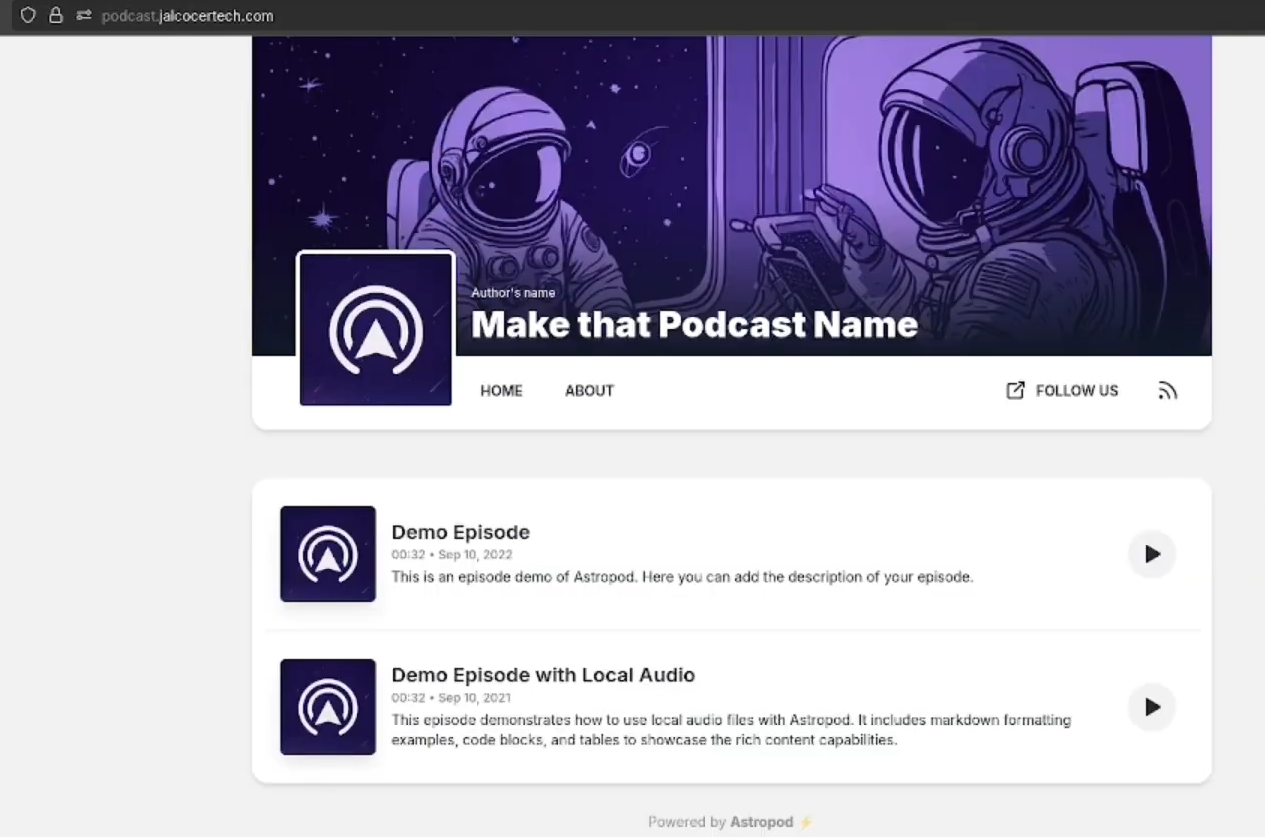
See how simple is to setup:
#git clone https://github.com/JAlcocerT/astropod
make prod #which spins the container
#npm install
#npm run dev -- --host 0.0.0.0 --port 4321 #http://192.168.1.11:4321/
You are not forced to use Astro and its components for your podcast.
In fact there are OSS podcasts Themes for Gatsby
Even with this kind of HUGO shortcodes, you can bring audio to your posts.
Similarly like https://ugeek.github.io/list.html does!
Creating a PODCAST Platform
This platform would allow you to:
- Host your podcast episodes
- Manage your content through a web interface
- Generate RSS feeds for distribution
From the latest vibe coding learnings:
- I found that is better to keep it simple and with well known frameworks
- Its great to chat with Gemini about your initial ideas -> Create a z-BRD.md and refine again with your coding agent
- create a
z-development-plan.md - Consider the
ui-wireframe.pngas reference for the UI layouts
* Built in auth based on `.env`
* MUI...
How about creating a: make-podcast via agents?
Vibe Coding a Podcast Platform | 101 Setup 📌
Go to whatever LLM you are using and ask: do you think that these requirements are clear enough?
Create a Podcast Web Platform based on nextjs with a cool and modern UI

There will be a login button that directs to `/login` from which via better-auth and a sqlite with a unique username and password provided as per .env that is the one who can access the `/admin`

Once we are logged in we can add into a folder `.mp3` with audios and a `podcast.json` with the podcast metadata, like its name, description, cover image, etc.

This information is then showed in the main page `/` and the `/podcast-name` page.

On the main page there will be a button to load more podcasts (by default it will just show 1, this has to be an environment variable to be tweaked)

Include a `dockerfile` and `docker-compose.yml` that will control the title, description, open-graph image, favicon location and other global website variables via environment variables.

Create also a makefile with the following commands:

* `make help` - Show available commands
* `make install` - Prepare the dependencies for local development
* `make dev` - Run development server
* `make container` - Build and Run in Docker container
This time I was more specific than others on the UI, with MUI
Also, MUI has now its llm.txt
Then go to AntiGravity IDE and ask if the brd.md refined already with Gemini is clear enough.
If it is clear define the z-development-plan.md and proceed with the development phases.
# git init
# git branch -m main
# git config user.name
# git config --global user.name "JAlcocerT"
# git config --global user.name
# git add .
# git commit -m "Initial commit: Starting simple make podcast platform"

#sudo apt install gh
gh auth login
#gh repo create make-podcast --private --source=. --remote=origin --push

git init && git add . && git commit -m "Initial commit: simple make podcast platform" && gh repo create make-podcast --private --source=. --remote=origin --push- Clone the repo
git clone https://github.com/JAlcocerT/make-podcast.git && cd make-podcast- Bring the service up
make help
#make install && make dev
make container
#sudo docker compose logs
Edit the
./contentor upload podcasts via thelocalhost:3000/adminpath of the UIWhen you are done: do some container clean up
docker stop $(docker ps -a -q) #stop all
#docker volume rm $(docker volume ls -q | grep -v '^portainer_data$') #rm all volumes but portainer
#docker system df
docker system prune --all
I had to mention the classic ‘make it look even more modern’ so that it wouldnt be too simple.
Technical Stack and Design Requirements
To develop a modern, secure, and scalable web platform for hosting and streaming a single-user podcast.
The platform must offer a seamless, content-driven user interface and a flexible content management system supporting both web uploads and direct file system access.
| Requirement | Specification | Clarification / Decision |
|---|---|---|
| Frontend Framework | Next.js (React) | Used for server-side rendering (SSR) and routing. |
| Styling/UI Library | MUI (Material-UI) | Must be used for the “cool and modern UI.” |
| Backend/Database | SQLite | Used for storing the single administrator credentials. |
| Authentication | better-auth (as specified) | Used for securing the /admin route. |
Conclusions
In case you didnt know, you can convert your youtube channel into a podcast.
And also, every youtube channel has an associated RSS feed to notify you about new videos coming out.
Yuu can leverage that to get that cool astro component showing on your website what was your last video uploaded :)
There are also selfhostable Podcasts:
Castopod is an open-source hosting platform made for podcasters who want engage and interact with their audience. Synchronized read-only mirror of https://code.castopod.org/adaures/castopod
If you have a look to the config, there are several containers involved.
I would keep it simple and use one of these if you want another UI
- https://github.com/bcms/starters/tree/master/astro/podcast
- https://github.com/shipshapecode/starpod
- Could not resist to fork this one: https://github.com/JAlcocerT/starpod
- And to provide makefile and docker compose to the repo
MIT | Create an amazing podcast website in 5 minutes
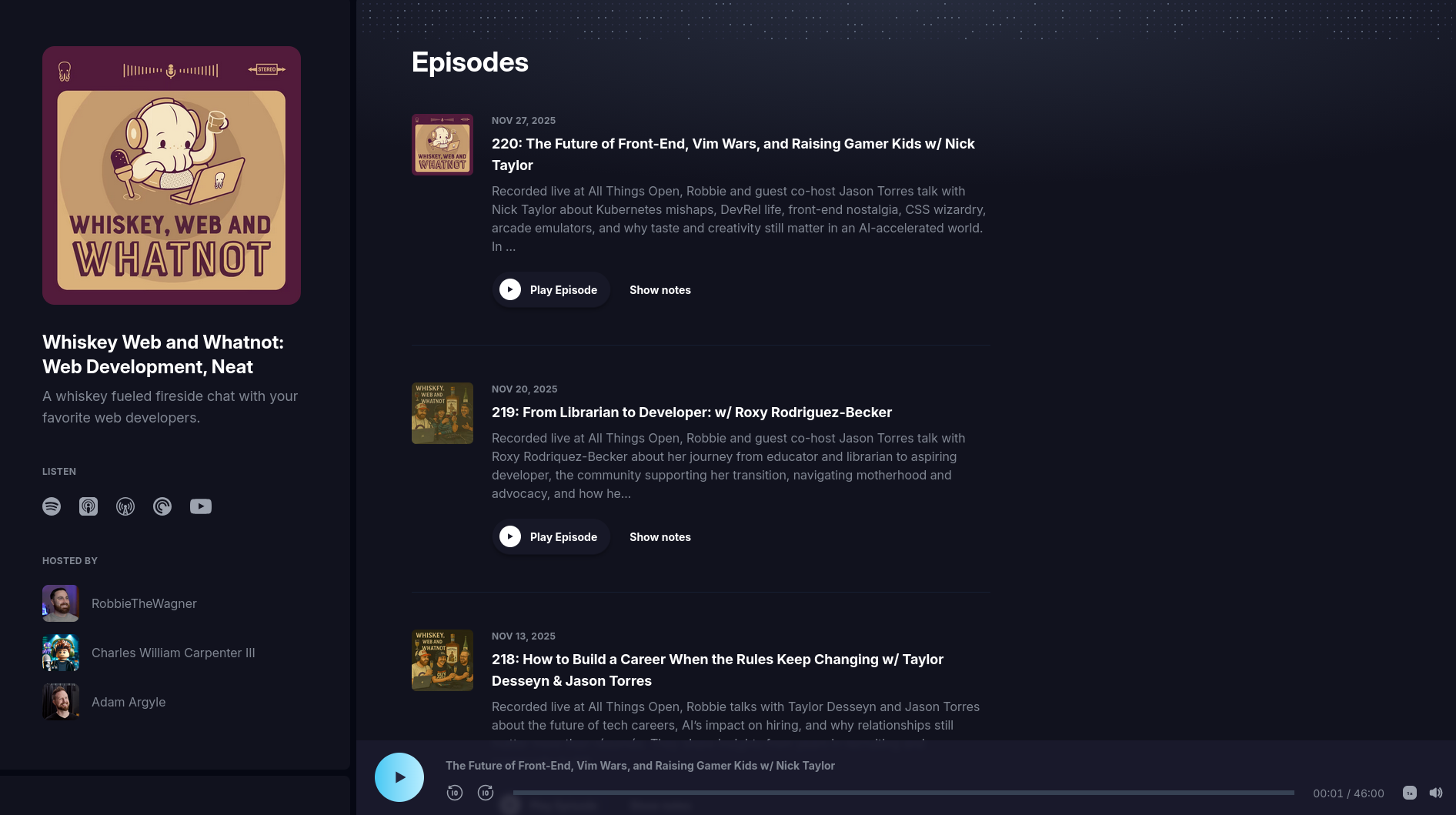
git clone https://github.com/JAlcocerT/starpod
#make help
#make install && make dev
#make container-dev
Antigravity
Google have been improving their stack.
From the https://notebooklm.google/ to…a desktop IDE:
sudo mkdir -p /etc/apt/keyrings
curl -fsSL https://us-central1-apt.pkg.dev/doc/repo-signing-key.gpg | \
  sudo gpg --dearmor -o /etc/apt/keyrings/antigravity-repo-key.gpg
echo "deb [signed-by=/etc/apt/keyrings/antigravity-repo-key.gpg] https://us-central1-apt.pkg.dev/projects/antigravity-auto-updater-dev/ antigravity-debian main" | \
  sudo tee /etc/apt/sources.list.d/antigravity.list > /dev/null

sudo apt update
sudo apt install antigravity
Ive been using ntigravity for the purpose of creating this post :)
NextJS and Better Auth
This weekend I watched couple of videos about Authentication
Ok, after listening to both, I wanted to give it a try to better auth for this sample project.
And even more after seeing its growth:
Im happy to have Logto and Firebase Auth working and with examples:
But the Better Auth project looks like sth interesting to tinker with.
- https://github.com/better-auth/better-auth
- https://www.better-auth.com/docs/plugins/magic-link - Very interesting docs, with magic link support
- https://www.better-auth.com/docs/plugins/stripe
- https://www.better-auth.com/docs/plugins/email-otp
- https://www.better-auth.com/docs/plugins/siwe - even with ETH wallets
MIT | The most comprehensive authentication framework for TypeScript
Auth via Server Auth
mindmap
  root((Web App
Ecosystem))
    Rendering Strategies
      CSR
        (Client Side)
        ::icon(fa fa-laptop)
        Needs IndexedDB
        Relies on RTK
      SSR
        (Server Side)
        ::icon(fa fa-server)
        Needs Cookies
        Hydrates RTK
    RTK State Manager
      ::icon(fa fa-brain)
      (Memory / RAM)
      RTK Query
        (Network Cache)
      Syncs to IDB
    Cookies
      ::icon(fa fa-id-card)
      (Auth & Transport)
      HttpOnly
      Secure
      Vital for SSR
    IndexedDB
      ::icon(fa fa-database)
      (Storage)
      Offline Cache
      Large Capacity
      Persists RTK
🍪 HTTP Cookie vs. JWT: The Analogy
- HTTP Cookie (The Envelope)
- What it is: The transport mechanism for data over HTTP.
- How it works: When the server wants the browser to remember something, it sets a cookie. The browser is then programmed to automatically attach this cookie “envelope” to every subsequent request to the same server/domain.
- Content: The cookie itself is just a container. The data inside it can be anything—a simple ID, a complex string, or, yes, even a JWT.
- Key Idea: Its value is its automatic, secure transmission by the browser.
- JWT (The Letter)
- What it is: A specific, self-contained data format (JSON Web Token).
- How it works: The “letter” (JWT) is a JSON object that is digitally signed by the server. This signature proves the data hasn’t been tampered with. It usually holds claims like user ID, roles, and expiration time.
- Content: The JWT is the payload—the meaningful information.
- Key Idea: It can be carried anywhere—inside an HTTP cookie, in the
Authorizationheader, or even in the browser’sLocalStorage.
The Takeaway: You use the Cookie (Envelope) to securely and automatically carry the JWT (Letter) or a simple Session ID. The two concepts operate on different layers: one is transport, the other is data structure.
🔒 Server Auth vs. JWT (Stateless): The Real Security Comparison
This part correctly compares two different approaches to managing a user’s logged-in status.
- Server Auth (Stateful Session Management)
- The Process:
- User logs in.
- Server generates a random, meaningless ID (e.g.,
abc-123). - Server stores
abc-123in a database (DB) or cache, linked to the user’s data (“Admin”). - Server places only
abc-123into an HTTP cookie. - On every request, the server reads
abc-123from the cookie and checks the DB to see who it is.
- Security (Higher): This system is stateful (the server maintains the state). If you need to instantly ban the user or log them out from all devices, you simply delete
abc-123from the database. The next time the user sends the cookie, the server looks it up, finds nothing, and denies access immediately.
- JWT (Stateless Authentication)
- The Process:
- User logs in.
- Server creates a JWT containing the user’s data (e.g.,
{"user": "Admin"}) and signs it. - Server sends the entire signed JWT back, often inside an HTTP cookie or an
Authorizationheader. - On every request, the server reads the JWT and checks the signature (not the DB). If the signature is valid, it trusts the data inside.
- Security (Lower for Revocation): This system is stateless (the server does not maintain the session state in a DB).
- The Problem: The server trusts the JWT until its expiration time. If you discover a security breach and want to instantly ban the user, you cannot easily stop the valid JWT from working. The token will remain valid until its expiration (which could be minutes or hours away).
- Mitigation (Blacklisting): You would need to implement an external blacklist (a database or cache) and check every incoming JWT against it. This re-introduces a database check, negating the original “stateless” benefit.
We use Cookies to carry a Session ID (Server Auth). This is generally considered the most secure pattern for web applications.
This stateful, session-ID-in-a-cookie approach offers superior session control and instant revocation, which is critical for security in user-facing web apps. JWTs, while useful for microservices or APIs where statelessness is prioritized, trade off that immediate revocation capability for scalability and simplicity.
FAQ
Youtube to Podcast: https://github.com/aizhimou/pigeon-pod?ref=selfh.st
Turn your favorite Youtube channels into to podcast in the easiest and elegant way.
Any channel. Any playlist. All ears.
FFMPeg is great and can also record your screen:
#ffmpeg -f x11grab -s 1920x1080 -i :0.0 -r 30 output.mkv
#ffplay -f v4l2 -i /dev/video0 #start your camera
#ffmpeg -f v4l2 -framerate 30 -video_size 1280x720 -i /dev/video0 -t 5 -c:v libx264 output.mp4 #record 5 seconds
Or…just your audio for the Podcast.
ffmpeg -f pulse -i default -t 10 -b:a 192k output.mp3Both video and audio:
ffmpeg \
  -f v4l2 -framerate 30 -video_size 1280x720 -i /dev/video0 \
  -f pulse -i default \
  -c:v libx264 -preset fast -c:a aac -b:a 192k \
  -t 30 output.mp4
Or screen + webcam + audio:
ffmpeg \
  -f x11grab -s 1920x1080 -r 30 -i :0.0+0,0 \
  -f v4l2 -video_size 320x240 -i /dev/video0 \
  -f pulse -i default \
  -filter_complex "[1:v]scale=320:-1[webcam];[0:v][webcam]overlay=W-w-10:H-h-10[out]" \
  -map "[out]" -map 2:a \
  -c:v libx264 -preset fast -c:a aac -b:a 192k \
  output.mp4
RSS Tools
Just in case you
The RSS feed for websites missing it
If you are using astro to create websites, you can add an RSS Feed easily like so.
Svelte vs Other FE Frameworks
Svelte’s main competitors in 2025 are lightweight, performant frontend frameworks like SolidJS, Qwik, and Astro, which emphasize small bundles, fast runtime, and reactivity without virtual DOM overhead.
| Framework | Core Strength | Bundle Size/Performance Edge | Use Cases [1][4] |
|---|---|---|---|
| SolidJS | Fine-grained reactivity | Matches Svelte’s speed, low memory | Interactive apps, dashboards |
| Qwik | Resumability, zero JS initial load | Smallest payloads (~1KB startup) | Performance-critical sites [1] |
| Astro | Islands architecture, multi-framework | Static-first, minimal client JS | Content sites, blogs [2] |
| Preact | React-compatible, tiny footprint | 3KB vs React’s 100KB+ | React-like apps with less overhead |
| Vue | Progressive, intuitive DX | Balanced speed/ecosystem | SPAs, hybrid apps [4] |
Full-stack metaframeworks like SvelteKit (Svelte’s own) compete with Next.js (React) and Nuxt (Vue) for SSR/SSG apps.
These align with modern web dev trends favoring efficiency over React/Angular’s maturity.
Sí, Astro excels en SSG (Static Site Generation) con su arquitectura de islas, pero SvelteKit, SolidStart, Qwik y Preact también lo soportan nativamente a través de sus metaframeworks o configuraciones específicas.
| Framework | Soporte SSG | Configuración clave [fuente] |
|---|---|---|
| SvelteKit | Prerender completo o por ruta | export const prerender = true; en páginas; adapter-static [4][5] |
| SolidStart | SSG con prerendering isomórfico | server: { presets: 'static' } en config [2][6] |
| Qwik | SSG nativo con resumability | Adapter estático genera HTML pre-renderizado [7][3] |
| Preact | SSG vía Vite/CLI prerender | prerender: { enabled: true } en Vite config [8][9] |
Todos permiten hybrid modes (SSG + SSR/CSR), ideal para sitios estáticos con interactividad mínima, alineado con tus intereses en frameworks eficientes como Astro/Svelte.
Wireframing and The Penpot Project
Are you looking for a powerful and flexible design and prototyping tool that is free and open-source?
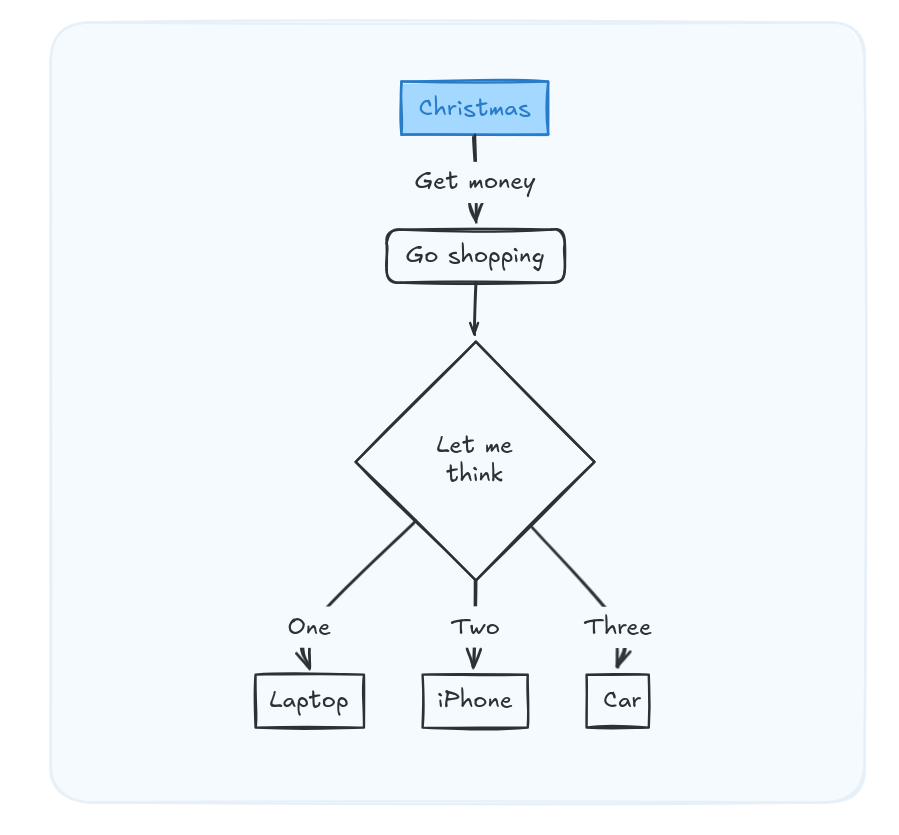
Additionally,you have: https://github.com/Figma-Linux/figma-linux
Also, penpot is a powerful and customizable design and prototyping tool that offers a wide range of features and benefits for users.
#https://flathub.org/apps/com.sudovanilla.penpot-desktopIt can also be configured via docker: https://github.com/jmlcas/penpot
Penpot is a versatile and customizable design tool that allows you to create beautiful and interactive designs for web and mobile applications.