How to Save the Internet
Tl;DR
About The minimalist web vs the independent web! 🌐✨
I get very happy when finding out about blog posts on reddit or on self.st newsletter that are purely human driven.
We can still feel that with themes like Paper mod
Intro
Do we need that much bloat?
Probably not.
What we probably need is a Minimalist Webs where different opinions can coexist.
I really enjoy finding blogs around that are not just a copy paste from the previous one.
Specially if they bring a phogo gallery like this one
+++ Lighthouse CI and a DecapCMS cool example
Some Minimalistic Sites
But some people take it one level higher and do webs veeery minimalistic.
https://lukesmith.xyz/articles/modern-freedom-means-being-a-slave-to-impulses/
https://lukesmith.xyz/articles/monero-and-other-privacy-coins/
https://lukesmith.xyz/articles/politics-matters-most-to-slaves/
- https://512kb.club/
- https://erikjohannes.no/ - THis one has a great photo section!
Conclusions
It curious to see how ‘old designs’ like: https://1999.37signals.com/
Are very easy to read, kind of a book!
Despite not been as minimalistic as the sites above:
du -sh . # Output: 1.5G! This is far from minimalistic alreadyI really enjoy hugo/astro and static site hosting to publish.
There is not a single time that Ive opened: https://astro.build/themes/1/?search=&price%5B%5D=free and havent found sth interesting.
Whatever you build, make sure to validate the outcome:
#sudo apt-get install dnsutils -y #dns resolution
nslookup github.com
dig google.com

curl -s -o /dev/null -w "dns_lookup: %{time_namelookup}s connect: %{time_connect}s appconnect: %{time_appconnect}s pretransfer: %{time_pretransfer}s starttransfer: %{time_starttransfer}s ---------- total: %{time_total}s http_code: %{http_code}" https://blog.jalcocertech.com
Google Speed Test
Test the speed and performance with PageSpeed Insights.
Website Carbon
Website’s carbon footprint and environmental impact.
Web-Check
Performance and uptime using Web-Check’s analytics tool.
Better Docs
I was considering Astro starlight for a documentation theme with i18n support here.
And doubting if sth like HUGO congo would be the way forward.
But then I found this: https://github.com/themefisher/dockit-astro
git clone https://github.com/JAlcocerT/dockit-astro
#make install && make dev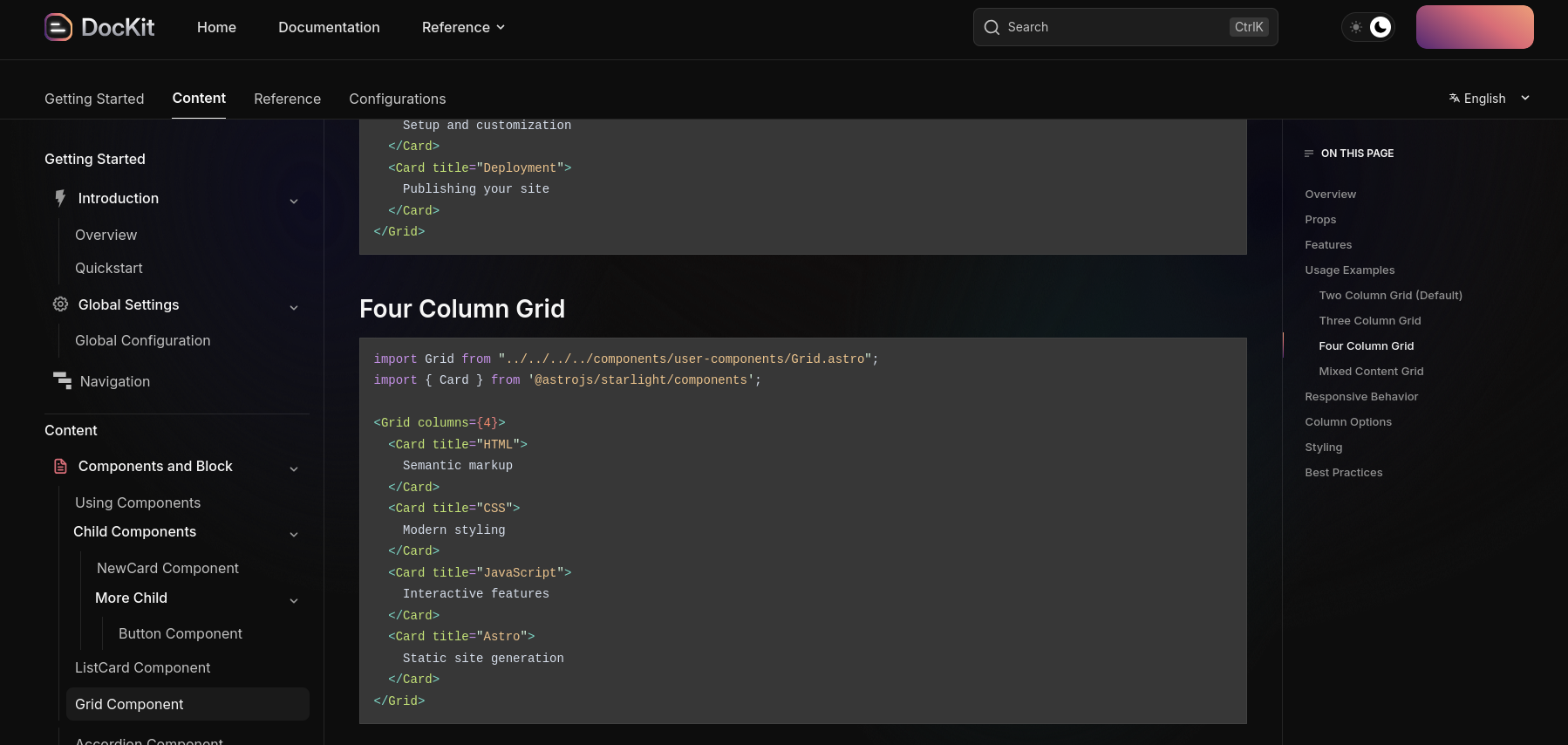
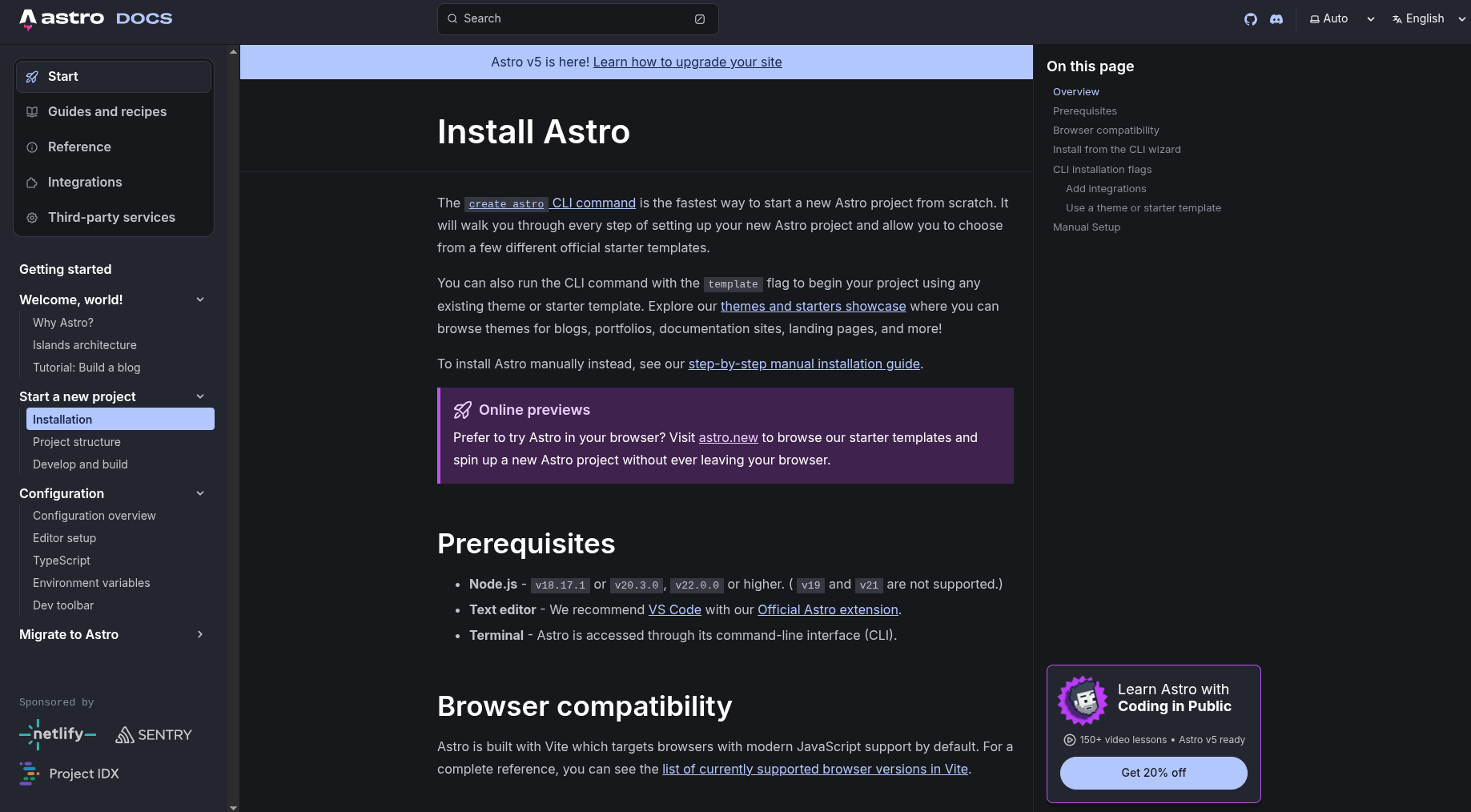

This is simple and great for F/OSS
Time for a: Whats working, whats not and whats next?
Well, Google also released https://codewiki.google/ which can potentially get outdated my manual/windsurf/codex way of writing technical docs.
Time well tell.
For now it ,just’ works on certain popular repos: https://codewiki.google/github.com/google-gemini/gemini-cli
But what Im sure is that the brand needs an upgrade from blog like to doc+blog like.
Anyways, wherever that might go, I have learnt a lot with it.
And I can see that some people have created couple of brands around them:
- https://flaviocopes.com/count-visits-static-site/
- https://thevalleyofcode.com/ - THis is basically a doc like website…that reads like a web ebook. Cool idea!
- Even courses/ebooks with distilled knowledge: https://flaviocopes.com/access/
Better Blogs
Im already looking for 2026.
And in there i will keep tinkering on this medium.
But the curated already digested content will go to blog.jalcocertech.com
Astro Themes Selection | Blog 101 with PPTs 📌
#https://github.com/oxygenna-themes/foxi-astro-theme/
git clone https://github.com/monakit/monakit
npm install
npm run dev -- --host 0.0.0.0 --port 4321 #http://192.168.1.11:4321/
This theme uses revealJS for the ppts, a candidate for an upcoming
blog.jalcocertech.com
You can add pretty quick an n8n embedded chatbot to these kind of sites.
Monakit, which I tinkered superficially here - I liked the ppt integration out of the box
https://github.com/nuxt-ui-templates/portfolio/tree/main which is a cool NUXT Theme similar to Canvas
Nuxt Portfolio Template made with Nuxt UI and Nuxt Content.
https://github.com/konstantinmuenster/gatsby-theme-portfolio-minimal Now that I have covered gatsby?
This NextJS Theme also got my attention: https://github.com/edgarlr/magazine?ref=statichunt.com
MIT | Next.js Digital Magazine Starter Kit
Kind of a similar feel to the awsome Astro News!

A modern and clean Astro theme for personal portfolios and bilingual (French/English) blogs. Built with TypeScript, Tailwind CSS, and MDX, focusing on performance and best practices. Ideal for developers and content creators
MIT | A reader-friendly blog starter with accessibility, SEO and responsiveness out of the box.
This one gave me a presentL the concept of Lighthouse CI
I have added below a section to tinker with lighthouse programmatically to apply it further.
- If you liked fuwari, you’d love this: https://github.com/Spr-Aachen/Twilight

MIT | A git based CMS integrated static blog template
Uses DecapCMS and I forked it https://github.com/JAlcocerT/Twilight to tinker further with the CMS
Thanks to this one, I managed to get a the MIT Decap-CMS working: https://github.com/JAlcocerT/decap-cms
graph TB
    subgraph "Your Browser"
        A[Blog Viewer
localhost:4321]
        B[Decap CMS Admin
localhost:4321/admin]
    end

    subgraph "Docker Compose Network"
        subgraph "Astro Container :4321"
            C[Astro Dev Server]
            D[Static Assets]
            E[CMS Admin UI]
        end

        subgraph "Decap Proxy Container :8081"
            F[Decap Server]
            G[Git Operations]
        end
    end

    subgraph "Your Local Machine"
        H[src/content/posts/*.md]
        I[public/images/*]
        J[.git/]
    end

    A -->|HTTP Request| C
    B -->|Load CMS UI| E
    B -->|API Calls| F
    F -->|Read/Write| H
    F -->|Upload Images| I
    F -->|Git Commits| J
    C -->|Hot Reload| H

    style A fill:#e1f5ff
    style B fill:#fff4e1
    style C fill:#e8f5e9
    style F fill:#f3e5f5
    style H fill:#fff9c4
    style I fill:#fff9c4
    style J fill:#fff9c4
See below some snapshots and whats next moving forward.
FAQ
Minimalist Astro Blogs
Minimalist HUGO
Hugo has a lot cool Themes:
https://www.vanwerkhoven.org/blog/2019/speeding-up-an-nginx-webserver/
https://www.vanwerkhoven.org/blog/2021/responsive_images_in_hugo_theme/
https://github.com/theNewDynamic/awesome-hugo?tab=readme-ov-file
And I tinkered few months ago with one of my favourites, HUGO Lynx:
Making Webs with AI
Probably not the best way to do very small websites unless you know what you are doing:
MIT | Generate React and Tailwind components using AI
Using lighthouse programatically
Going to Google Lighthouse is one thing.
Apache v2.0 | Automate running Lighthouse for every commit, viewing the changes, and preventing regressions
But having it…programatically…that so cool!
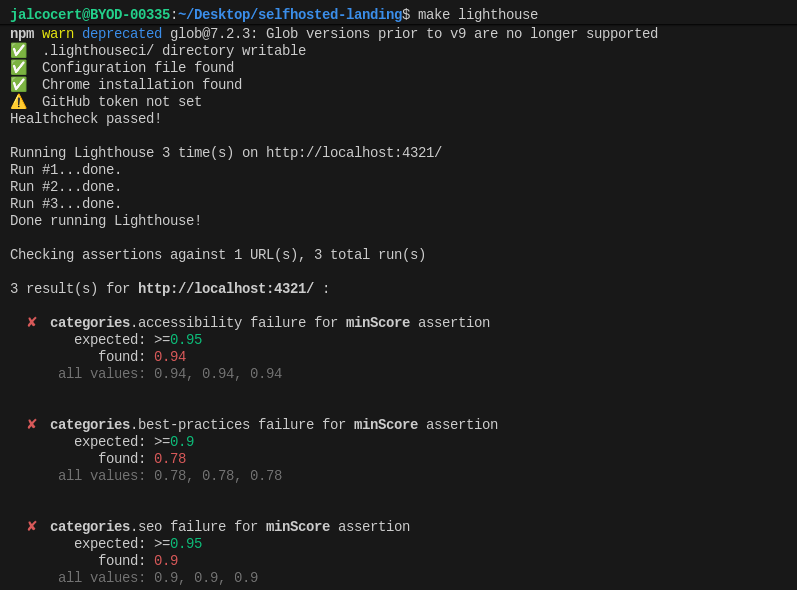
The idea of this section is to pave the way to have a free website audit.
And improve this section:
So lets get it done.
Using Decap-CMS
You can install DecapCMS as per their docs: https://decapcms.org/docs/install-decap-cms/
Or just cloning the twilight theme:
git clone https://github.com/JAlcocerT/Twilight.git
#make help
#lsof -i :4321 #kill -9 <PID> #lsof -i :8081 #kill -9 149769
#kill -9 $(lsof -t -i :8081)
##du -sh . #~1gb| What | Where |
|---|---|
| Blog posts | src/content/posts/*.md |
| Uploaded images | public/images/ |
| CMS config | public/admin/config.yml |
| Site config | src/config.ts |
Do the baremetal one:
# Terminal 1
make dev

# Terminal 2
npx decap-server
Or the container approach:
make docker-dev
#docker logs -f twilight-astro
#docker-compose logs -f
make docker-down
#docker stop $(docker ps -a -q) #stop all

#npm run build
#docker system df
#docker system prune
Just go to localhost:4321 and localhost:4321/admin to have Astro and Dev Mode and DecapCMS to edit the files locally via a cool editor!

What’s next from here?
How about not building my own CMS, neither editing content for people?
graph TB
    subgraph "Public Internet"
        User[Blog Visitors]
        Editor[Content Editors]
    end

    subgraph "VPS/Server with Docker"
        Traefik[Traefik Reverse Proxy
:80, :443]
        TinyAuth[TinyAuth
Authentication]

        subgraph "CMS Stack"
            Astro[Astro Dev Server
:4321]
            DecapProxy[Decap CMS Proxy
:8081]
        end

        CronJob[Cron Job
Every 30 min]
    end

    subgraph "Git Repository"
        GitHub[GitHub/GitLab
Main Branch]
    end

    subgraph "Cloudflare"
        CFPages[Cloudflare Pages
Static Site]
        CustomDomain[yourdomain.com]
    end

    User -->|HTTPS| CustomDomain
    CustomDomain --> CFPages

    Editor -->|HTTPS| Traefik
    Traefik -->|Auth Check| TinyAuth
    TinyAuth -->|Authenticated| Astro
    Astro --> DecapProxy

    DecapProxy -->|Edit Content| Astro
    CronJob -->|Check Changes| DecapProxy
    CronJob -->|Git Commit & Push| GitHub

    GitHub -->|Webhook/CI| CFPages
    CFPages -->|Deploy| CustomDomain

    style Traefik fill:#00d4ff
    style TinyAuth fill:#ff6b6b
    style CFPages fill:#f39c12
    style CustomDomain fill:#2ecc71
Twilight x SSG X Encryption
Despite working on SSG mode, the twilight theme brings an interesting feature: encryption via ssg.

This theme is definitely inspired on others like yukina or Fuwari astro!
It can encrypt your posts as pre one pwd that you add on the frontmatter and is decrypted via CSR.
| Technology | Purpose | Where Used |
|---|---|---|
| CryptoJS (AES) | Content encryption/decryption | Build time + Runtime |
| bcrypt.js | Password hashing & verification | Build time + Runtime |
| marked.js | Markdown rendering (client-side) | Runtime only |
| highlight.js | Syntax highlighting | Runtime only |
If you are wondering the differences between the SSG and SSR way of doing this:
| Feature | SSG (Current) | SSR (Server-Side) |
|---|---|---|
| Hosting | Static (CDN) | Requires server |
| Performance | ⚡ Instant load | 🐢 Server processing |
| Cost | 💰 Free/cheap | 💰💰 Server costs |
| Security | Client-side | Server-side |
| Rate Limiting | ❌ Not possible | ✅ Easy to implement |
| Audit Logs | ❌ No logging | ✅ Full logging |
| Scalability | ✅ Infinite (CDN) | 🔄 Depends on server |
| Password Changes | ❌ Requires rebuild | ✅ Dynamic |
SSG SSR ISR
Remember, these are rendering modes of a web.
SSG (Static Site Generation):
Static Site Generation involves generating HTML pages at build time, typically using a site generator or build tool.
The generated HTML pages contain all the necessary content and assets, and they are served to clients as-is without the need for server-side processing.
This approach offers benefits such as fast loading times, security, and scalability.
SSR (Server-Side Rendering):
Server-Side Rendering involves generating HTML pages dynamically on the server in response to each client request.
With SSR, the server processes the request, renders the page with the necessary data, and sends the fully rendered HTML to the client’s browser.
SSR is commonly used in web applications built with frameworks like Next.js, Nuxt.js, and Angular Universal.
SSR can offer benefits such as improved SEO, faster initial page loads, and better support for dynamic content.
ISR (Incremental Static Regeneration):
Incremental Static Regeneration is a hybrid approach that combines the benefits of static site generation and dynamic content updates.
With ISR, pages are initially generated statically at build time, but they can also be updated dynamically in the background.
When a user requests a page that has been updated since the last build, the server regenerates the page with fresh data and serves the updated version.
ISR is a feature available in frameworks like Next.js, enabling developers to pre-render dynamic content while still benefiting from static site performance.
In summary, SSG generates HTML pages at build time, SSR generates HTML pages dynamically on the server in response to requests, and ISR combines static site generation with dynamic content updates for improved performance and flexibility.
Each approach has its strengths and use cases, and the choice depends on the specific requirements of the project.
- Next.js is a React-based framework for building fast and scalable web applications.
- Next.js provides server-side rendering, static site generation, and incremental static regeneration.
- Next.js has built-in support for API routes and data fetching strategies.