Optimal Karting Line
TL;DR
GoPros telemetry is not always so reliable and a PWA can prove it
Intro
- WHY Im writting this post: Want to share with my friends my refreshed gopro telemetry setup
- What Ive learnt with it: Ive ended up making my first PWA around ffmpeg
The GD was the one that worked best so far
Go Pro Telemetry Overlay
Tinker around your gopro gps telemetry and the Spa and Nurburgring circuits:
git clone https://github.com/JAlcocerT/optimum-path
cd ./optimum-path/overlay
For a quick check before rendering video:
uv run python gopro_h13_hud_fastlap.py \
  --config ../configs/GX010021_spa.json \
  --yes \
  --png 5
when happy, just:
uv run python gopro_h13_hud_fastlap.py \
    --config ../configs/GX010021_spa.json \
    --yes \
    --embed
Spa
With the VW Golf:
uv run python gopro_h9_racing_hud.py --config ../configs/GH010437_GH020437_spa_francorchamps.json --yes --embedWith the laguna mk2:
make -C /home/jalcocert/Desktop/optimum-path spa-francorchamps-hudYep, sth was terribly wrong with the GPS here…
This is a great reason to finally get a separated GPS module for my FPVs and other experiments
Karting and Theoretical Optimum Path
| Method | Result | Status | Notes |
|---|---|---|---|
| Real best lap from GoPro/HUD | 61.27s | valid reference | From generated HUD output flying_lap_61.27s.mp4. |
| GPS best lap used for track generation | 61.20s | valid reference | From raw Hero 13 GPS rows after DOP filtering. |
| Centerline theoretical | 59.71s | valid model result | Point-mass velocity model on generated Spa centerline. |
| Gradient/SLSQP racing line | 59.25s | valid model result | Direct lap-time optimizer, same vehicle parameters. |
| Minimum-curvature path + velocity profile | 60.68s | valid model result | Optimizes smoothness first, then computes speed profile. |
| GA direct-control quick run | 1001.80s | DNF / invalid comparison | Quick 24-pop, 8-generation pass did not complete a lap. |
| RL/PPO evaluation | n/a | not run | stable_baselines3 is not installed locally; existing model was trained on a different track. |
For gradient-descent artifacts and the driver-action/circuit-position video:
make spa-gd-all

#Or step by step:

make spa-track
make spa-gd
make spa-gd-video
Where are these videos from? An European roadtrip!
What I learnt prior to this about real vs simulated results 📌
Under the honest κ-fix physics, the real driver is 3.35 s faster than the model says is theoretically possible.
The exact numbers:
- Real fastest lap (GX020010 lap 2): 78.20 s
- κ-fix N=400 honest theoretical optimum: 81.55 s
- Gap: −3.35 s (real beats the calibrated model)
That doesn’t mean the driver is magically beating physics — it means the model is under-stating what the kart can actually do. Two consistent stories from today’s analyses:
- The driver is faster in both corners and straights, but more on straights:
corners: −1.08 s (driver gains 1.1 s net)
straights: −2.26 s (driver gains 2.3 s)
total: −3.35 s
The sensitivity sweep says the model’s max_lateral_g = 0.95 is the most sensitive parameter at −27.5 s/g. Bumping it to 1.07 g (+12%) would bring the sim down to ~78 s and match your fast lap. That’s a believable correction: the calibrated 0.95 g came from yaw-rate-κ-based lap-time matching, which slightly under-counts true peaks. The sustained-vs-transient-peak distinction is exactly what Phase 4’s load-transfer model would capture.
The pro’s 75 s sits another ~3 s below your 78.20, which the sensitivity sweep says needs another +0.12 g of lateral — total 1.19 g. That’s high-but-plausible for harder/fresher tires (the pro likely had different equipment too).
So the honest, today-as-of-now reading is:
he calibrated point-mass model is slightly conservative — about 1.07 g of “true effective” lateral grip vs. the 0.95 g it has calibrated.
Once Phase 4’s bicycle model captures the transient grip from load transfer, the gap to your real laps should close (and possibly close further toward the pro).
The driver isn’t superhuman; the model is leaving 3 s on the table because it can’t represent trail-braking and load transfer.
Real-beats-sim by 3 s, mostly explainable by transient grip the ellipse can’t represent is exactly what richer dynamics should fix, tinkered here.
Nurburgring
The kind of track day that you wouldnt miss with your friends for anything in the world
With the VW Golf:
With the laguna mk2:
Nurburgring World Record: And what do i get by adding the car parameters to my model?
Conclusions
Despite not having gps in my action cam…
I had a lot of fun in this circuit :)
PWA - GoPro telemetry extractor
Not enough with the ulm/ppl exam prep to get traffic at jalcocretech?
here is sth more: https://gopro-telemetry-overlay.pages.dev
cd ./optimum-path/overlay-pwa
make dev #make deploy
# npm cache clean --force

#npx wrangler pages deployment list
#npx wrangler pages deploy dist

npx wrangler pages deploy dist --project-name=gopro-telemetry-overlay
FAQ
Linux 101
Download an OS like ZorinOS to get started.
Files Sync
Nextcloud: a personal cloud, one of the first setups for any homelab and working perfectly in Linux. Now with a native linux desktop client.
Proton CLI: finally arrived!
Download: https://proton.me/download/drive/cli/index.html
#https://proton.me/download/drive/cli/index.html

cd /home/jalcocert/Downloads
chmod +x proton-drive
install -m 0755 proton-drive "$HOME/.local/bin/proton-drive"
You will auth with a link and get https://account.proton.me/auth-desktop
proton-drive auth login
proton-drive filesystem list /
proton-drive filesystem list /my-files
To upload one local file with the Proton Drive CLI:
proton-drive auth login
proton-drive filesystem upload /path/to/local-file "/destination/folder"
Example, uploading ~/Downloads/report.pdf to the root of Proton Drive:
proton-drive filesystem upload ~/Downloads/report.pdf “/”
To see folders first: proton-drive filesystem list "/"
To create a folder:
proton-drive filesystem create-folder "/" "Uploads"
proton-drive filesystem upload ~/Downloads/report.pdf "/Uploads"
Like:
proton-drive filesystem upload ~/Desktop/DJI_20260726095445_0040_D.MP4 /my-files/Oa5Pro-RysyRsync
You can play your own music and videos via: jellyfin and ultrasonic in android / ios / supersonic or sonixd (connects to subsonic or jellyfin) for desktop
winget install sonixdOSS Photo Video
For photo:
- Upscayl
- RawTherapee
For video I tend to get away with ffmpeg
If you need more:
- KDEnlive
- OBSStudio for recording
- Openshot
Gaming
You should be good with gaming via Steam in Linux for most games.
Just be careful with online ones as some anticheats dont work outofthebox.
I also tested SteamOS via a VM with gnome boxes:
Download the ~3gb and: https://store.steampowered.com/steamos/download?ver=steamdeck
#bunzip2 steamdeck-oobe-repair-20260707.10-3.8.14.img.bz2
gnome-boxes --open-uuid 0d42c90e-9c8c-4507-a166-2c82c41bccf2

#flatpak install flathub org.gnome.Boxes
Tools and Tech for Trips
Tech for a trip, like a travel router with VPN and some interesting
A trip planner like this https://trip-planner-9lt.pages.dev/?sid=07621&lat=43.1833&lon=0&name=Tarbes+Ossun+Lourdes&country=FR
cd ./poc/z-poc-trip-planner-adk # cd ../z-poc-trip-planner-v4
make compose #http://192.168.1.2:3021
cd ./poc/z-poc-trip-planner-mama
#docker compose -f docker-compose.prod.yml up --build #3022
docker compose -f docker-compose.prod.yml up --build -d # http://trip-planner-web:3000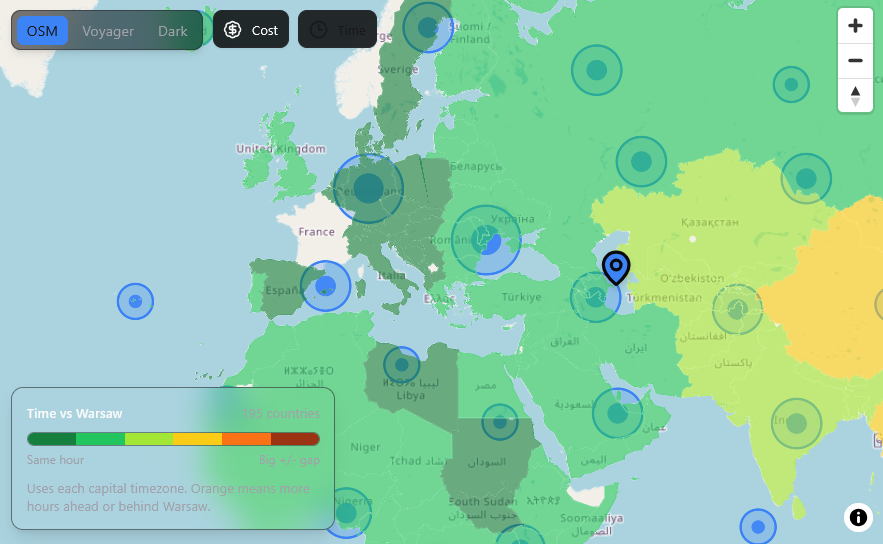
My fav PWAs
Spliit, and a quick pwa poc i created around it
cd ./poc/pwa-spliit-analyzer
C:\Python312\python.exe -m http.server 5173 --bind 127.0.0.1
Some, like https://app.files.md/ allow you to interact with your local files!
Or with your fpv/drones hardware: https://app.betaflight.com/#