From Repo Docs to Promo Video
Tl;DR
Last year here… I was working for some kind of project to do automatic docs
Intro
But models have improved a lot
Specially: Claude…
#Copy your public key:
cat ~/.ssh/id_ed25519.pub
#Copy the full output.
#Add the key in GitLab:
#Go to GitLab -> Preferences / Edit profile -> SSH Keys -> paste the key -> Add key.
#ssh -T git@gitlab.com
git clone git@gitlab.com:fossengineer1/fossengineerpapermod.git
This started long ago
Extracting Repo Info
Previously I was using interesting workflows with scripts.
Like I have at folders like Z_codex_posts or Z_OpenAI_POSTS.
But…
agents are beyond that at this point
From Repo to Post
Lets go with an example?
git clone https://github.com/elduty/velomate
claude
Ive already built an skill for this: foss-post
Because thats really all there is: https://skills.sh/
Skills are reusable capabilities for AI agents. Install them with a single command to enhance your agents with access to procedural knowledge.
#npx skills add https://github.com/github/awesome-copilot --skill documentation-writer
/foss-post /home/jalcocert/Desktop/TBT/velomate --depth medium
You can also see other that people created
From Repo to Video
How about…creating/combining another skills, so that we do video?
Yea, remotion again:
About FOSS - Repo to Video
What if for every cool repo not only a nice post could be generated:
#git clone https://github.com/davidmonterocrespo24/velxio ./Desktop/TBT
claude #/skills #use the foss-post against the cloned repo
cp /home/jalcocert/Desktop/TBT/velxio-post.md
/home/jalcocert/Desktop/fossengineerpapermod/content/postsBut also a nice RemotionJS video about it?
If you do the: make sure to do it on a folder w/o git, or it wont prompt you for the add skills part and avoid creating a totally blank folder!
npx create-video@latest #y / blank
cd ./my-remotion-video
npm install
npm run dev #now it works!

mv /home/jalcocert/Desktop/video-test-remotion /home/jalcocert/Desktop/fossengineerpapermod/z-remotion-oss/video-test-remotion

#/home/jalcocert/Desktop/VideoEditingRemotion/remotion-cc/.claude/skills/remotion-best-practices
cd ./z-remotion-oss/video-test-remotion
npm run dev ok so inside that video-test-remotion, can we make a video that describes
what velxio does, using the UI/X of its components or any png that they
have at the repository? the video should be appealing for selfhosting
enthusiastnpx remotion render VelxioShowcase selfhosting-velxio.mp4All powered by ,just’ Haiku 4.5
Conclusions
This is the kind of post that makes me realize this year ill be doing 99 posts…instead of the much less planned.
Talking about f/oss I tested mac OS with Zed and CodeEdit
Interestingly, there is a fork of zed called GRAM that has been quite interesting.
Other High Signal Videos
Ive been tinkering around these too:
Has this signal make F1 re-think their strategy and make v8’s come back?
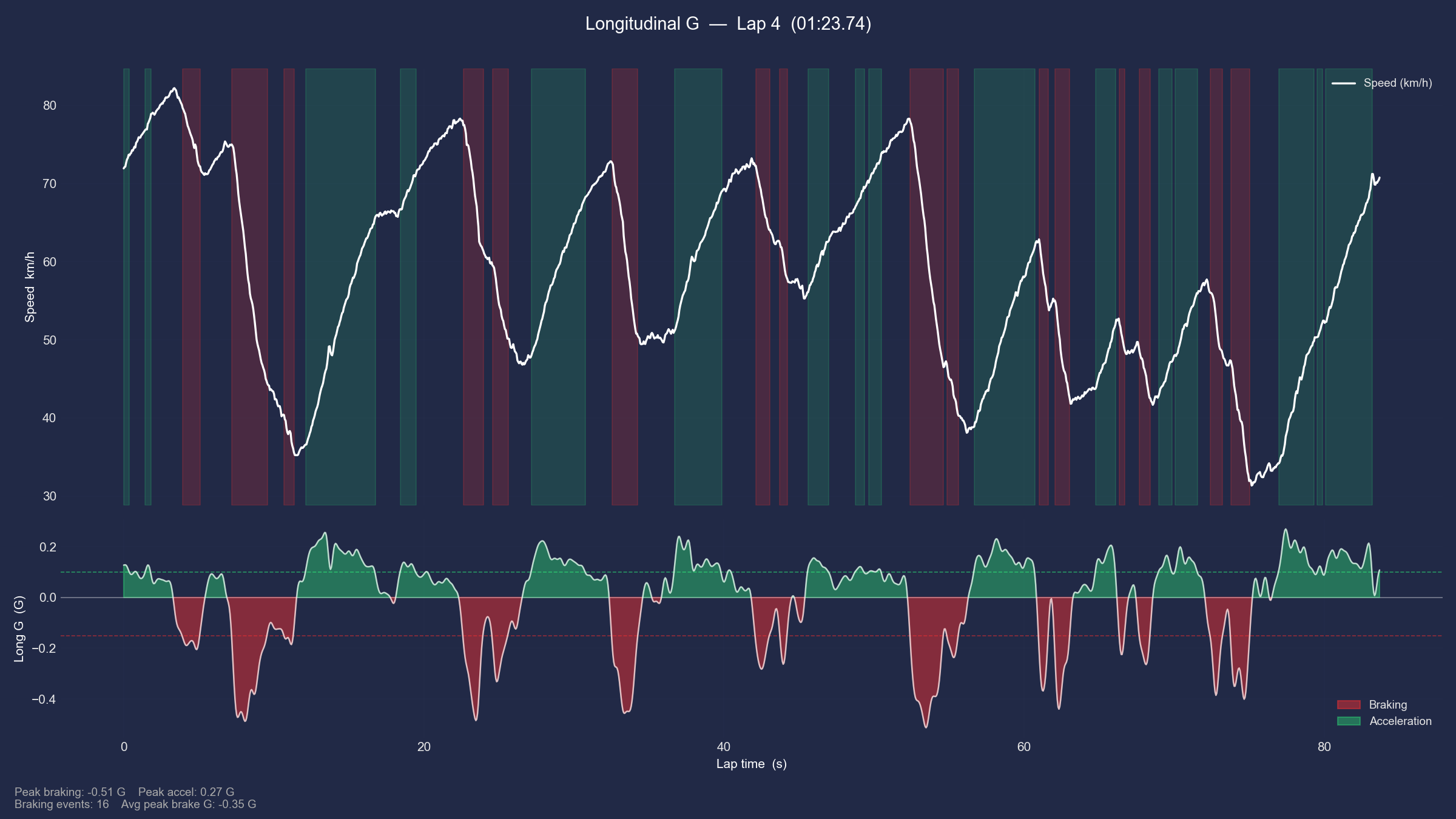 A Summary of AnimationsF1 Animated Data
Marketing Videos for your Services
If all previous is true…
Why not……
#https://github.com/vercel-labs/just-bash
#npm i -g @openai/codex
/jalcocertech-services #sales pitch
Coming soon, together with https://stitch.withgoogle.com/
FAQ
CLIs ive used recently?
#docker images --format "table {{.Repository}}\t{{.Tag}}\t{{.Size}}" | (read -r; printf "%s\n" "$REPLY"; sort -hk 3 -r)
lazydocker
#docker ps --filter "status=running"
#docker ps -a --filter "name=entre"
#docker stats home-assistant
docker system df

glances #htop btop
#sudo snap install ghostty --classic
#tmux #ghostty
To clean space:
sudo apt-get clean
sudo apt-get autoremove
journalctl --disk-usage #sudo du -sh /var/log
#sudo journalctl --vacuum-time=2d
Lack of disk space?
sudo apt update && sudo apt install ncdu
#sudo ncdu -x /
#sudo ncdu -x .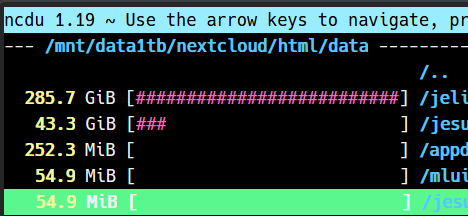
#whois ebooks.jalcocertech.com| grep -i -E "(creation|created|registered)"
nslookup ebooks.jalcocertech.com
dig ebooks.jalcocertech.com
#sudo docker stop 1tonebooksprod grafana-server
#docker rm -f $(docker ps -aq --filter "name=entre")
What ive tried recently
What else am I running since last month?
#git clone https://github.com/JAlcocerT/Home-Lab/
#cd ./Home-Lab/z-homelab-setup/evolution

#docker ps --filter "status=running"
sudo docker compose -f 2604_docker-compose.yml up -d uptime....pihole nextcloud ncdb.......
More with the mac M2 and…
#sudo snap install ghostty --classic
ghostty
#codeedit
#zed #gram #https://codeberg.org/GramEditor/gram
#glancesWhich reminds me somehow to tmux the one I used here with blender and my x300
#brew install ffmpeg #you didnt know you need FFMPEG, but you DO NEED IT
brew install gh
#gh auth login
#gh auth status
git clone https://github.com/JAlcocerT/3Design
cd ./3Design/mbsd-to-render/four-bar

make check #make help
#make scene-ui #this starts blender UI
time make all #makes all the steps, including the render programatically!
#make render #or do this one for just the render of the scene-ui was OK

#tmux new-session -d -s cad "make all" #if you will be leaving this for the night
#tmux attach-session -t cad #to see hows going
Wait….56 seconds to render?
On battery power?!
My 5600G was taking like…10 min?!
that was for 1080p, so i went ahead and made it harder:
cd four-bar-mac
make clean-all
make install UV_PYTHON=3.12
.venv/bin.python --version

#make scene-ui
time make render all
Say thx to pairdrop, see the difference:
Oh the time for 4K with final presets?
This was 26min at the M2 and I did not dare to try it with my x13 nor the x300.