Plants while travelling
Tl;DR
Prep work for when you go on a trip and you have tomatoes at home
Intro
We come from the tinkering at:
And I know: you love travelling.
I got a setup for you to not get stucked at home taking care of your non-cactus plants.
You can use the setups I will explain accordingly to the typical weather while you are not at home.
The IoT and Controlled Watering
Watchout for that EMF kickback when the DC switches off
This simulation was possible by combining PySpice with RemotionJS:
The Capilarity approach
Aka just physics approach.
Take a bottle, a thread and see how it flows:
Monitoring Plants while Travelling
Some time ago I put together this repo folder to use your Pi as a streaming camera:
choco install rpi-imager
#ip neigh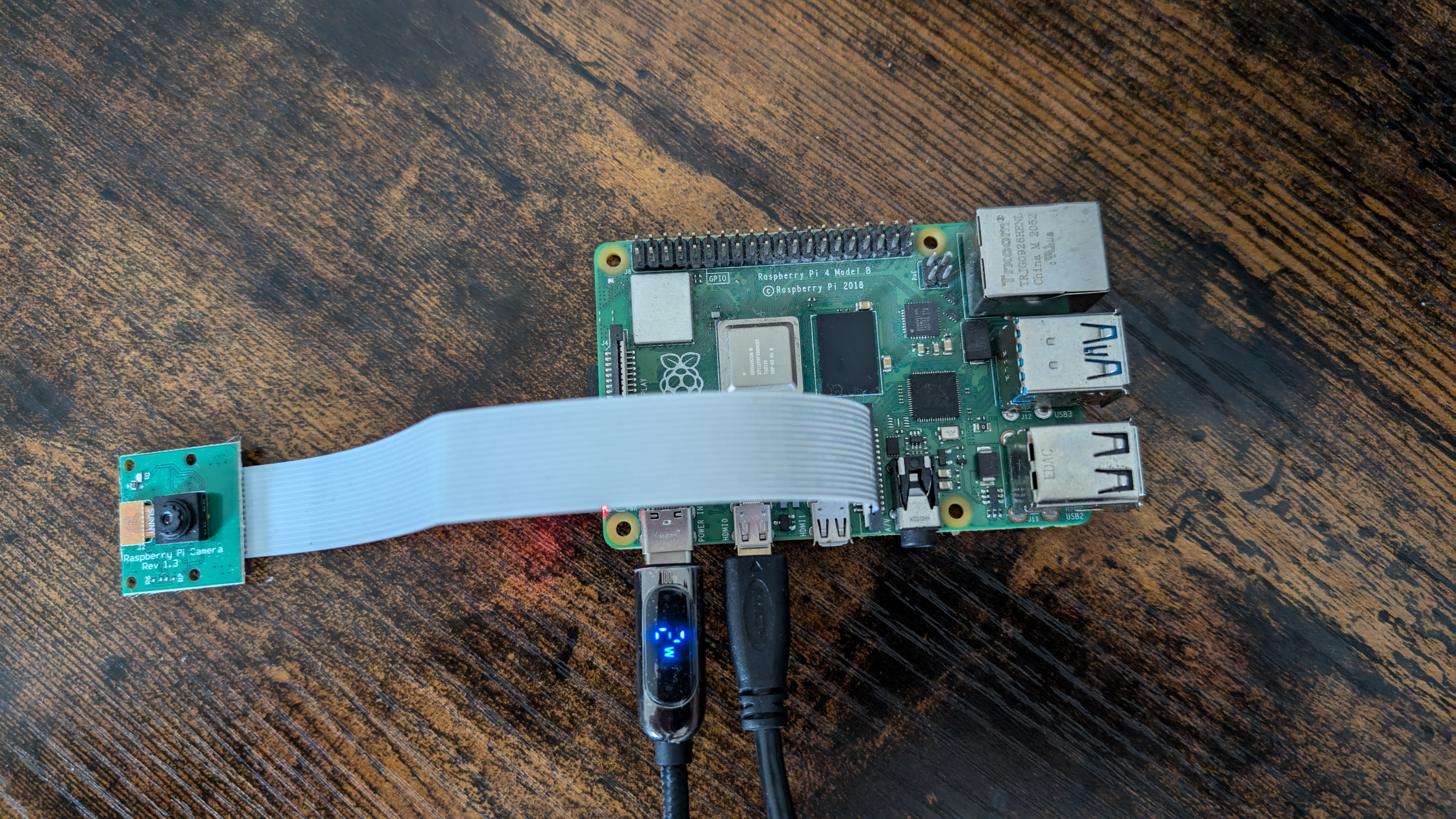
Particularly with mjpg-streamer
ip neigh show 192.168.1.18
git clone https://github.com/JAlcocerT/RPi
#git clone https://github.com/JAlcocerT/Home-Lab
cd ./RPi/Z_SelfHosting
sudo bash homelab-selfhosting.sh
#docker --version #Docker version 26.1.5+dfsg1, build a72d7cd#vcgencmd get_camera
sudo raspi-config #OV5647 sensor (the classic 5MP Camera Module v1.3)Now, these are the ones working: for Debian Trixie
rpicam-hello #Linux jalcocert 6.12.75+rpt-rpi-v8 #1 SMP PREEMPT Debian 1:6.12.75-1+rpt1 (2026-03-11) aarch64 GNU/Linux
rpicam-still -t 1000 -o pico.jpg --nopreview
scp jalcocert@192.168.1.18:~/pico.jpg .
As you can imagine, this worked back in time, but for the latest Trixie OS its…tricky
rpicam-vid -t 15000 --width 1920 --height 1080 --framerate 30 \
--bitrate 10000000 --codec h264 -o clean_1080p.h264

ffmpeg -framerate 30 -i clean_1080p.h264 -c:v copy clean_1080p.mp4

scp jalcocert@192.168.1.18:/home/jalcocert/RPi/Z_SelfHosting/Frigate/clean_1080p.mp4 .
There where some gotchas, but this Frigate stack also does the trick.
As i just wanted to see, I disabled the recordings at the config.yml like so
cd ./RPi/Z_SelfHosting/Frigate
sudo docker compose stop      # stop both containers (keeps them, fast restart)
sudo docker compose start     # start them again
sudo docker compose down      # stop + remove containers (network too)
sudo docker compose up -d     # recreate from compose files (use after editing them)
#docker stats frigate #50% of the cpu for my pi4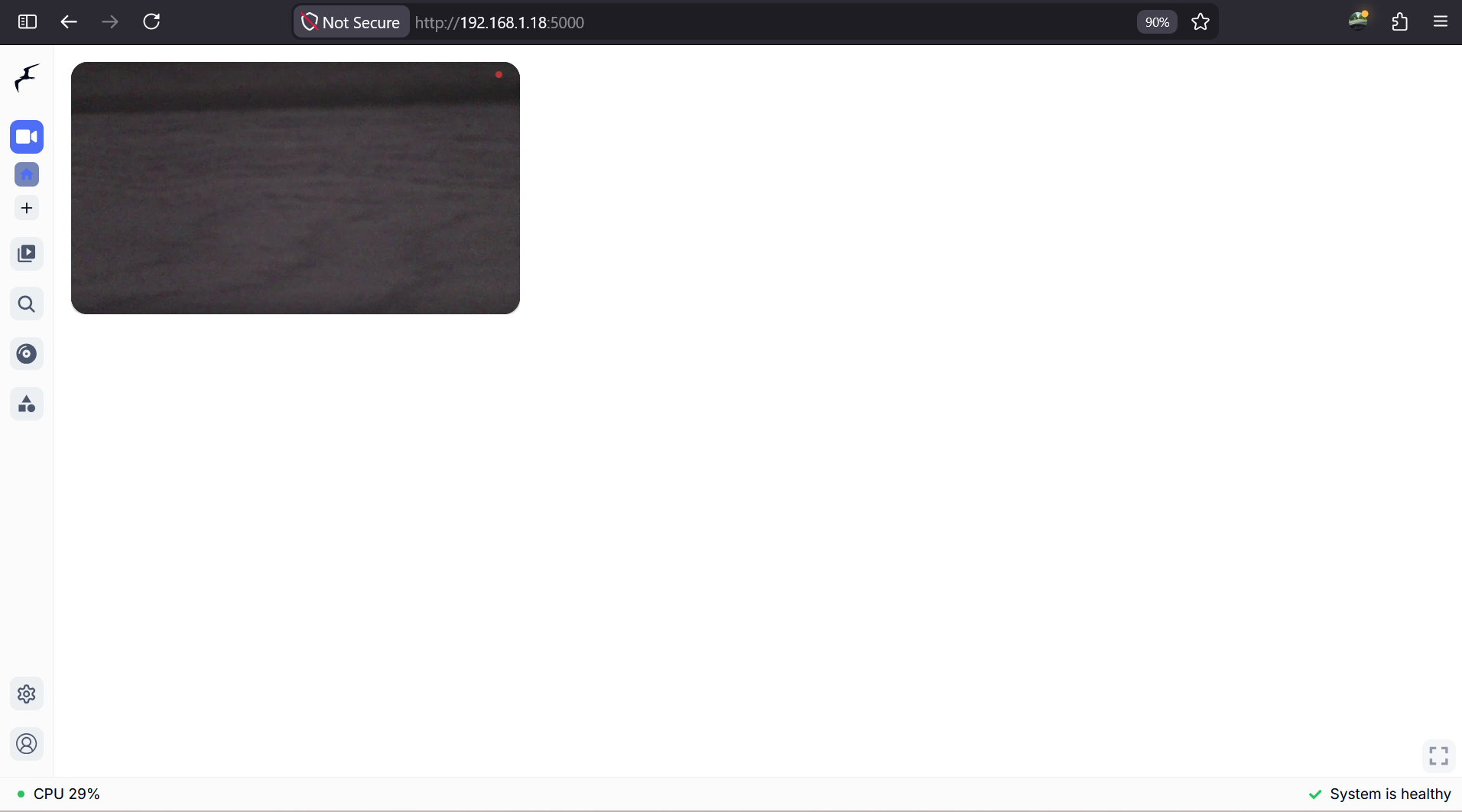
http://192.168.1.18:5000/The DHT Home Monitoring
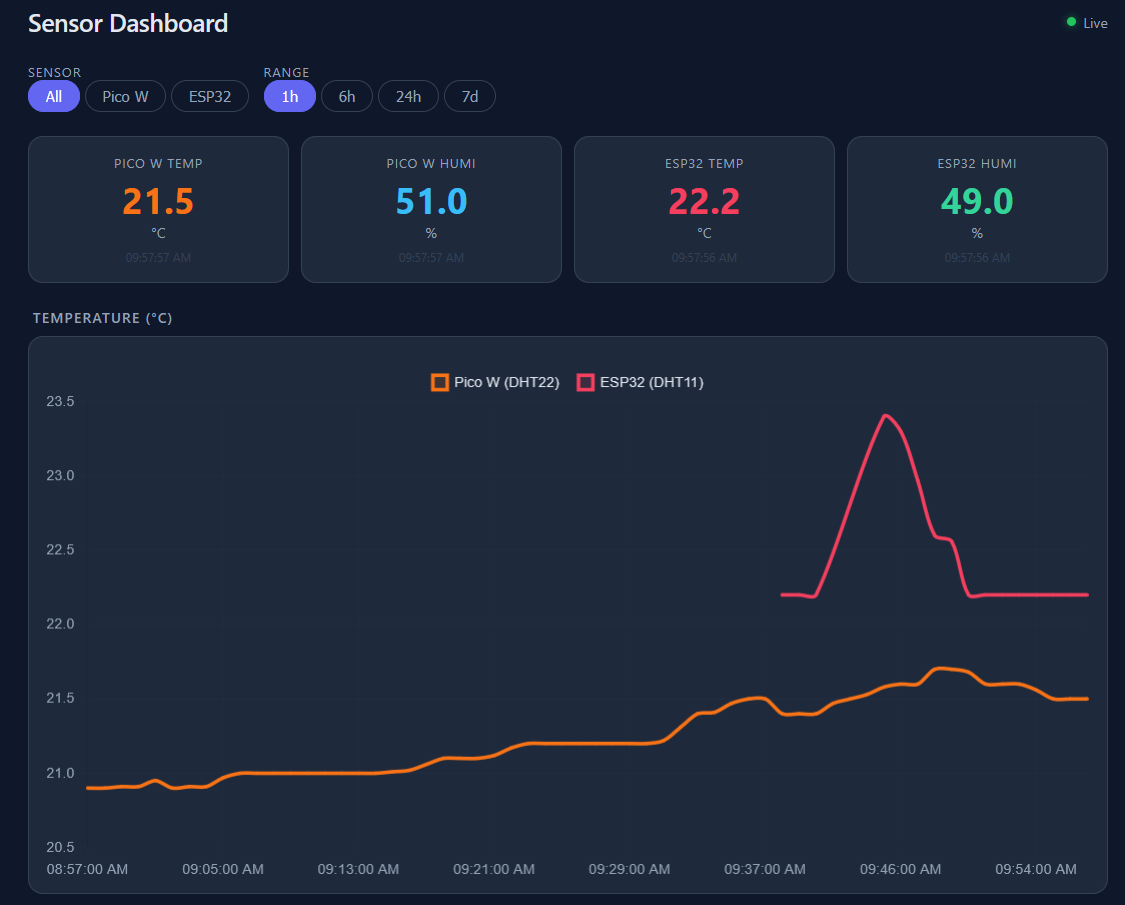
I modified it recently to just be Node x PGsql (TimescaleDB)
Going from this:
To such stack:
#docker ps | grep emqx
#cd ./RPi/Z_SelfHosting/pgsql
#docker ps | grep timescaledb
cd ./RPi/Z_MicroControllers/RPiPicoW/picow-dht-webapp-vpd-poc
docker compose up -d --build
#Web → http://<host>:8001 · DB → localhost:5433.
docker compose up -d --build webapp
#docker compose up -d #and here it goes timescaleDB + all the webApp
#docker exec -it timescaledb psql -U pico -d sensors
We still rely on EMQX for MQTT like the previous version!
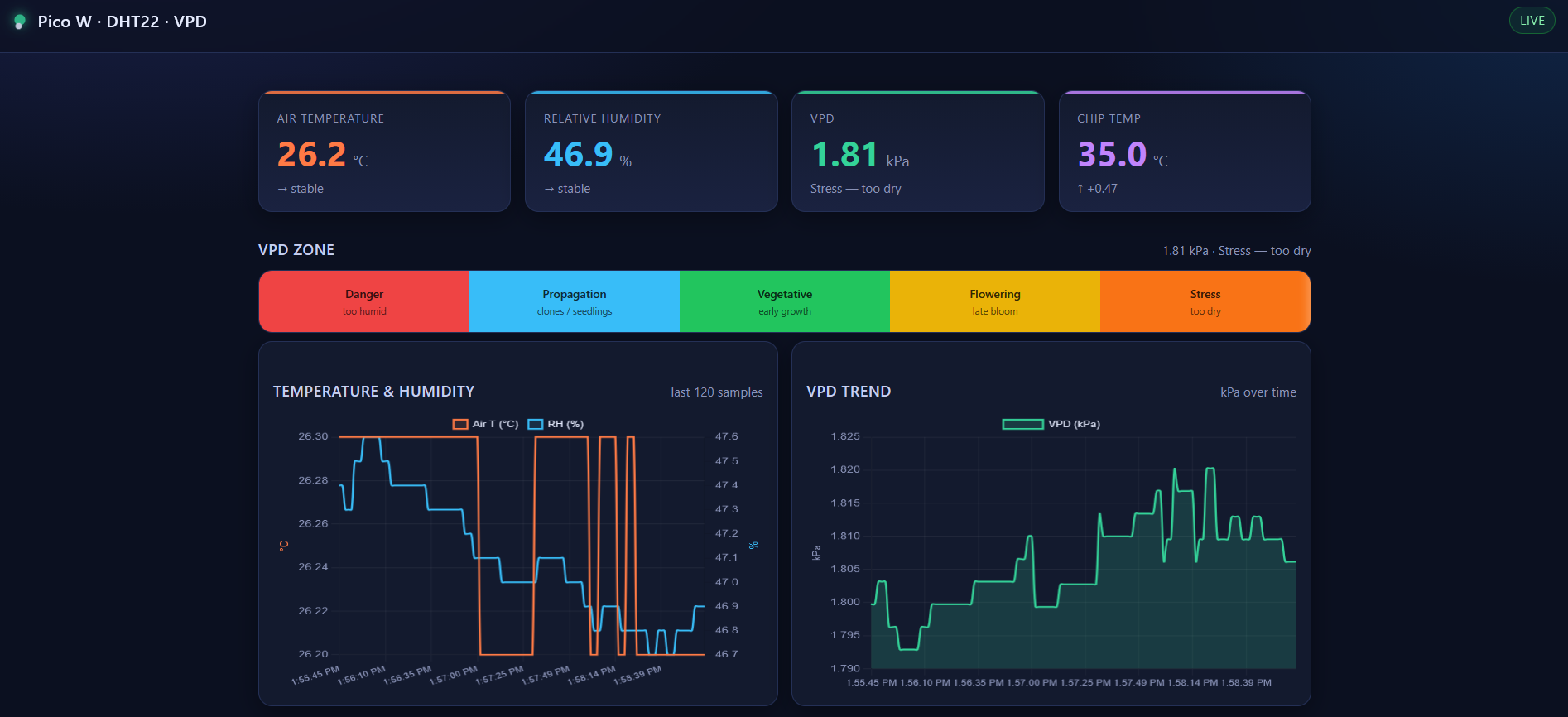
The one you can visit anytime at
http://192.168.1.2:8077/
MQTT x Alerts
- Initially I thought about webhooks
- Then, I reminded that I tried gotify last year
Conclusions
So far, one of the best experiments of the year:
Growth Experiment
Its been a while since the last review.
How are the plants doing after ~6 weeks of planting them?
The most developed tomatoe plants are having small flowers already at the top.
FAQ
When is the best weather to plant what?
You can use my latest trip-planner v4 as launched here
git clone https://github.com/JAlcocerT/Py_Trip_Planner
cd ./Py_Trip_Planner/poc-trip-planner-v4
#npm run dev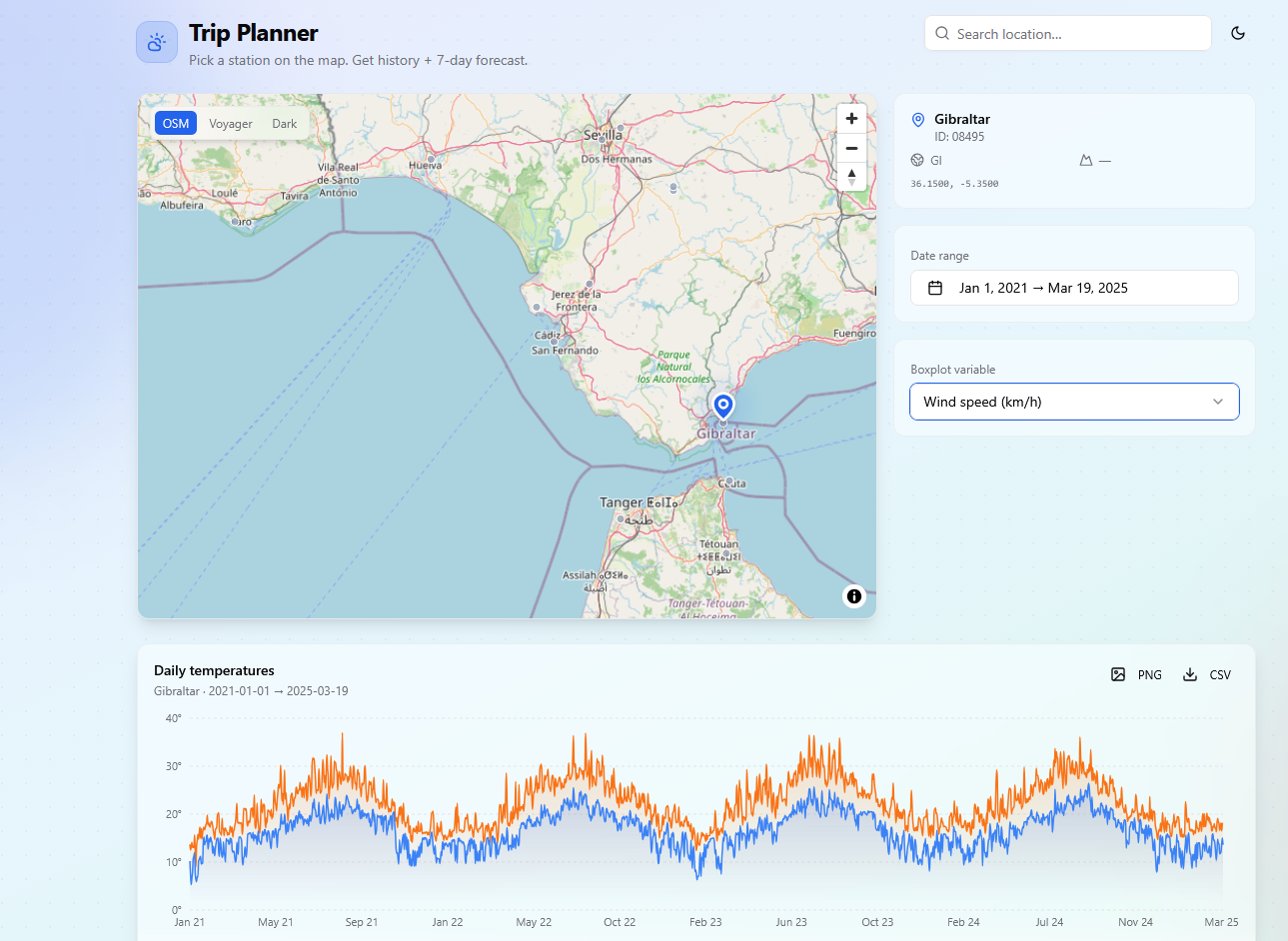
Get the patters to know what to expect depending when you will be leaving your plants alone.
Inspiring resources
You get a walk around AC/DC power transmission
Concepts
- VPD -
Pi x Cam is trickier
Some time back, this worked:
#git clone https://github.com/meinside/rpi-mjpg-streamer
git clone https://github.com/JAlcocerT/rpi-mjpg-streamer
cd rpi-mjpg-streamer
#curl -fsSL https://claude.ai/install.sh | bash
# echo 'export PATH="$HOME/.local/bin:$PATH"' >> ~/.bashrc
#source ~/.bashrc
sudo apt install gh
gh auth login #with a PAT for 30d
cd ~/RPi && git pushSo I got to know about: https://github.com/bhaney/rtsp-simple-server#docker
podman run --rm -it \
  --name camera-stream \
  --network=host \
  --privileged \
  --tmpfs /dev/shm:exec \
  -v /run/udev:/run/udev:ro \
  -e MTX_PATHS_CAM_SOURCE=rpiCamera \
  docker.io/bluenviron/mediamtx:1-rpi
http://192.168.1.18:8889/cam/
And finally: https://github.com/AlexxIT/go2rtc
podman run -d --name go2rtc \
  --restart always \
  --privileged \
  --network host \
  --tmpfs /dev/shm:exec \
  -v /run/udev:/run/udev:ro \
  --device /dev/video0:/dev/video0 \
  --device /dev/media0:/dev/media0 \
  --device /dev/dma_heap/linux,cma:/dev/dma_heap/linux,cma \
  --device /dev/dma_heap/system:/dev/dma_heap/system \
  -e GO2RTC_STREAMS_TOMATO_CAM='exec:rpicam-vid -t 0 --nopreview --codec h264 --inline --listen -o -' \
  -e GO2RTC_ALLOW_ARBITRARY_EXEC=true \
docker.io/alexxit/go2rtc:latestPrior Pico/ESP DHT
#git clone https://github.com/JAlcocerT/RPi
#git pull
cd ./RPi/Z_MicroControllers/dht-webapp
tmux new-session -d -s mqtt 'uv run mqtt_to_db.py'
tmux new-session -d -s webapp 'uv run uvicorn main:app --host 0.0.0.0 --port 8077'
#tmux ls