How to PoC (around Brands)
Tl;DR
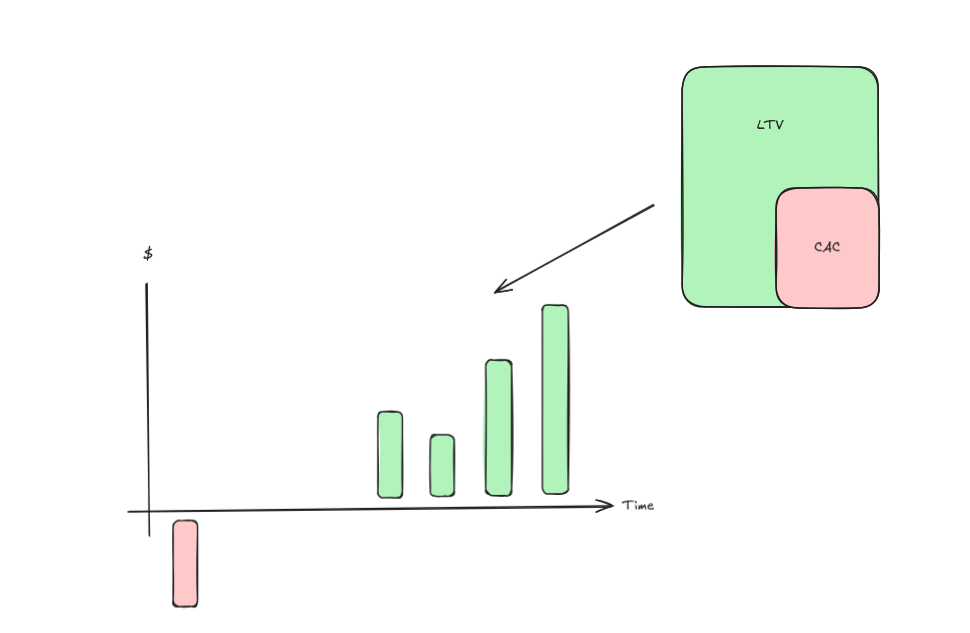
A brand is just a way to lower CaC.
These are the brands HUBs that by chance Ive ended up creating.
Intro
What clients need
A way to know the value you provide
In other words: a consistent BRAND!
Branded Videos as a Code
Free goodies!
Who said free info?
Newsletters, ebooks?
Ideally, decoupled from your time.
A way to Reach
In ither words: a way to move from attraction towards conversion
Formbricks and CAL APIs
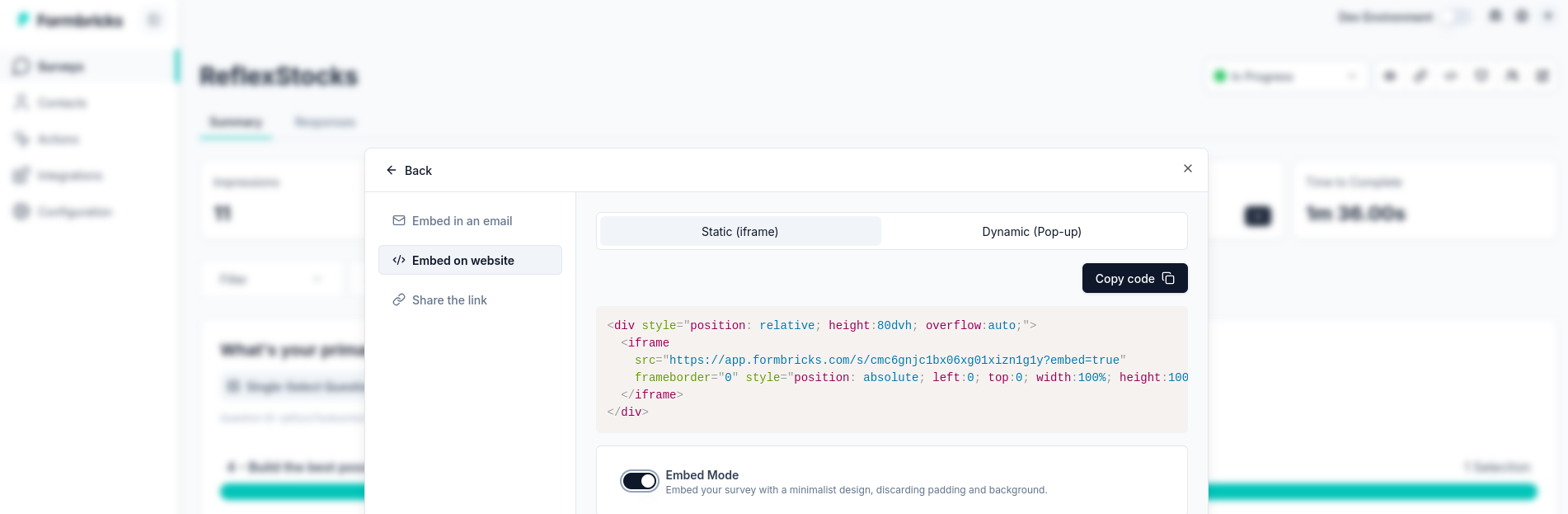 Embedding Formbricks
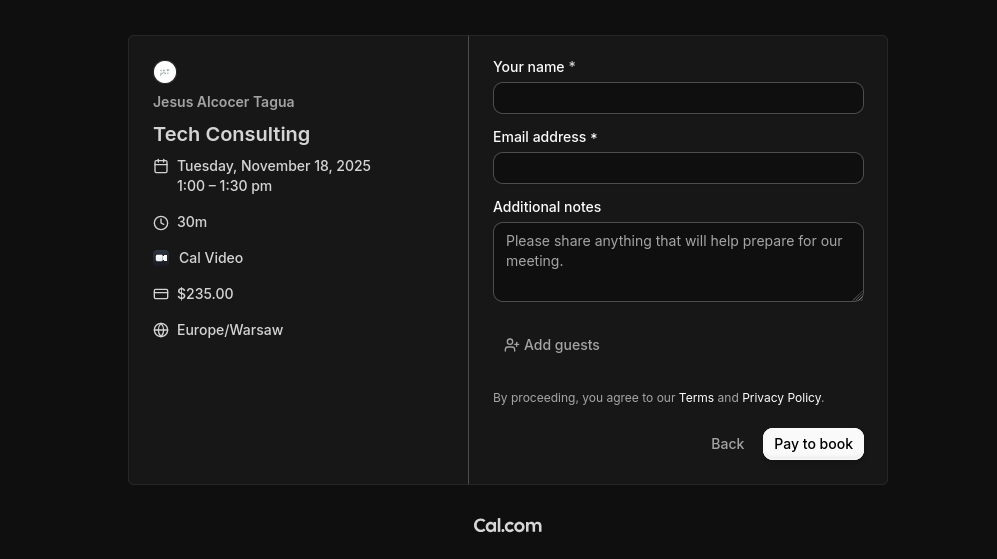 Or via CAL Tech Consulting
Stripe API
Surprise: a way to pay is also a the ultimate way to communicate trust
Sample code here
The HUBs
JAlcocerTech HUB
With such knowledge destillation:
git clone https://github.com/JAlcocerT/jalcocertech-services
#The trick
git submodule add https://github.com/JAlcocerT/ebook-ideas.git external/ebook-ideas
git commit -m "Add ebook-ideas repo as submodule"
playbook-leverage-systems.md — that fuses these 4 into actionable rules for
solopreneur ops, product scoping, and time/customer allocation?
File │ Notes │ Theme │ ├────────────────────┼───────┼───────────────────────────────────────────┤
│ 80-20-principle.md │ 89 │ Imbalance, simplicity, time/career/money │
├────────────────────┼───────┼───────────────────────────────────────────┤
│ essentialism.md │ 126 │ Less but better, biases, editing, buffers │
├────────────────────┼───────┼───────────────────────────────────────────┤
│ average-is-over.md │ 36 │ Bifurcating labor market, man+machine │
├────────────────────┼───────┼───────────────────────────────────────────┤
│ 4-hour-workweek.md │ 34 │ DEAL, muse design, eliminate>delegate │
The Video HUB
The Mech HUB
git clone https://github.com/JAlcocerT/multi-bodyUpdating my old fav prompt to this
Lets use agents with skills to make such landingpage: https://skills.sh/mattpocock/skills/grill-me
#npx skills add https://github.com/mattpocock/skills --skill grill-me
/grill-me
#https://skills.sh/openai/skills/frontend-skill
npx skills add https://github.com/openai/skills --skill frontend-skill
Made some updates to the requirements:
From Vibe Coding to Agentic Engineering | Setup early May📌
I need Landing Page based with a cool and modern UI.

Create also a makefile with the following commands:

* `make help` - Show available commands
* `make install` - Prepare the dependencies for local development
* `make dev` - Run development server

Create the `z-development-plan.md` with independent and testable phases that can be completed sequentially.

When it is completed, create a `z-walkthrough.md` with the steps to deploy the application and what each part of the tech stack does on a high level to bring the features to life.

The **full copy** of the landing, has to be goberned by a single `site.md` file.

Consider adding a Terms of Service / **terms and conditions and privacy policy** to the website, which will be governed by two separated markdown files.

Add also a faq section, that instead of been controlled via a json, lets have it controlled as per the frontmatter and content of separated markdown files inside the folder `faq`.
Go to whatever IDE and ask if the brd.md refined is clear enough.
If the prd is clear, define the z-development-plan.md and proceed with the development phases.
All my BRD / requirements for a website 🚀
Editor in one subdomain, delivery static if possible and in another
For UI Astro x Vite allow really cool features
cd ./site
npm run build
npx wrangler pages project create #this will install the wrangler CLI package
npx wrangler pages deploy dist # normally will be dist, but whatever <BUILD_OUTPUT_DIRECTORY>
Code the engine and SELL THE ROI
Outsource the thinking, not your understanding
FOSS Update to HUB
As i love automation when it works, not when its a liability
I have made further improvements about fossengineer
Ideally analyzing repo 2 doc/posts and publishing there
while the video part will be published at jalcocertech in youtube sounds quite attractive
But for now…
whats the excuse to still be around a tweaked HUGO PaperMod ?
and to not be synced with home-lab?
git submodule add https://github.com/JAlcocerT/fossengineer.git external/fossengineer
git commit -m "Add fossengineer repo as submodule"
# git submodule add https://github.com/JAlcocerT/Home-Lab.git external/Home-Lab
# git commit -m "Add Home-Lab repo as submodule"
And to not capture emails?
- Generate SSH key:
ssh-keygen -t ed25519 -C "whatever@gmail.com"
Press Enter through prompts (default location fine). Skip passphrase unless paranoid.
- Add public key to GitLab:
- Copy key: Get-Content $env:USERPROFILE.ssh\id_ed25519.pub | Set-Clipboard
- Go to GitLab → Settings → SSH Keys
- Paste key, click Add
- Clone using SSH:
git clone git@gitlab.com:username/repo.git
If already cloned via HTTPS, update remote: git remote set-url origin git@gitlab.com:username/repo.git
Test: ssh -T git@gitlab.com — should say “Welcome”
choco install hugo-extended -y
#  hugo server -D --port 1414
hugo server --port 1415
And it goes like:
git submodule add https://github.com/JAlcocerT/Home-Lab assets/snippets
git submodule update --init
Its great to see that cloudflare is bringing AI QnA with the context of the page. For me this hugo debug was useful
git clone /poc
cd ./poc/yt-distill
uv run yt-distil run https://www.youtube.com/watch?v=4IyJm1i__ag
You get a summary, possibility to do qna or just…
take the /out/videoID/transcript.txt to codex/claudecode :)
Such a great company to distil videos next to ebook ideas
Remember that each yt channel has rss
python scripts/rss_videos.py "<rss-url>" | awk '{print $2}' | while read url;
  do
    uv run yt-distil run "$url" --no-qna -y
  done
Talks x Emails
You can use https://claude.ai/settings/connectors
and distilled all those good newsletters your are subscribed to
like those sales/copywriting tips
More synthesis :)
Creating PoCs
Great video to architect and ship
With good books references: like the DDD concept
Helping PMs and PdMs
Lets be clear: ‘guys, lets build some agentic stuff’ is not a real requirement and does not provide 100k/y+ of value to anyone.
Can we provide some guardrails to the still human PMs and PdMs to actually do their job and defining scope and requirements?
Not sure if we, but AI can:
#npm i -g @anthropic-ai/claude-code
#codex
$skill-installer frontend-skill
Used this fe, together with caveman, to define this:
#git clone /poc
cd ./poc/libg/telecom-product
A brd… to help others defin other BRDs: with such tech stack, dev plan
cd pm-copilot
npm run dev # requires OPENAI_API_KEY in pm-copilot/.env.local
#start index.html #ppt view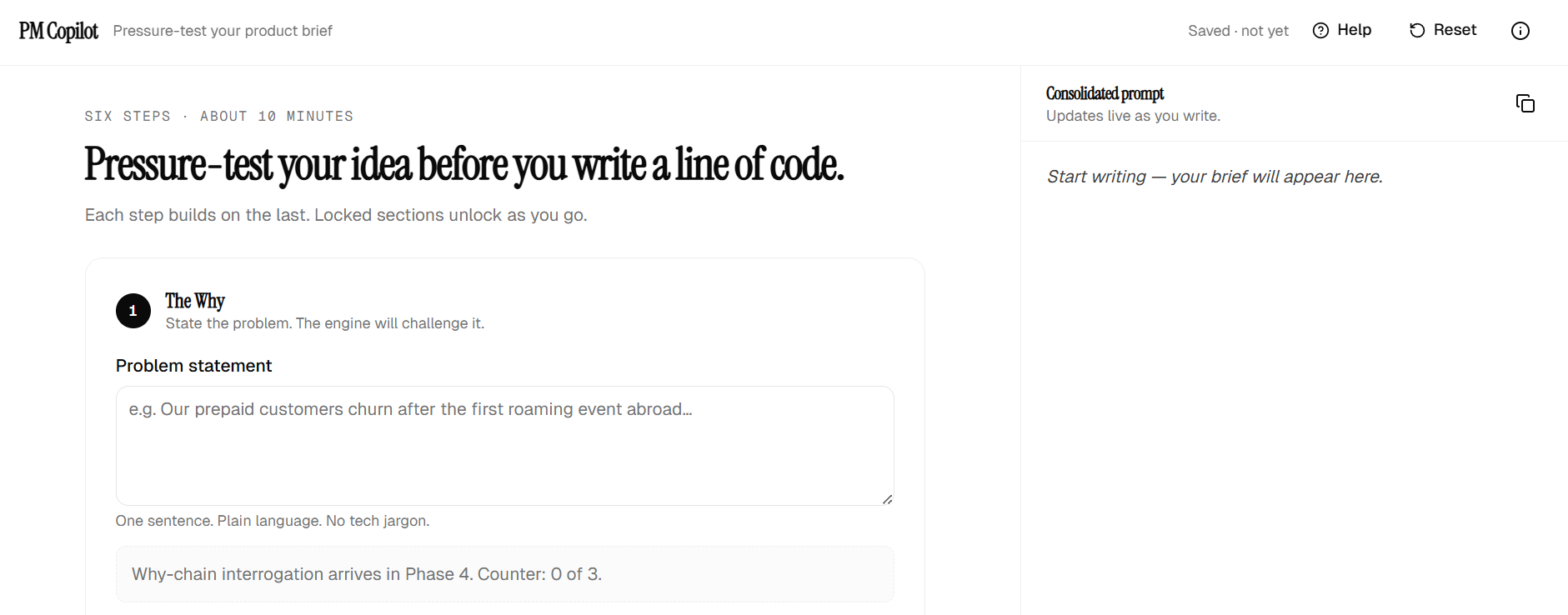
Yes, the fe.md made its job.
Created with
Opus 4.7in under 2h and 25% of the current hourly period tokens consumed
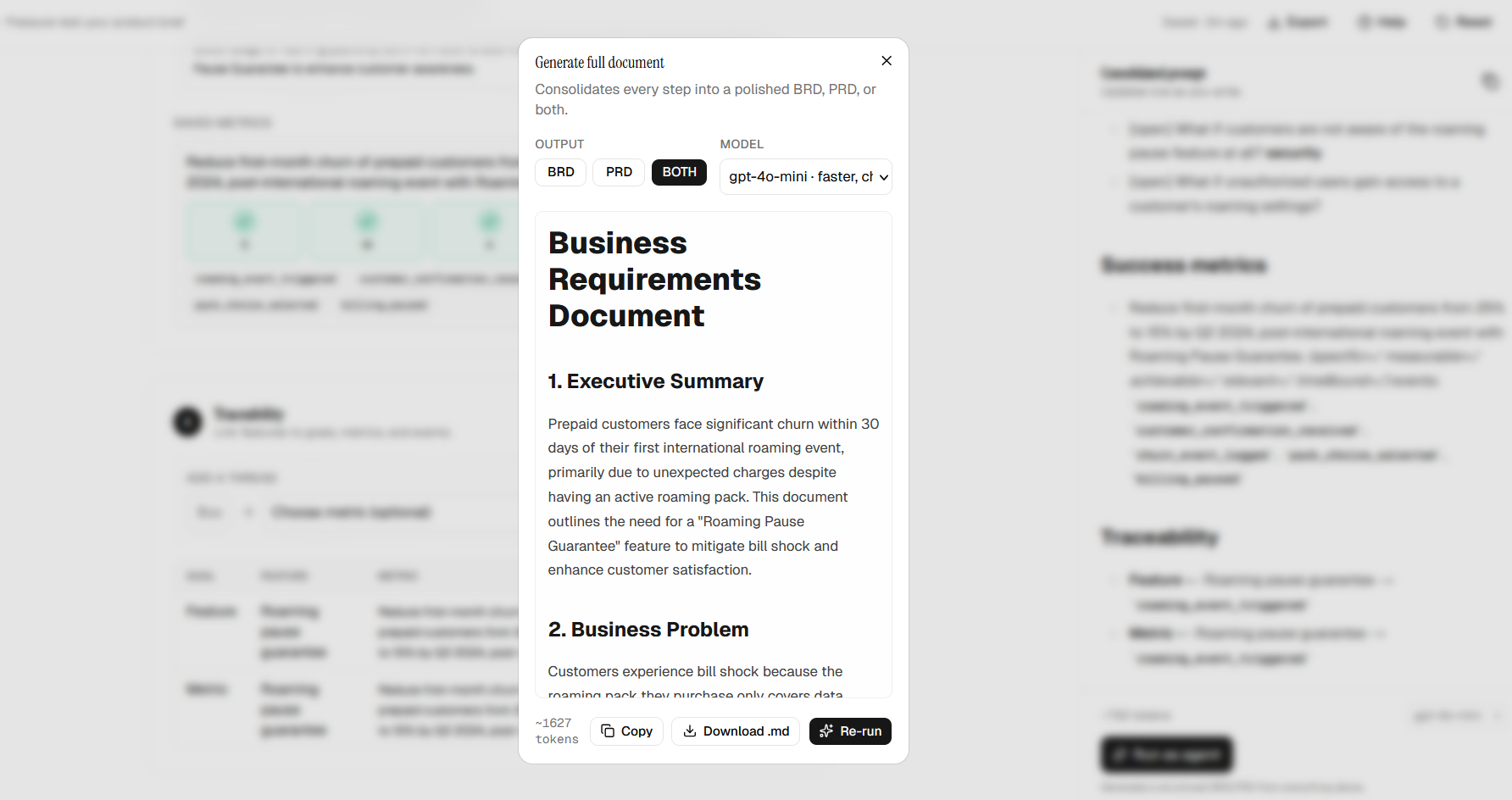
Shipped.
Because doing those jobs, aka asking questions, with Gemini at the browser seems to be so hard.
Last time i mentioned how quickly was to do the ppt.html in this one.
But now, Who said a video?
#start index.html #ppt view
cd hyperframes-pitch
hyperframes preview
npx hyperframes render -q high -f 60   # 60fps high-CRF
Hyperframe or remotion shouldnt be a problem already:
npx --yes skills find hyperframes 2>&1 | head -60
#npx --yes skills add heygen-com/hyperframes@gsap -y
#npx --yes skills add heygen-com/hyperframes@hyperframes-c
From start to ship, ppt and video: 4h and 50% tokens consumed
a branded video?
Going from html to video is nothing nowadays:
Thats it.
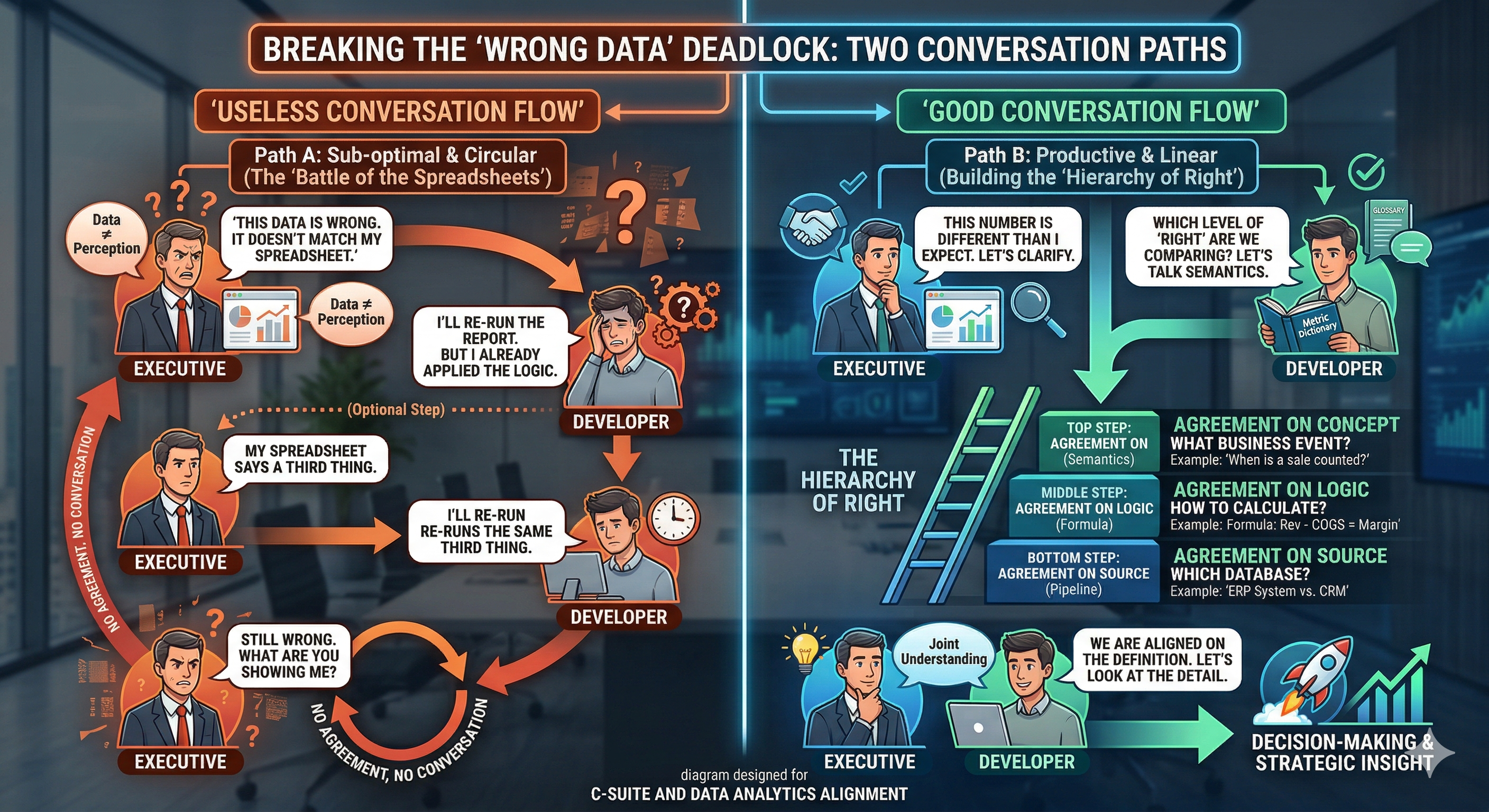
No excuses to get directions and definitions right: you better be the best PM/architect in the room
https://jalcocert.github.io/JAlcocerT/the-ideas-bucket-can-be-empty/#the-top-down-hierarchy-of-right
Making a SaaS?
Consider these kpis
Conclusions
Ship value!
Are you betting on business growth (more sales, bigger deals, up sales,decreased customer churn) or…on business efficiency (higher margins, decreased costs, increased output)?
It doesnt really matter if you are ready to jump:
Build, scale, govern, optimize is whats coming to enterprises
Delivering Value
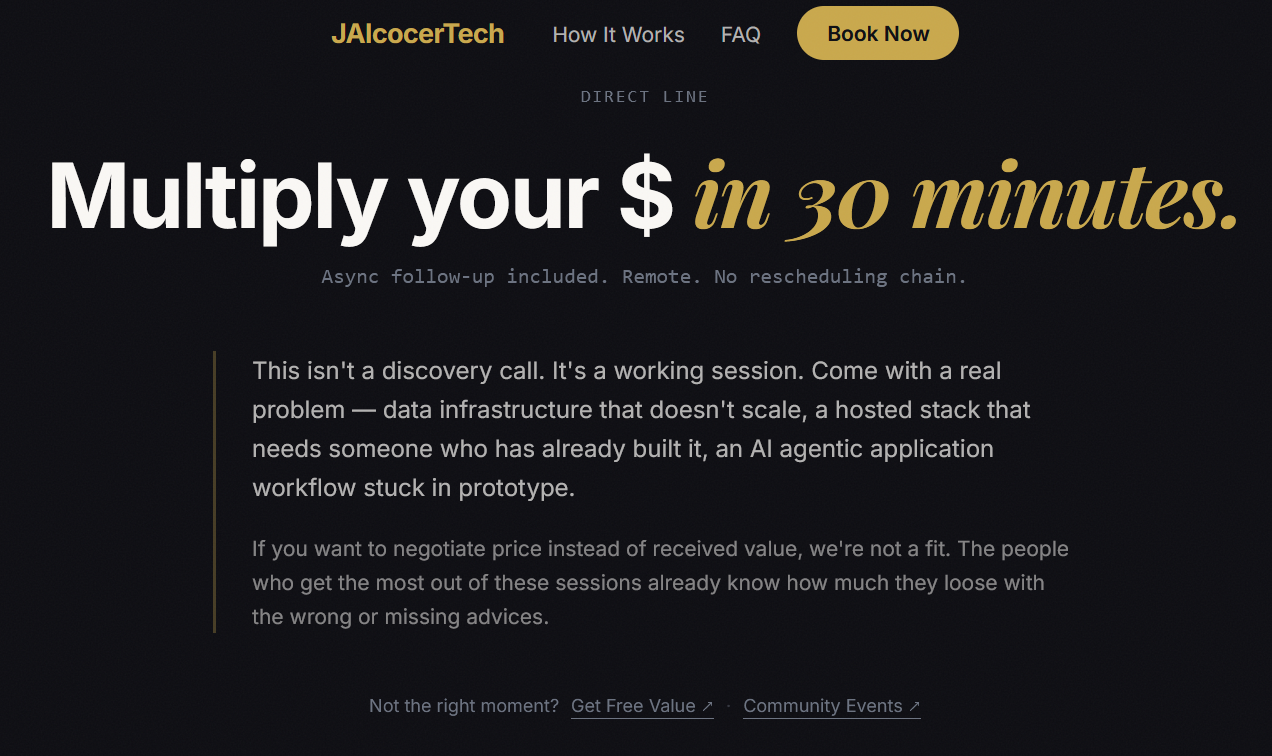 Consulting Services
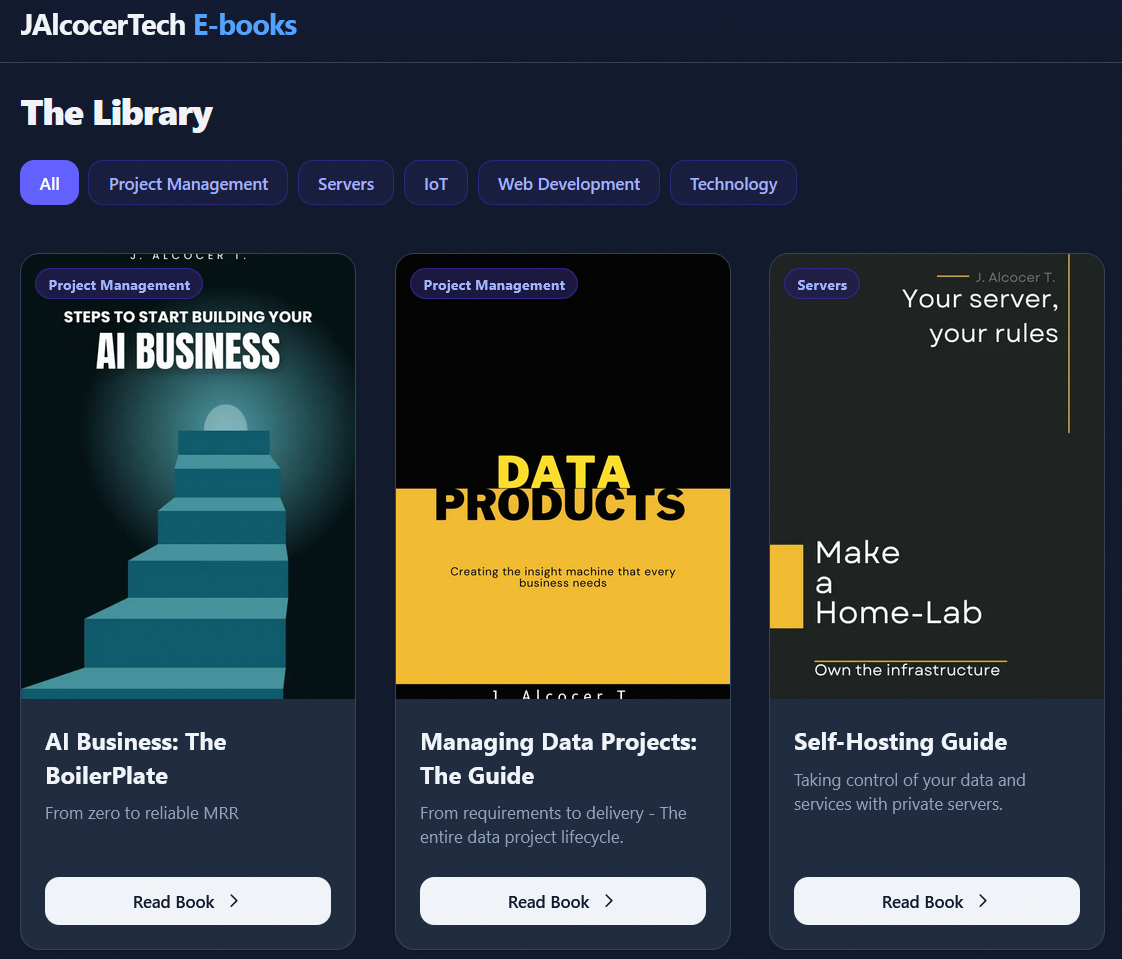 DIY via ebooks
PS: no AI/agentic layer will work w/o proper data layer (data readiness/governance matters)!
Using Lately
- Claude Code with vscodium
- Ocassionaly ghostty / gram / zed
- https://www.warp.dev/terminal
AntigravityRoo code / Kilo Code / Gemini CLI- Codex CLI
CursorWindsurf
FAQ
References
- The design of the design
- The algorithm
submodule add https://github.com/JAlcocerT/ebook-ideasTo my read book notes and these for business playbooks
Concepts
Lean thinking is still useful (fast‑feedback, MVP, reducing waste), but it’s more about optimizing an existing flow than exploring the fuzzy, participatory space where prosumers live.
- A BRD is a high‑level document that captures what the business wants (goals, scope, stakeholder needs) before you get into technical specs.
So BRD is more about “capturing intent” than shaping the interaction model; it’s a bridge from business (including prosumer‑oriented goals) to the team.
DDD, aka domain driven development is a software design approach where the code structure reflects the business domain, using a shared language between devs and domain experts.
SDD, spec driven development
TDD, test driven development
Design thinking helps you frame the problem space with prosumers (workshops, personas, scenarios). bmc
BRD then writes down the business intent (“we want users to be prosumers, not just consumers”) and boundary conditions. cubettech
DDD shapes the internal architecture and language so the system can safely support prosumer‑style creation and extension. en.wikipedia
While DEFINE is about the architecture and preparation, CREATE is the engine for the actual drafting and iterative execution.
It is the framework used to turn those requirements into a high-quality final product.
DEFINE is Strategic: It’s used for project management, aligning stakeholders, and ensuring you know what you need. It is the “Contract.”
CREATE is Tactical: It’s the actual prompt engineering syntax used to talk to the LLM to get the work done. It is the “Execution.”
Pro Tip: Use DEFINE to organize your thoughts in a scratchpad or document, then translate those requirements into a CREATE prompt for the AI.
This blueprint provides your team with a standardized “Operational Language” for AI.
It bridges the gap between high-level project management (DEFINE) and the tactical engineering of the prompt (CREATE).
AI Engineering Blueprint: DEFINE & CREATE
Objective: To move from “chatting” with AI to “programming” AI with precision and repeatability.
Phase 1: The DEFINE Framework (The Strategy)
Use this during the planning stage to align the team on what the AI is actually solving.
| Component | Description | Team Action |
|---|---|---|
| D - Desired Outcome | The “Final State.” What does success look like? | Define the format (CSV, Code, Text) and the primary goal. |
| E - End User | Who is reading or using this output? | Identify technical level, seniority, and emotional state of the audience. |
| F - Facts / Inputs | The “Source of Truth.” | Gather URLs, PDFs, or raw data the AI must use. |
| I - In-Scope / OOS | The boundaries. | List 3 things the AI must do and 3 things it must not mention. |
| N - Needs / Constraints | The “Rules of the Road.” | Specify word counts, tone (e.g., “Socratic”), and dependencies. |
| E - Evaluation | The “Quality Control.” | Define the criteria for a “Pass/Fail” response. |
Phase 2: The CREATE Framework (The Execution)
Use this to build the actual prompt. This is the syntax the AI receives.
1. Character & Context
- Prompt: “Act as a [Senior Role]. You are currently working on [Project Context].”
- Goal: Prime the model’s internal weights for specific domain expertise.
2. Reference & Resources
- Prompt: “Use the following examples for style: [Example 1, Example 2]. Refer to this data: [Data Block].”
- Goal: Provide “Few-Shot” examples to minimize hallucinations.
3. Explicit Instructions
- Prompt: “Your task is to [Verb] the [Input] into a [Output].”
- Goal: Clear, command-based directives (e.g., “Synthesize the meeting notes into action items”).
4. Adjustments & Constraints
- Prompt: “Maintain a [Tone] voice. Do not use [Forbidden Terms]. Ensure [Requirement].”
- Goal: Polish the output to meet brand or technical standards.
5. Type of Output
- Prompt: “Output the results as a [Markdown Table / JSON / Code Block].”
- Goal: Ensure the output is immediately “plug-and-play” for the next tool.
6. Evolutionary Iteration
- Prompt: “Critique your own response for [Constraint] and provide a revised version.”
- Goal: Use the AI’s reasoning to self-correct before the human sees it.
Phase 3: The Pro Workflow (The Chain)
To implement these, tell your team to follow the G.R.T.A. sequence for complex tasks:
- Generate: Use CREATE to get a raw draft based on the DEFINE specs.
- Refine: Feed the draft back. Ask the AI to fix logic, tone, or factual errors.
- Transform: Change the refined text into the final format (e.g., Turn the report into a Thread or a Jira ticket).
- Apply: Generate the meta-data or code needed to move the work into your production environment.
- Standardize: Use a shared document/Notion page for “DEFINE” blocks before starting big AI tasks.
- Library: Save successful “CREATE” templates that worked for specific recurring tasks (e.g., “The Weekly Report Prompt”).
- Review: During sprint reviews, show the prompt (the “Define/Create”) alongside the result to improve team prompting literacy.