Selfhosted TTS
Tl;DR
https://mermaid.js.org/syntax/entityRelationshipDiagram.html
https://github.com/swingmx/swingmusic
Intro
- WHY Im writting this post: *bc i was surprised with voicebox, chatterbox and kittenTTS, but got to know simpler local audio workflows with kokoro-82M and this needs a checkpoint.
- WHAT Ive learnt with it: Ive ended
T2S
You can go an use an OpenAI key:
Or as I got to know recently, Kokoro TTS surprised me locally with python to create such video with hyperframes autonomously.
https://jalcocert.github.io/JAlcocerT/blog/selfhost-2605-ollama-cloud/#local-audio
S2T aka Transcription
This is a good addition to margin-cms
Imagine having the audio record capabilities and transcription from meetings directly into your notes.
Files.md has recording capabilities via pwa
Then you can use some skills to bring the sauce to your daily summary, or just skip it.
Selfhosted AI-Gen Audio
Earlier this year I was trying: chatterbox, qwen TTS, kitten TTS and Voicebox
From all those: voicebox was the clear winner to me.
https://jalcocert.github.io/JAlcocerT/cad-design-mbsd/#rendering-on-a-mac-m2
Selfhosted music server
Just setup Gonic or Navidrome.
If you like CLIs: https://fossengineer.com/cliamp-terminal-music-player/
AI x Music
https://jalcocert.github.io/JAlcocerT/music-with-ai-tools/#open-source-ai-tools-for-music-creation
https://jalcocert.github.io/JAlcocerT/music-with-ai-tools/#sunoai
Conclusions
A friend tried https://pr.tn/ref/RHJ7YZE8 proton unlimited https://account.proton.me/u/3/mail/users-addresses
- Your friend creates a free Proton account with a Proton Mail address.
- You upgrade your account to Proton Duo.
- In Proton settings, create a family group.
- Go to Users and addresses → Invite user.
- Enter your friend’s Proton address and allocate storage.
- They accept the invitation and switch to your Duo plan.
FOSS
Just get gitlab setup, use skills and continuing the F/OSS brand:
#ssh jalcocert@192.168.1.2
#cat ~/.ssh/id_ed25519.pub
#ssh -T git@gitlab.com
git clone git@gitlab.com:fossengineer1/fossengineerpapermod.git
I discovered interesting services, in case that you are tired of stripe:
Added Zoneless as an optional USDC payout method to this marketplace while preserving checkout and every existing payout method; start by reading https://zoneless.com/docs/agent-marketplace-quickstart.md and follow it.HomeLab Updates 1026
Coming from the 0926 updates.
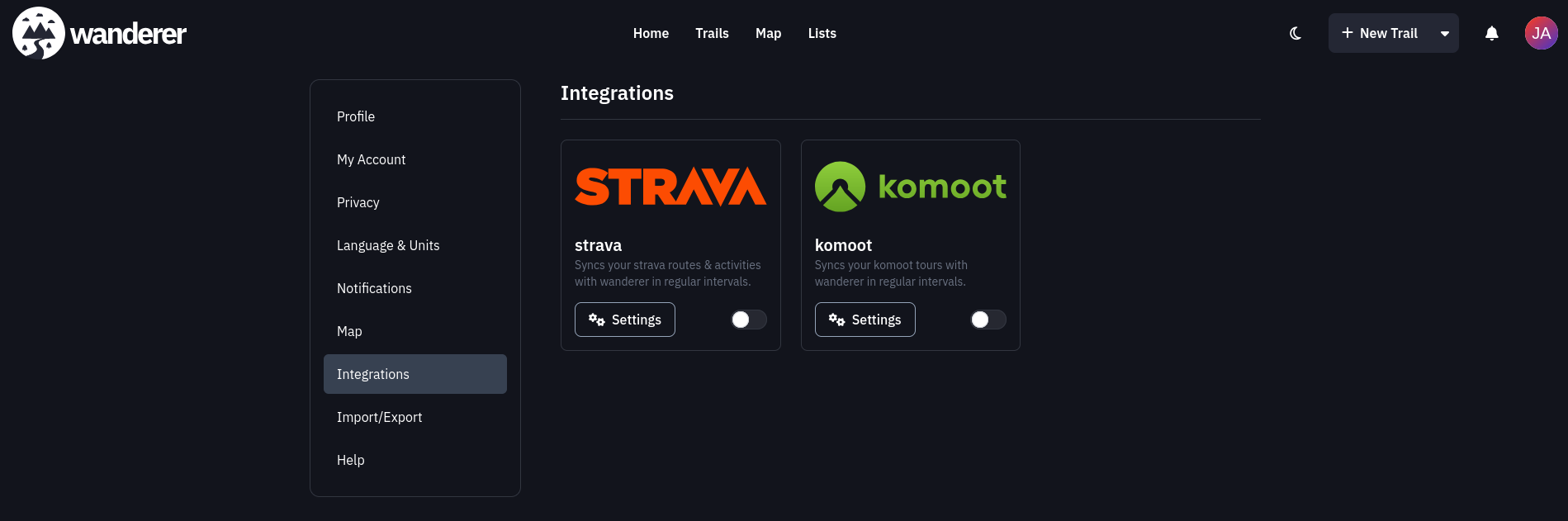
Ive been using Dawarich for a while, which reminded me about a potential synergia with wanderer
Tinkered a bit with Technitium inside Omarchy via VM.
Also, got to know about mDNS - which can be useful to ship the automatic watering setup with the esp32 available at a pump.local domain
Both the pi and x300 are working right now without local SSLs 192.168.1.18 192.168.1.2
Regarding useful CLIs: herdr, ncdu, lazydocker
For AI: windsurf, cursor, zed, gram, antigravity, kilo code, roo code, gemini cli, Goose Desktop claude code, codex CLI, T3 Code, opencode….. Combined with gitpane or mgitstatus:
herdr #code --yolo | opencode | claude
#opencode upgrade
mgitstatus #this has been interesting to try and superseed an IDE

glances #htop #btop
#lazygit #lazydocker
#cargo install gitpane
For maintainance:
#ncdu /
find . -type d -name ".venv" ### -exec rm -rf {} +
find . -type f \( -iname '*.sqlite' -o -iname '*.sqlite3' -o -iname '*.db' \)

# sudo docker compose -f ./z-homelab-setup/evolution/2601_docker-compose.yml up -d qbittorrent prowlarr
sudo docker compose -f 2610_docker-compose.yml up -d termix nextcloud ncdb sftpgo forgejo forgejo-forgejo-db-1 ntfy pocketbase mailpit uptimekuma maintenant technitium jellyfin qbittorrent prowlarr dawarich_app dawarich_db #umami lunalytics littlyx
#docker port iot-dashboard-v2
#lazydocker
To do some clean up:
comm -23 \
    <(docker network ls --format '{{.Name}}' | sort -u) \
    <(docker ps --format '{{.Networks}}' | tr ',' '\n' | sort -u)
#docker network prunewinget install sonixdBeen also working with notifications in the homelab lately: it has been cool for inbound marketing
https://github.com/Aetherinox/ntfy-desktop#linux-1and connection with uptime kuma (mqtt too?)
Oh, and with oss link shorteners: snapp was interesting, dub too feature heavy, kutt, shlink, yourls and ha.mr whose creator has a very interesting video about how link shorteners work
But finding Sink and Slite that are a good match if you already use CF KV and D1
The video presents a novel approach to link shortening and QR code generation that eliminates the need for a database, ensuring links remain recoverable even if the service goes down.
The method focuses on optimizing link encoding and compression, resulting in potentially smaller QR codes and links without ads or registration.
Traditional link shorteners store full links in a database, raising privacy concerns and potential link loss if the service shuts down.
The proposed “link compressor” removes redundant parts of URLs, significantly reducing their length without losing essential information.
Encoding techniques are employed to represent common URL components with fewer bits, allowing for more efficient storage.
The system uses a fixed dictionary for compression, optimizing the encoding of frequently used characters in URLs.
The QR code generation process is improved by using the alphanumeric character set, resulting in smaller and more efficient QR codes compared to existing tools.
The project is experimental and not intended as a commercial product, but it demonstrates the potential for more efficient link management.
Once you are done, you make sure that all links in your website work with
https://github.com/linkchecker/linkchecker
These are also useful:
#whois ebooks.jalcocertech.com| grep -i -E "(creation|created|registered)"
nslookup ebooks.jalcocertech.com
dig ebooks.jalcocertech.com

#sudo docker stop qbittorrent
#docker rm -f $(docker ps -aq --filter "name=entre")
#docker system prune --all
docker inspect forgejo --format '{{range $name, $_ := .NetworkSettings.Networks}}{{println $name}}{{end}}'
#docker network connect cloudflared_tunnel forgejo
#cd ./Home-Lab/forgejo
#make migrate-repo REPO_OWNER=JAlcocerT REPO_NAME=my-logseq-notes #makes a mirror of gh
#make sync-repo REPO_OWNER=JAlcocerT REPO_NAME=my-logseq-notes
Nextcloud is working reliably and accesible via CF only from the countries I configured via WAF.
Is good to have opencode and lazygit handy too.
#docker ps --filter "status=running"
#docker ps -a --filter "name=home-assistant"
#docker stats home-assistant
glances #htop btop
You can also connect to wifi via CLI, see iwd or impala TUI
Having a look to commento to check that there is no spam from time to time:
- https://jalcocert.github.io/JAlcocerT/selfhosted-apps-oct-2025/#traefik-x-x300-homelab
- https://fossengineer.com/selfhosting-traefik/
For media: https://selfh.st/apps/?tag=Photos
git clone /JalcocerT/foldergramPoint it at your folders, browse everything through a fast feed-style interface. No cloud, no accounts — just your files and SQLite.
- https://github.com/open-noodle/gallery a fork of immich :)
Some time back i tried immich but i didnt like that my folder order is not respected and also neither need the heavy face recognition
High performance self-hosted photo and video management solution.
https://github.com/andrii-kryvoviaz/slink
Ive also kept using my yt-distill poc to go through interesting videos:
git clone ./poc/yt-distillFrom here, destilling is not the problem, its just doing.
FAQ
#git init #gh secret listhttps://github.com/mortennordbye/homelab
https://github.com/lfnovo/open-notebook
https://github.com/Priveetee/TypeType
Preparing backups
Frist of all, some cleanup:
containers_to_stop=(
  z-poc-trip-planner-adk-web-1
  z-poc-trip-planner-adk-adk-1
  libreportfolio-flask
  chartbrew-foss-trial-app
  chartbrew-foss-trial-db
  chartbrew-foss-trial-redis
  inbucket-safe
  dbackup
  ppp-caddy
  ppp-app
  ppp-db
  feedlog
  feedlog-db
  gladys
  gladys-ext-prohand-gladys-electricity-maps
  filebrowser
  kener
)

docker stop --timeout 60 "${containers_to_stop[@]}"

#docker rm "${containers_to_stop[@]}"

docker builder prune -a
docker image prune -a
It has been a while since I updated these configs.
But first, I moved from the OS drive towards /mnt/data1tb/services all the containers.
cd ./Home-Lab/tree/main/z-homelab-setup/evolution
docker compose -f 202610_docker-compose.yml up -d buildYou have this nice client: https://github.com/Obiente/native
cd /home/jalcocert/Downloads && sudo apt install -y ./nextcloud-native-linux-amd64.deb
#docker exec -it nextcloud php -v
You better are aware of whats going on with PHP and update accordingly
https://github.com/kopia/kopia
Cross-platform backup tool for Windows, macOS & Linux with fast, incremental backups, client-side end-to-end encryption, compression and data deduplication. CLI and GUI included.
https://github.com/restic/restic
Fast, secure, efficient backup program
cd jalcocertech-core/leads-hub/hub
docker compose run --rm hub digest --send #weekly summaries towards ntfy
Testing a backup Strategy in the cloud
I recently saw this post that compares few VPS providers
It reminded my that some time back, i also tested as a wg server VPS’s like DO droplet and hetzner
Also, i put together some 101 vps setup that we can reuse.
As now im energy aware that my CM+x300 home server are costing me ~20kwh/month@0.25eur/kwh = 5 eur/month which is far lower than the ~60 eur/month id be paying.
But… renting on of those servers for an afternoon can be interesting to:
Test in Batch all my Home-Lab OSS projects docker compose with agents and flag which ones are not working anymore
Test that my backup strategy and DR (disaster recovery works)
Travel Router as Home Router
I was wondering of the Glnet could be my home router, if i can use https://opnsense.org/ or if i need a CM at all.
No, you do not need a cable modem at all.
The standalone ONT on your wall is already your modem.
Why People Get Confused by the Term “Modem”
Historically, internet types used different devices:
- DOCSIS (Coaxial cable TV network like legacy UPC): Needed a dedicated Cable Modem to translate high-frequency coaxial RF signals into Ethernet.
- DSL / VDSL (Old copper phone lines like Neostrada): Needed an ADSL/VDSL Modem to demodulate phone line frequencies.
- Fiber Optic (Your setup): Uses an ONT (Optical Network Terminal). It demodulates light pulses coming through the glass fiber and turns them directly into standard Gigabit Ethernet frames.
The box Play delivered to you is a router + Wi-Fi access point, not a modem. It does no optical conversion.
[ Glass Fiber in Wall ]
           │
           ▼
┌─────────────────────────┐
│     Orange ONT Box      │  <-- THIS IS YOUR MODEM (Keep this plugged in)
│ (Demodulates light)     │
└──────────┬──────────────┘
           │
           │ (Standard RJ45 Ethernet Cable carrying VLAN 35)
           ▼
┌─────────────────────────┐
│ Play Factory Box        │  <-- THIS IS JUST A ROUTER / AP (You can remove it)
│ (Currently routing)     │
└─────────────────────────┘
When you replace the Play router with your GL.iNet, a UniFi Gateway, or your Ubuntu homelab running OpenWrt:
[ Orange ONT Box ]
       │
       │ (Standard RJ45 Ethernet Cable carrying VLAN 35)
       ▼
[ Your Custom Router / GL.iNet / Homelab VM ]
       │
       ▼
[ Your Devices & Wi-Fi ]
As long as the ONT on the wall stays connected to power and fiber, you can plug that incoming Ethernet cable directly into any router you want and send the factory box back into storage.
Macbook…or Omarchy?
I tried omarchy 4 in a VM not long ago and i pretty much enjoyed the flow of the window manager.
Just discovered that there is a similar project that does the same for macbooks: https://github.com/asmvik/yabai
What to do in this case? to linux? or to go with the flow?
Also this project can be interesting https://github.com/Saffsanity/sill
I tried a macbook Pro M2 that weights the same as my x13 gen2 (1.3kg), the build quality is excellent…but I have some desktop/homelab goodies for starters
There are interesting options: asus expertbook a7, thinkpads x1 with little over 1kg…
Its just that any alternative goes too much into the diminishing returns part.
How many users can a Pi4 2GB handle
Im more and more interested about architecture and system design:
https://www.youtube.com/watch?v=xV2SpvHHF_I
So just took my benchmarks and applied it.
Bc deploying and putting features fast infront of prospects matter
The questions is: via a VPS/HomeLab or now using CF KV Workers?
I compared clouds and mini-pcs/sbcs in several occasions.
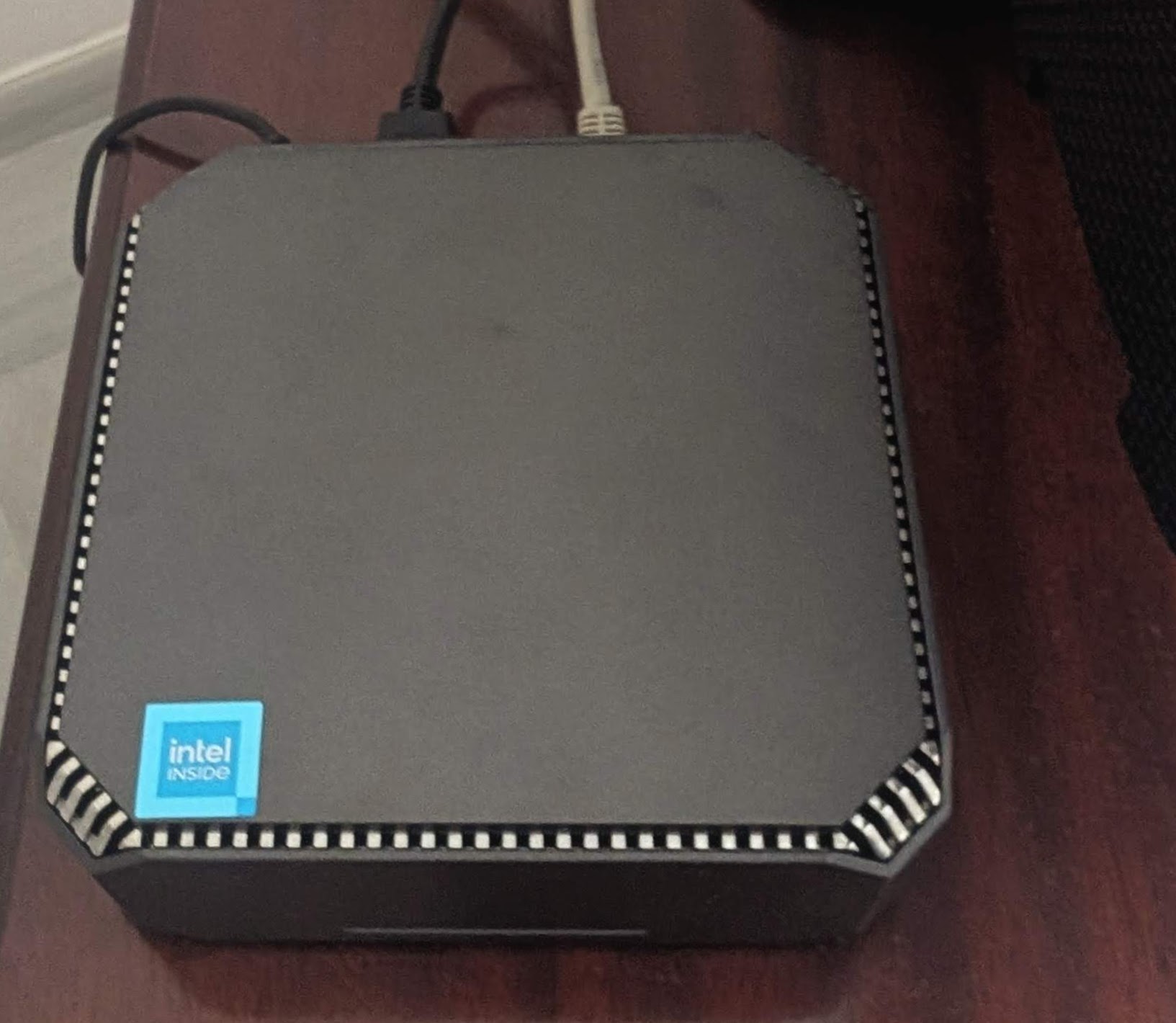 FireBat AK2 Plus
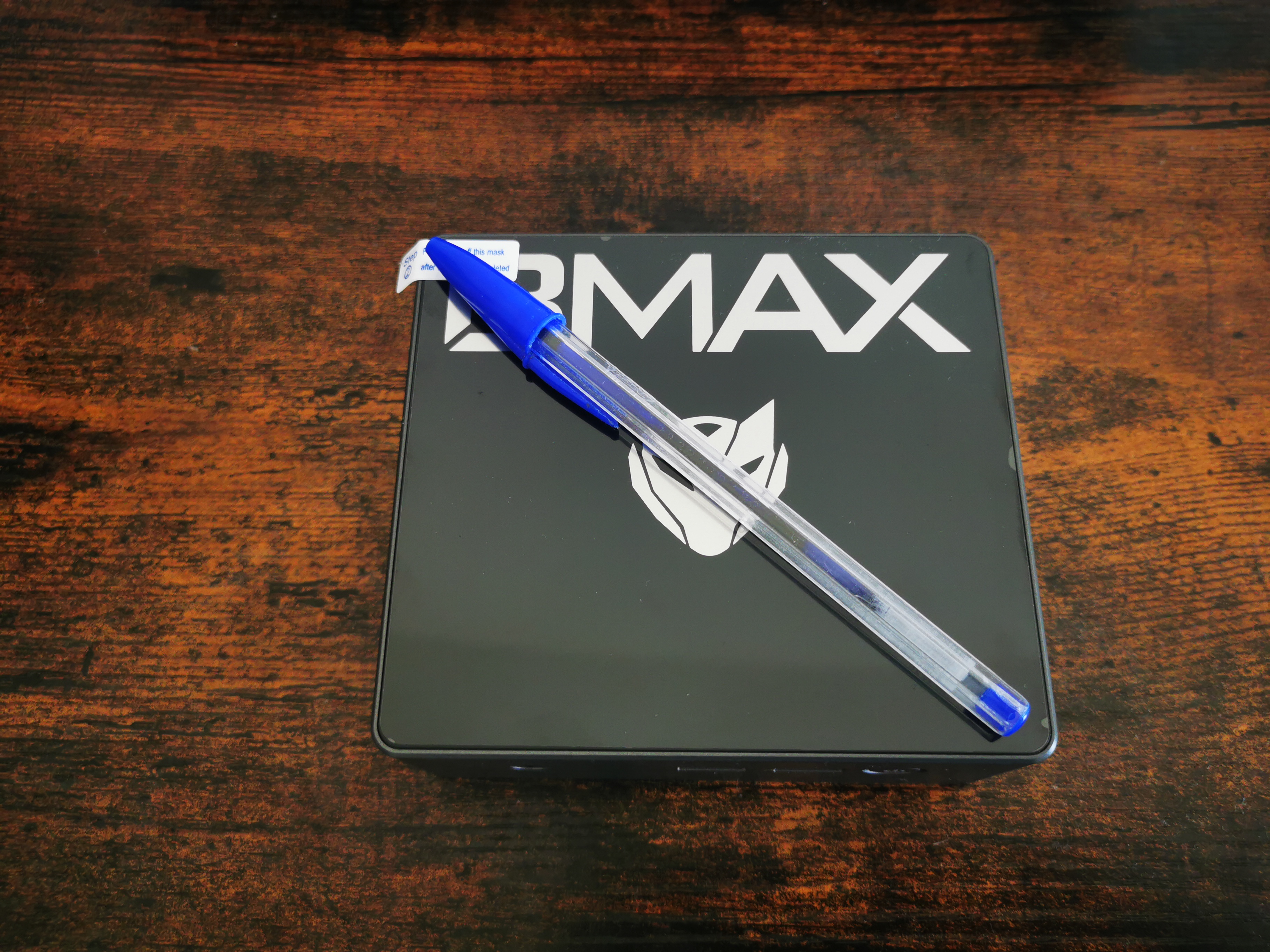 BMax B4 MiniPC Review
ProtonCLI x Rust
How about taking this and making a desktop that doesnt is cool?
How about doing the same for Nextcloud?
The AI Agent Stack
The biggest learning from this (May 2026) batch: modern self-hosted AI tooling is splitting into five distinct layers that don’t compete, they compose.
The honest map:
┌─────────────────────────────────────────────────────────────────┐
│  Orchestration layer ──── Paperclip          (the "company")    │
│                           Symphony           (vendor-flavored)  │
├─────────────────────────────────────────────────────────────────┤
│  Personal assistant ───── OpenClaw           (maximalist)       │
│  (messenger-resident)    NanoClaw           (minimalist)        │
│                           Hermes Agent       (self-improving)   │
├─────────────────────────────────────────────────────────────────┤
│  Coding agent harness ─── Pi                 (open + extensible)│
│  (terminal-resident)     Claude Code         (Anthropic)        │
│                           Codex CLI          (OpenAI)           │
│                           Cursor CLI         (Cursor)           │
├─────────────────────────────────────────────────────────────────┤
│  Coding standards ─────── Agent OS           (capture + inject) │
├─────────────────────────────────────────────────────────────────┤
│  Coding workflow ──────── OpenSpec           (propose → apply)  │
└─────────────────────────────────────────────────────────────────┘
The layers don’t just stack — they cross. OpenClaw’s SDK integration embeds Pi as its agent runtime, so a single message routed through OpenClaw can ultimately be processed by a Pi session in OpenClaw’s container, which in turn might invoke an Agent OS standard or an OpenSpec workflow inside that session.
The boundaries blur productively.
The right AI-first developer stack today might combine: Hermes/OpenClaw/NanoClaw (your messenger-resident assistant) + Pi or Claude Code (your terminal-resident coding agent) + Agent OS (your codebase’s standards) + OpenSpec (your coding workflow) + Paperclip or Symphony (orchestration when you have many agents working in parallel).
Each post in this batch surfaces five “design principle” claims, not just feature bullets, because the design philosophies are what actually differentiate them.
Orchestration layer
Paperclip — paperclipai/paperclip (MIT)
Tagline: “If OpenClaw is an employee, Paperclip is the company.”
Key insight: Treats AI agents as persistent organizational members with roles, budgets, reporting lines, and audit logs — not ephemeral chat sessions. Heartbeats wake agents on a schedule; budgets are hard stops enforced atomically at every tick (no “you spent $50 this week” warnings — actual cancellation of queued work).
Distinctive features:
- Multi-company isolation in a single deployment (portfolio of autonomous AI businesses)
- 12 systems: Identity, Work, Heartbeat, Governance, Org Chart, Workspaces, Plugins, Budget, Routines, Secrets, Activity, Portability
- Adapter set: Claude Code, Codex, Cursor, OpenClaw, bash, HTTP/webhooks
- Export/import entire orgs with secret scrubbing → Clipmart roadmap
Stack: Node 20+ / TypeScript / React UI / PostgreSQL 17 / Better Auth. Port 3100. Auth modes: trusted loopback (default) or authenticated (LAN/Tailnet).
Symphony — openai/symphony (Apache 2.0)
Tagline: OpenAI’s spec for “manage work, not coding agents.”
Key insight: The spec IS the product. A 2,169-line RFC-2119 specification with the Elixir code as “one reference, build your own.” The README explicitly endorses asking Claude/Codex to re-implement Symphony from SPEC.md in any language.
Distinctive features:
- Linear-only, Codex-only, single-tenant (deliberately narrow)
WORKFLOW.mdis repo-owned — the agent’s policy lives in the target codebase- No persistent database — restart recovery from tracker + filesystem
- Trust posture is implementation-defined; Elixir reference defaults to
approval_policy: neverfor trusted environments
Stack: Elixir/OTP 1.19 / Phoenix LiveView / mise version manager.
vs Paperclip: Symphony is opinionated and narrow (Codex + Linear); Paperclip is configurable and broad. Same architectural slot, different design point.
Assistant runtime layer
OpenClaw — openclaw/openclaw (MIT)
Tagline: 🦞 “EXFOLIATE! EXFOLIATE!”
Key insight: The maximalist answer to “personal AI assistant.” 14,406 TS files, 134 plugins, 23+ messaging channels, native macOS/iOS/Android apps, voice (Wake + Talk Mode), Live Canvas (A2UI agent-driven UI). Sponsored by OpenAI, GitHub, NVIDIA, Vercel, Blacksmith, Convex.
Distinctive features:
- 23+ channels: WhatsApp, Telegram, Slack, Discord, Signal, iMessage, Matrix, plus Feishu/LINE/Mattermost/Synology/Tlon/Twitch/Zalo/WeChat/QQ/WebChat
- 30+ provider adapters (Anthropic, OpenAI, Bedrock, Vertex, DeepSeek, Cerebras, vLLM, Cloudflare AI Gateway…)
- Main vs non-main session split: main = full host access, non-main = sandbox (Docker/SSH/OpenShell)
- DM pairing as security default;
openclaw doctorflags misconfigurations
Operational note: Docker compose hard-pins OPENCLAW_*_DIR and HOME to prevent macOS host paths leaking through .env into Linux container (issue #77436). This pattern is worth remembering across other Node + Docker projects.
NanoClaw — nanocoai/nanoclaw (MIT)
Tagline: Personal Claude assistant. Lightweight, secure, customizable.
Key insight: The minimalist answer to the same problem. Small codebase you can audit (one process, handful of files), per-session Docker containers by default, no config files — customization via code edits. The bet: “small enough that Claude Code can safely modify it” beats “large enough that no human can audit it.”
Distinctive features:
- Per-session two-SQLite-DB design (inbound.db + outbound.db, host vs container as single writers, even/odd seq parity)
- Two-runtime split: Node + pnpm on host (supply-chain controls via
minimumReleaseAge: 4320), Bun in the container (fast cold-start, native SQLite) - Credentials via OneCLI Agent Vault — never enter the container
- Channels and providers install via
/add-<channel>skills thatgit fetchfrom sibling branches into your fork
Honest constraint: Per-fork rebuilt image — no nanoclaw/nanoclaw:latest to pull because every fork has different installed skills/MCPs/packages.
Hermes Agent — NousResearch/hermes-agent (MIT)
Tagline: The self-improving AI agent.
Key insight: The defining feature is the closed learning loop — agent-curated memory, autonomous skill creation after complex tasks, skills self-improving during use, FTS5 cross-session search with LLM summarization, Honcho dialectic user modeling. The agent gets better at being your agent over time, not just generically smarter when the underlying model upgrades.
Distinctive features:
- 22 messaging platforms (incl. LINE, SimpleX, Microsoft Teams via Graph foundation)
- 7 terminal backends including Modal and Daytona for serverless hibernate-on-idle — 24/7 agent costing cents/month at rest
hermes proxy— OpenAI-compatible local proxy for OAuth providers (Claude Pro, ChatGPT Pro, SuperGrok) → Codex/Aider/Cline can use your subscription- First-class
hermes claw migratefrom OpenClaw — auto-detected during setup pip install hermes-agent(new in v0.14.0)
Supply-chain hardening (worth flagging across all Python projects): every direct dependency exact-pinned (no >= ranges), explicitly because of the Mini Shai-Hulud worm hitting mistralai 2.4.6 on PyPI in May 2026. v0.14.0 adds an advisory checker that scans on every install.
Coding agent harness layer
Pi — earendil-works/pi (MIT)
Tagline: “Adapt pi to your workflows, not the other way around.”
Key insight: Same architectural slot as Claude Code / Codex CLI / Cursor CLI — terminal-resident coding agent — but MIT, aggressively extensible, and SDK-embeddable. Six explicit non-features in the README (no MCP, no sub-agents, no plan mode, no permission popups, no built-in to-dos, no background bash) — each rejected with a stated rationale and a “build it with an extension if you want it” pointer.
Distinctive features:
- 5-package monorepo:
pi-coding-agent(CLI) +pi-agent-core(runtime) +pi-ai(provider API) +pi-tui(terminal UI) +pi-web-ui(web components) - Four operating modes: interactive (TUI), print/JSON (one-shot), RPC (stdin/stdout JSONL with strict LF framing), SDK (embed in your app)
- 30+ providers including OAuth subscription auth (Claude Pro, ChatGPT Plus, GitHub Copilot)
- Cross-provider handoffs mid-session (Claude → GPT mid-conversation with context preserved)
- Sessions as trees —
/tree,/fork,/clonefor branching - TypeScript extensions API with full surface area (register tools, commands, keybindings, UI components, even replace built-in tools)
- Pi packages:
pi install npm:@foo/pi-toolsorpi install git:github.com/user/repo - Public OSS session sharing via
pi-share-hf→ Hugging Face datasets (research-friendly stance)
The OpenClaw connection — the layer cross-reference: OpenClaw’s SDK integration uses pi-coding-agent’s SDK as its agent backend. When OpenClaw answers a Slack message and generates code, that code is being produced by a Pi session running inside OpenClaw’s per-agent container. Pi is both a standalone CLI and a library that personal-assistant projects can embed.
Honest design contrast: Where OpenClaw is maximalist (134 plugins, voice, Canvas, native apps) on the personal assistant axis, Pi is minimalist on the coding agent axis. Same author-philosophy split visible in NanoClaw vs OpenClaw at the personal-assistant layer — there’s a consistent “minimal core + extensions” pattern across the open-source AI tooling ecosystem in 2026.
Author: Mario Zechner (@badlogicgames). Domain pi.dev donated by exe.dev. Auto-close on new-contributor issues/PRs as a deliberate scope-control mechanism (maintainers review daily).
Coding augmenter layer
Agent OS — buildermethods/agent-os (MIT)
Tagline: “Agents that build the way you would.”
Key insight: Retreated to its strongest niche in v3. Brian Casel explicitly dropped spec writing, task breakdown, and implementation orchestration in v3 (January 2026) because Claude Code’s Plan Mode + extended thinking now do those better. What remains: standards capture/injection, the part AI tools don’t do well on their own.
Distinctive features:
/discover-standardsreads your codebase and surfaces patterns into versioned.mdfiles/inject-standardspicks relevant standards fromindex.ymlper context (Plan Mode / Skill / conversation)- Profile inheritance (
config.yml) for cross-project reuse - Pure bash + markdown — no runtime, no daemon, no API keys
v3 install gotchas (fixed): ((var++)) under set -e failed silently on some shells (PR #328); tac is GNU-only, not on macOS without coreutils (PR #327).
OpenSpec — Fission-AI/OpenSpec (MIT)
Tagline: “AI-native system for spec-driven development.”
Key insight: 29 AI tools supported out of the box is the unusual feat. OpenSpec auto-installs the correct adapter files for each tool’s specific convention (.claude/, .cursor/, .codex/, .github/, .gemini/, .windsurf/, …) — the bet is that you’ll switch between 2-3 AI tools depending on the task, and the workflow needs to be consistent across all of them.
Distinctive features:
/opsx:propose→/opsx:apply→/opsx:archiveworkflow- Brownfield-first delta model:
openspec/specs/is the truth,openspec/changes/are proposals that merge in on archive - “Fluid not rigid” — no phase gates; create artifacts in any order
- Core profile (5 commands) or expanded (11) via
openspec config profile
vs Agent OS: OpenSpec captures changes; Agent OS captures standards. Both are pure-markdown + small CLI, both MIT, both install into your project — they’re complementary, not competing.
vs alternatives: Spec Kit (GitHub) is more thorough but rigid + Python; Kiro (AWS) is polished but IDE-locked + Claude-only; OpenSpec aims at the everyday case.
Cross-cutting patterns in the AI batch
Polite-but-clear positioning via migration tooling. Hermes ships hermes claw migrate that auto-detects ~/.openclaw and imports settings/memories/skills/keys. That’s not casual — it’s saying “if OpenClaw isn’t working for you, here’s the door.” This is a useful pattern when entering a category with an incumbent.
Single-process vs micro-service. NanoClaw is one Node host + Bun container per session, no IPC, all communication through SQLite files. OpenClaw is one Gateway daemon + plugin loader for 134 plugins. Paperclip is one server + Postgres. Symphony is one orchestrator + Codex subprocesses. None of them are micro-service architectures — the modern self-hosted agent platform is almost always a single process plus per-session/per-task isolation.
Supply-chain hardening is becoming a default. Hermes exact-pins every dep + advisory checker. NanoClaw has minimumReleaseAge: 4320 (pnpm 3-day quarantine). Symphony’s WORKFLOW.md includes shell_environment_policy.inherit=all as a deliberate trust posture. The Mini Shai-Hulud worm hitting mistralai 2.4.6 on PyPI is now a frequent reference point in pyproject comments.
MIT dominates. Of the seven AI projects: 6× MIT, 1× Apache 2.0 (Symphony). No AGPL, no Fossorial Commercial-style dual licensing. The license norm for AI agent tooling appears to be permissive-default.
Slash-command markdown is the lingua franca. Agent OS, OpenSpec, NanoClaw, OpenClaw, and Hermes all ship markdown-based slash commands as their primary user interface. Cursor / Claude Code / Codex / 29 tools all read this convention. Markdown-as-prompt-template is the de facto AI-tool integration protocol.
“Heartbeat” over “chat session” is the orchestration pattern. Paperclip, Symphony, and Hermes scheduling all use periodic ticks rather than continuous chat. The agent wakes, checks work, acts, sleeps. This makes budgeting, cost control, and “what is the agent doing right now?” tractable.
“Minimal core + extension API” is a convergent design. NanoClaw deliberately ships a tiny core with channels installed via /add-<channel> skills. Pi deliberately ships a minimal core with six explicit non-features and a TypeScript extension API. Both projects’ authors explicitly state the rationale: a small core you can read + a powerful extension surface beats a maximalist core that fights every user’s preference. The pattern shows up independently at the personal-assistant layer (NanoClaw vs OpenClaw) and the coding-agent layer (Pi vs Claude Code) — likely an emerging consensus design for open-source AI tooling.
Open-source vs vendor split is starkest at the coding-agent layer. Pi is the only MIT-licensed option in the “terminal-resident coding agent” category — Claude Code (Anthropic), Codex CLI (OpenAI), and Cursor CLI (Cursor) are all vendor products. At the personal-assistant layer (OpenClaw / NanoClaw / Hermes) and the orchestration layer (Paperclip / Symphony), open source is the norm. The vendor lock-in pattern concentrates around the agent that actually writes the code.
Layers cross via SDK embedding. OpenClaw uses Pi’s SDK as its agent runtime — so a Slack message routed through OpenClaw is ultimately processed by a Pi session in OpenClaw’s container, which might invoke an Agent OS standard or an OpenSpec workflow inside that session. The five-layer stack isn’t strictly hierarchical; it’s a graph where SDK-embeddable projects (Pi, Honcho, OneCLI) become primitives that higher-layer projects compose.
Two patterns at the vertical-application layer: open research vs vendor content. TradingAgents (finance, UCLA) and Claude for Financial Services (finance, Anthropic) ship the same week, both Apache 2.0, both target FSI — and they’re opposite in nearly every design dimension. TradingAgents is an open research framework (Python + LangGraph, 15+ LLM providers, runs anywhere, makes trading decisions). Claude for FS is vendor reference content (markdown + JSON, Claude-only, runs on Anthropic platforms, drafts work product for human sign-off, never decides). This isn’t a competitive overlap — they’re at different layers of the same vertical. The pattern is likely to repeat: every domain will see both an open research framework (MedAgents, LegalAgents) and vendor-provided reference content (Claude for Legal, Claude for Healthcare) emerge in parallel. The contrasts to flag when comparing them: who authored (academia vs vendor), decision authority (makes decisions vs drafts for review), provider lock-in (multi-provider vs single-provider), data sources (free APIs vs commercial MCP subscriptions), and self-host shape (Python on your machine vs vendor-hosted runtime).
Vertical applications
This is the layer above the AI infrastructure stack — what all the infrastructure is actually for.
Two distinct shapes here, both Apache 2.0, both shipped May 2026, both target financial services.
They illustrate the open-research-vs-vendor-content pattern that’s emerging across every AI vertical.
TradingAgents — TauricResearch/TradingAgents (Apache 2.0)
Tagline: Multi-agent LLM financial trading framework.
Key insight: Open academic research framework that models a trading firm — analysts (fundamentals/sentiment/news/technical) → researcher debate (bullish vs bearish) → trader → risk team → portfolio manager — using LangGraph for orchestration. Makes trading decisions in a simulated exchange. Decision log persists across runs with realised-return + reflection feedback loop.
Distinctive features:
- 15+ LLM providers with dual-region China endpoints (
qwenvsqwen-cn,glmvsglm-cn,minimaxvsminimax-cn) - Two-tier model config (
deep_think_llmfor reasoning,quick_think_llmfor data fetch) — cost-management knob - Closed feedback loop via
~/.tradingagents/memory/trading_memory.md— each run fetches realised return + alpha vs SPY, generates reflection, injects past lessons into next Portfolio Manager prompt - LangGraph checkpoint resume for long debate runs
- Backtrader integration
- Apache 2.0 with citable arXiv paper (2412.20138)
Stack: Python 3.10+, LangChain + LangGraph, Docker compose with optional Ollama profile for fully-local runs.
Claude for Financial Services — anthropics/financial-services (Apache 2.0)
Tagline: Reference agents, skills, and data connectors for FSI workflows.
Key insight: Vendor-provided reference content for Claude in financial services. 10 named agents (Pitch / Meeting Prep / Market Researcher / Earnings Reviewer / Model Builder / Valuation Reviewer / GL Reconciler / Month-End Closer / Statement Auditor / KYC Screener) shipped as Cowork plugins AND Managed Agents cookbooks from the same source. Drafts work product for human sign-off — explicitly does not make decisions.
Distinctive features:
- Two deployment paths from one source — Cowork plugin (interactive) AND Managed Agents API (headless) reference the same prompt + skill files
- 6 vertical skill bundles (IB / equity research / PE / wealth / fund admin / operations) + 2 partner-built (LSEG, S&P Global)
- 11 commercial MCP data connectors (Daloopa, Morningstar, FactSet, Moody’s, PitchBook, LSEG, S&P Global, MT Newswires, Aiera, Chronograph, Egnyte) — largest commercial MCP integration set in any open repo
- Pure markdown + JSON — no build step, no Node toolchain
- Skill drift detection via
check.py(fails if agent-plugin skill copies diverge from vertical-plugin sources) - Pre-commit version-bump hook (
.githooksviagit config core.hooksPath, no Husky) - Microsoft 365 add-in install tooling for self-hosted routing (Vertex / Bedrock / internal LLM gateway)
Stack: No runtime stack — it’s reference content. Runs on Anthropic’s platforms (Cowork, Managed Agents API) or Claude Code.
The contrast (worth memorizing for future vertical-content reviews)
| Axis | TradingAgents | Claude for FS |
|---|---|---|
| Author | UCLA research group | Anthropic (model vendor) |
| Purpose | Research framework | Enterprise enablement |
| Output authority | Makes decisions (simulated) | Drafts for human sign-off |
| LLM provider lock-in | None (15+ providers) | Claude only |
| Architecture | Python + LangGraph | Markdown + JSON, no code |
| Self-host runtime | Yes (Docker / Ollama) | Partial (only MSFT 365 routing) |
| Data sources | Free APIs + scraping | Commercial MCP subscriptions |
| Cost shape | LLM API only (~$0.20-$2/run) | Cowork + Anthropic API + each MCP subscription |
| Audience | Researcher / quant developer | FSI firm with paid Anthropic + data subscriptions |
The pattern this represents — open research framework + vendor content shipping in parallel — will repeat across legal (LegalAgents vs Claude for Legal), healthcare (MedAgents vs Claude for Healthcare), engineering, etc. When analyzing future projects in those domains, the question to ask is which kind it is, not whether it’s “better” — they coexist at different layers.
Media & Library
MediaLyze — frederikemmer/MediaLyze (MIT)
Key insight: Read-only by design — mount media :ro, never modifies/renames/transcodes. Complement to Plex/Jellyfin (not replacement), opposite of Tdarr (no write path at all).
Stack: Python 3.12 / FastAPI / SQLAlchemy / SQLite + Sidekiq / Redis + PostgreSQL + PostGIS. Frontend: React 19 + Vite + ECharts. Image: ghcr.io/frederikemmer/medialyze:latest, port 8080.
Cool feature: Same FastAPI+React stack runs as both containerized server and native Electron desktop app (.exe, .dmg, AppImage). Unusual — most projects pick one.
Operational note: Change detection uses path+size+mtime triple — incremental scans on 10TB libraries take seconds, not hours.
SnapOtter — snapotter-hq/snapotter (AGPL-3.0 + Commercial)
Key insight: Single container, SQLite-only image-manipulation suite with local AI (background removal, upscaling, OCR, photo restoration, colorization). 51 tools + Pipelines feature lets you chain tools into reusable workflows.
Stack: TypeScript/Fastify backend + Python 3.12 AI venv (rembg, ONNX, PyTorch). Port 1349. shm_size: 2gb is mandatory for GPU compose (PyTorch CUDA shared memory) — easy to strip on copy-paste, breaks GPU silently.
Mirror detection learning: stirling-image/stirling-image and ashim-hq/ashim are identical mirrors with same commit hash 6e103d3. Same package.json.name, same homepage. Fingerprint check now codified in z-agent-learnings.md and in the foss-post skill’s style guide.
Technitium DNS — TechnitiumSoftware/DnsServer (GPL v3)
https://jalcocert.github.io/JAlcocerT/selfhosting-information-flow/#homelab-updates-0926
https://jalcocert.github.io/JAlcocerT/private-dns-with-docker/
Key insight: Full authoritative + recursive DNS server (vs Pi-hole’s “blocking layer bolted onto a DNS resolver”). C#/.NET 10, DoT/DoH/DoQ both client and server side, DNSSEC signing of your own zones, native clustering, SSO via OIDC, 27+ DNS Apps plugins, built-in DHCP.
Pi-hole comparison FAQ pattern: Position “what’s actually different” with 6 concrete capabilities (authoritative zones, DNSSEC signing, serve encrypted DNS to clients, native clustering, plugin API, SSO/RBAC) and an honest assessment of where Pi-hole still wins (community size, simplicity, ecosystem).
Tinyauth — tinyauthapp/tinyauth (GPL-3.0)
Key insight: Forward-auth middleware for Traefik / Nginx (auth_request) / Caddy (forward_auth) in one Go binary + SQLite. Built-in users + OAuth (Google, GitHub, Microsoft, Tailscale, generic OIDC) + LDAP + TOTP 2FA. The lean alternative to Authelia / Authentik.
Pattern preserved: TINYAUTH_AUTH_USERS=user:$$2a$$10$$... requires $$ escaping for literal $ in compose env values.
Three forward-auth endpoints: /api/auth/traefik, /api/auth/nginx, /api/auth/caddy — each formatted for the specific proxy’s expected response shape.
Location & Tracking
Dawarich — Freika/dawarich (AGPL-3.0)
Key insight: Self-hosted Google Timeline replacement (Google killed Timeline as a cloud feature in 2024). Rails 8 + PostgreSQL 17 + PostGIS 3.5 + Sidekiq + Redis. Four-container stack.
Critical setup details:
- ARM hosts need
imresamu/postgis:17-3.5-alpineinstead ofpostgis/postgis(amd64-only) SELF_HOSTED=trueenv var bypasses the two-tier plan system (Lite/Pro) — without it, your self-hosted instance silently behaves like the Cloud free tier with 12-month data window- Cloud product is dual-tier; self-hosted should always set the bypass
Strong project warning preserved: “DO NOT UPDATE AUTOMATICALLY” — under active development with breaking migrations. Watchtower-style auto-updaters explicitly discouraged.
Import sources: Google Takeout, OwnTracks, Strava, Immich, GPX, GeoJSON, photo EXIF. Tracker apps: Dawarich iOS/Android, OwnTracks, Overland, GPSLogger, Home Assistant.