Selfhosted Information flow with Omarchy
TL;DR
You better write daily/weekly notes and work with them
Intro
- Why Im writting this post: bc I want to standardize the way i capture information across my forcely scattered daily flow and create meta-frameworks with it to apply cross-domain
- What Ive learnt with it: Got to know about the company brain. Also recovered the idea that when principles/ideas/books are clear, just apply them harder
Why you need this
I dont care if you are a director, an IC that moonlights has independent consilting work, or a solo-preneur:
QnA the team to avoid accountability laundring
Use when someone asks for a quick call without enough written context:
…and weaponized incompetence 🚀
I cannot jump on a call right now, but we can probably handle it async.
Can you send:
- the exact error or behavior
- what you already tried
- the doc/wiki section you followed
- what result you expected vs what happened
Once I have that, I can point you to the right fix or doc update.
You better ask questions on time. Arent you QnA’ing Product teams?
Yep, make sure meetings are clear and actionable :)
EOD Accountability Review:
- What did I move forward today?
- What did I make clearer for other people?
- What ambiguity did I convert into owner/action/trigger?
- What is still exposed?
- What should be visible in the weekly summary?
When you are a solo-founder, you dont have time for bs.
You can avoid noise, non-sense promises, wishes with such form: https://app.formbricks.com/s/cmtljp6ee1j5d01xdkqdqpdyp
cd ./jalcocertech-services/forms
#make help
The Setup
Earlier this year I got my read books notes distilled with very interesting feedback
Tools
Earlier this year I explored some note tools: Affine, Joplin and logseq, i kept the latter focusing in the pure .md and git capabilities.
Last year, as knowledge management tools I covered: Raneto, Silverbullet
Its not the first time and yet Im putting together sth between a note tool and git CMS here:
cd ./poc/pwa-
#make serve
make cf-login
make cf-project PROJECT=margin-cms  # first deployment only
make deploy PROJECT=margin-cms
#  npx --yes wrangler@latest pages project list
https://margin-cms.pages.dev/
That should superseed forgejo x cf covered at
https://speedtest.fossengineer.com/jalcocert/my-logseq-notes
The Indie Way
For some cases, you can consider to just write into your Forgejo instance, in case that github is non accesible.
Ill assume that you are fine with .md files
Bc why wouldnt you at this point.
YT Summaries
That’s exactly what ive done around this Hormozi video one more time
cd ./poc/yt-distilAudio Recaps
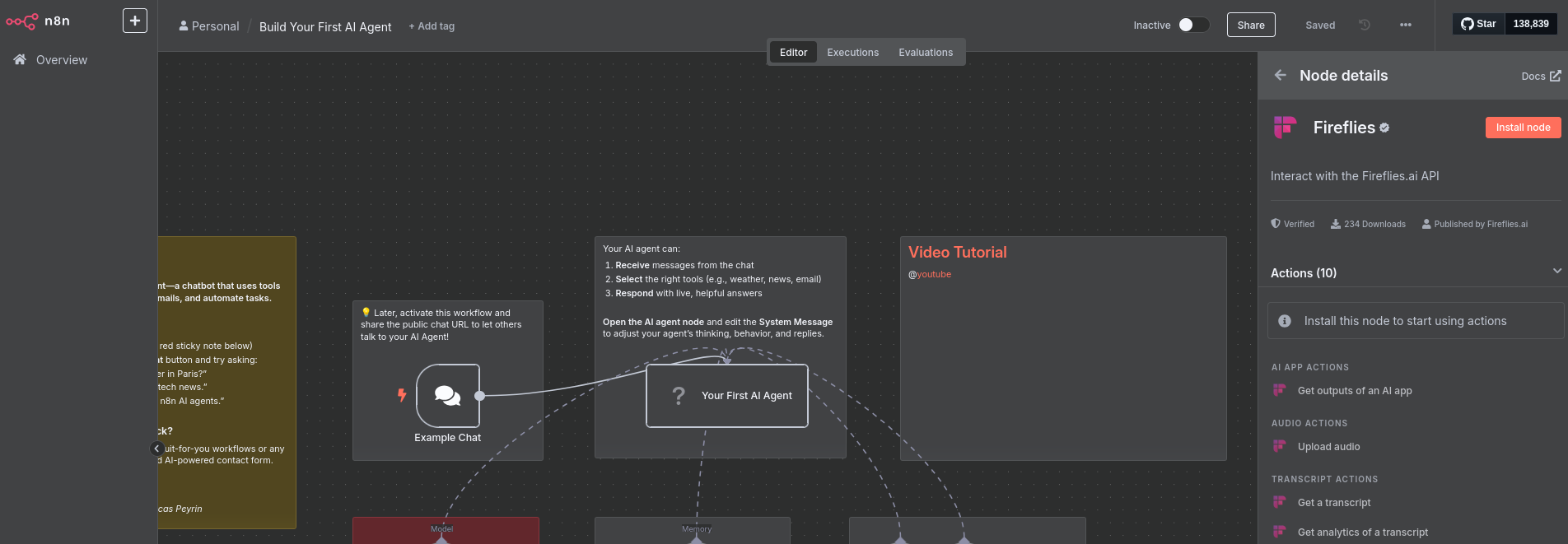
I was using fireflies even with n8n, but then I created a setup around google recorder and a openai key to perform transcription (S2T), then let codex take it from there.
Last year, I was working on a speech rater around openAI TTS and ST2 as well here
With files.md you can record audio with the PWA, just that it will stay locally.
Info to Video
You are already aware, PoC, make a hyperframe video about it, or about yourself
Conclusions
If it was not clear, now communication patterns have to be.
No more bs hello, vague work, accountability laundring, weaponized incompetence, underf…
…Pardon my French, I meant:
- “weaponized incompetence” -> “repeat low-context dependency requests”
- “cover my ass” -> “maintain an evidence trail”
- “under-filtering manager” -> “unfiltered upstream directive”
- “take off the mask” -> “raise process issues explicitly”
Yep, i apply and got my information and workflows in place: goes pretty handy together with skills C:/Users/.../.codex/skills/weekly-work-summarizer/references/templates.md
flowchart TD
    Start([Ambiguous work situation]) --> Diagnose{What kind of pattern is this?}

    Diagnose -->|Unclear owner, vague handoff, meeting drift| Accountability[accountability-framework.md]
    Diagnose -->|Busy updates, low verified output| LoudLabor[loud-laboring-framework.md]
    Diagnose -->|Need stakeholder movement| Communication[communication.md]

    Accountability --> Pattern[Name the pattern]
    LoudLabor --> Pattern

    Pattern --> NextState{What next state is needed?}
    Communication --> NextState

    NextState -->|Facts / root cause| DFIR[DFIR / TRACE]
    NextState -->|Ownership transfer| PASS[PASS]
    NextState -->|Owners, status, triggers| COAST[COAST]
    NextState -->|Decision between options| ADAPT[ADAPT]
    NextState -->|Fast response / unblock| DRIVE[DRIVE]

    DFIR --> Script[accountability-response-playbook.md]
    PASS --> Script
    COAST --> Script
    ADAPT --> Script
    DRIVE --> Script

    Script --> Send[Send work-safe message]
    Send --> Evidence[accountability-daily-template.md]
    Evidence --> Weekly[Weekly proof: delivered, unblocked, decisions, risks, ownership]
Turn vague work into clear next actions, with such communication framework and accountability playbook
HomeLab Updates 0926
I was trying lately technitium for custom DNS at Omarchy:

Beyond herdr, these CLIs have been helpful:
#herdr
docker port jellyfin
I made DHCP reservations at my home CM so that 192.168.1.2 is the x300 and 192.168.1.18 the pi4 with hermes.
Useful CLI tools were:
- ip addr — found your computer’s LAN address/subnet.
- ip route — identified the router and 192.168.1.0/24 network.
- ping — discovered active devices and inspected TTL.
- ip neigh — showed IP-to-MAC mappings (the key discovery tool).
- nc (netcat) — checked ports and read the SSH banner.
- getent hosts — attempted hostname/reverse-DNS lookup.
- curl — inspected the router page and checked MAC-vendor data.
The decisive commands were:
ip neigh show dev wlan0
ping -c 1 192.168.1.18
nc -zv 192.168.1.18 22
nc 192.168.1.18 22
#nmap or arp-scan would also be ideal, but neither was installed.
ncdu has been very useful to check disk space
For releasing space
docker system prune -a --volumes
I was getting connectivity troubles while testing iwd, for which I had to connect via ethernet to resolve as i lost wifi connection:
- How Ubuntu’s Wi-Fi Architecture Fits Together
Linux networking works in layers, and understanding which tool operates at which layer explains why things broke:
[ Frontends / CLIs / UIs ]  -->  nmcli / nmtui, Impala, GNOME Wi-Fi Settings
                                          |
[ Network Daemon ]          -->  NetworkManager (orchestrates connections, DNS, DHCP)
                                          |
[ Wireless Backend ]        -->  wpa_supplicant (Ubuntu default)  OR  iwd (Impala default)
                                          |
[ Kernel & Hardware ] --> cfg80211, mac80211, Wi-Fi driver, network card (wlan0)- Root Cause: Why Installing Impala Broke the Internet
- Device Lockout: Only one wireless daemon can control the hardware radio interface at a time.
- Backend Conflict: Impala installs and relies on
iwd. Wheniwdstarts, it claims exclusive control of the Wi-Fi card (e.g.,wlan0). - Silent Failure: NetworkManager defaults to expecting
wpa_supplicant. Wheniwdtakes the card without NetworkManager being explicitly configured to talk toiwdas its backend, NetworkManager suddenly marks the Wi-Fi device as unmanaged or unavailable, severing all active connections.
- The CLI Landscape (Which Tool Does What)
| Command | Role | Layer | Best Used For |
|---|---|---|---|
nmcli | NetworkManager CLI | Manager | Ubuntu’s default tool for scanning, connecting, and viewing network device states. |
nmtui | NetworkManager Text UI | Manager | Interactive terminal GUI with arrow-key navigation for those who dislike flag syntax. |
iwctl | iwd CLI | Backend | Managing Wi-Fi when using iwd or Impala (powering adapters on/off, manual scans). |
wpa_cli | wpa_supplicant CLI | Backend | Interacting directly with the standard legacy Wi-Fi authentication daemon. |
ip | iproute2 suite | Kernel / Low-Level | Checking raw interface status (ip link) and assigned IP addresses (ip a). |
iw | nl80211 CLI | Kernel / Wireless | Low-level wireless device queries directly via the Linux wireless subsystem. |
systemctl | systemd service manager | Init / Services | Starting, stopping, enabling, disabling, and masking/unmasking background daemons. |
- Step-by-Step Restoration Logic
Fixing this problem requires a strict sequence of state changes:
- Stop & release the hardware: Stop and disable
iwdso it releases its lock on the Wi-Fi card (sudo systemctl stop iwd && sudo systemctl disable iwd). - Clear configuration overrides: Remove drop-in configuration files under
/etc/NetworkManager/conf.d/that forcewifi.backend=iwd. - Restore default packages: Reinstall
wpasupplicantandnetwork-managerif any dependencies were stripped during Impala’s installation. - Restart core services: Unmask and start
wpa_supplicantfirst, then restartNetworkManagerso it detects the restored backend and claims the Wi-Fi card cleanly. - Reconnect: Bring the interface up and re-associate via
nmcli device wifi connect ....
Architect or Principal
Just in case you are preparing for a promo / outside CV or how to frame what you do for prospects.
Currently i observe a huge gap between expectations: people billing 1k/person/day for adding one line to a csv
Versus: the cost per task being literally smashed with every new model released (to cents of a $)
How long will that gap / arbitrage possibility last?
Looking for a way to elevate yourself from the how, upstream to the what’s and why’s?
If you are an IC, you might consider
The Architect spends a lot of time in cross-functional stakeholder meetings, drawing system diagrams, analyzing vendor tech, and ensuring the business goals match the technology stack. In many companies, architects rarely touch production code anymore.
The Principal Engineer is usually the highest-ranking technical hands-on expert in the room. They design systems too, but they are also expected to build the foundational architecture, debug the most ambiguous, critical outages, and optimize engineering processes.
The easiest way to understand the difference is scope of execution vs. scope of design:
+————————————+————————————+ | Software Architect | Principal Engineer | +————————————+————————————+ | Focuses on the “Blueprint.” | Focuses on the “Execution & Truth."| | Works with product and business to | Goes deep into complex systems, | | map out what to build and how | enforces standards, and writes core| | systems interact broadly. | code/infrastructure. | +————————————+————————————+
- You Own the “Infrastructure of Rules”
As a Principal, you are responsible for defining team standards and dev velocity.
This means you have the organizational power to unilaterally destroy accountability laundering and useless meetings.
You can literally write a policy that says: “No sync calls without a written ticket and log,” and because you are the Principal, it becomes law.
- Built-In “Deep Work” Shielding
Principals are expected to tackle complex, ambiguous engineering problems.
Everyone expects you to be offline, heads-down, and writing architecture code or documentation for blocks of 4 to 6 hours at a time.
Nobody questions why your Slack status is “Away” or “Focusing”—they just assume you are solving a high-level problem.
- High Leverage, Low Meeting Density
Architects get pulled into endless discovery calls with product managers and clients to figure out “what is possible.”
Managers get pulled into HR drama.
Principals are insulated from most of that.
Your value comes from your output, your technical direction, and the documentation (like your wikis) that you build to make the rest of the team self-sufficient.
So ask honestly: do you want status, control, income, or optionality?
They are NOT the same game.
What are you optimizing for next?
FAQ
Useful CLI Tools
Coming from here
Ive lately found useful:
herdr #codex --yolo
#ncdu /
#docker port iot-dashboard-v2
Selfhosted Forgejo
I got this forgejo setup ready in my x300 some time ago to tinker with agents:
Having termix ready http://192.168.1.2:8090/ and Forgejo http://192.168.1.2:3034/
docker ps -a --filter "name=forgejo"The syncing setup to github so that each forgejo repo has a gh backup in a branch:
gh statusIn this case, what i want is to do: GH <-> Forgejo for my daily notes
cd ./Home-Lab/forgejo
make migrate-repo REPO_OWNER=JAlcocerT REPO_NAME=my-logseq-notes #makes a mirror of gh
#make sync-repo REPO_OWNER=JAlcocerT REPO_NAME=my-logseq-notes
If you want to expose this:
docker inspect forgejo --format '{{range $name, $_ := .NetworkSettings.Networks}}{{println $name}}{{end}}'
#docker network connect cloudflared_tunnel forgejo
Check that forgejo:3000 ready:
#dig fossengineer.com anySelfhosted Communication
Communication within your team is the information flow and you can also do it with OSS:
- Simplex with
https://github.com/simplex-chat/simplex-chat/releases/tag/v7.0.0
Key insight: No user identifier of any kind — no phone number, no username, no public key, no UUID. Routes messages through per-contact unidirectional queues with rotating addresses. Servers can’t even tell who’s talking to whom, let alone read content.
Crypto stack: X3DH + Double Ratchet (Signal-equivalent) + PQXDH/Kyber-1024 (post-quantum) + AES-256-GCM + NaCl secretbox (second encryption layer on relay transport) + TLS 1.3. Two Trail of Bits audits (2022 implementation, 2024 protocol design).
Self-host pattern: SMP server (simplexchat/smp-server:latest) on port 5223 + Caddy for auto-TLS Let’s Encrypt. Optional Tor onion address via standard HiddenServicePort config. Per-contact server migration via “Change receiving address” in each contact.
See also Rocket chat or stoatchat i believe it was named revolt before
Selfhosted Media
qbit and prowlarr at 6011 and 9696.
sudo docker compose -f ./z-homelab-setup/evolution/2601_docker-compose.yml up -d qbittorrent prowlarryt-distil: http://192.168.1.2:8001
You can also have a look to these photo management tools and backups: PiGallery2, Immich, entee, Photoview
Later on you can edit the photos or the videos
Kodi vs Jellyfin
Im happy with Jellyfin:
You can have a look to Kodu With kodi adons: https://www.youtube.com/@proyectosmicropic/videos
You can have a look to IPTVs as seen here
Music
Navidrome, subsonic or gonic are OSS selfhostable music servers that I tinkered with some time back.
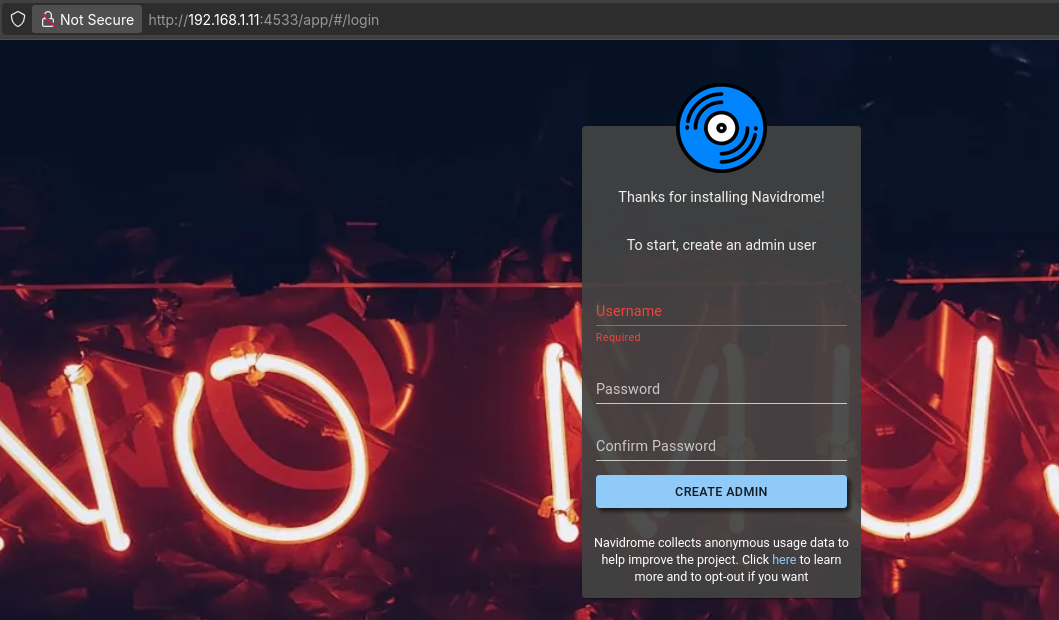
You need music clients:
A native music client for Jellyfin and Navidrome/Subsonic
winget install sonixd- Supersonic
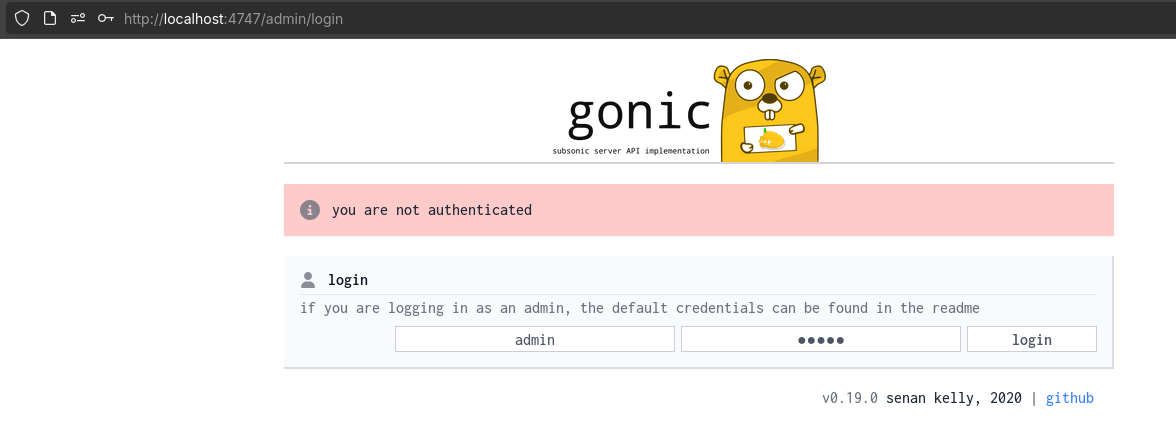
Ultrasonic or tempus worked great as android client and you have them at fdroid or obtenium
With supersonic or sublime (desktop) you can connect to subsonic or jellyfin servers
PDFs
Discovering Kreuzberg some time back was great, just now that its now at: https://github.com/kreuzberg-dev/kreuzberg-lts?tab=contributing-ov-file
And new development will be: https://github.com/xberg-io/xberg
#uv add kreuzberg

foreach ($f in Get-ChildItem *.pdf) {
    uvx kreuzberg extract "$f" > "$($f.BaseName).txt"
}
#curl -X POST -F "file=@Ebook-cover-SSGs.pdf" http://192.168.1.2:8027/extract > sample-pdf-to-text.txtHow Im using AI to prep for ULM/PPL
As i prepare for the exam, made this webapp:
https://ulm-ppl-test.pages.dev/
From ./poc/ulm-pplwith some books distilled.
Omarchy
Some more omarchy
https://omarchy.org/https://tryomarchy.com/
The name Omarchy is a portmanteau of “Omakase” and “Arch”:
Omakase (お任せ): A Japanese dining concept meaning “I leave it up to you”. In an omakase meal, you don’t order individual items; the chef curates and prepares the entire progression of dishes based on what is best.
Arch: Refers to Arch Linux, the lightweight, rolling-release distribution that forms the base of the operating system.
This brings docker, lazydocker, herdrd, lazygit installed by default :)
Run this to lower the VM to 4 GB RAM and 2 CPUs: You can get started using 1.2GB of RAM and I could tinker with <4GB
virsh --connect qemu:///session shutdown omarchy-4.0.1 2>/dev/null || true

virsh --connect qemu:///session setmaxmem omarchy-4.0.1 4096M --config
virsh --connect qemu:///session setmem omarchy-4.0.1 4096M --config
virsh --connect qemu:///session setvcpus omarchy-4.0.1 2 --config

virsh --connect qemu:///session start omarchy-4.0.1
gnome-boxes
If Boxes still acts weird, open the same running VM with:
virt-viewer --connect qemu:///session --attach omarchy-4.0.1I send some goodies via:
  ssh -p 2022 dhh@127.0.0.1 \
    'umask 077; mkdir -p ~/Desktop; cat > ~/Desktop/.env; stat -c "%a %s %n" ~/Desktop/.env' \
    < /home/jalcocert/Desktop/JAlcocerT/.env
#  cat ~/Desktop/.env | grep '^OPENAI_API_KEY='
Now just add whatever programs you use beyond the browser:
omarchy pkg add bitwarden gram proton-vpn-gtk-app #this flows from pacman repos, not AUR :)
yay -S helium-browser-bin #alternative chromium based
omarchy pkg add arduino-cli blender freecad
omarhcy install service tailscale
#omarchy bar position bottom #modifies the omarchy/shell.json
You can also connect your airpods via plugins: https://github.com/thisisgm/omarchy-pods
- https://github.com/tharinfernando/omarchy-protonvpn
- https://github.com/patcastle/omarchy-battery-health
- https://plugins.omarchy.org/plugin.html?id=io.github.aryan-techie.bluetooth
- https://plugins.omarchy.org/plugin.html?id=io.github.heyimhere.hardware-panel
To get goodies from the VM to the regular laptop I did:
scp -P 2022 dhh@127.0.0.1:/home/dhh/Downloads/wiki-technitium.md /home/jalcocert/Desktop/Yep, some interesting DNS learnings :)
Company Brain
Got to know via this pelado video
A “Company Brain” acts as the operational, real-time layer that traditional Knowledge Sciences, Taxonomies, and Ontologies have historically tried to build by hand.
Rather than replacing these disciplines, it automates their creation, maintenance, and retrieval.
- Relation to Knowledge Sciences (Ciencias del Conocimiento)
Knowledge Management (KM) and Knowledge Sciences study how organizations create, retain, structure, and transfer knowledge. A Company Brain directly addresses the core theoretical challenges in this field:
Tacit vs. Explicit Knowledge (The SECI Model):
Traditional KM struggles with tacit knowledge—insights that exist only inside employees’ heads or informal chats. People rarely take time to codify it into formal manuals.
A Company Brain automates the externalization step: it listens passively to daily interactions (Slack threads, Jira tickets, pull requests, meeting transcripts) and converts informal, ephemeral chatter into persistent, searchable organizational memory.
Organizational Amnesia:
In KM, employee turnover is the primary cause of lost intellectual capital. By capturing decisions and context in real time, the Company Brain breaks dependence on individual tenure.
The “Write-Time” vs. “Read-Time” Shift:
Classic KM required high friction at write-time (employees writing documentation).
A Company Brain shifts the burden to read-time synthesis using AI, gathering raw interactions automatically and synthesizing answers only when asked.
- Relation to Taxonomies
A taxonomy is a hierarchical classification scheme (e.g., Engineering → Infrastructure → Kubernetes → Carpenter).
From Static to Dynamic Classification:
Traditional corporate taxonomies are rigid trees designed manually by information architects. They fail because companies evolve faster than taxonomy committees can update folders and tags.
A Company Brain uses dynamic, bottom-up clustering. It observes emerging terms, tools, and project codenames as they appear in conversations and categorizes them automatically.
Semantic Tagging at Scale:
Instead of requiring a support agent to manually select 5 dropdown tags on a Zendesk ticket, the AI evaluates the context and associates the ticket with the correct taxonomy nodes automatically.
Multi-Faceted Navigation:
Traditional taxonomies force an asset into a single branch. A Company Brain enables polyhierarchical indexing, meaning an incident post-mortem can simultaneously belong to Client Relations, Kubernetes Cost Optimization, and Security.
- Relation to Ontologies
While a taxonomy is a simple hierarchy, an ontology defines entities, their attributes, and the complex, typed relationships between them (e.g., Employee owns Microservice, which runs on Kubernetes Cluster, which experienced Incident #402).
Building Dynamic Enterprise Knowledge Graphs:
The modern Company Brain doesn’t just store flat text chunks; it constructs or queries an underlying Knowledge Graph (a concrete implementation of an ontology).
When reading Slack messages or tickets, the model performs Named Entity Recognition (NER) and Entity Resolution, identifying that “Dave”, “@dave_dev”, and “David Miller” refer to the same node in the ontology.
Contextual & Causal Reasoning:
Because an ontology models relationships (
caused_by,fixed_by,depends_on), the Company Brain can answer multi-hop questions: “Why did the checkout service fail after the Carpenter upgrade last Tuesday, and who resolved it?”Ontology Alignment & Self-Healing:
As technical stacks and organizational charts shift, the system updates the relationship edges automatically, preventing the semantic drift that usually ruins enterprise ontologies.
| Dimension | Knowledge Sciences (KM) | Taxonomies | Ontologies | Company Brain |
|---|---|---|---|---|
| Primary Goal | Retain capital and facilitate learning | Organize and categorize content | Model domains and formal relationships | Automate capture, context, and retrieval |
| Maintenance | Manual (documentation drives) | Manual (controlled vocabularies) | Manual (formal logic / RDF / OWL) | Passive & continuous (ambient AI) |
| Data Source | Structured portals, wikis | Folders, navigation trees | Schemas, graph databases | Unstructured chatter, tickets, code, docs |
| Failure Mode | Abandonment due to human fatigue | Becomes outdated and restrictive | Too complex and brittle to maintain | Risk of noise, hallucination, or data leaks |