Mass produced information content
Tl;DR
The bar to create slop is lower than ever.
Intro
- Why Im writting this post: bc this year i started making some f1 shorts with matplotlib, then tried remotionJS and hyperframes, but didnt make a checkpoint on how this can apply to my brand
- What Ive learnt with it: Ive ended up wrapping up my workflow
https://github.com/JAlcocerT/DataInMotion/tree/libreportfolio
Its been one year since i placed some goodies for marketers after this 123 session
Back then: APIFY + smartlead + crm’s https://elest.io/fully-managed-services/applications/crm-erp? https://www.hubspot.com/
Proving that volume + quality data animations is possible with hyperframes.
cd jalcocertech-core/leads-hub/hub
docker compose run --rm hub digest --send #weekly summaries towards ntfy
make lead-messages LIMIT=5
Some needs .env.sample files
cd Home-Lab/forgejo
nano .env
git clone https://github.com/JAlcocerT/jalcocertech-core
#git clone https://github.com/JAlcocerT/jalcocertech-services
cd ~/jalcocertech-core/leads-hub/hub
sqlite3 -readonly -json data/leads.db "SELECT received_at, site, kind, email, json(raw) AS raw FROM leads ORDER BY received_at DESC LIMIT 10;"Lately im not only creating z-learnings.md after I try a new workflow.
I get done a .html that distills interactively all the trade-offs in the topic.
Those will be the essence of how i want my posts to be post this way of bloging, at sth like jalcocertech-core
I was aiming a similar concept with the hubs earlier this year
Can you create quality content and build a community with social media (Twitter/Threads)?
+++ High quality infographics
What’s the actual value of a follower?
Hard to calculate, but not impossible.
There is some LTV value behind each of them.
And ofc, a CAC that you paid in the currency you value the least (is it t or $?)
Let’s focus.
Can we say that 1 out of 1000 followers (0,1%) is a potential customer?
Then…the hard question comes.
How hard is to get those 1000 followers via organic content creation compared to just paying for their eye balls while they are dumb scrolling?
A brand helps offset some part of the CAC.
So for the artists around: the first C stands for customer
Question: Do you have a product/service, so that you can effectively opt to have customers? :)
If ou are in social media for ego feeding: you can skip now.
Just in case you want to share your plot/checks
Can we generate mass produced & quality information content?
Educational content and how to’ are not what they used to.
You need to
From PyStonks
Need BRD ideas from here and here?
- Gap between dividend yield and 10Y bond price.
And…take ideas?
Do we really need Matplotlib despite been so configurable?
Or can we go with Shadcn charts / or Recharts as done lately for the trip planner?
Typst
Typst is a complete, modern document typesetting system and programming language designed to replace LaTeX.
This is how ive created the oss mbsd whitepaper
Conclusions
You are paying for the attention anyways:
- With your time to build the tools to create quality content (I assume you dont do it manually any more)
- With your money to just pay whatever platform for the ads
- By organic growth, BIP in twitter, doing quality content on youtube (aka, paid with more of your time)
Social media be like: 100k views 1000 likes 100subs (1/1000 algo free)

 Consulting Services
 DIY via ebooks
We are moving forward a new state where: Value its abstracted one layer
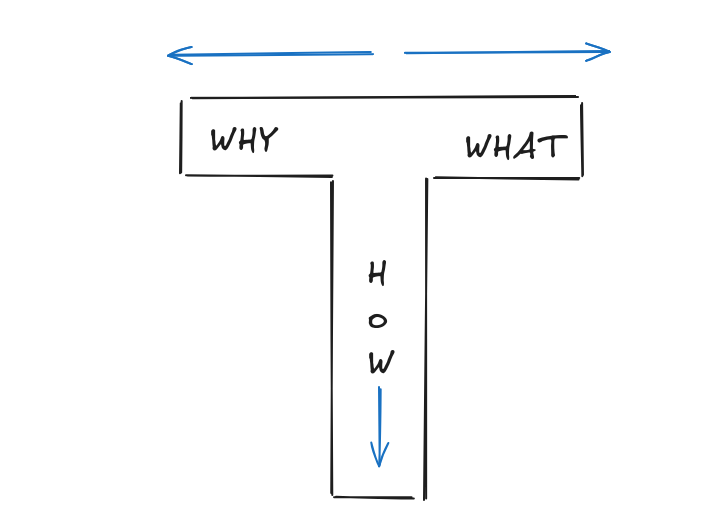
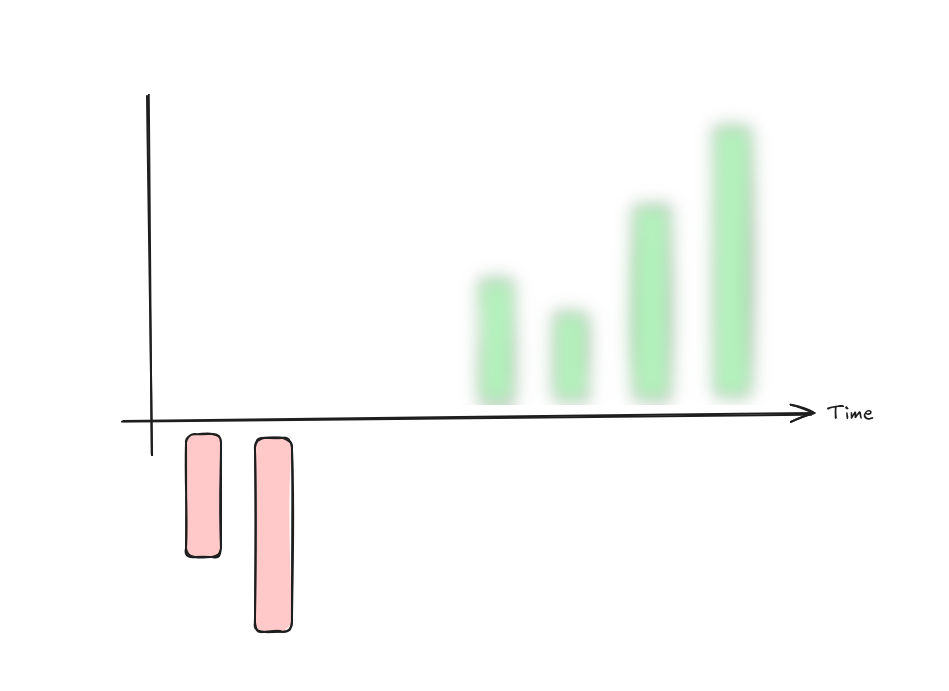
But the human frictions on doing things risk,uncertainties… are still there.
Unify
All webs must have in-bound capabilities.
And a UI that attracts while performs.
All products can have integration with: https://eu.posthog.com/project/15002/heatmaps
My Core
git clone jalcocertech-coreAlso got to know https://github.com/arvarik/contrack: Privacy focused people management and search
Self-hosted contact management + tracking + online enrichment for your personal and professional needs 🐦⬛
Workflow Wrap v2
Coming from this wrap for this medallion outbound flow with these roadmap decision points
Im using the web audits as lead magnet for outreach
git clone https://github.com/JAlcocerT/my-logseq-notes
cd ./my-logseq-notes/daily-solo #https://www.getleadarchitect.com/
Mailjet
https://app.mailjet.com/signinhas been working fine for Inbound (newsletter), as plan B:https://resend.com,https://mailtrap.io/
The idea, is that a supervisor translates that into a bounded task for the project worker.
You do not need to manually coordinate every agent conversation.
Your daily note should then contain only:
- Decisions you need to make.
- Projects blocked by you or external credentials.
- Projects that changed materially.
- Projects that went stale.
- Releases or visibility changes requiring approval.
- Suggested priorities for the day.
The biggest design principle is this:
The orchestrator owns portfolio direction and governance. The project agent owns technical execution. The repository owns evidence.
That gives you a unified high-level steering system without forcing the orchestrator to understand every codebase.
How to get this done fast
Get such x10 workflows implemented for you and your team:
Consulting ServicesDIY via ebooksFAQ
About Infographics
You can also try with:
Reportlab as seen on this video -
https://pypi.org/project/reportlab/Typst
https://aiglobaltech.blogspot.com/2024/12/from-default-python-line-chart-to.html
How to create Infographics?
When comparing LaTeX, KaTeX, Typst, and R Markdown (Rmd) for infographics, you are essentially choosing between unparalleled precision (LaTeX), web-native speed (KaTeX), modern programming ergonomics (Typst), and data-driven automation (Rmd).
For infographics, the most critical factor is usually layout flexibility—how easily you can place text, icons, and charts at specific coordinates.
| Feature | LaTeX | KaTeX | Typst | R Markdown (Rmd) |
|---|---|---|---|---|
| Best For | Print-perfect, complex vector diagrams. | Mathematical snippets on websites. | Rapid, modern PDF design and layout. | Dynamic, data-heavy charts/reports. |
| Graphic Library | TikZ (extremely powerful). | None (math-only). | CeTZ (TikZ-inspired). | ggplot2, gridExtra, patchwork. |
| Layout Control | High (but very verbose). | Low (line-based). | High (modern & intuitive). | Moderate (grid-based). |
| Learning Curve | Very Steep. | Easy (if you know TeX). | Moderate. | Moderate (requires R/Python). |
| Live Preview | Slow (requires full compile). | Instant. | Instant. | Slow (Knit process). |
Reports: Pandoc vs Typst vs LaTex
- Pandoc is a versatile converter tool supporting Markdown, LaTeX, HTML, DOCX, and many other formats. It is great for converting documents and combining Markdown with raw LaTeX for complex formatting. It requires some setup but is widely used and flexible.
- Typst is a relatively new open-source typesetting system designed as a LaTeX alternative, known for a clean syntax inspired by Rust and Python, faster compilation, and easier document styling. It offers good readability of error messages and web collaboration features. It is intuitive for simple to moderately complex documents but less mature than LaTeX.
- LaTeX is the traditional, powerful typesetting system with extensive features for academic and complex document layouts. It has a steeper learning curve and verbose syntax but the richest ecosystem and long-term support.
- Overall, Pandoc is excellent for format conversion and combining Markdown with LaTeX, Typst offers a modern alternative with easier syntax, and LaTeX is ideal for advanced, professionally typeset documents.
| Use Case | Tool | Key Strengths | Notes |
|---|---|---|---|
| Presentations | Reveal.js | Flexible, established, supports Markdown | Requires HTML for layouts |
| Slidev | Markdown-based, interactive, fast HMR | Developer and Vue friendly | |
| Reports | Pandoc | Format conversion, markdown + LaTeX support | Setup needed |
| Typst | Clean, easy modern syntax, fast compile | Newer, evolving | |
| LaTeX | Powerful, rich ecosystem for academia | Steep learning curve |
This selection depends on priorities:
Slidev for modern web presentations Reveal.js for flexible HTML slides Pandoc for format conversions Typst for newer simpler typesetting and LaTeX for complex document mastery.
- LaTeX (The “Professional Heavyweight”)
LaTeX is used for infographics primarily through TikZ, a language for creating vector graphics.
It allows you to define every pixel, coordinate, and node programmatically.
- Pros: Professional-grade typography; infinite customizability; “Golden Standard” for scientific accuracy.
- Cons: Extremely slow compilation; “TikZ” can feel like learning a second language.
- Infographic Use Case: High-resolution posters for conferences where precision is non-negotiable.
- KaTeX (The “Web Specialist”)
KaTeX is not a document generator; it is a math-rendering engine for the web.
- Pros: The fastest math renderer available; renders to HTML/CSS (not images), making it SEO-friendly and accessible.
- Cons: It cannot create an entire infographic. It only handles the math within a web-based infographic (like a dashboard).
- Infographic Use Case: Embedding interactive formulas into a web-based explainer.
- Typst (The “Modern Contender”)
Typst is the newcomer designed to replace LaTeX.
It uses a scripting language that feels like Python or JavaScript.
- Pros: Instant live preview is a game-changer for design; simpler syntax; its graphics library (CeTZ) is rapidly maturing.
- Cons: Younger ecosystem; fewer “pre-built” infographic templates compared to LaTeX.
- Infographic Use Case: Modern PDF brochures or visually rich resumes where you want “near-LaTeX” quality without the pain.
- R Markdown / Quarto (The “Data Scientist’s Choice”)
Rmd (now often superseded by Quarto) is built for reproducibility.
- Pros: If your infographic depends on a database or live data, Rmd automates the chart generation using
ggplot2. - Cons: Fine-tuning the position of “artistic” elements (like a custom icon next to a specific text block) is harder than in Typst or TikZ.
- Infographic Use Case: A weekly “Company Performance” infographic that pulls data from a spreadsheet and builds charts automatically.
Summary Recommendation
- Choose LaTeX (TikZ) if you need to create a complex, one-off vector masterpiece for print.
- Choose Typst if you want the best “developer experience” and need to iterate on a visual layout quickly with live feedback.
- Choose R Markdown if the infographic is 80% charts and 20% text, and you want it to update automatically when the data changes.
Typst vs OpenReports
- https://typst.app/
- https://typst.app/universe/package/graceful-genetics
- https://github.com/qjcg/awesome-typst
https://github.com/JAlcocerT/mbsd/tree/master/integrated-engine-lab/typst-report
You could also have a look to: https://github.com/varaprasadreddy9676/open-reports to create open reports as json
Which has a lovely landing: https://open-reports-demo.onrender.com/
Also got to know https://github.com/trahloff/Aldine Aldine: self-hosted, open-source collaborative LaTeX editor (an Overleaf alternative). Real-time editing, git branches, GitHub/GitLab/Gitea sync, Zotero, MCP server for Claude. Two containers, AGPL-3.0.
Programmatic Social Media
This is a not a completely new topic for me.
git clone https://github.com/JAlcocerT/DataInMotion.git
cd DataInMotion && branch libreportfolio
#uv run tests/plot_historical_yield.py CAT --start 2005-01-01 --brand "@LibrePortfolio" --monthly
uv run tests/plot_historical_gweiss.py CAT --start 2005-01-01 --brand "@LibrePortfolio" --warmup-days 400
Gyroflow
Most practical Gyroflow workflows can be automated:
- Stabilize and batch-render videos.
- Apply presets and external gyro logs.
- Configure output and synchronization through JSON.
- Watch folders automatically.
- Export projects, metadata, motion data, and STMaps.
- Orchestrate everything from Python using subprocess.