Everything is Code
Tl;DR
Do stuff: ebooks and obfuscation, reports, ppts, animations, videos, webpages, etc.
Intro
BC we have to use those OpenAI Prompt packs: https://academy.openai.com/public/tags/prompt-packs-6849a0f98c613939acef841c
Presentations: Reveal.js vs Slidev
- Reveal.js is a popular HTML presentation framework that supports Markdown and is flexible but often requires writing HTML for layout and animations. It is widely used but less concise for slide content.[1]
- Slidev is built on Vue.js and Vite, providing an extended Markdown format for creating slides. It is more concise than Reveal.js, supports Vue components for interactive slides, has instant hot-reloading, built-in theming, and recording features. Slidev is very developer-friendly and web-based, allowing extensive customization.[2][1]
- In summary, Slidev is often preferred for modern developer presentations due to ease of use, interactivity, and faster iteration, while Reveal.js remains a flexible, established choice.
PPTs as a Code
For me there is no better tool than SliDevJS for creating presentations as code:
But there are few other:
- RevealJS
You can place this one inside HUGO SSG if you want, like: https://github.com/joshed-io/reveal-hugo
- My favourite: SliDevJS: It brings a live editor at
localhost:3030/presenter
https://jalcocert.github.io/JAlcocerT/make-slidev/
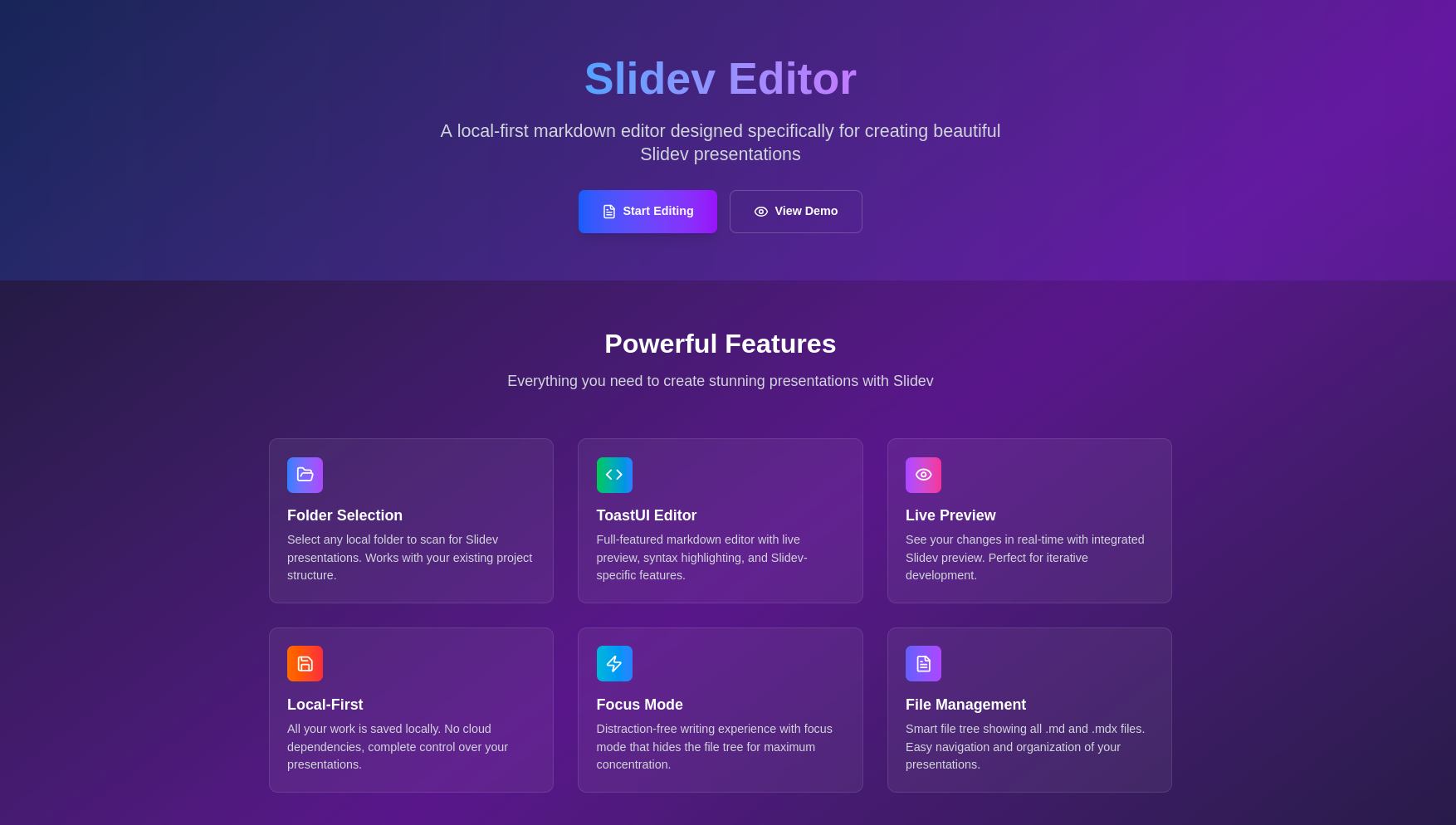
You can create a Micro SaaS around Slidev
Like: https://github.com/JAlcocerT/slidev-editor with Firebase and Logto auth working as per this post :)
https://jalcocert.github.io/JAlcocerT/creating-presentations-with-ai/
SliDev and Tech Talks
As I feel quite confortable with SliDev, ill be capturing the upcoming interesting tech talk I conduct.
The latest tech talk, I have place here
And also any slidev ptt done for youtube tech videos if applies, will be inside Home-Lab/SlidevJS.
npm init slidev #yarn create slidevFeatures I enjoy: Themes can provide styles, layouts, components, or even configurations for tools.
- Switching between themes by just one edit in your frontmatter
- Embed Twitter, youtube… thanks to VUE components, like the demo
./components/Counter.vue
#<Tweet id="1866822826696773747" scale="0.5" />
#<Youtube id="fxVNTffZC2U" width="300" height="200" />
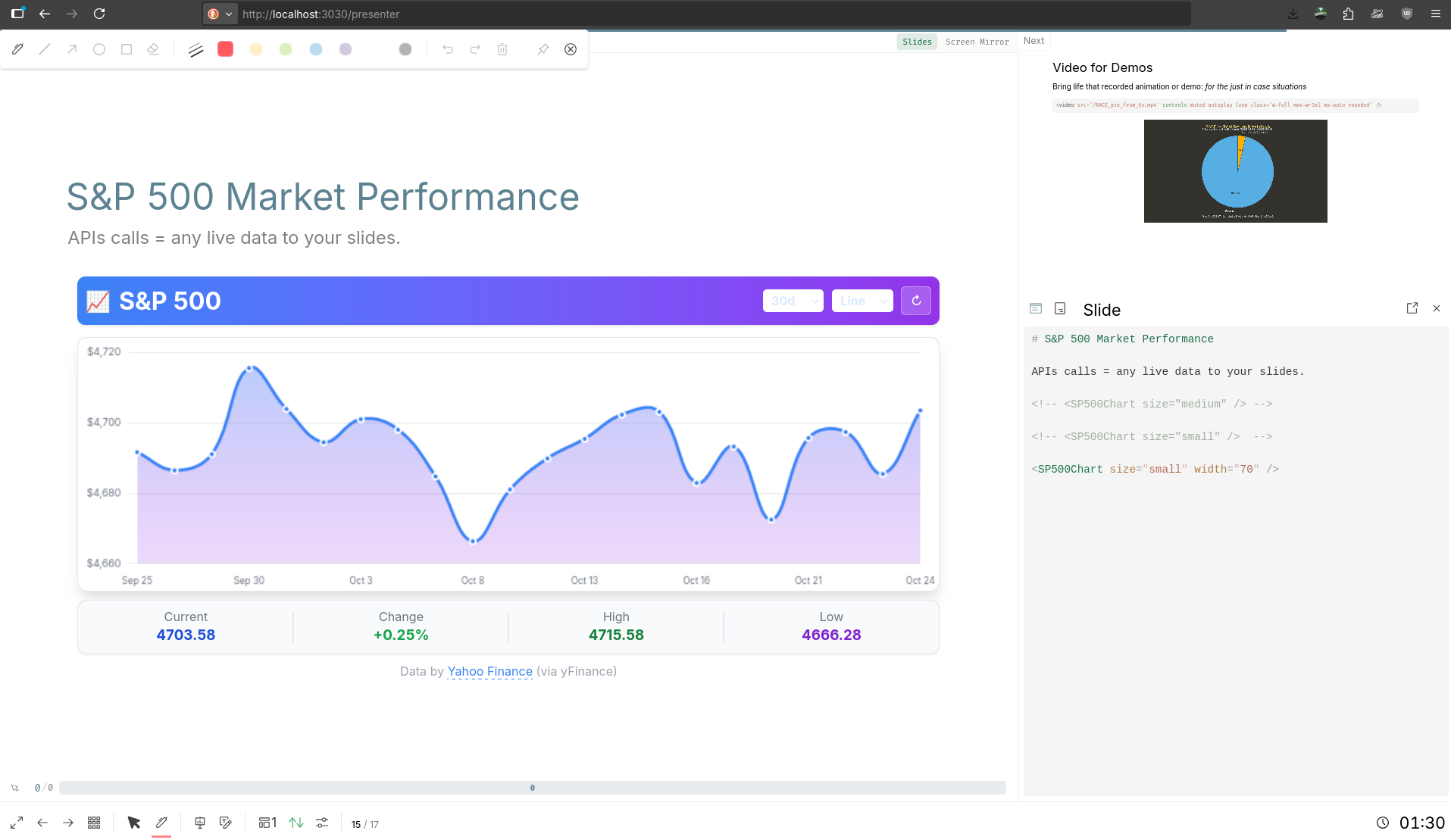
Bring up to date data from API calls. Like
https://open-meteo.comMake it look cool with mermaidJS / Katex / ChartJS VUE components
This thing can even do animations based on https://motion.vueuse.org/
Katex, for those PHD users
MermaidJS
Export to
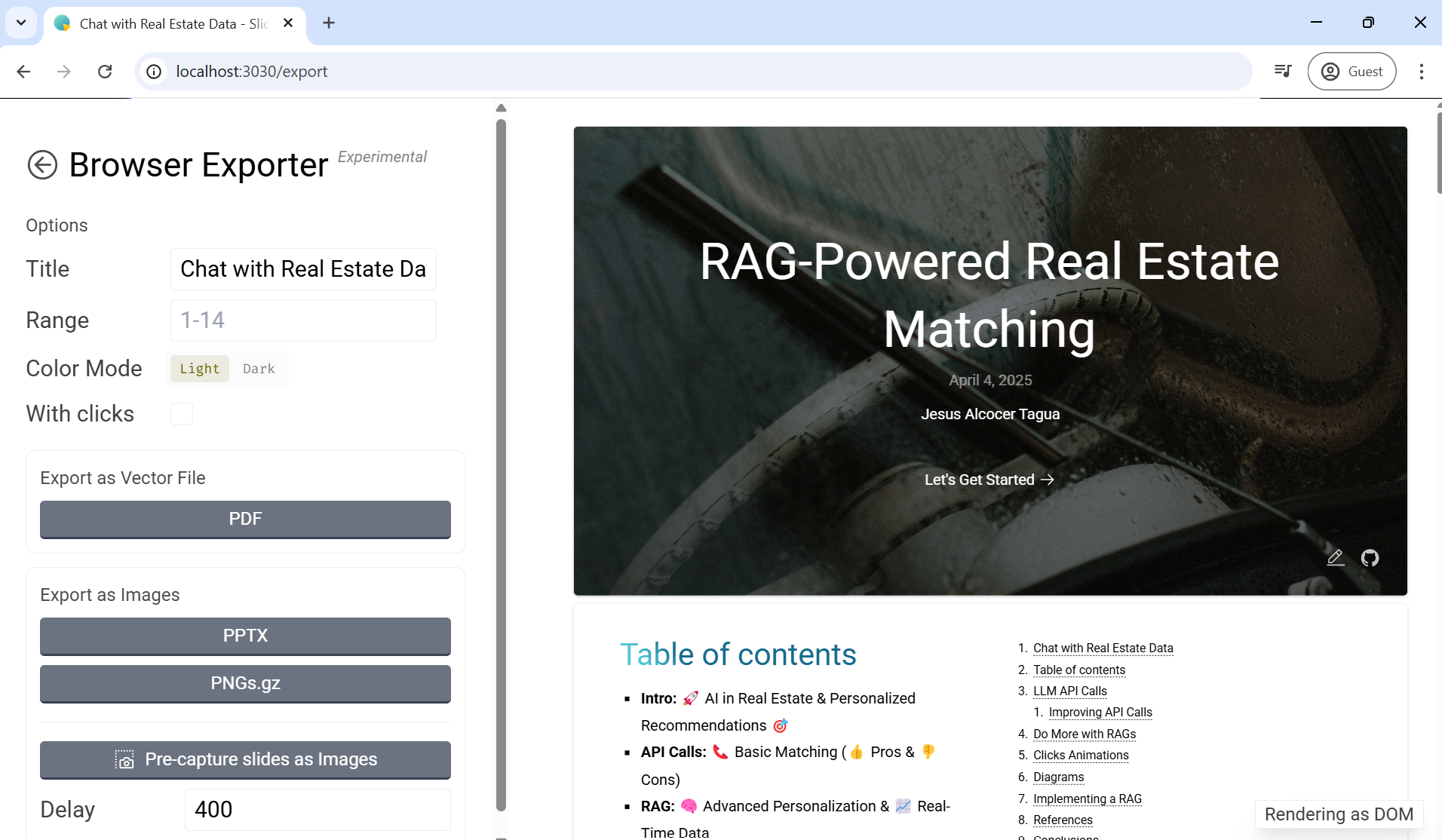
pdf/pptxorpng. They are all pngs btw, so be mindful if non tech people will have to edit
Cool PPTs other created: https://raw.githubusercontent.com/BaizeAI/talks/refs/heads/main/packages/2025-06-11-kubecon-hk/slides.md
You can combine SliDev + OBS + FastApi Audio Recorder S2T-TTS for youtube video creation workflow
- RSS…of youtube
CTRL+U:https://www.youtube.com/@UnfoldingData/shorts->https://www.youtube.com/feeds/videos.xml?channel_id=UCogC2-5ZqMrLIWtm00RP7Owwith this kind of Vue component
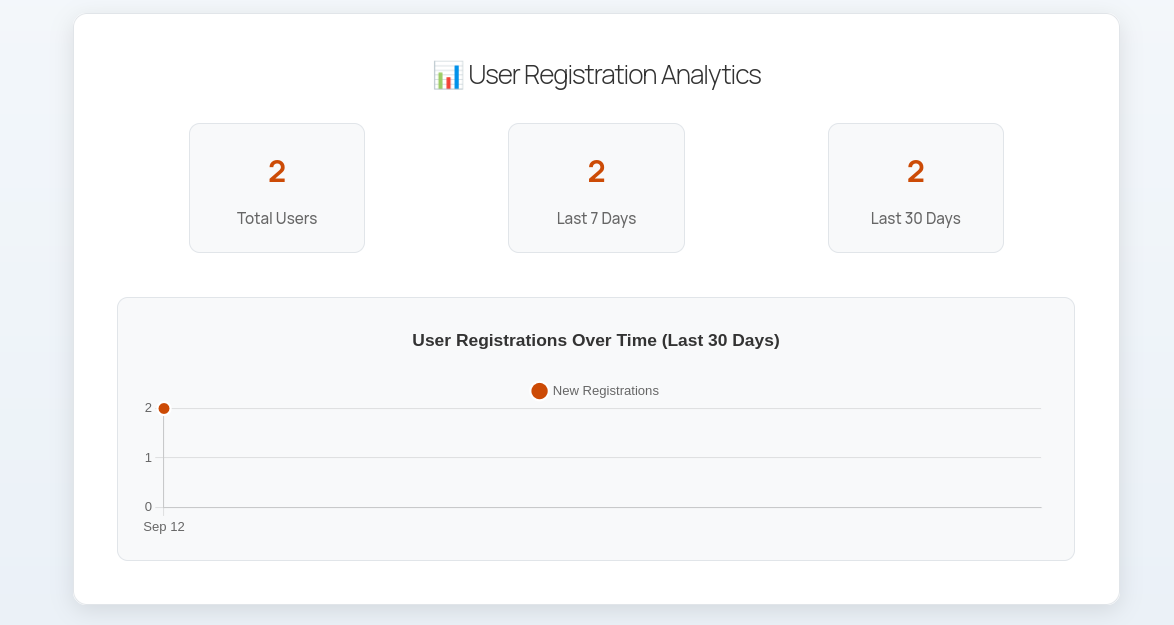
<LatestYouTubeVideo channelId="UCPPMA8ZEusAe5dVH6PbjZFA" width="400" height="225" />- Live data via APIs with custom components. Like these 2 components, with open-meteo or yfinance based.
- Live stuff:
http://localhost:3030/presenterand live annonations
Similarlo to https://github.com/DmytroVasin/DrawPen or with excalidraw
Diagrams are also code!
With Python, we have: https://diagrams.mingrammer.com/docs/getting-started/examples
MermaidJS you can also use it inside HUGO/Astro/MermaidJS…
Had a look to couple of tools for diagrams
Make beautiful isometric infrastructure diagrams
It renders text to diagram and can reference files: https://gist.githubusercontent.com/raw/af76a4c245b302206b16aec503dbe07b/markmap.md
MIT | Build mindmaps with plain text
D2 is a modern diagram scripting language that turns text to diagrams.
eBooks as a Code
Initially, I thought that ebooks could be just done via Rmd
Then I understood here, that pandoc is what make the thing work.
And found a cool SSG Theme to host your ebook’s pdfs statically.
# Just Astro production
make quick-prod
And it looks as good as: https://landing-page-book-astro-tailwind.vercel.app/
Then, I created to just dump my notes into future ebooks: https://github.com/JAlcocerT/ebook-ideas
epub on your desktopsudo snap install foliateOkular or calibre will also do the trick
convert selfhosting.png ../sell-your-ebook.pdfhtmlYou know, just in case you want to create your pdf libre or your epub libre org!
Or to write a e-book for your friend (Anna’s archive).
Others, like WhyCryptoCurrencies, use Pollen instead
Or…because you can now have deep research agents everywhere:
- https://parallel.ai/pricing - AIs are the web’s new user - The highest accuracy web search for your AI
- Perplexity…
- …
Some people had problems when trying to convert their Words to epub with amazon tools.
So they others to do it form them and be able to publish to Amazon: https://kdp.amazon.com/en_US/
But you dont have to do so if you write on a epub friendly format from the get go.
But before going deep and create an ebook, why not creating a pdf article for your website?
Like…something for https://www.jalcocertech.com/support/whitepapers/
git clone https://github.com/JAlcocerT/ebook-ideas.git
x-html-to-epub/build.sh
Ebooks PDF or Web Version
As seen during the show or obfuscate section of this post - We can do really cool ebooks and share them as pdf but also place them into a web version.
You write (markdown) once, you choose how to publish.
 NEW Obfuscate RepoWaiting to Landing Repo
Also similar concept to the Landing Page for the ebook.
Just that here we have the website and the ebook content driven on the same repository structure.
Ebook Obfuscator x PB | 101 Setup 📌
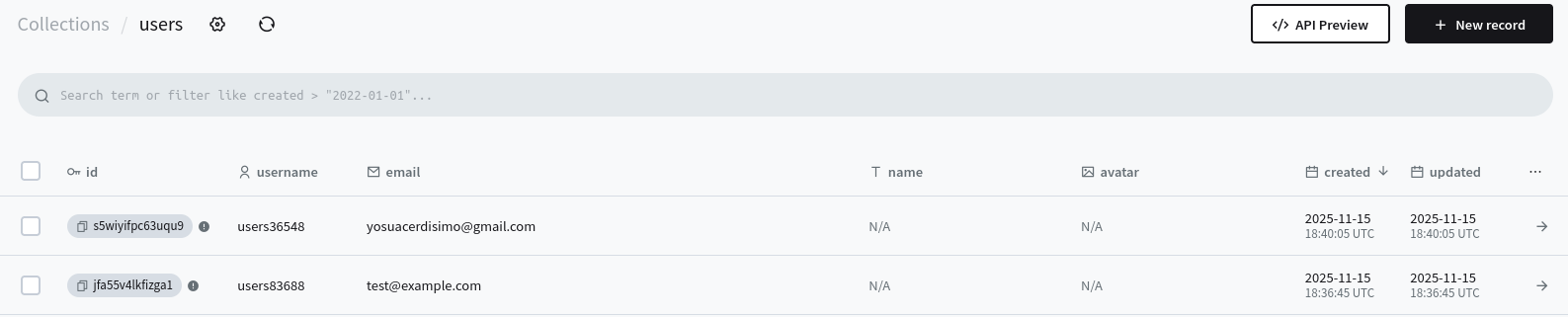
But as learnt here https://github.com/JAlcocerT/Docker/blob/main/Dev/BaaS/PB/create_collection.py
We can create and use a separated collection for the subscriptors.
Now with https://github.com/JAlcocerT/obfuscate/blob/main/create_collection.py
eval 'cd /home/jalcocert/Desktop/obfuscate && ADMIN_EMAIL="yourpbadminmail@whatever.com" ADMIN_PASSWORD="yourpbadminpwd" python3 create_collection.py'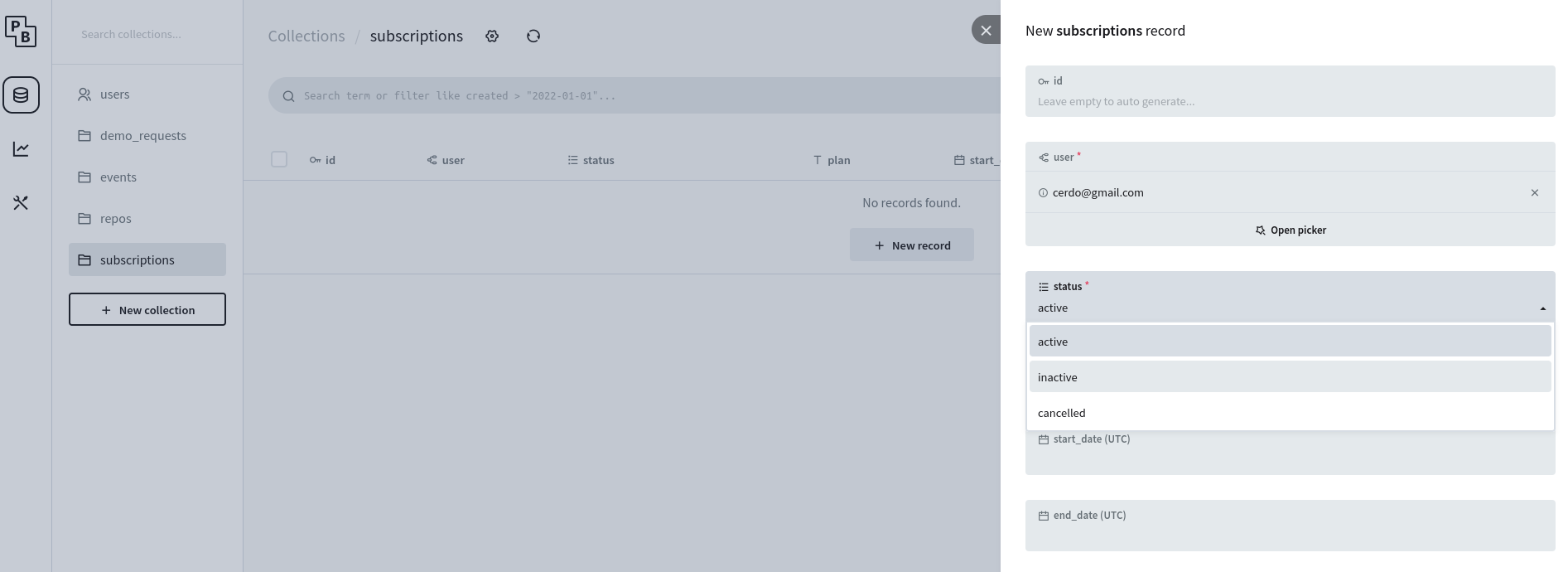
To create the collection we need to be a PB admin (obviously).
But anyone is free to hit the endpoint and add a email to the collection.
This might be dangerous, plus emails are not verified with PB.
This comes down to the email/SMTP complexity that I have to investigate soon enough
This has to be quick and easy:
#git clone
#sudo lsof -i :8001 | grep LISTEN | awk '{print $2}' | xargs sudo kill -9

# External PocketBase (default)
make up-external
It was also interesting to play with the fastapi routes.
Because the making it look cool is just one prompt of Claude Haiku 4.5


We want the root path / to show the ebook instead of the API info.
Se we update the root endpoint to redirect to the book
✅ Root path now shows the ebook
http://localhost:8001/→ Redirects to/api/bookhttp://localhost:8001/api/book→ Also works- Perfect for subdomain hosting!
# Your subdomain
https://book.yourdomain.com/
# Shows the ebook directly!

# Also works
https://book.yourdomain.com/api/book
This could make that within one subdomain, you host several ebooks at different routes!
And maybe…the one who pays from the main page get access to a boundle with ALL the ebooks.
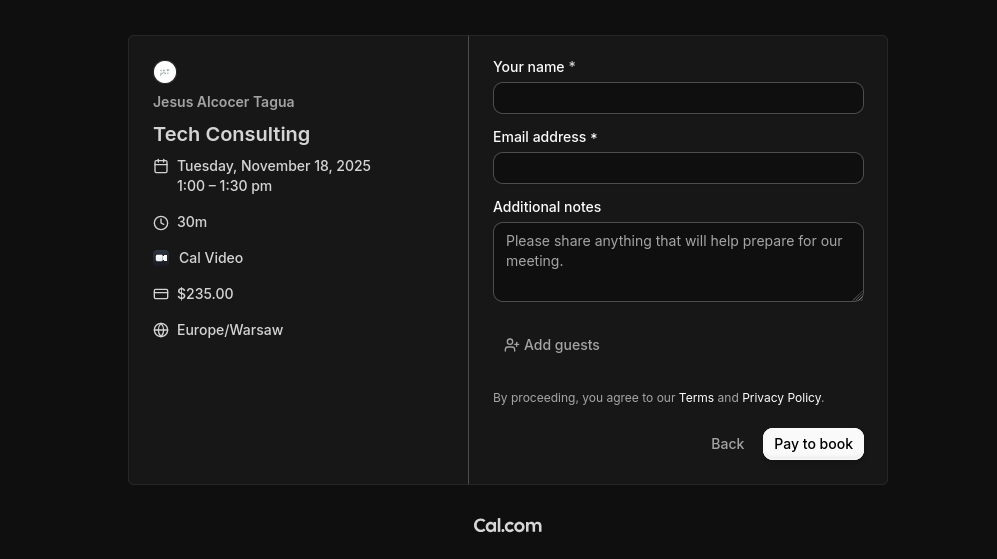
Feel free to combine that setup with a email marketing tools or with Stripe for one time payments to get the pdf.
<a class=“hextra-card group flex flex-col justify-start overflow-hidden rounded-lg border border-gray-200 text-current no-underline dark:shadow-none hover:shadow-gray-100 dark:hover:shadow-none shadow-gray-100 active:shadow-sm active:shadow-gray-200 transition-all duration-200 hover:border-gray-300 bg-transparent shadow-sm dark:border-neutral-800 hover:bg-slate-50 hover:shadow-md dark:hover:border-neutral-700 dark:hover:bg-neutral-900"href=“https://github.com/JAlcocerT/Home-Lab/tree/main/listmonk" target="_blank” rel=“noreferrer”>Tools like ListMonk are Selfostable and allow for transactional emails with attachment! | Docker Config 🐋 ↗
<a class=“hextra-card group flex flex-col justify-start overflow-hidden rounded-lg border border-gray-200 text-current no-underline dark:shadow-none hover:shadow-gray-100 dark:hover:shadow-none shadow-gray-100 active:shadow-sm active:shadow-gray-200 transition-all duration-200 hover:border-gray-300 bg-transparent shadow-sm dark:border-neutral-800 hover:bg-slate-50 hover:shadow-md dark:hover:border-neutral-700 dark:hover:bg-neutral-900"href=“https://github.com/JAlcocerT/Home-Lab/tree/main/mautic" target="_blank” rel=“noreferrer”>Mautic | Docker Config 🐋 ↗
You can also use them for lazy DIY users to jump into a DWY model:
Reports as a code
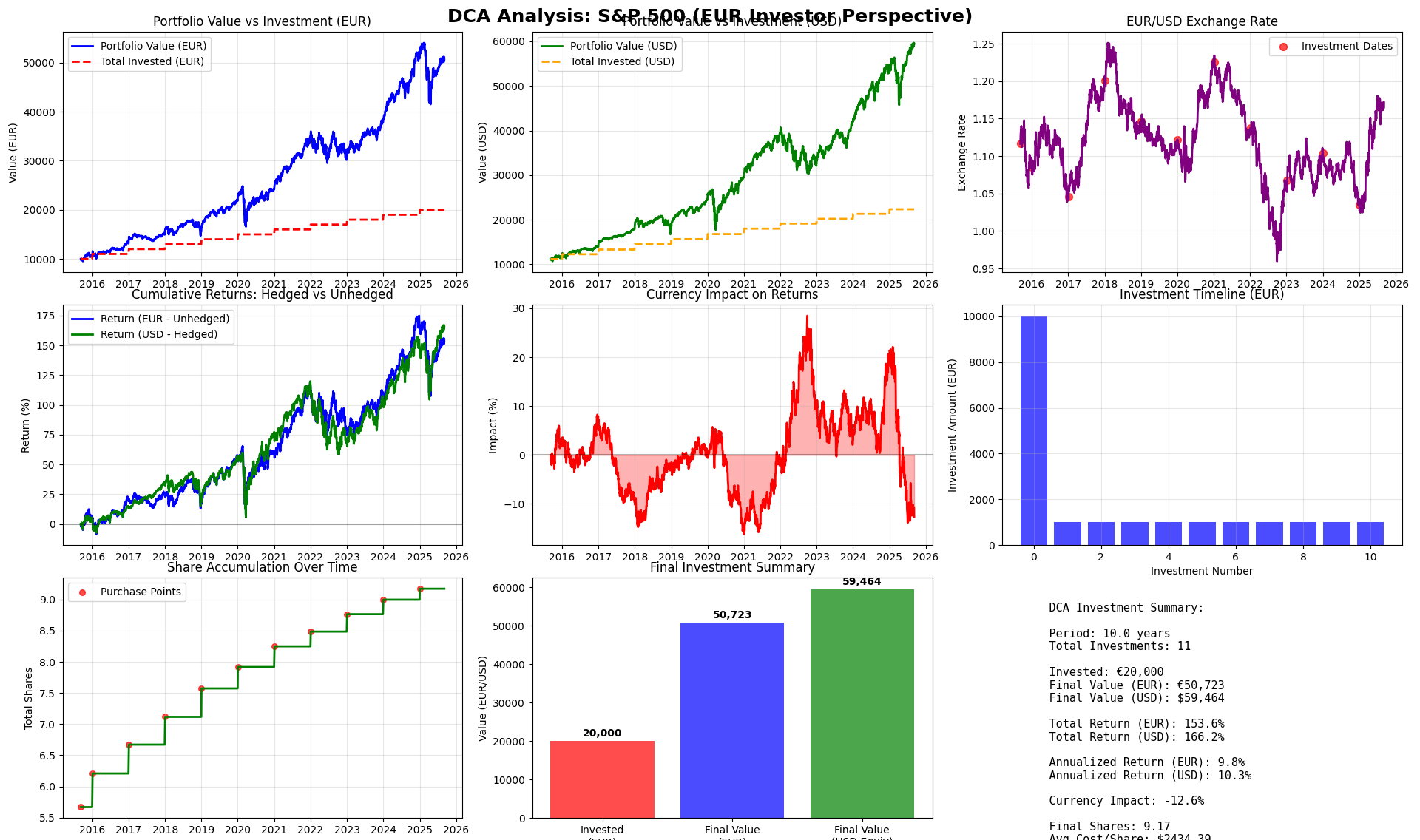
As seen while exploring yfinance on this repo and post.
You can make a one prompt vibe coded report
via this
yfinance-104.ipynb
I mean…a real report.
Not just a cool matplotlib graph or a pdf that you vibe coded with a tech solution for jira x pbi.
And then I got to know about Carbone, which I tinkered with on the wedding v2 post
Fast and simple report generator, from JSON to pdf, xslx, docx, odt…
The last time I called a stock EASY MONEY was $GOOGL at 173.04…
— RonnieV (@TheRonnieVShow) October 20, 2025
Now I present to you EASY MONEY Stock #2….$AMZN - One Sheet. All You Need. pic.twitter.com/mIFBtMpHCp
Infographics as a code
This can also be done with Python.
But it will look more like a report or with matplotlib.
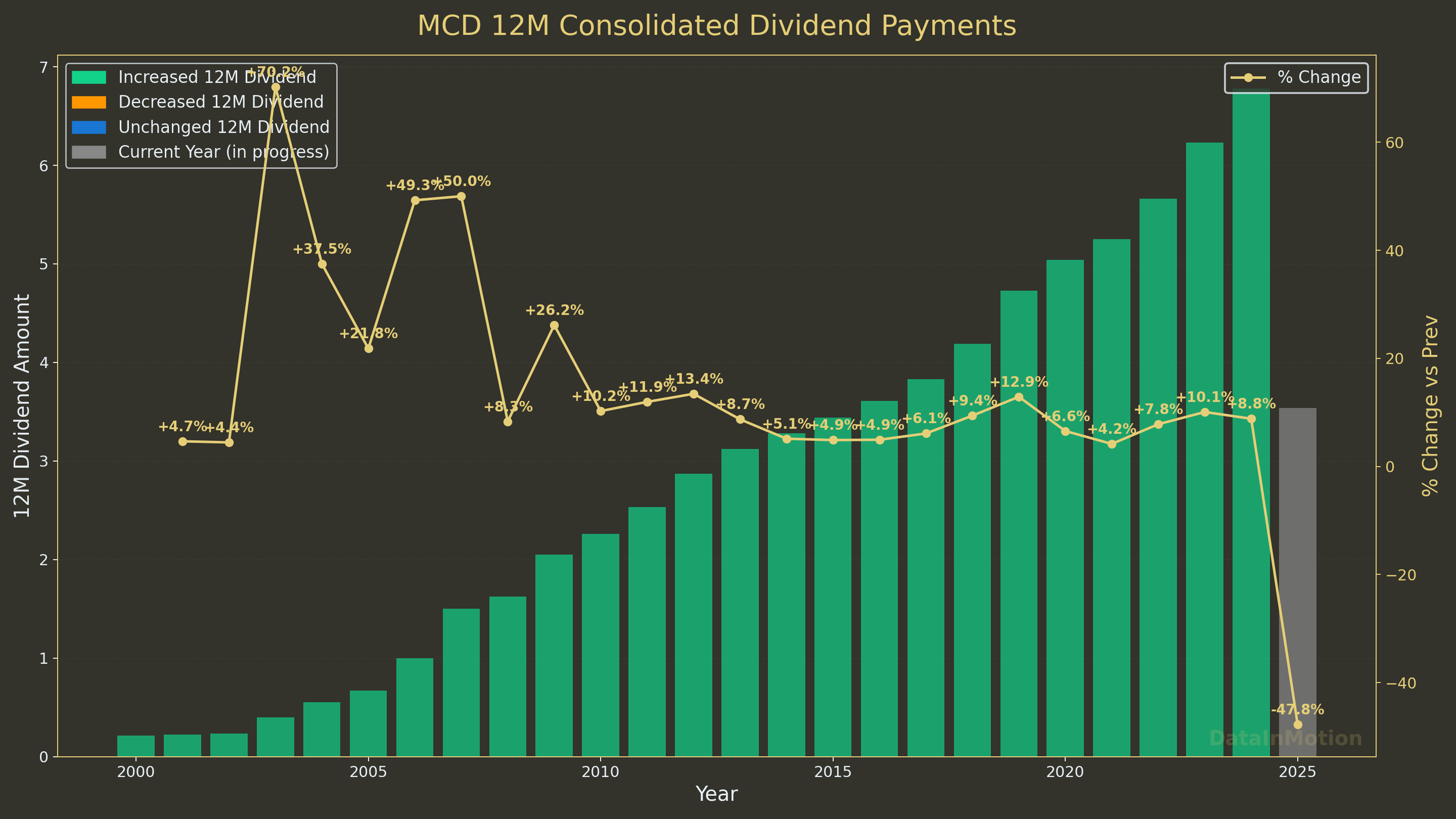 Animating yfinanceData In Motion Repo
#git clone https://github.com/JAlcocerT/DataInMotion.git
#cd DataInMotion && branch libreportfolio
uv run tests/run_consolidated_reports.py CAT 2005-01-01 --subdir --brand "@LibrePortfolio" --rolling-days 365\
| uv run OpenAI-Twitter/generate_tweets_from_report.py --ticker CAT --language es
uv run tests/plot_historical_yield.py CAT --start 2005-01-01 --brand "@LibrePortfolio" --monthly
uv run tests/plot_historical_yield_percentiles.py CAT --start 2005-01-01 --brand "@LibrePortfolio" --low 10 --high 90 --warmup-days 400
uv run tests/plot_historical_gweiss.py CAT --start 2005-01-01 --brand "@LibrePortfolio" --warmup-days 400But for not just yfinance based, I created:
Resume as a Code
Just in case that you need some help with: https://fmhy.net/misc#resume-portfolio
We make some CV before with Overleaf and Latex, here.
Those should be enough for you to get a crypto D&A 6 figures job in CH.
More options for creating your CV?
MIT | 📄 Easily create your resume with Markdown on VSCode / Typora / Obsidian
Apache v2 | Improve your resumes with Resume Matcher. Get insights, keyword suggestions and tune your resumes to job descriptions.
- More than a way to create a CV, a way to impress if you are on linkedin: https://github.com/Nutlope/self.so
LinkedIn -> personal site generator
MIT | Version-control CVs/resumes as source code
- YAML Resume https://github.com/yamlresume/yamlresume
MIT | Resumes as code in YAML, brought to you with ❤️ by PPResume.
Control a yaml like: https://github.com/yamlresume/yamlresume/blob/main/packages/cli/resources/resume.yml
Get a PDF to apply to the offer you want before some AI agent take it.
Render content using LaTeX templates. I liked: https://yamlresume.dev/docs/layout/templates/moderncv-classic
Generate PDFs via XeTeX or Tectonic compilation engines
Apache v2 | An Open Source Resume Builder and LaTeX Code Editor with AI Capabilities.
Kind of a LandThatJob?!
People do all sort of creative stuff around PDF: https://github.com/domdomegg/pdf-scanner or https://github.com/lookscanned/lookscanned.io
🖨 Makes PDFs look like they were scanned
You can do what with PDF?
Not only you can extract PDF info to txt or create PDFs in many ways - Like with the R language.
# curl -X POST -F "file=@Ebook-cover-SSGs" http://192.168.1.2:8027/extract
# curl -X POST -F "file=@Ebook-cover-SSGs.pdf" http://192.168.1.2:8027/extract > sample-pdf-to-text.txt
With R, you are 5 artifacts away of creating your first ebook:
#cd Z_ebooks #within this repo you have few quick examples!
Rscript ./Z_ebooks/render.R \
  --input ./Z_ebooks/web-ebook.md \
  --output ./Z_ebooks/web-ebook.pdf \
--cover ./Z_ebooks/web-ebook-jalcocertech.pngMIT | Open-source PDF generation library built with TypeScript and React. Features a WYSIWYG template designer, PDF viewer, and powerful generation capabilities. Create custom PDFs effortlessly in both browser and Node.js environments.
Fast PDF Generator Easy PDF Template Design Simple JSON Template
Works on Node and in the browser. Use templates to generate PDFs—complex operations are not required.
Anyone can easily create templates using the designer.
emplates are JSON data that is easy to understand and work with.
With very interesting templates: https://pdfme.com/templates and even template designer playground https://pdfme.com/template-design
- Posters, ebooks, letter, reports…https://github.com/Kozea/WeasyPrint
WeasyPrint is a smart solution helping web developers to create PDF documents.
It’s free and open source software that can be easily plugged to your applications and websites and turns simple HTML pages into gorgeous:
See the examples and their source code: https://weasyprint.org/
BSD3 - The awesome document factory
PlutoPrint is a lightweight and easy-to-use Python library for generating high-quality PDFs and images directly from HTML or XML content. It is based on PlutoBook’s robust rendering engine and provides a simple API to convert your HTML into crisp PDF documents or vibrant image files.
This makes it ideal for reports, invoices, or visual snapshots.
MIT | A Python Library for Generating PDFs and Images from HTML, powered by PlutoBook
pip install plutoprintVideo as a Code
Video editing Thanks to FFMPEG and the CLI, of course!
You could also use GUI tools:
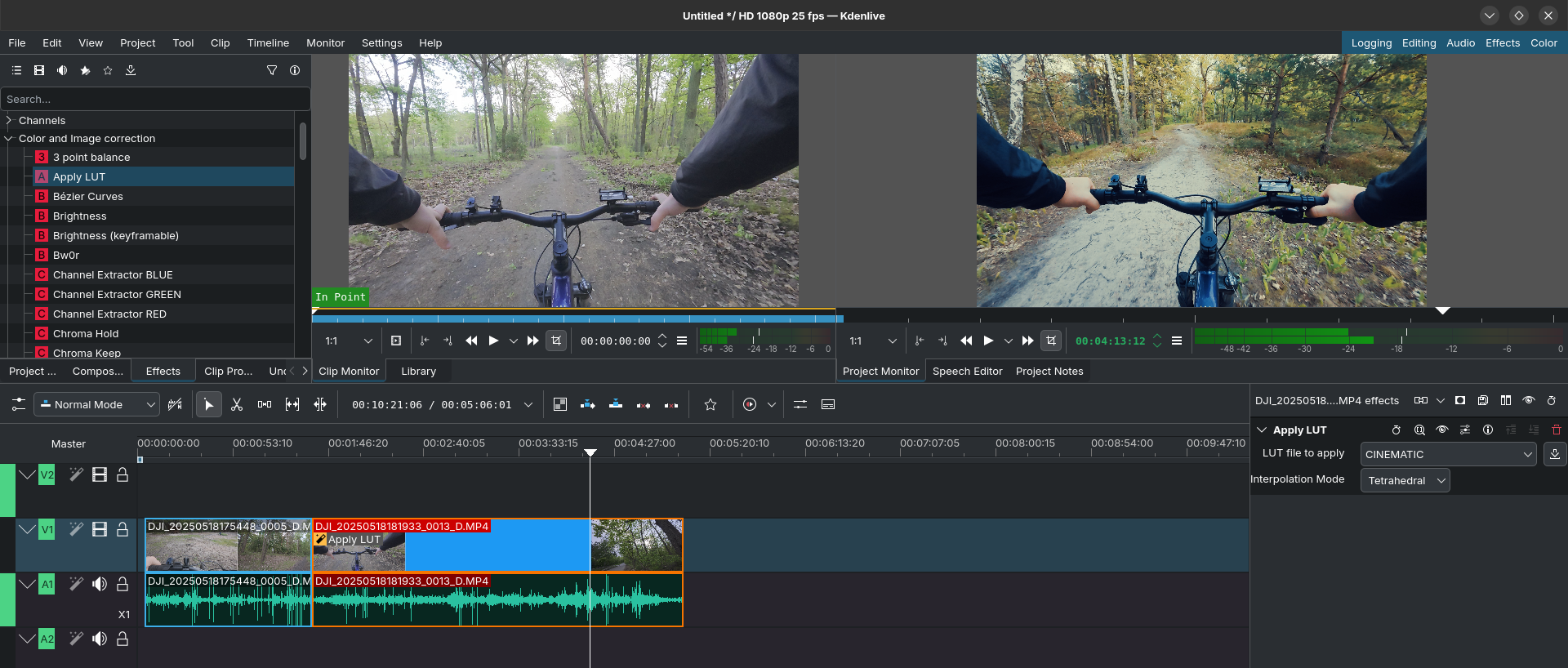
But really, just to know the format of the videos of one folder and joining the similar ones together you dont need that:
bash -lc 'header_printed=0; \
find . -maxdepth 1 -type f \( -iregex ".*\.\(mp4\|mov\|mkv\|avi\|mpg\|mpeg\|wmv\|m4v\|3gp\)$" \) -print0 \
| sort -z \
| while IFS= read -r -d "" f; do \
  base=${f#./}; \
  if [ $header_printed -eq 0 ]; then \
    printf "%-12s %-8s %s\n" "Resolution" "FPS" "File"; \
    printf "%-12s %-8s %s\n" "----------" "----" "----"; \
    header_printed=1; \
  fi; \
  if command -v ffprobe >/dev/null 2>&1; then \
    res=$(ffprobe -v error -select_streams v:0 -show_entries stream=width,height,avg_frame_rate -of default=nw=1:nk=1 "$f" 2>/dev/null); \
    width=$(echo "$res" | sed -n "1p"); \
    height=$(echo "$res" | sed -n "2p"); \
    afr=$(echo "$res" | sed -n "3p"); \
    fps=$(awk -v r="$afr" "BEGIN{split(r,a,\"/\"); if(length(a)==2&&a[2]>0) printf \"%.2f\", a[1]/a[2]; else print r}"); \
    printf "%-12s %-8s %s\n" "${width}x${height}" "${fps}" "$base"; \
  elif command -v mediainfo >/dev/null 2>&1; then \
    info=$(mediainfo --Inform="Video;%Width%x%Height%|%FrameRate%" "$f" 2>/dev/null); \
    printf "%-12s %-8s %s\n" "${info%%|*}" "${info#*|}" "$base"; \
  else \
    printf "%-12s %-8s %s\n" "(install ffprobe or mediainfo)" "-" "$base"; \
  fi; \
done'

# Resolution   FPS      File
# ----------   ----     ----
# 3840x2160    50.00    DJI_20251003204711_0010_D.MP4
# 3840x2160    50.00    DJI_20251003204913_0011_D.MP4
# 3840x2160    50.00    DJI_20251003204946_0012_D.MP4
# 3840x2160    50.00    video.mp4
You can always add music legally to your videos: https://www.youtube.com/audiolibrary?feature=blog
ffmpeg -y -i initial_silenced_video.mp4 -stream_loop -1 -i afilador_101.mp3 \
  -c:v copy -c:a aac -shortest -map 0:v:0 -map 1:a:0 \
  ./resulting-video-with-audio.mp4
This is how it can look:
Animations as a Code
Some time back I was people doing mechanism animations:
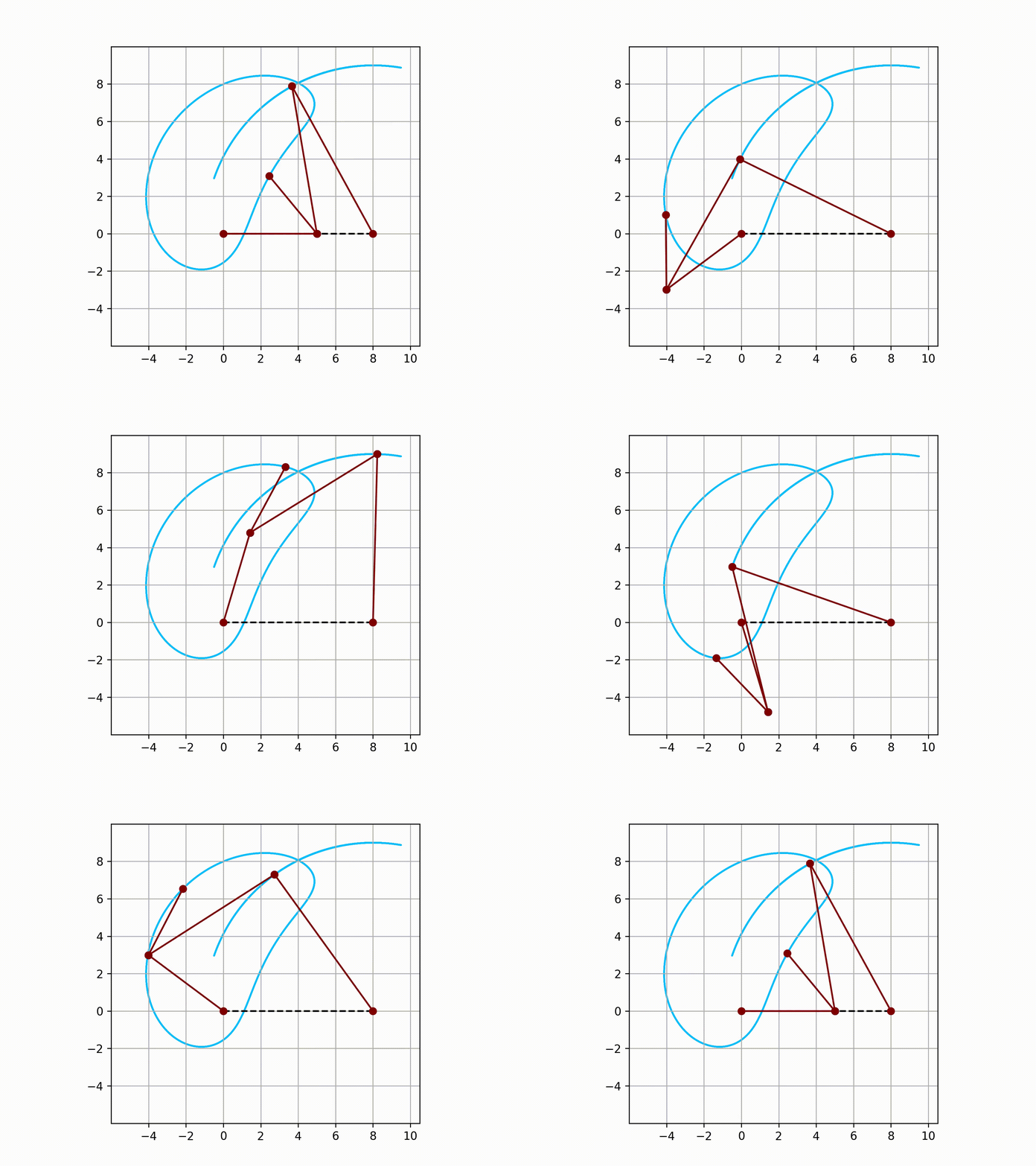
Inspired by:
As we saw in summer, we can do cool animations as a code
Believe it or not, we can do so via Matplotlib animations:
git clone https://github.com/JAlcocerT/DataInMotion
#git branch -a
git fetch --all --prune && (git switch libreportfolio || git switch --track origin/libreportfolio) && git pull

uv run animate_sequential_compare_price_evolution_flex_custom.py GLD BTC-USD 2025-01-01 10 short

ffmpeg -y -i gld-btc.mp4 -stream_loop -1 -i afilador_101.mp3 \
  -c:v copy -c:a aac -shortest -map 0:v:0 -map 1:a:0 \
  ./gld-btc-audio.mp4
Do animation logic once, ship it everywhere: n times
What’s your long-term investment strategy?
— Libre Portfolio (@LibrePortfolio) July 1, 2025
Here’s how regular contributions and compounding work together.#WealthBuilding #MoneyMath #CompoundGrowth pic.twitter.com/felhdHtMR5
With the proper data model, you can save the Google Sheets read with
=GOOGLEFINANCE("CURRENCY:USDEUR"; "price"; FECHA(AÑO(HOY()); 1; 1); HOY(); "DAILY")
Or
=GoogleFinance("CURRENCY:BTCUSD"; "price"; HOY()-30; HOY())
Not to mention the possibility to vibe code very quickly this kind of aggregates within st.
See how quickly you can iterate through your ideas: from a streamlit quick poc
uv run streamlit run streamlit_portfolio_aggregate.py
#uv run streamlit run streamlit_ath_viewer.py #from WK42Y25
#uv run streamlit run LibrePortfolio-Plots.py #a better version of streamlit_ath_viewer and streamlit_script_plots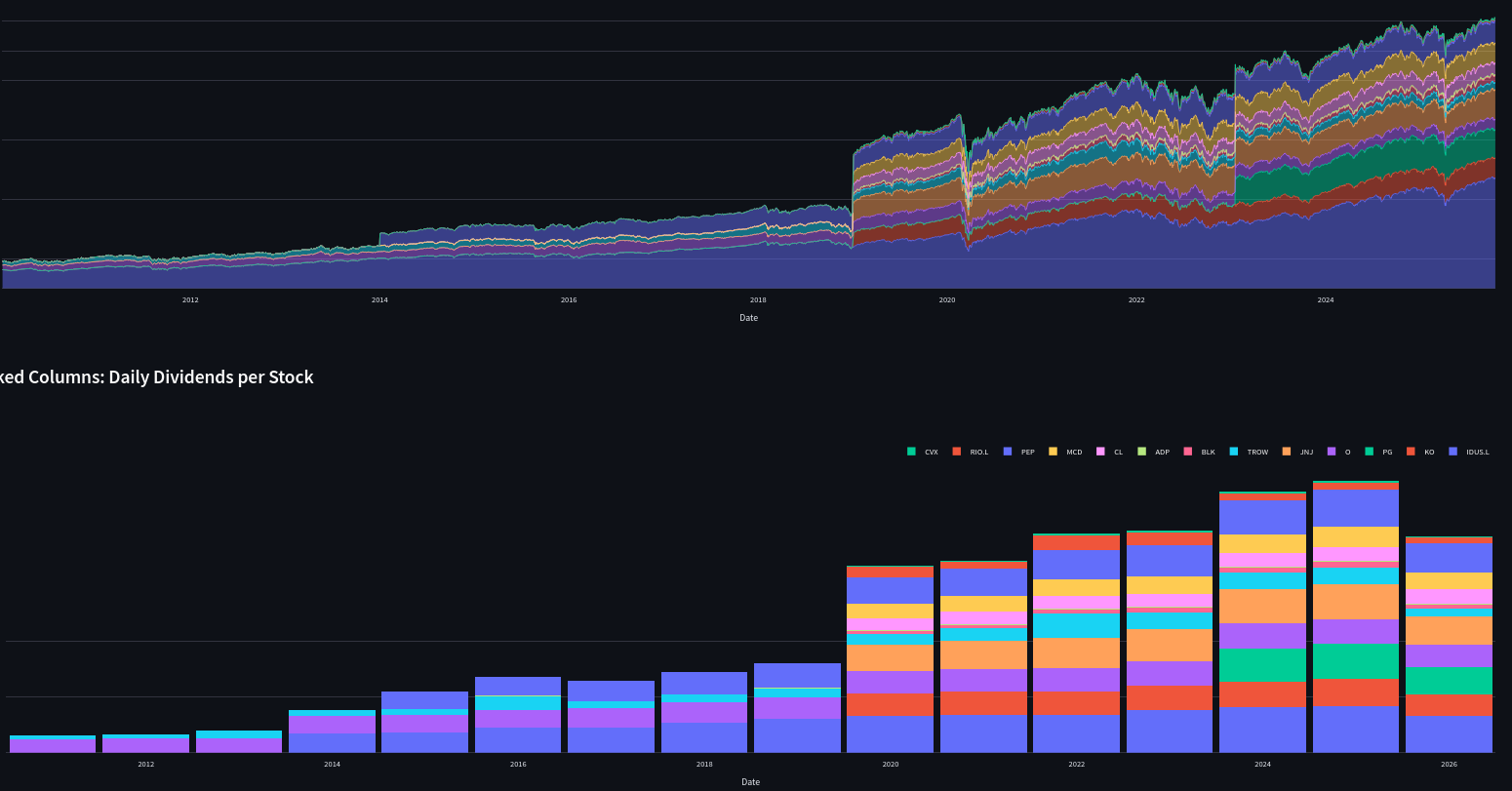
#from the same libreportfolio branch
uv run LibrePortfolio-PlotsFlask.py

docker compose build --no-cache
#sudo docker compose up -d
#sudo docker compose down #test of the image over
Then just make the built webapp container public with portainer+cloudflare with libreportfolio-flask:8501 to https://graficas.libreportfolio.fyi/
Record and Share: because people share even gsheets
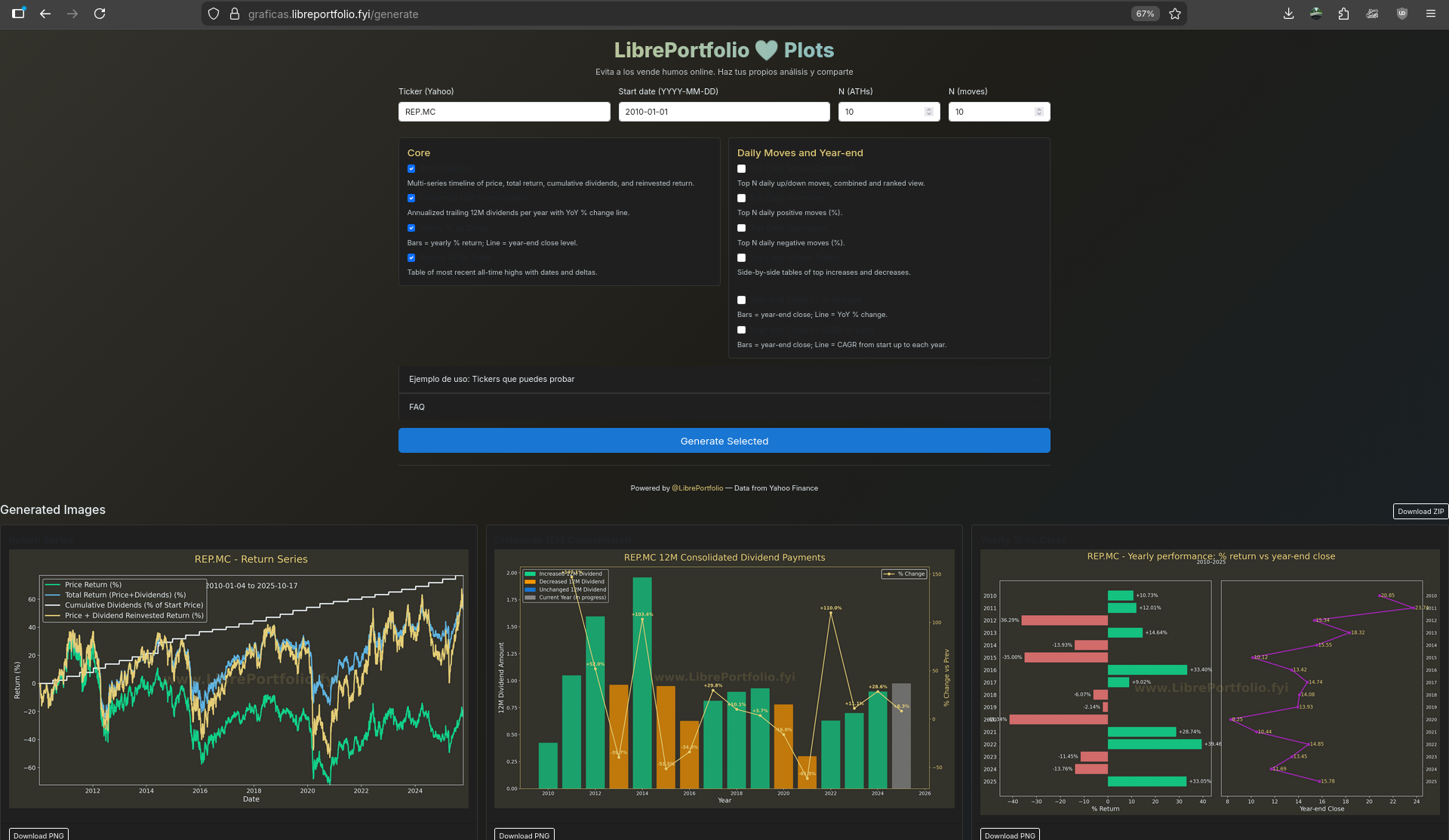
ffmpeg -y -i untitled.mp4 -stream_loop -1 -i ImmortaYT.mp3 \
  -c:v copy -c:a aac -shortest -map 0:v:0 -map 1:a:0 \
  ./graficas-libreportfolio.mp4
Mientras duran las fiebres del oro te vas a encontrar a mucha gente que vende palas para que en teoria tu saques el oro.
— Libre Portfolio (@LibrePortfolio) October 20, 2025
Algunos los llaman vende cursos, otros vende humos.
He creado una herramienta para que cualquier persona pueda hacer data-checks (sin registros ni emails) 👇 pic.twitter.com/ZIT9PeSz0J
You know, we can do animation as a code as seen with matplotlib.
And you should probably place your codes into a repo like DataInMotion if you go that route.
What if you have couple of brands and want to recycle your animations?
You can even create a quick streamlit, then flask web apps around animations to let other create with your tools:
uv run streamlit run LibrePortfolio-Plots.py
uv run LibrePortfolio-PlotsFlask.py
docker compose build --no-cache
Make it visible on social media.
Because lets be honest: website traffik is broken with AI.
What’s your long-term investment strategy?
— Libre Portfolio (@LibrePortfolio) July 1, 2025
Here’s how regular contributions and compounding work together.#WealthBuilding #MoneyMath #CompoundGrowth pic.twitter.com/felhdHtMR5
Then, Last night the yt algorithm hit me with this:
And this:
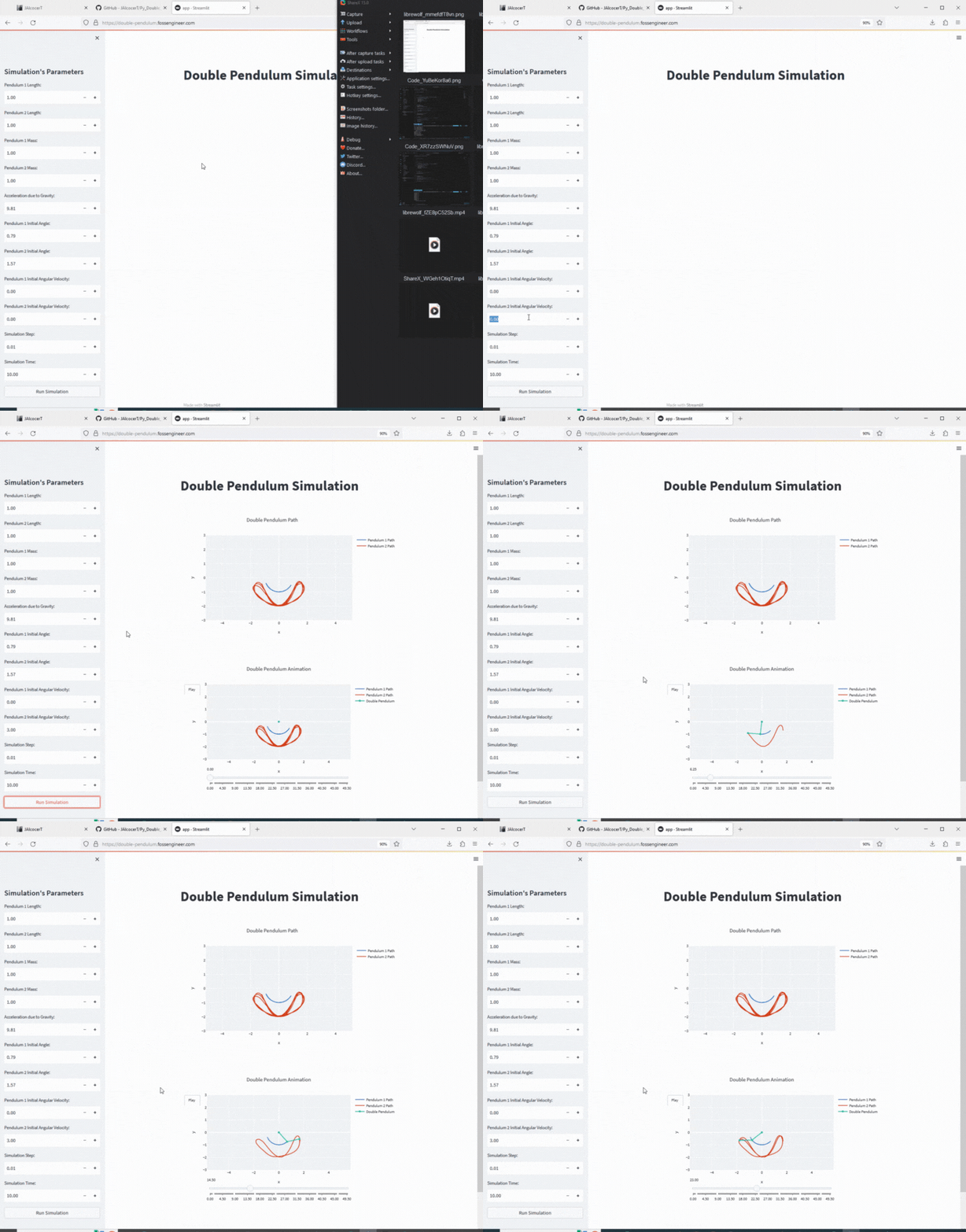 Double Pendulum RepoDouble Pendulum Repo
And then…I saw this: https://github.com/bufferhead-code/this-video-is-written-in-code
git clone https://github.com/bufferhead-code/this-video-is-written-in-codeSo…wait, didnt we already…?
Matplotlib can be used for creating basic 2D animations and exporting them as videos or GIFs, mainly for data visualizations and scientific plots.
It supports animation classes that update frames over time, but it is limited in terms of creative, sophisticated motion graphics or professional video production and interactivity.
In contrast, tools like Motion Canvas, Remotion, or Manim provide much richer features for video animations with more control, flexibility, and higher production value.
They are specialized for creating engaging presentations, explainer videos, or educational animations beyond simple graph animations.
Blender is a professional 3D modeling and animation software, and yes, it supports scripting—usually with Python—to automate scene creation, object manipulation, lighting, and camera control. This scripting allows creating complex 3D scenes and animations programmatically.
Blender scripting is powerful for 3D animations, simulations, and rendering, which is quite different and much more advanced compared to 2D animation libraries like Matplotlib.
- Matplotlib: Best for simple 2D scientific animations, basic video export.
- Motion Canvas/Remotion/Manim: Better suited for rich 2D animated videos and educational content.
- Blender: Professional 3D animation software with Python scripting for complex 3D scenes and animations.
So, for video animations where creative flexibility and professional output matter, tools like Motion Canvas or Remotion are superior to Matplotlib.
For 3D scenes and animations via coding, Blender scripting is the go-to solution.
Motion Canvas
Motion Canvas, Remotion, and Manim are all tools for creating programmatic animations and videos, but they cater to different use cases and technologies.
Motion Canvas is a modern TypeScript-based tool focused on vector animations with real-time preview and strong web integration.
It is praised for allowing CSS features and live timing control in animations but is still relatively new with fewer complex examples and features compared to others.
It targets users who prefer coding animations with web tech and want interactive previews while creating.
Remotion
Remotion stands out as a React-based tool for creating programmatic videos.
It enables creating MP4 videos using React components, making it excellent for developers familiar with React who want to automate and scale video production.
Remotion is well-regarded for strong documentation, ease of use, and a focus on collaborative and dynamic video creation, including applications like product videos and in-browser editing.
Manim, on the other hand, is a Python library specialized in math and educational animations. It offers fine-grained control for precise formula animation and algorithm visualization.
It requires more programming expertise and manual effort but is powerful for STEM use cases.
Recent research advances also use AI to automate some Manim coding, improving accessibility.
Manim excels in complex mathematical and algorithmic animations rather than general vector or video creation.
Animations x SSG
This year I also was playing around with Astro components.
And withing the datanova theme, I found out that they are doing a really cool animation (which is a SVG!)
npm install
#npm run dev
npm run dev -- --host 0.0.0.0 --port 4321 #http://192.168.1.11:4321/
As seen while a changed my main landing page:

Video Geolocation with FFMPEG
This kind of geo/gpx concepts I got them covered at: https://github.com/JAlcocerT/Py_RouteTracker
With a GoPro and its metadata, it’s all about:
exiftool GX011032.MP4
exiftool -ee GX011032.MP4
Make sure to record with GPS ON to bring that lovely Geo data.
Conclusions
No excuses - just create.
Webs are also code
The fact that some of them abstract the code for us, does not mean that there is no code behind:
If you are looking for a tool to get general knowledge about a website, you can use the web-check project
- https://github.com/Lissy93/web-check
- Use it at https://web-check.xyz/
- It provides also links to other very interesting tools to explore a domain/website
🕵️♂️ MIT | All-in-one OSINT tool for analysing any website
And you can use these projects together with https://github.com/datopian/markdowndb - MIT Licensed
- https://markdowndb.com/ - A rich API to your markdown files in seconds.
Turn markdown files into structured, queryable data with JS. Build markdown-powered docs, blogs, and sites quickly and reliably.
QR can be generated as Code
o generate QR’s with logo thanks to Python
And your QR generator can be embedded into WebApps, as seen here
It can be done as well with Inkscape, or with QR-Code-Generator or with emn178

I got to learn about QRs during this wedding post!
Flyers are PDFs
That kind of ad is generally called a flyer or a poster, especially when it is affixed to an object like a lamppost or utility pole in a public space.
In a more specific context, because it’s attached outdoors to a pole, it might be referred to as:
- Street Poster or Street Art/Ad
- Pole Poster or Pole Flyer
- Wild Posting (a term for placing posters/flyers in unauthorized public spots, often to build buzz)
If you’re asking about the advertising style or strategy, it uses:
- Guerilla Marketing or Ambient Marketing (using non-traditional public spaces for advertising).
- Local Advertising (targeting a specific geographic area).
Writing Posts with Codex
As seen during summer on this post.
How about using Codex CLI to write SSG posts?
git clone https://github.com/JAlcocerT/Home-Lab
cd codex-cli

docker compose -f docker-compose.codex.yml up -d --build

# To stop the container (using either method):
# docker compose -f docker-compose.codex.yml down  # Using compose
# docker stop codex-container && docker rm codex-container  # Using container name
docker exec -it codex-container bash
codex #And ask anything you want!- Access the container:
docker exec -it codex-container bashJust in case that you dont want to do the n8n + CMS API.
Example: given the repository https://github.com/Snouzy/workout-cool?tab=readme-ov-file#deployment--self-hosting
Agentic CLI is cool
We can setup goose: https://jalcocert.github.io/JAlcocerT/ai-tools-for-cli/#goose
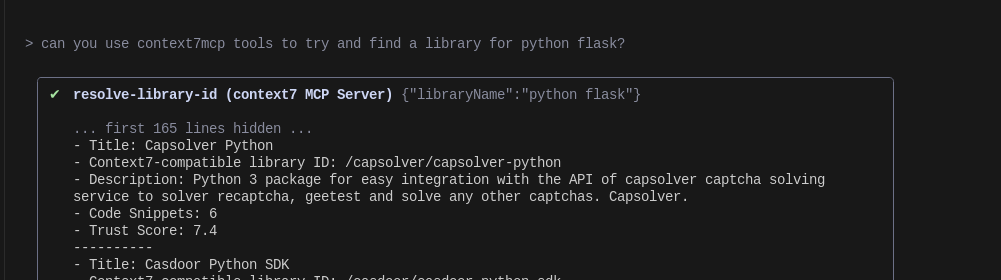
And bring MCP support for Gemini: https://jalcocert.github.io/JAlcocerT/ai-tools-for-cli/#gemini-cli-x-git-mcp
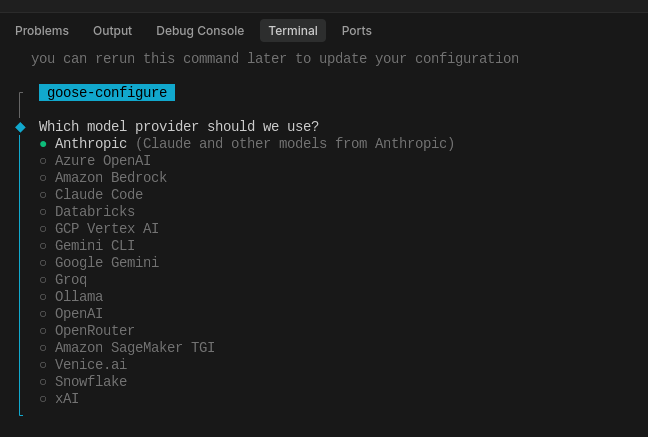
- https://console.anthropic.com/workbench/
- https://console.groq.com/keys
- https://platform.openai.com/api-keys
Writing Technical Posts with Perplexity and IDEs
Or just Cursor/Windsurf agents + Perplexity Context?