Using Blender
Tl;DR
Blender vs FreeCAD vs OpenSCAD
Intro
Last year, I saw a very cool video about design patterns.
And there is something about designs that have always captivate me.
Whats does make something so good, that it lasts the beats of time?
How can we create someting that is valued by people?
Even from totally different generations:
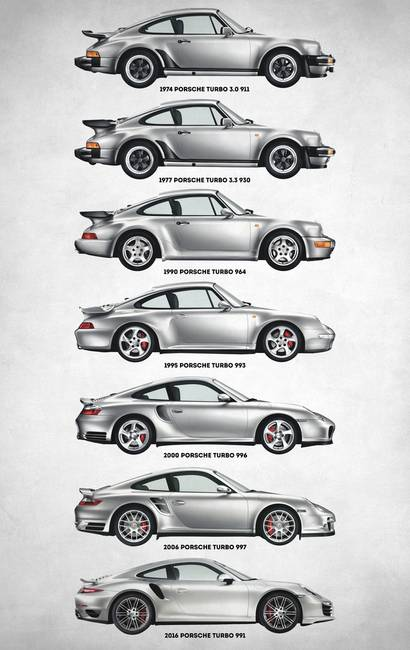
I belive you would agree that the 911 design is one of those.
But…I want to create stuff.
Real stuff.
Using Blender
Blender is an absolute powerhouse for “design-as-code,” but it is a mesh-based tool, which makes it fundamentally different from the CAD-based tools like CadQuery or OpenSCAD.
Here is the breakdown of how Blender fits into an “agentic” workflow:
- Can Blender be driven by Python?
Yes, deeply. Blender is essentially a Python application with a C++ kernel.
Almost every button you click in the UI triggers a Python command behind the scenes.
The
bpyModule: This is the main API. An agent can create objects, move vertices, apply textures, and set up lighting entirely through code.The “Info” Panel Trick: If you want to see what code an agent needs to write, you can open the “Info” editor in Blender. It logs the Python equivalent of every manual action you take, making it a great “cheat sheet” for training agents.
Agent Advantage: Blender allows agents to do things CAD tools can’t easily do, like procedural textures, physics simulations, and high-end rendering.
- Blender vs. CAD (The “Topology” Problem)
While an agent can design a mechanical part in Blender using Python, there is a catch:
CAD (CadQuery/OpenSCAD): Uses mathematical solids (BREP/CSG). If an agent tells a CAD tool to “drill a hole,” the hole is a perfect circle.
Blender: Uses a “mesh” (vertices and faces). If an agent tells Blender to “drill a hole,” it has to cut into a grid of triangles or quads. This often creates “messy” geometry that is hard for an agent to fix if things go wrong.
The Verdict: If your agent is designing mechanical/precision parts, use CadQuery. If your agent is designing visual assets, characters, or environments, use Blender.
- Using CAD Outputs in Blender (The “Hybrid” Workflow)
The most sophisticated AI agent setups actually use both.
You let the agent design the “skeleton” in a CAD tool and then “beautify” it in Blender.
| Workflow Step | Tool Used | Why? |
|---|---|---|
| 1. Precision Modeling | CadQuery / OpenSCAD | Agent writes code to define exact dimensions and holes. |
| 2. Export | STL or STEP | Standard formats that bridge the two worlds. |
| 3. Import to Blender | bpy.ops.import_mesh.stl | The agent uses Python to bring the CAD file into a Blender scene. |
| 4. Rendering & FX | Blender (Python) | The agent applies materials, adds “wear and tear,” and renders a photo-realistic image. |
- Recent Innovations (2026 Context)
Blender MCP (Model Context Protocol): There are now “MCP Servers” for Blender. These allow an AI agent to “live” inside Blender, seeing the viewport and executing code in real-time rather than just generating a script and hoping it works.
Geometry Nodes: This is Blender’s version of “visual coding.” Agents are becoming very good at generating “Geo Nodes” trees, which are parametric and much more “CAD-like” than traditional mesh editing.
Installing Blender
I was consolidating here some OSS Tools for engineering and how ti install them with Ubuntu.
Among them, Blender, we just need:
#choco install blender --version=4.2.2 -y
#5.1.0  >4.0.0

#https://www.blender.org/download/release/Blender4.3/blender-4.3.1-linux-x64.tar.xz/

sudo snap install blender --classic #it might be lower, like 4.3.1
#sudo snap install blender --channel=4.3/stable --classic
You can always download your desired blender versions from: https://www.blender.org/download/
Blender as a Code
I know i might sound lazy.
BUT
Drag and drop on an interface…is something that id like to have automated for me.
And I heard about Blender with Python Scripting.
Thanks to https://github.com/CGArtPython/blender_plus_python/tree/main
Not only heard, but actually…just did sth with it and a slider crank here:
snap info blender
#choco install blender --version=4.2.2 -y

git clone https://github.com/JAlcocerT/3Design
cd z-cadquery
make all
#make render   # renders all 180 PNGs
#make video    # assembles them into render/output.mp4 via ffmpeg
Telling blender what to run on its internal engine can be a thing:
blender -b --python my_script.pyTo install Blender 4.2.2 (or the latest patch in the 4.2 LTS series) using the portable “Tarball” method, follow these exact steps in your terminal.
This approach is perfect for your HUD project because it keeps Blender’s Python isolated and fully customizable.
- Create the Directory
First, let’s create a clean home for this specific version so it doesn’t get mixed up with other apps.
mkdir -p ~/Applications/Blender4.2
cd ~/Applications/Blender4.2- Download Blender 4.2.2
We’ll use
wgetto pull the specific Linux 64-bit archive directly from the official Blender foundation servers.
wget https://download.blender.org/release/Blender4.2/blender-4.2.2-linux-x64.tar.xz- Extract the Archive
Now we unpack it. We’ll use the
--strip-components=1flag so that the files go directly into yourBlender4.2folder instead of creating another sub-folder inside it.
tar -xvf blender-4.2.2-linux-x64.tar.xz --strip-components=1- Clean Up (Optional)
rm blender-4.2.2-linux-x64.tar.xz- Launch and Verify
./blenderTo check which Python version this specific Blender is using (important for your script imports), run this:
./4.2/python/bin/python3.11 --versionBlender with AI
Image generations models are really interesting.
On this post I have reviewed recently the latest tools to use them.
With controlnet and flux
But i want control on the generation.
That it can be achieved via:
claudeIf you still got a live, its over: https://code.claude.com/docs/en/remote-control#interactive-session
claude --remote-control "My Project"ControlNet
With Control net, we can provide more than a text prompt to get the desired results from the T2I models.
I mean, we can provide images as prompts!
Can we do such animations with blender?
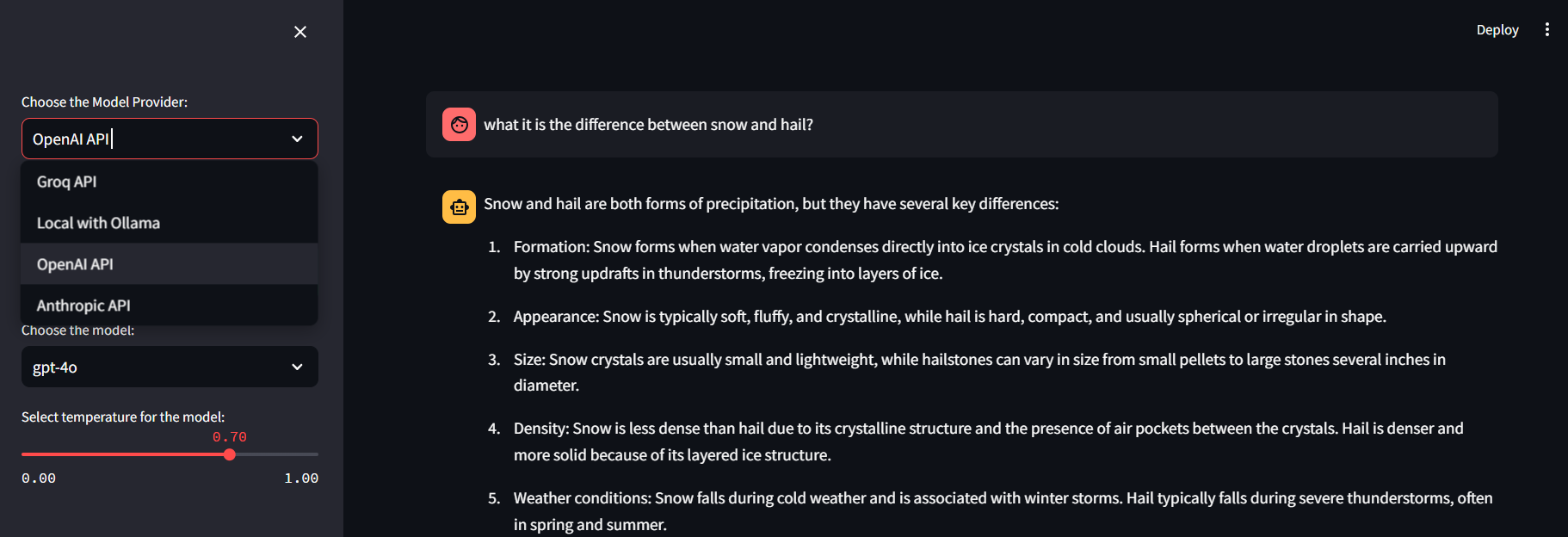 MultiChat UI
 3D Design Repository
The Blender Project
While primarily known as a 3D modeling and rendering software, Blender also includes robust animation capabilities.
It’s one of the most comprehensive open-source animation suites available, offering features for 3D animation, rigging, modeling, simulation, rendering, and more.
{
  "mcpServers": {
    "gitmcp": {
      "serverUrl": "https://gitmcp.io/blender/blender"
    },
    "context7": {
      "command": "npx",
      "args": ["-y", "@upstash/context7-mcp"]
    }
  }
}
Blender API - With Python
If you’ve been wondering…
Examples
Create a sphere: 👇
#import bpy
#bpy.data.objects["Cube"].data.vertices[0].co.x += 1.0

import bpy

# Add a UV Sphere
bpy.ops.mesh.primitive_uv_sphere_add(radius=10, location=(0, 0, 0), segments=32, ring_count=16)

# Select the newly created sphere
sphere = bpy.context.object

# Optionally, you can give the sphere a material
# Create a new material
material = bpy.data.materials.new(name="Sphere Material")

# Assign a color to the material (e.g., red in RGBA format)
material.diffuse_color = (1, 0, 0, 1)  # (R, G, B, A)

# Assign the material to the sphere
sphere.data.materials.append(material)
Render with Stable Diffusion
Blender for Video Editing
You can even use it to bring custom LUT to videos, apparently!
CAD for Agents
For developing AI agents that design “as-code,” the best open-source CAD program is CadQuery, with OpenSCAD being a strong runner-up depending on the complexity of your geometry.
While many traditional CAD tools (like FreeCAD) have Python APIs, they are often “wrappers” around a visual interface.
For an agent to “think” in code, you want a library where the code is the model.
- Top Recommendation: CadQuery https://github.com/cadquery/cadquery
CadQuery is a Python-based library that treats CAD like a standard software engineering task.
It is currently the “gold standard” for programmatic design because it uses a BREP (Boundary Representation) kernel (OpenCASCADE), the same high-end engine used by professional tools like SolidWorks.
- Why it’s best for Agents:
- Standard Python: Agents can use standard Python libraries (math, NumPy, etc.) and IDE features like linting and debugging.
- “Fluent” API: It uses a chainable syntax (e.g.,
.box(10,10,10).faces(">Z").hole(2)) which is highly readable and easy for LLMs to generate accurately. - Design Intent: You can select parts of a model by their features (e.g., “the top face” or “all edges longer than 5mm”) rather than hard-coding coordinates.
- STEP Support: Unlike simpler tools, it exports to STEP files, which are required for professional manufacturing and CNC.
- Best for Simple Geometry: OpenSCAD OpenSCAD is the “original” code-based CAD. It uses a custom functional language and a CSG (Constructive Solid Geometry) approach.
- Pros: It is extremely lightweight and has a massive library of community-made parts (like “BOSL2”). It is very stable and difficult to “break” with bad code.
- Cons: It is famously bad at fillets (rounded edges) and chamfers. It also doesn’t support STEP export natively (it mostly exports STL), making it less “professional” for engineering.
- Agent Fit: Use this if your agent is doing simple 3D printing tasks or grid-based modular designs.
Comparison at a Glance
| Feature | CadQuery | OpenSCAD | FreeCAD (Python) |
|---|---|---|---|
| Language | Python (Standard) | Custom (OpenSCAD) | Python (API Wrapper) |
| Kernel | OpenCASCADE (Professional) | CGAL (Basic) | OpenCASCADE |
| Philosophy | Selection & Feature based | Adding/Subtracting Shapes | Visual-first, Scriptable |
| Best For | Complex engineering/Agents | Hobbyist 3D printing | Manual design + Automation |
| Export Formats | STEP, STL, GLTF, DXF | STL, OFF, DXF | All standard formats |
- The “Deep Learning” Alternative: Build123d https://github.com/gumyr/build123d
If you want the absolute latest tech, check out Build123d.
It is a successor/alternative to CadQuery that is designed to be even more “Pythonic” and solves some of the internal complexities of CadQuery.
It is gaining a lot of traction in the “CAD as Code” developer community.
Summary for your Agent
If you want your agent to produce manufacturable, professional-grade parts, build your agent’s toolset around CadQuery.
If you want the agent to quickly “sketch” simple 3D printable objects, OpenSCAD is easier to implement and has more training data available in LLMs.
I saw recently this video:
And could not resist to try that with the 2D mechanism that I have ready in Python.
Conclusions
If you dont like KDEnlive for video editing
You can also use Blender:
The level of some people creating animations:
Using Blender with AI for Home Design
Can Blender be some kind of homestyler, but F/OSS?
FAQ
Other Design Resources
Great video comparing western vs eastern design
Blender Add-ons
Blender Ad-ons
BlendAI: A versatile suite of AI tools, including image-to-3D, text-to-3D, and more.
BlendAI Library Pro: Another powerful collection of AI tools, offering features like image-to-3D, text-to-HDRI, and text-to-PBR.
Autodepth AI: Creates depth maps from images, crucial for many AI-powered 3D workflows.
3D AI Studio: A comprehensive suite of AI tools for 3D artists, covering a wide range of tasks.