Time for MultiBodySystemsDynamics (dot) com
Tl;DR
A whitepaper around mbsd (self-funded): https://multibodysystemsdynamics.com/whitepaper
Intro
- Why Im writting this post: Bc The engine behind
https://multibodysystemsdynamics.com/cant be closed source. - What Ive learnt with it: Ive ended up putting together a roadmap and whitepaper for an OSS mbsd framework with the first release already out
From the wedding conversation with Gilabert, my last mbsd post with the framework launch and inspired by diode Inc.
We are coming from this agentic mbsd centered design post:
make list-user-repos NEW_USER=hermesagent
make tinker-to-github #https://github.com/JAlcocerT/hermesagent/tree/tinker/hermesagent/mbsdSome people are were billing 50$/h and paying 5$/h for such expertise.
Now its OSS and thats fine.
Because ideas are worthless and execution is everything
Executing with CC 📌
Claude Code - Start with this agentic coding assistant that runs in your terminal
Computer Use - Explore this set of tools that lets Claude interact with desktop applications
Agents - Understand what makes these applications successful as agents
Claude Code has access to generic, flexible tools like:
bash - Run any command read - Read any file write - Create any file edit - Modify files glob - Find files grep - Search file contents
It notably doesn’t have specialized tools like “refactor code” or “install dependencies.”
Instead, Claude figures out how to use the basic tools to accomplish these complex tasks.
This abstraction allows it to handle countless programming scenarios that the developers never explicitly planned for.
claude
#/goal work until my webaudit framework returns a 100%
#/goal clear
Use workflows when you can picture the exact flow or steps that Claude should go through to solve a problem, or when your app’s UX constrains users to a set of tasks Use agents when you’re not sure exactly what task or task parameters you’ll give to Claude
Managed Policy > User > Project > Local
Use Claude.md for conventions skills for procedures tied to tasks and Hooks for rules that cant be skipped
A skill isn’t just a single skill.md file. The folder around it can carry other things, and this is what makes skills powerful for verification.
Drop a reference.md next to the skill for detailed material, then link to it from skill.md.
Claude only reads it when it actually needs that depth. Your main file stays short.
Put scripts in the folder too. Claude executes them rather than loading their contents into context.
That means a skill can carry its own tooling, like a check.sh that runs all the gates.
The takeaway: keep skill.md itself lean.
Push the heavy material, the long explanations and the executable scripts, into side files.
The lean file describes what to do; the side files hold the depth and the tools.
With this one:
/schedule daily audit for blabla at 9am #this runs at anthropic servers
#/routine #routine can runs on Anthropic infrastructure on a cron trigger
claude -p "summarize the changes in this diff"Get a cold second opinion
The sub-agent code review you’d run before a pull request works here too.
Point it at an unsupervised run.
Open a fresh session or sub-agent and have it review the changed code with no memory of how the code was built.
Because it has no stake in the approach, it catches the things the original run talked itself past.
A second reviewer with fresh eyes finds what the author rationalized away.
PLUGINS are how CC packages a setup and moves it between ppl https://agent-plugins.org/
#these execute code with your user permissions, be careful
/plugin install #marketplace add abc/def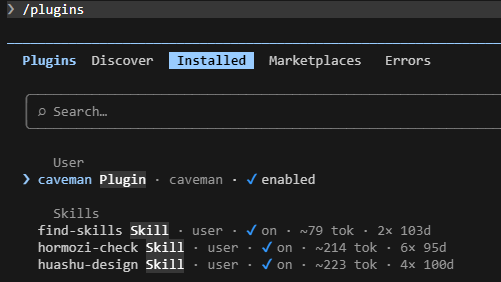
Current behavior in scripts/tinker-to-github.sh:1:
- it clones each Forgejo repo as a mirror
- then it pushes only HEAD to one GitHub branch:
- refs/heads/
/ /
- refs/heads/
So for hermesagent/mbsd:
- if it has 1 branch, that one branch is what gets exported
- if it has 2 or more branches, only the repo’s current HEAD branch is sent
- the other branches are not sent
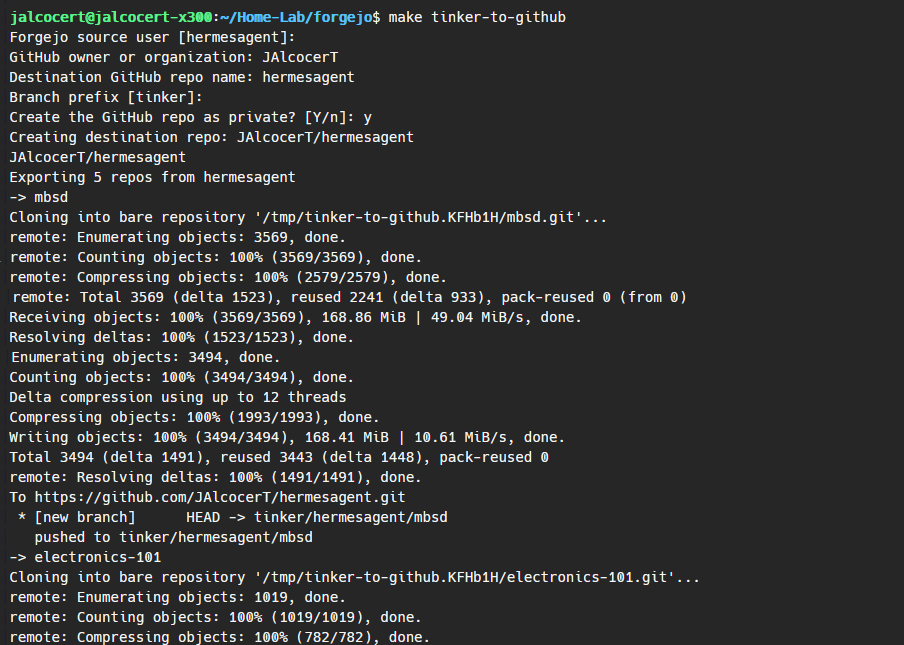
I have in this folder a multi body system dynamics repository with quite a lot of tinkering pushed to my local forgejo instance at the homelab with the user hermesagent via ssh, what do you think about this?oss-core-2d - http://192.168.1.2:3034/hermesagent/mbsd/src/branch/oss-core-2d
Yes. The intended meaning is:
- oss-core-2d / v0.1: clean 2D core
- oss-0.2-plotting: 2D core + plotting/gallery
- oss-0.3-synthesis: previous + 2D synthesis helpers
- oss-0.4-export: previous + export/CAD hooks
- oss-0.5-3d-experimental: previous + experimental 3D API
So 0.5 should include all earlier 2D functionality plus the first public 3D namespace.
PWA coming up as subdomain: http://192.168.1.2:3034/hermesagent/mbsd/src/branch/oss-core-2d/web
Showcase - Engine Vibrations
Say that you can now simulate a new engine type:
git clone Inline
V
W
Yep, these can get 20L displacement and require a huge power spike to get started.
Rotatory
The Web x Leads
Inspired by diode inc, i decided to make the core engine OSS.
The landing and the leads are mine :)
Conclusions
Lately Ive seen many people in charge of noisy roadmaps or release plans.
Not sure whats the excuse to make a clear: planned / next / released.
Recommended release order:
- Push mbsd-core/main; confirm CI.
- Push core v0.3.0; create GitHub release.
- Push mbsd-examples/main; confirm CI.
- Push examples v0.3.0; create GitHub release.
- Update the website/docs, as specified in the roadmap.
There are some useful gh clis to keep the release order:
cd /home/jalcocert/Desktop/mbsd-framework/mbsd-core
git push origin main
git push origin v0.3.0
Then:
cd /home/jalcocert/Desktop/mbsd-framework/mbsd-examples
git push origin main
git push origin v0.3.0
cd /home/jalcocert/Desktop/mbsd-framework/mbsd-core
git add readme.md
git commit -m "Fix release README links"
git tag -fa v0.3.0 -m "v0.3.0"
git push origin main
git push origin v0.3.0
#Wait for core CI, then:
cd /home/jalcocert/Desktop/mbsd-framework/mbsd-examples
git add README.md
git commit -m "Clarify relationship to MBSD Core"
git tag -fa v0.3.0 -m "v0.3.0"
git push origin main
git push origin v0.3.0What is already strong: narrow scope, honest limitations, MIT license, changelogs, paired versions, reproducible examples, numerical checks, CI across Python 3.10–3.13, and a clear roadmap.
That is a solid first OSS framework foundation.
See mbsd-examples/docs/release-plan.md:73
MBSD Release Plan 🚀
New ladder:
0.4.0: export schema and CAD handoff bridge 0.5.0: experimental 3D model vocabulary 0.6.0: 2D solver hardening and API maturity 0.7.0: 3D kinematics preview 0.8.0: 3D dynamics preview 0.9.0: integration and case-study track 0.9.1+: additional curated examples, integrations, and case studies
0.4.0 -> portable exports 0.5.0 -> 3D vocabulary 0.6.0 -> stronger 2D foundation 0.7.0 -> 3D kinematics preview 0.8.0 -> limited 3D dynamics preview 0.9.x -> integrations, case studies, validation stories 1.0.0 -> stable public API and honest capability boundary
mbsd-core branch stack:
v0.4.0-dev 1c0c45d export schema dev v0.5.0-dev dc194b3 spatial vocabulary dev (3D) v0.6.0-dev ebd2008 diagnostics dev v0.7.0-dev 42f559b spatial kinematics dev v0.8.0-dev 14eb993 spatial dynamics dev
mbsd-examples branch stack:
v0.4.0-dev d90a8a7 export handoff example v0.5.0-dev 1be3c09 spatial vocabulary example v0.6.0-dev 801da5a diagnostics panel example v0.7.0-dev 9850fbb spatial kinematics preview example v0.8.0-dev 924442d spatial dynamics preview example
What’s included locally:
- 0.4: JSON/CSV export surface for PWA/CAD handoff.
- 0.5: experimental 3D vocabulary: poses, quaternions, bodies, frames, model payloads.
- 0.6: PWA-friendly 2D configuration diagnostics.
- 0.7: experimental 3D point kinematics and spherical-joint residuals.
- 0.8: limited experimental 3D free-body dynamics preview.
Local-only v0.8.2-dev is ready in both repos.
mbsd-core:
- Branch: v0.8.2-dev
- Commit: b3d24ff Prepare v0.8.2 spatial dynamics solver dev
- Version: 0.8.2.dev0
- Added:
- SpatialMechanism.simulate(…)
- SpatialDynamicsResult
- translational mass dynamics
- fixed-orientation spatial dynamics
- force inputs
- finite-difference translational constraint Jacobians
- Lagrange multiplier acceleration solve
- position/velocity projection back onto constraints
- dynamic-result JSON export via result_to_dict() / result_to_json()
mbsd-examples:
- Branch: v0.8.2-dev
- Commit: 254a43e Prepare v0.8.2 spatial dynamics solver examples dev
- Version: 0.8.2.dev0
- Added:
- examples/spatial_dynamics_solver_preview.py
- generated local artifact:
- artifacts/spatial/spatial-dynamic-result.json
Verification:
- Core: 36 passed, examples ran, Ruff clean.
- Examples: 27 passed, all examples ran, gallery generated, Ruff clean.
I placed a private PWA roadmap at:
private-pwa-roadmap.md
Important caveat remains: this is a limited translational constrained spatial dynamics solver with fixed orientations.
It is useful for a PWA 3D lab/prototype, but still not full rotational constrained 3D rigid-body dynamics.
My Recommendation
For the private PWA: use v0.8.2-dev now.
For public OSS: do not publish this as a headline until later. I’d place it in:
v0.9.0: experimental spatial dynamics preview
Then keep v0.8.0 focused on:
v0.8.0: Mechanism.spatial() and constrained 3D kinematics preview
That gives you a cleaner story:
0.7.0: spatial vocabulary and point kinematics 0.8.0: spatial mechanism API and constrained kinematics 0.9.0: experimental spatial dynamics and case-study integrations
- multibodysystemsdynamics.com - Landing
- app.multibodysystemsdynamics.com - PWA wrapping mbsd-core / mbsd-examples
- multibodysystemsdynamics.com/roadmap
- multibodysystemsdynamics.com/whitepaper
 Consulting Services
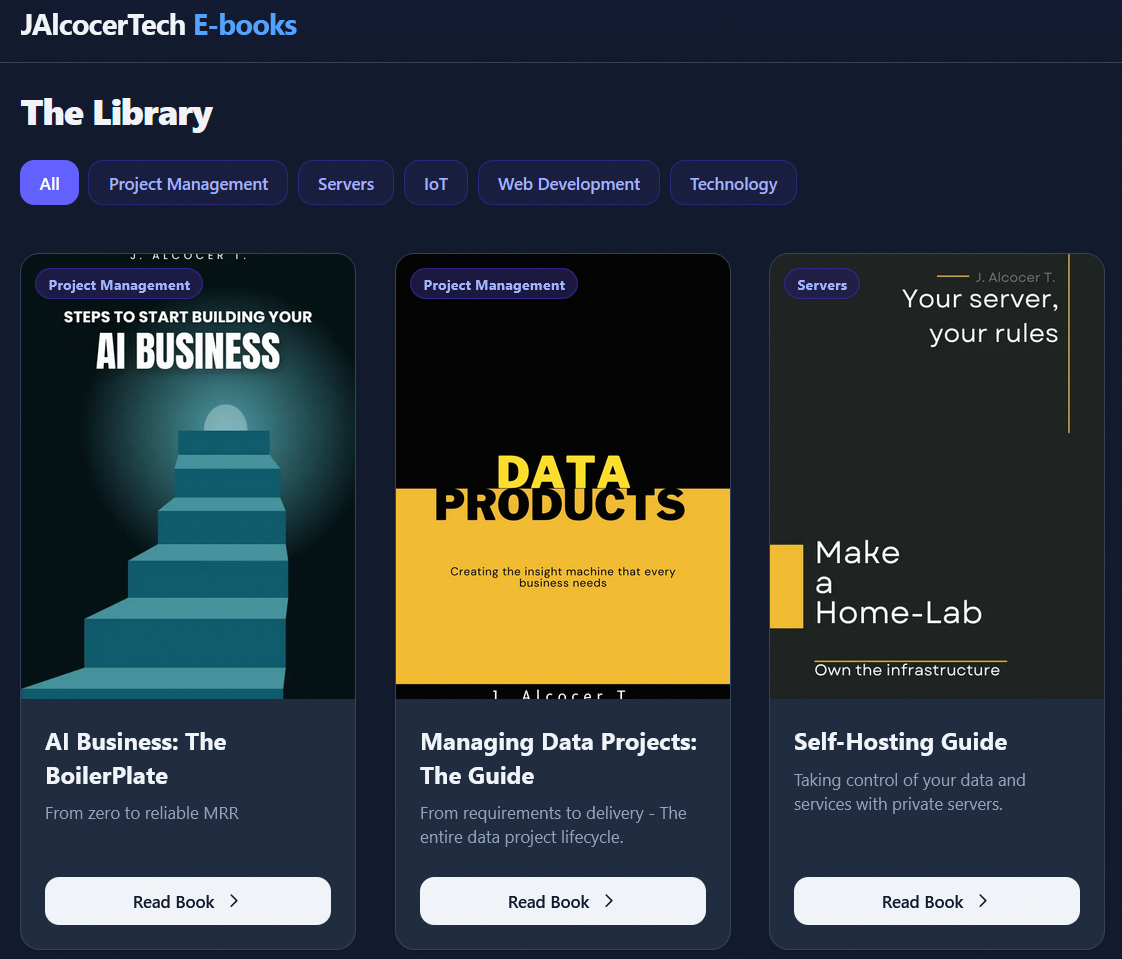 DIY via ebooks
FAQ
As long as you do not push the branch or tag, it stays only on your machine.
Local-only means:
git switch -c v0.4.0-devNo v0.4.0 tag was created, and neither dev branch has an upstream.
GitHub will not see them unless you explicitly push them.
For the v0.3.0 release, remember to switch back to main before pushing:
cd /home/jalcocert/Desktop/mbsd-framework/mbsd-core
git switch main
git push origin main
git push origin v0.3.0

cd /home/jalcocert/Desktop/mbsd-framework/mbsd-examples
git switch main
git push origin main
git push origin v0.3.0
See
/home/jalcocert/Desktop/mbsd-framework/mbsd-examples/docs/release-plan.md
gh release create v0.3.0 \
  --repo JAlcocerT/mbsd-examples \
  --title "MBSD Examples v0.3.0 - Week 3 Examples" \
  --notes-file CHANGELOG.md
For v0.4.0, I’d define this as: MBSD can write mechanism and result data into clean external formats that other tools can consume.
Not “MBSD becomes a CAD tool.”
Good 0.4.0 scope:
Export mechanism topology:
bodies
joints
drives
springs/forces where simple
metadata/units
Export solved trajectories:
time array
body poses: x, y, theta
optional point traces
constraint residual summaries
Add a stable JSON format:
mechanism.to_dict()
mechanism.to_json(path)
maybe result_to_dict(result)
maybe export_trajectory_csv(…)
Examples repo:
one JSON export example
one CSV trajectory export example
one “CAD handoff” example showing how exported points could become CAD/sketch data
The CAD bridge should probably be data-first:
mbsd-core -> JSON / CSV / simple neutral data examples -> show FreeCAD / Blender / CADQuery-style handoff later
I would avoid adding FreeCAD, CadQuery, Blender, or STEP export as core dependencies in v0.4.0.
3D Track
For v0.5.0, I’d treat this as the first experimental 3D branch of the framework.
Not “full production 3D multibody dynamics.”
Good 0.5.0 scope:
- Add experimental 3D namespace, maybe:
from mbsd.experimental import spatial
or:
import mbsd.spatial
Define basic 3D concepts:
- body pose
- rotation representation
- mass/inertia placeholder
- simple joints sketch
- coordinate conventions
Provide one or two examples:
- free rigid body pose representation
- simple pendulum-like spatial setup
- maybe visualization/export only, not dynamics yet
Keep it clearly labeled experimental:
- API may change
- not equivalent to planar solver yet
- no broad contact/collision/multiphysics claims
The useful split is:
v0.4.0: make 2D results portable v0.5.0: start a careful 3D model vocabulary
That sequence is good because exports will also help the 3D story later.
Cool Builder Channels
Paillard fan
PWA Power
From /home/jalcocert/Desktop/mbsd-framework/mbsd-core-web-later
cd /home/jalcocert/Desktop/mbsd-framework/app-mbsd
make build
make preview
make deploy
Going to
https://main.app-mbsd.pages.dev/
• The metadata confirms mbsd-core-web-later is explicitly a static PWA and uses Pyodide to run MBSD in- browser. I’ll also check which of these folders are actual git repos, since you asked “a repo.”
• Explored └ Search /node_modules/ in mbsd-core-web-later Read pyodide-runner.ts, main.ts Search .git in .
───────────────────────────────────────────────────────────────────────────────────────────────────────
• Yes: mbsd-core-web-later (mbsd-core-web-later/README.md:1).
It is explicitly described as a “Static PWA for trying MBSD planar mechanism examples in the browser.” It wraps MBSD via Pyodide, syncs the Python package into static assets, and builds with Vite using base: “./” for relative/static deployment.
Key files:
- mbsd-core-web-later/README.md:1 - says it is the static PWA
- mbsd-core-web-later/public/manifest.webmanifest:1 - PWA manifest
- mbsd-core-web-later/public/sw.js:1 - service worker/cache
- mbsd-core-web-later/src/pyodide-runner.ts:1 - loads Pyodide and mounts MBSD
- mbsd-core-web-later/vite.config.ts:1 - relative static build config
One caveat: I did not find a .git directory inside mbsd-core-web-later, so it appears to be a project folder in this workspace, not currently a standalone git repo.
The actual git repos I found include mbsd-core, mbsd-examples, local-mbsd, hermesagent-mbsd, mbsd, etc.
So the feature shape is clear for app-mbsd:
- Static Pyodide PWA.
- Run three initial planar demos.
- Show animation, plots, residuals, diagnostics.
- Export JSON/CSV.
- Cache runtime/assets for offline use.
- Keep app private and keep mbsd-core clean.
Whitepaper 101
For a technical whitepaper, particularly for an open-source engineering library like a multibody systems dynamics (MBSD) engine.
They strike the right balance between theoretical rigor, architectural design, and scope management.
Core Problem & Philosophy (“What problem MBSD solves”, “Why it stays minimalist and inspectable”): A whitepaper needs a compelling technical thesis. Explaining why this tool exists instead of using bulky existing suites (e.g., ADAMS, Simpack, Drake, or MuJoCo) defines its niche immediately.
Theoretical Foundation (“Mathematical formulations and conventions”, “Full rotational 3D dynamics”): Essential for peer trust. Specifying conventions (quaternions vs. Euler angles, coordinate frame definitions, constraint stabilization methods like Baumgarte or direct DAE solvers) makes the implementation scientifically credible.
Architecture & Interoperability (“Planar and spatial architecture”, “Neutral interchange”): Details how the engine fits into modern engineering workflows (CAD, DCC, web visualizers) without forcing users into a proprietary ecosystem.
Empirical Rigor (“Validation methodology and benchmark cases”): Multibody simulation requires proof of energy conservation, convergence, and analytical test cases (e.g., double pendulum, spinning top, four-bar linkage).
Scope Discipline (“Honest capability boundaries”): This is often missing in technical whitepapers. Stating what the engine cannot or chooses not to do (e.g., deformable bodies, non-smooth impact mechanics, or real-time gaming approximations) builds technical credibility.
Roadmap Differentiation: A common mistake is turning a whitepaper into a release schedule. Keeping the roadmap to a short reference and deferring milestones to
roadmap.mdmaintains the whitepaper as a foundational document rather than project-management churn.
Recommended Document Outline
To translate those points into a clean document structure, arrange them into standard whitepaper sections:
- Executive Summary & Motivation
- Problem statement and intended domain.
- Design philosophy: inspectability, simplicity, and composability.
- Mathematical Formulation & Conventions
- Reference frames, coordinates, and transformation representations.
- Kinematic constraints, equations of motion, and numerical integration approaches.
- Software Architecture
- Layering (planar core, full 3D spatial dynamics).
- Data structures, serialization, and agent-ready/deterministic execution principles.
- Interoperability & Ecosystem Integration
- Schema design for neutral interchange (FreeCAD, Blender, Web/PWA frontends).
- Validation, Benchmarks & Boundaries
- Canonical benchmark comparisons against analytical solutions.
- Known limitations and explicit out-of-scope boundaries.
- Future Vision
- High-level trajectory referencing
roadmap.md.
Marking it as a “Living Technical Draft” pre-v1.0 (as the terminal notes suggest) is sound practice—it gives you room to align mathematical proofs with the actual implementation as features land behind their validation gates.
The Core Roles of Docs
Each document serves a specific layer in the pipeline from strategic intent down to implementation:
| Document | Primary Question | Audience | Purpose |
|---|---|---|---|
| BRD (Business Requirements) | Why are we building this? | Executives, sponsors, stakeholders | Defines business problems, ROI, market opportunity, and success metrics. |
| Whitepaper | How does the underlying thesis / science work? | External users, researchers, architects | Explains mathematical models, core technical innovations, and design philosophy. |
| PRD (Product Requirements) | What does the user need? | Product managers, designers, engineering leads | Outlines user personas, user journeys, features, and non-functional requirements. |
| Roadmap | When will value be delivered? | All stakeholders, customers, teams | Strategic timeline mapping releases to milestones and validation gates. |
| FRD (Functional Requirements) | How specifically must it behave? | Engineers, QA, technical implementers | Low-level functional specs, API signatures, edge cases, and acceptance criteria. |
How They Relate to Each Other
   [ Business Intent ]       BRD
                              │
   [ Technical Thesis ]       ├─────────► Whitepaper (Public/Academic facing)
                              ▼
   [ Product Definition ]     PRD
                              ├─────────► Roadmap (Timeline & release gates)
                              ▼
[ System Execution ] FRD- Whitepaper vs. BRD/PRD: A BRD states business need (“We need a lightweight physics engine to reduce licensing costs by 40%”), while a PRD states capability (“The engine must support 6-DOF constraints in the browser”). A Whitepaper establishes the foundational science and design philosophy that proves those goals are theoretically feasible (“Formulation of dual quaternions for singularity-free 3D dynamics”).
- Whitepaper vs. Roadmap: The whitepaper is relatively timeless—it defines foundational architecture, physics conventions, and capability boundaries. The roadmap is dynamic—it organizes the rollout of those capabilities across specific release milestones and validation gates.
- PRD vs. FRD: The PRD defines the functional requirement from the user’s viewpoint (“User can import a FreeCAD assembly”). The FRD defines the exact behavior, inputs, transformations, and schema specifications (“Accepts STEP AP214 format; maps rotational joints to constraint solver ID 0x04”).
What Goes First?
In a standard software lifecycle, the chronological progression flows as follows:
- BRD (First): Establish whether the problem is worth solving and what business value it creates.
- Whitepaper / Concept Paper (Early): For deep-tech, academic, or open-source engineering systems (like MBSD), the whitepaper is drafted early to validate the mathematical and architectural hypotheses before writing user-facing product specs.
- PRD (Middle): Convert business and technical goals into explicit product capabilities and user stories.
- Roadmap (Mid-stage): Once PRD scope is visible, prioritize features into releases and delivery gates.
- FRD (Just-in-Time Implementation): Written sprint-by-sprint or phase-by-phase as engineering begins detailed implementation.
Practical Caveat for Open-Source & Deep Tech
For open-source projects or solo technical initiatives like mbsd-core, formal enterprise BRDs and FRDs are often skipped or condensed.
In these environments, the standard workflow typically boils down to three core artifacts:
whitepaper.md: Foundational math, architecture, and constraints (the technical reference manual).roadmap.md: Phases, release gates, and target milestones.- Implementation Issues / PRs: Acting as the lightweight PRD/FRD layer.